

Note: This article was published on 02/27/2025.
Although this topic is ndependent, but it was derived from the Remove IIS Log Files project. So we merge this article into the series of articles for REmove IIS Log Files.
This series of articles are to discuss a task to remove IIS Log Files. We start from doing the task manually, then make automation, and the last deploy the automation to pipelines (different servers):
- Remove IIS Log Files (1) --- Manually
- Remove IIS Log Files (2) --- Automation by Windows Task Scheduler
- Remove IIS Log Files (3) --- Deploy VBScript Automation by Pipeline
- Remove IIS Log Files (4) --- Deploy PowerShell Automation by Pipeline
This is a working note to use AI to solve a specific problem. AI tool, we use Microsoft Copilot,
Issue
As the topic.
Solution by AI assistance
Instruction to AI: "aws security group on the ec2 needs to allow those ports"
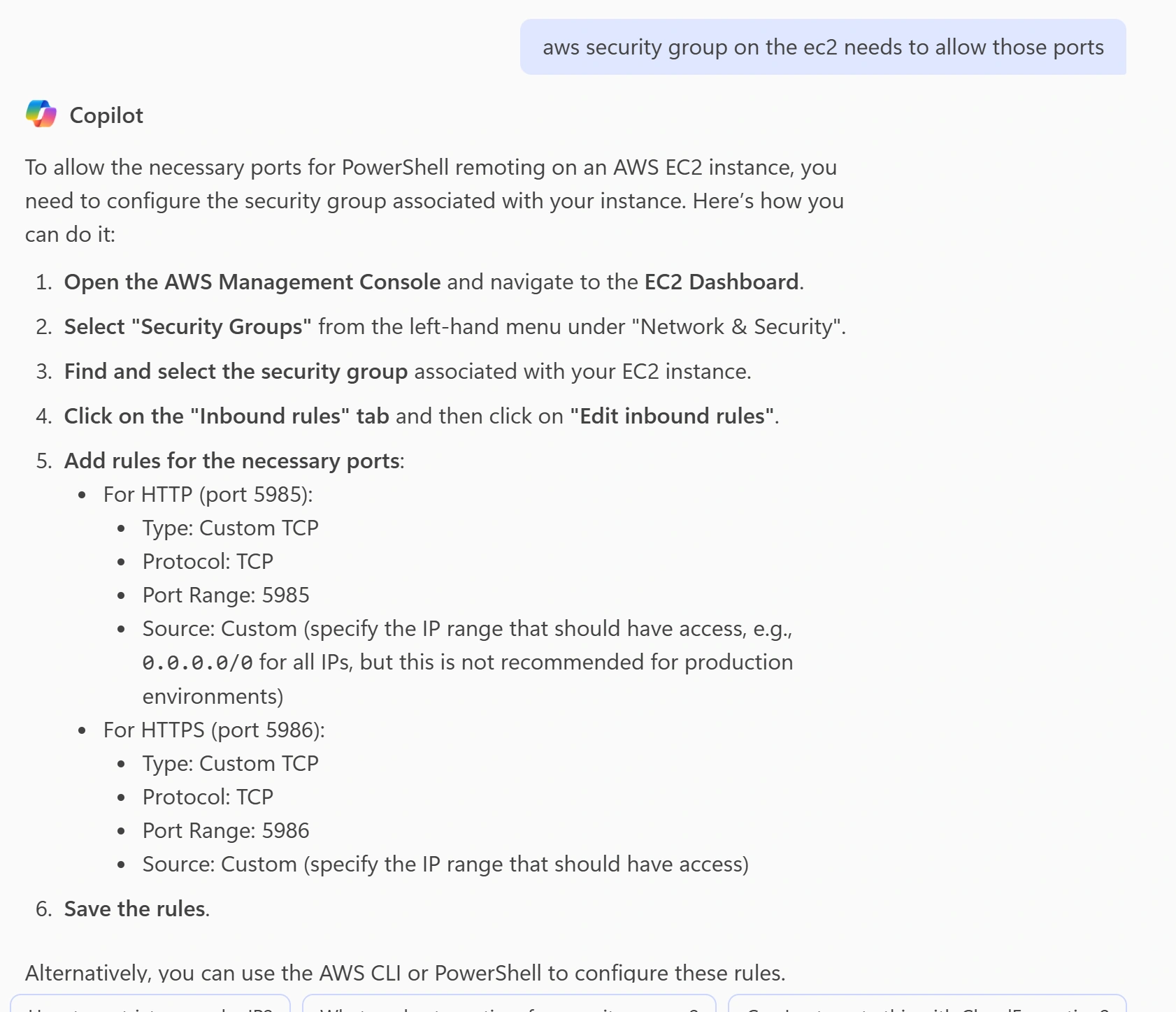
Step 1: Get the security Group
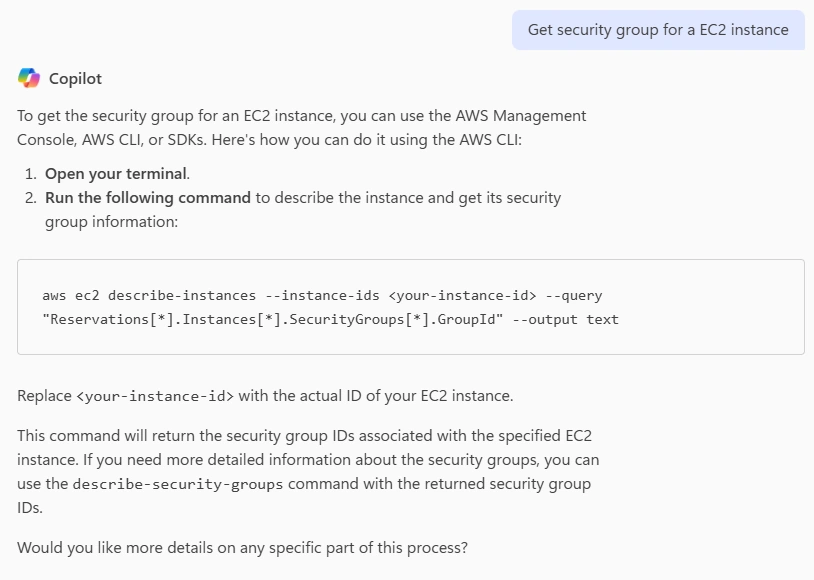
Instruction to AI: Get security group for a EC2 instance
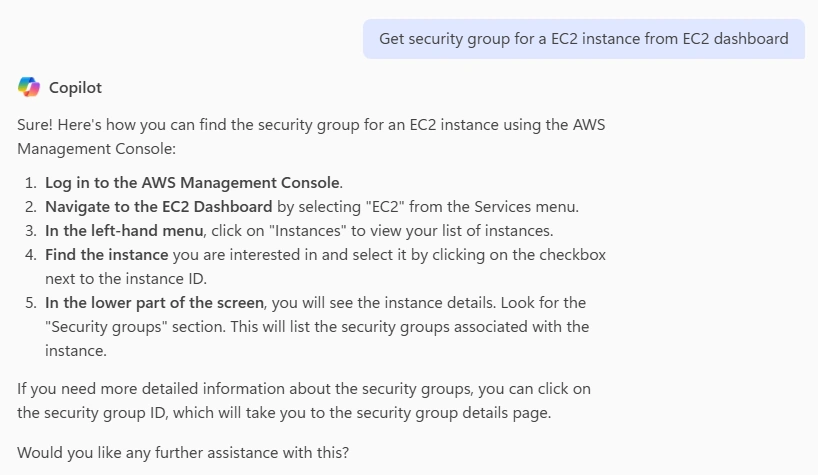
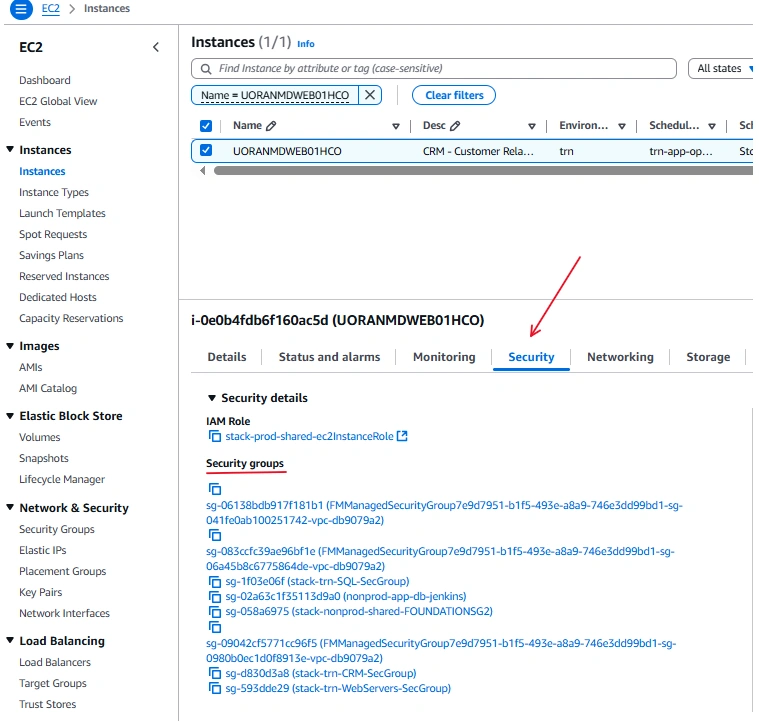
Instruction to AI: Get security group for a EC2 instance from EC2 dashboard
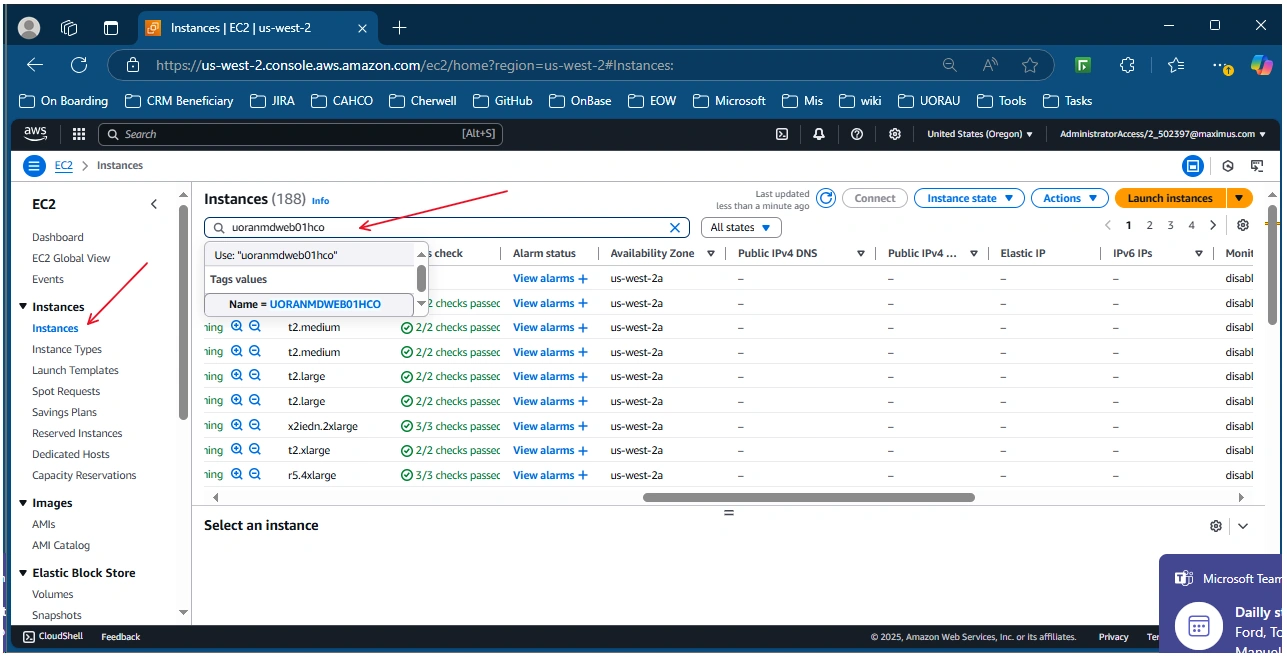
Click instanses => type in server name from the search area:
Security => Security Groups
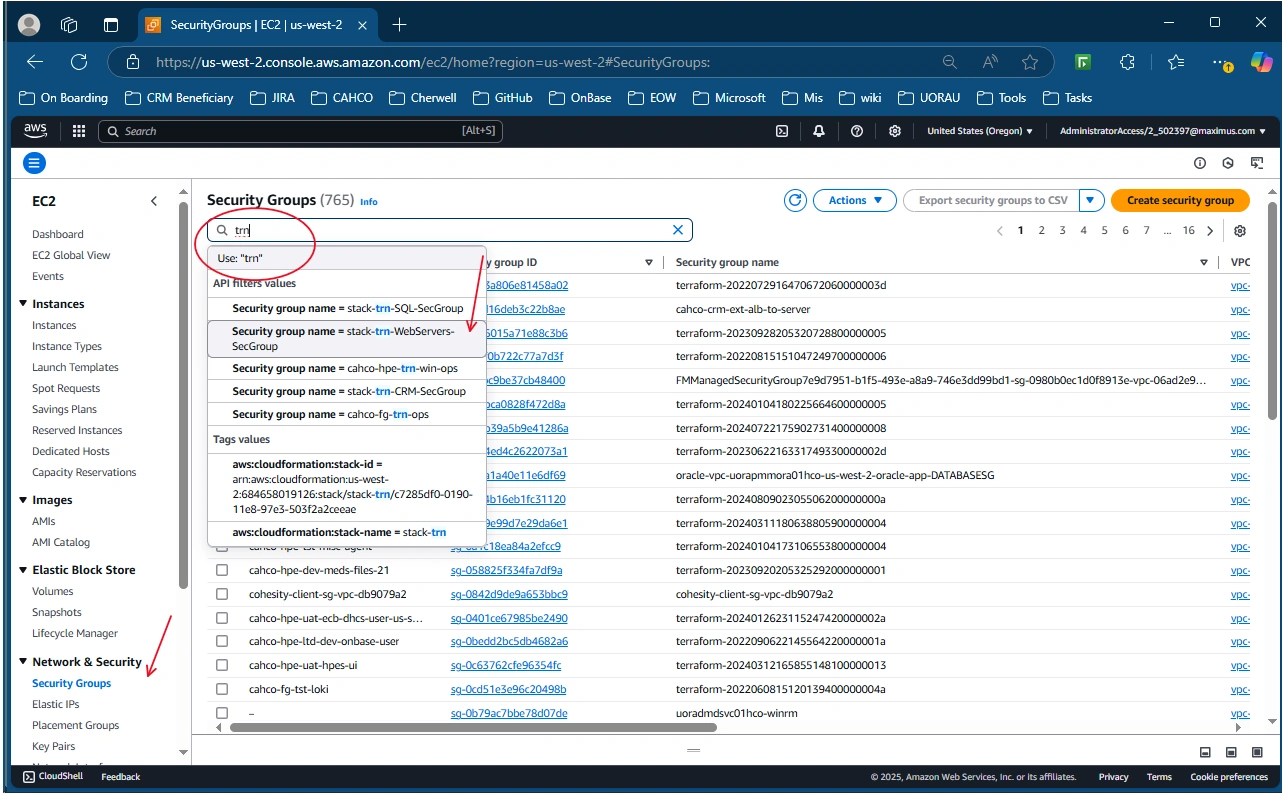
Step 2: Get the Security Group => type you want to searched:
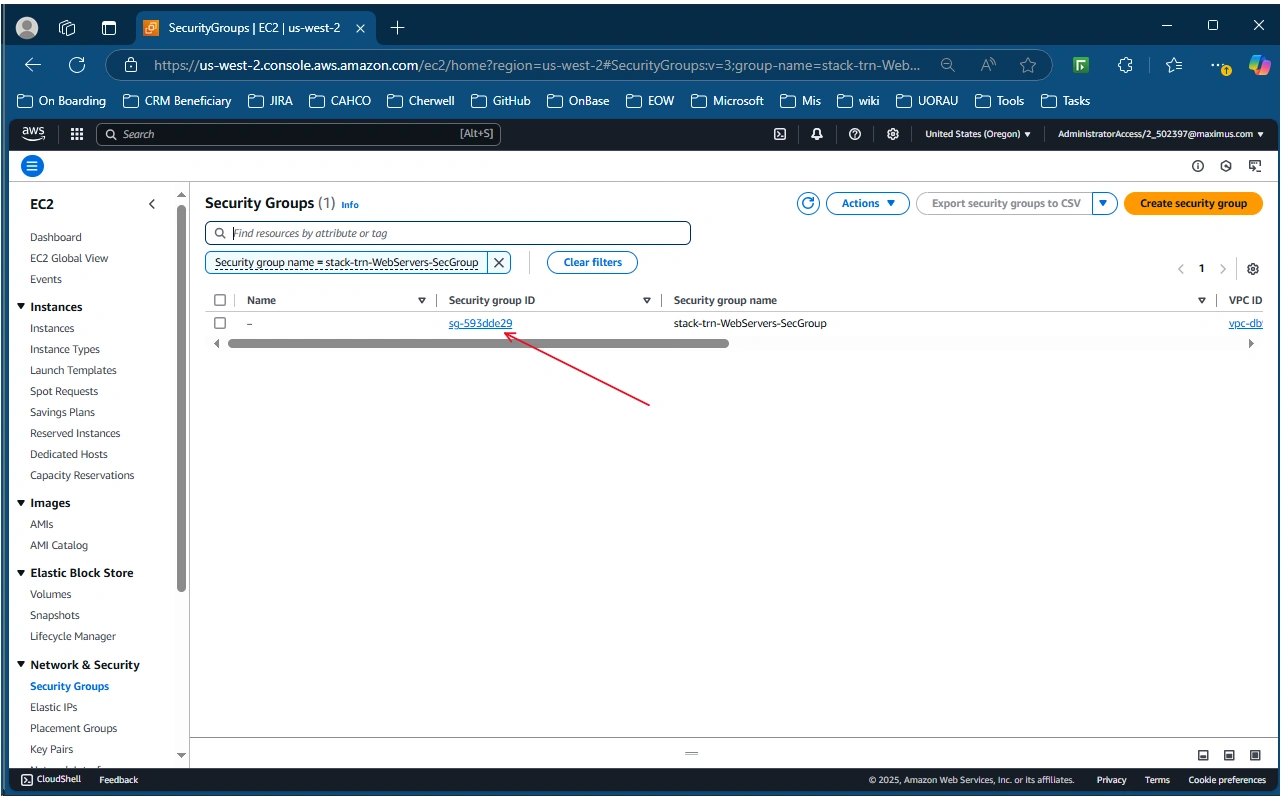
Go to the selected:
Click on the "inbound rules" tab => Edit inbound rules
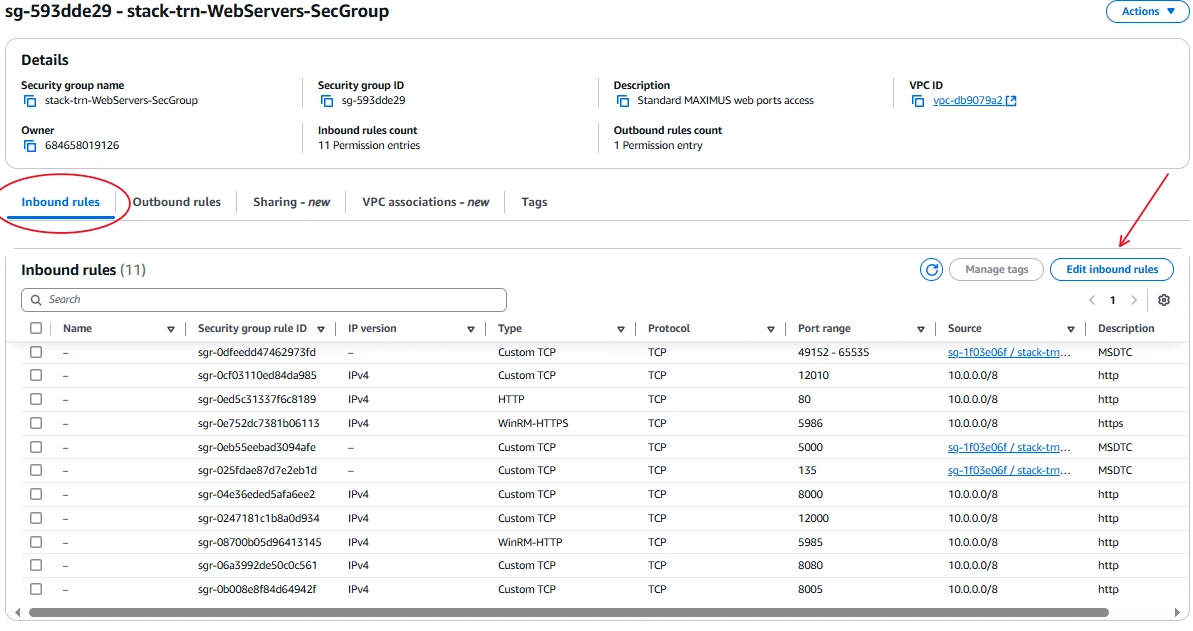
Add rules for port 5985 and 5986
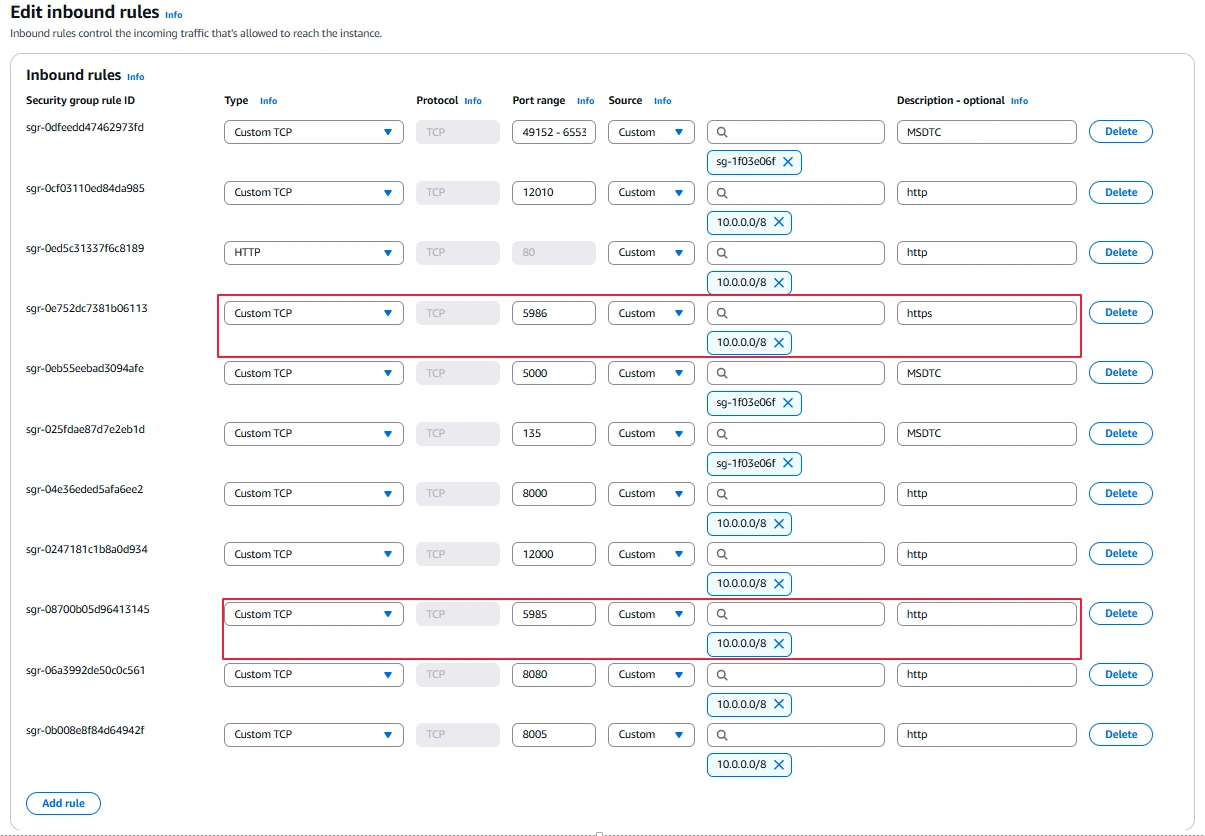
Save
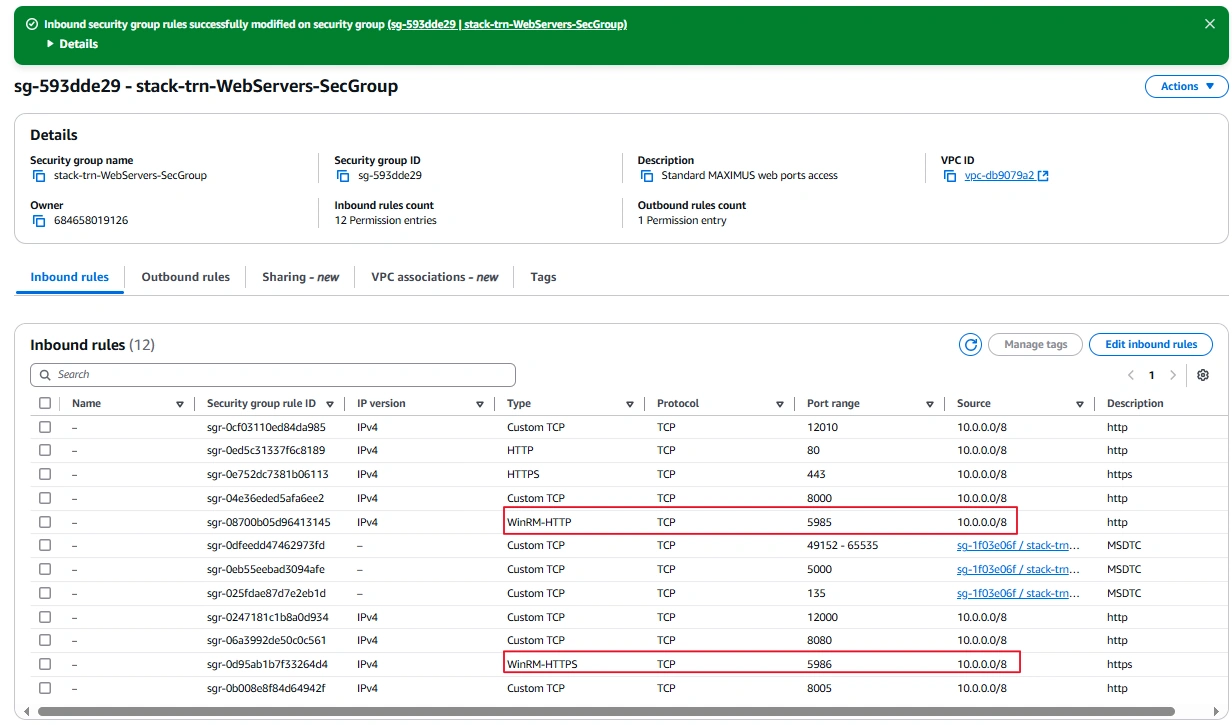
Done.
Join the conversation! Your thoughts help the community grow.