

Introduction
In one of my previous articles, we discussed how to add an item in the ListView. Now, in this article, we will discuss how to remove an item from the ListView. So, let's dive into the article.
Prerequisites
In one of my previous articles, we discussed how to add an item in the ListView. Now, in this article, we will discuss how to remove an item from the ListView. So, let's dive into the article.
Prerequisites
- Windows 10
- Visual Studio 2017 Community Edition
- Xamarin Package
Step 1
- Open Visual Studio 2017 Community Edition
- Create a new project by going to File -> New -> Project.
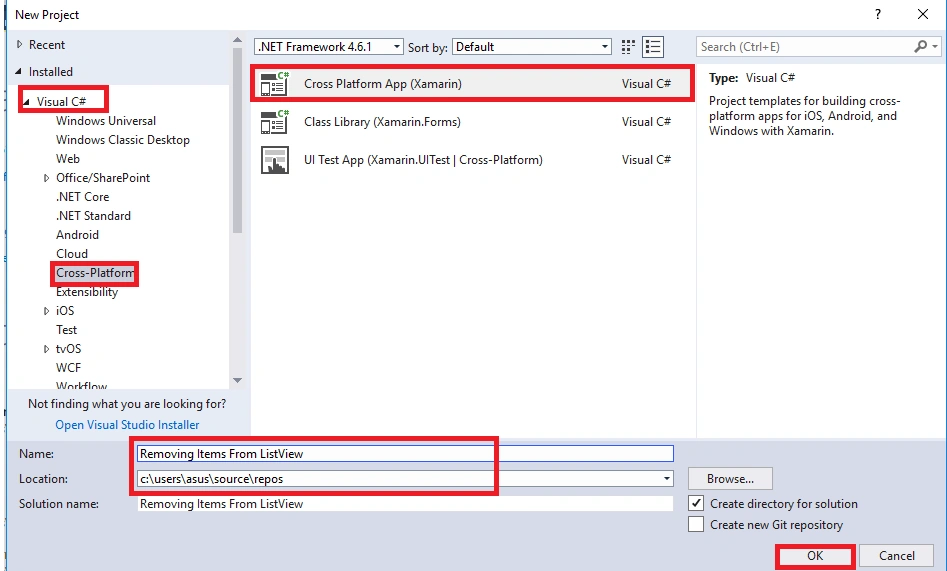
- A new window will open. Select Visual C# -> Cross-Platform under installed.
- Now, on the right side, select Cross-Platform App (Xamarin) and then give the suitable name for the project, select the destination folder for the project, and click OK.
Step 2
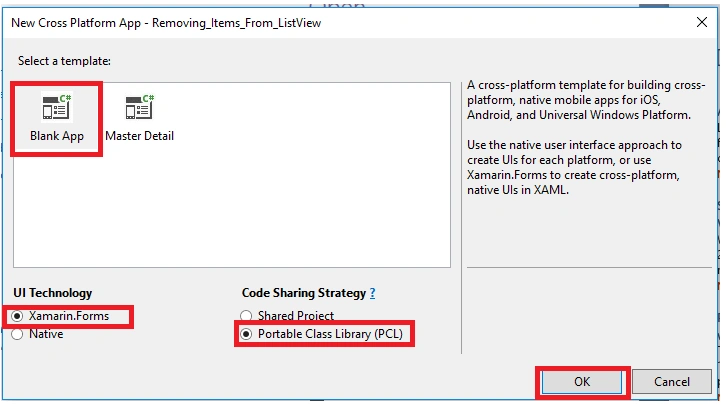
Now, a new window will open. Select Blank App -> Xamarin.Forms ->Portable Class Library (PCL) and then click OK.
Step 3
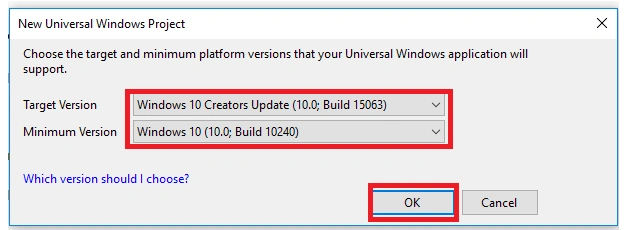
Select the Target version and minimum version for your project to run the UWP application on any device and then click OK.
Step 4
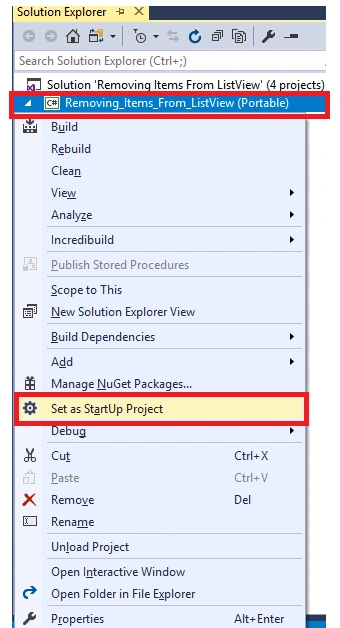
After creating the project, open the solution explorer and set the Portable Class as Startup Project.
Step 5
Now, in Portable Class, add 3 new folders - Models, ViewModels, and Views.
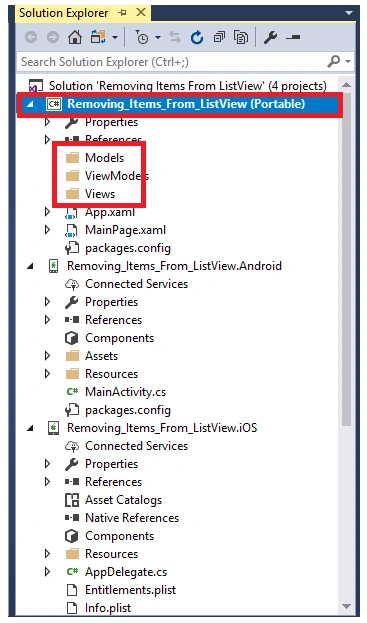
Step 6
Now, in Models folder, create a new class ContentPage called Products. Similarly, under ViewModels, create a new class called ProductsViewModel. Now, in Views folder, drag and drop the MainPage.xaml file.
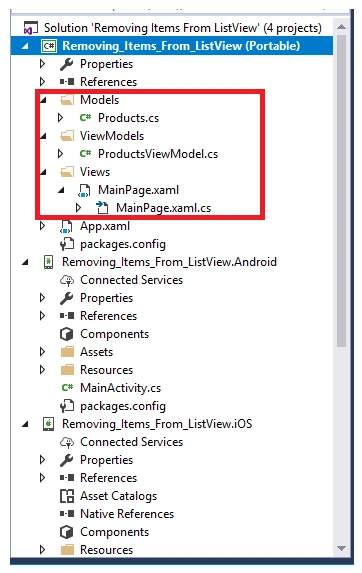
Step 7
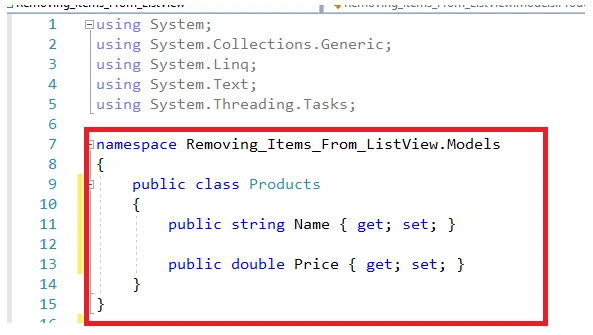
Now, in Products, write the following C# code for receiving and storing the name and price of the items.
C# Code
- using System;
- using System.Collections.Generic;
- using System.Linq;
- using System.Text;
- using System.Threading.Tasks;
- namespace Removing_Items_From_ListView.Models {
- public class Products {
- public string Name {
- get;
- set;
- }
- public double Price {
- get;
- set;
- }
- }
- }
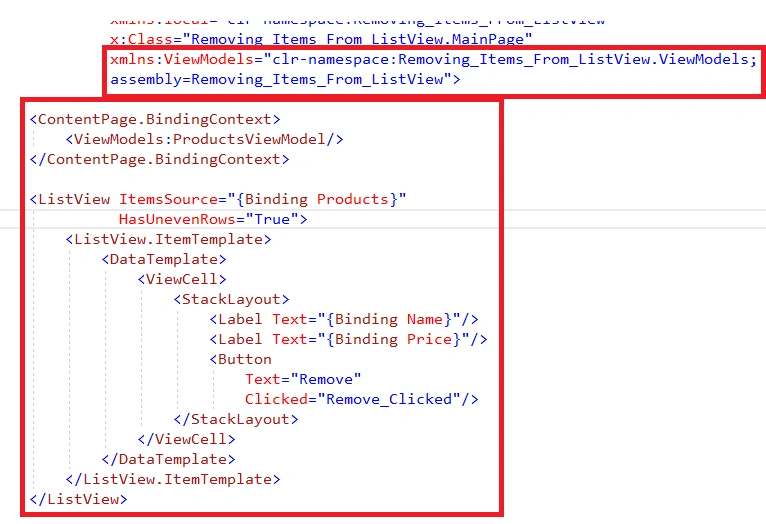
Shane TandyPosted Apr 19, 2019, 8:04 AM
In the viewmodel, you have the function Products.Remove, yet there is no remove function that you've specified.