

This article describes how to respond to keyboard input in a Windows Store Application. I will show you how to take full advantage of keyboard capabilities to control the system and Windows Store apps using XAML.
Keyboard input is an important part of the overall user interaction experience for Windows Store apps in Windows 8. In this article I will create an application that supports user interactions with a hardware keyboard or the touch keyboard.
Now I am going to create a Windows Store application to respond to user input through the keyboard using KeyUp and KeyDown events.
Step 1
Create a new Windows Store application using Blank template.
Step 2
Now I create UI markup in the MainPage.xaml page:
<Grid x:Name="LayoutRoot" Background="White" HorizontalAlignment="Left" VerticalAlignment="Top">
<Grid.RowDefinitions>
<RowDefinition Height="Auto"/>
<RowDefinition Height="*"/>
</Grid.RowDefinitions>
<TextBlock x:Name="InputTextBlock1" TextWrapping="Wrap" Grid.Row="0" Style="{StaticResource BasicTextStyle}" HorizontalAlignment="Left" >
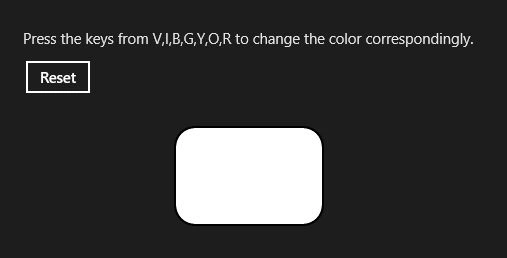
Press the keys from V,I,B,G,Y,O,R to change the color correspondingly.
</TextBlock>
<Grid x:Name="Output" HorizontalAlignment="Left" VerticalAlignment="Top" Grid.Row="1">
<StackPanel>
<StackPanel Orientation="Horizontal" Margin="0,10,0,0">
<Button x:Name="Reset" Content="Reset" Margin="0,0,10,0" Click="Reset" />
<TextBlock Style="{StaticResource BasicTextStyle}" Margin="5,5,0,0" x:Name="keyState" HorizontalAlignment="Left" TextWrapping="Wrap"/>
</StackPanel>
<StackPanel Margin="0,10,0,0">
<Border x:Name="bChange" Background="White" Height="100" Width="150" CornerRadius="20" Margin="20" BorderBrush="Black" BorderThickness="2" >
<TextBlock Style="{StaticResource BasicTextStyle}" Text="White" HorizontalAlignment="Center" VerticalAlignment="Center"/>
</Border>
</StackPanel>
</StackPanel>
</Grid>
</Grid>
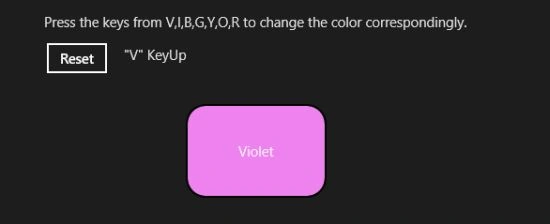
In the preceding code is a Textblock with a rounded border. I will let the user enter the keys that are displayed on the screen. As the user presses the key, the border changes the color correspondingly.
Step 3
Put this code in the .cs file.
First, create event handlers KeyDown and KeyUp of the parent grid of the border:
Output.KeyDown += Output_KeyDown_1;
Output.KeyUp += Output_KeyUp_1;
Code of KeyDown event:
private void Output_KeyDown_1(object sender,KeyRoutedEventArgs e)
{
Join the conversation! Your thoughts help the community grow.