

Introduction
This article shows how to fetch an image from a database.
To explain this article, I will do the following genral procedure:
- Create a table in the database to store the image and some other relevant data to fetch the image from the table and store some data into the table.
- Create a website with a generic handler (.ashx) with some code, that will fetch the image data from the database.
- Create a page that contains an image control in the design part of that page (.aspx) that will call the generic handler (.ashx).
The is the details of the preceding procedure.
Step 1
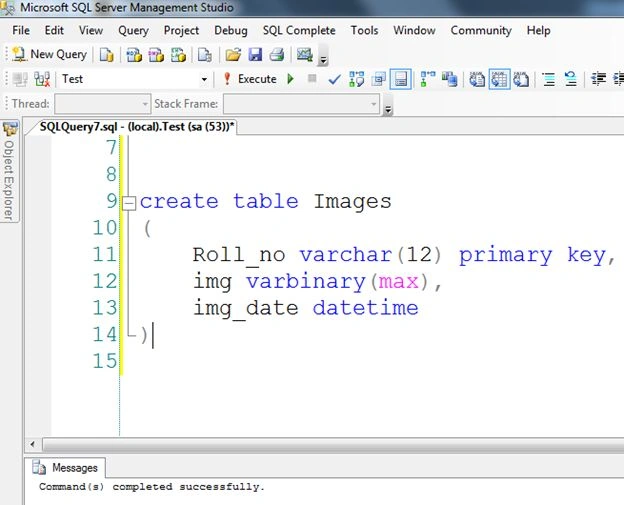
- Create a table named "Images" that will store:
- Roll number of a student
- Image of a student
- Date of image insertion
- CREATE TABLE dbo.Images(
- Roll_no varchar(12) primary key,
- img varbinary(max) ,
- img_date datetime
- )
- After storing some data into the table:

Note: To understand saving the image in the database, read my previous article "How to Save An Image Into the Database".
Step 2
- Create a new empty Website named "ImageToBinary".

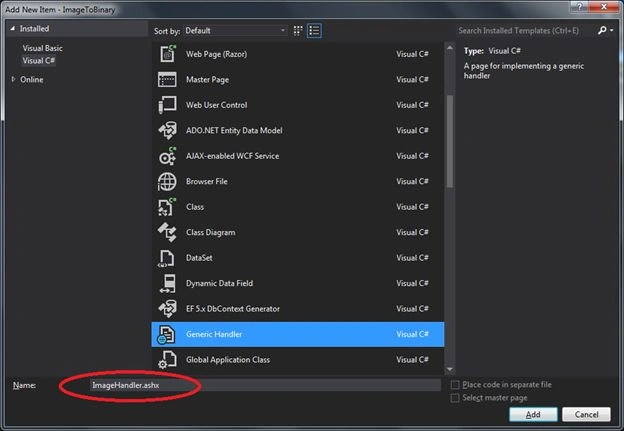
- Add a new Generic Handler named "ImageHandler.ashx".
That will look like: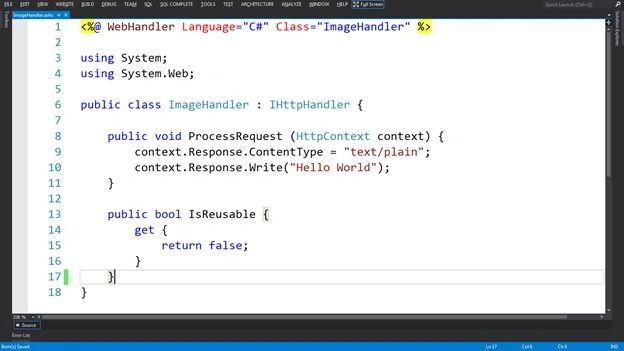
Step 3
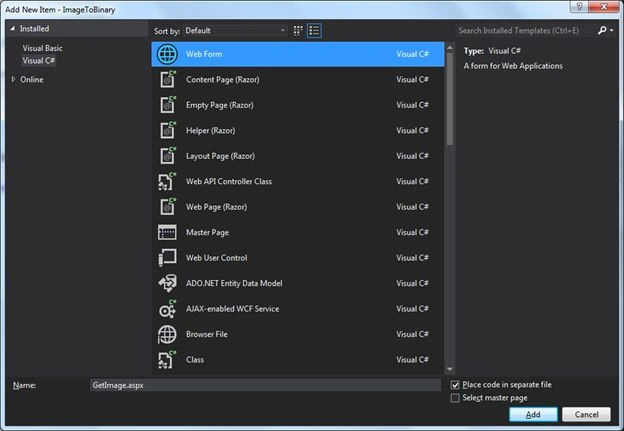
- Add a web Form named "GetImage.aspx".
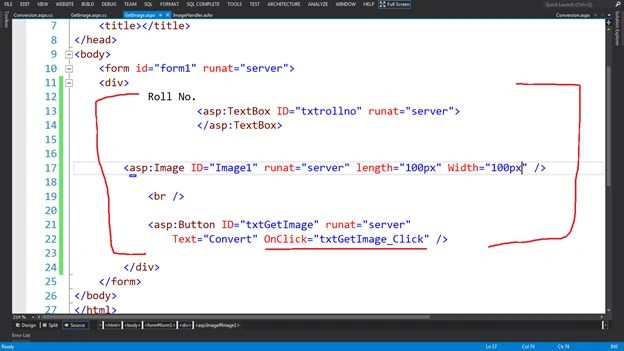
- Add the following 3 controls to the page:
- TextBox (for Roll number of student)
- Image with fixed height and width (to show the image)
- Button with Onclick event (for getting the image via handler)
Roll Number
- <asp:TextBox ID="txtrollno" runat="server">
- </asp:TextBox>
- <asp:Image ID="Image1" runat="server" length="100px" Width="100px" />
- <br />
- <asp:Button ID="txtGetImage" runat="server"
- Text="Convert" OnClick="txtGetImage_Click" />
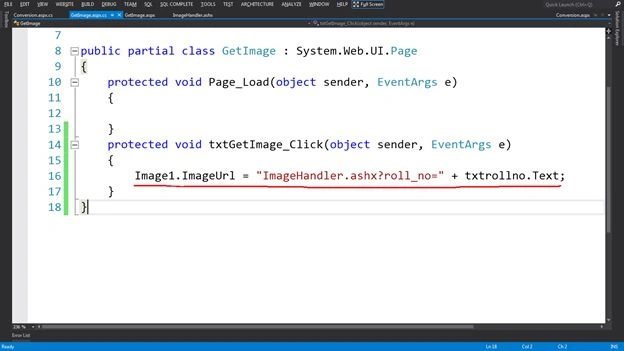
- Set the generic handler with roll number in "querystring" as "imageurl" of the image control on the click of event of the button like this:
- Image1.ImageUrl = "ImageHandler.ashx?roll_no=" + txtrollno.Text;
- Image1.ImageUrl = "ImageHandler.ashx?roll_no=" + txtrollno.Text;
Step 4
Get the image from the database via handler.
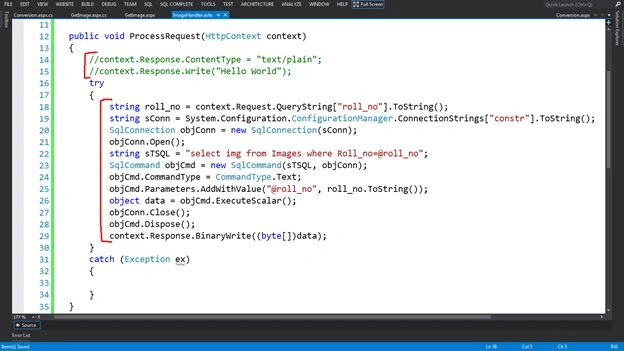
- Delete or comment the 2 default generated lines, that are specified below. Just because of irrelevancy.
- context.Response.ContentType = "text/plain";
- context.Response.Write("Hello World");
- Write the code to fetch the image from the database.
- string roll_no = context.Request.QueryString["roll_no"].ToString();
- string sConn = System.Configuration.ConfigurationManager.ConnectionStrings["constr"].ToString();
- SqlConnection objConn = new SqlConnection(sConn);
- objConn.Open();
- string sTSQL = "select img from Images where Roll_no=@roll_no";
- SqlCommand objCmd = new SqlCommand(sTSQL, objConn);
- objCmd.CommandType = CommandType.Text;
- objCmd.Parameters.AddWithValue("@roll_no", roll_no.ToString());
- object data = objCmd.ExecuteScalar();
- objConn.Close();
- objCmd.Dispose();
- context.Response.BinaryWrite((byte[])data);
Step 5
Run the page that will be like:
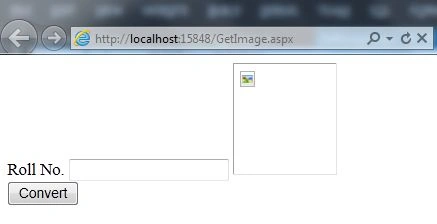
Fill in the roll number and click on the button to get the image.
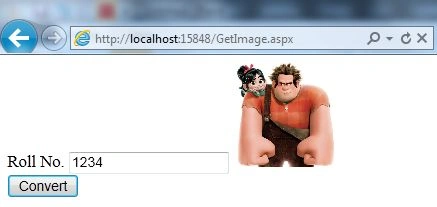
Result
Fill in the roll number and click on the button to get the image.
Result
Now you can see the image that was stored in the database in binary format.
Ivonne AspilcuetaPosted Jul 25, 2024, 8:33 PM
Hi Rahul, How can I Look images with more or different textboxes input not only one, like rollId, or Name, or Lastname as textbox input?
Dharshani ArumugamPosted Mar 12, 2022, 6:52 AM
How can i add a download button to download the image and save it as its ID name in this file?
gausmohammad shaikhPosted Feb 6, 2017, 3:05 AM
Sir mujhe single image and uski details DetailView me show karna h
Ganesh PatePosted Nov 25, 2016, 2:08 AM
Nice article, but how I will use this image in web services and display on Json format
Jehangir Wahid ShahPosted Mar 22, 2015, 2:45 PM
Sir G I got it. The path I entered to the Generic Handler file was incorrect.
Jehangir Wahid ShahPosted Mar 22, 2015, 2:24 PM
I appreciate your method of teaching us. Thanks a bundle
Jehangir Wahid ShahPosted Mar 22, 2015, 2:22 PM
Sir the partial class here, is GetImage, while mine is MasterPage_Default, i.e. I am using Master page for all pages in my website and it's not working there. So what should I do?
Jaydip GohilPosted Mar 10, 2015, 2:14 PM
How can i retrive particular image from database and save that image at particular location
RamuPosted Aug 1, 2014, 10:46 PM
Thank you very much sir its useful for me
Rahul BansalPosted Jul 16, 2014, 12:15 AM
Thanks Abhishek...very soon i will write the article to save the .pdf , doc and excel file and retrieve them.
Abhishek JaiswalPosted Jul 15, 2014, 3:30 AM
Very informative! Now, please let me know how can we retrieve .doc or excel files from databse and display them over a web page.
Rahul BansalPosted Jul 14, 2014, 7:10 AM
Thanks guys..@Channabasava:- you can use the Datagrid or gridview with image control to fetch the image from the database on basis of primary key field via above code
Channabasava DabarabadiPosted Jul 14, 2014, 6:51 AM
i have multiple upload files.. how can i use this code for my req??
Khan Abrar AhmedPosted Jul 14, 2014, 4:44 AM
Nice one sir,
Tausif AlamPosted Jul 14, 2014, 2:56 AM
Thank you very much