

Introduction
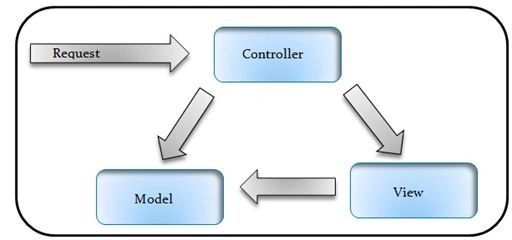
There are the following three ways to pass a value or data from a view to an action:
- Parameterized Query.
- Form Data.
- Model Binding.
A QueryString is the data passed using the browser URL.
- What we will do in this application.
- We will learn how to retrieve the data using a QueryString parameter.
- For all this operation we will use the EntityFramework.
(The database script is available in the attached.)
Create this table inside your database.
- create table tbl_QueryStringUse
- (
- ID int identity primary key,
- Name varchar(50),
- Mobile bigint,
- EmailID varchar(100),
- Address varchar(100)
- )
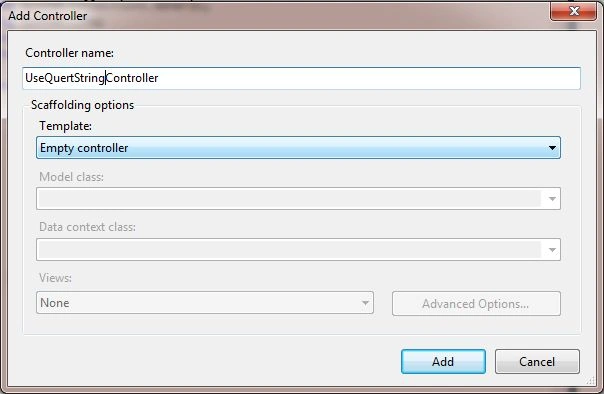
Add a new Controller, the project is named “UseQueryString”.
- using System;
- using System.Collections.Generic;
- using System.Linq;
- using System.Web;
- using System.Web.Mvc;
- namespace MvcApplication3.Controllers
- {
- public class UseQueryStringController : Controller
- {
- //
- // GET: /UseQueryString/
- public ActionResult Index()
- {
- return View();
- }
- }
- }
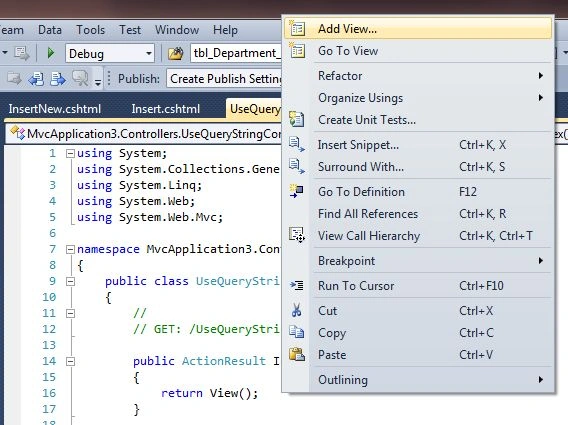
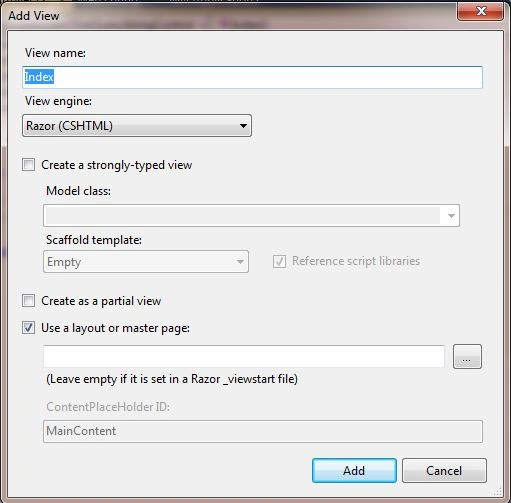
After adding the View:
- @{
- ViewBag.Title = "Index";
- }
- <h2>Index</h2>
- <h6>We will be learcn here how we can Retrieve data from a view by using Query String.</h6>
- <h6>@Html.ActionLink("Add New Rocord", "Insert", "UseQueryString")</h6>
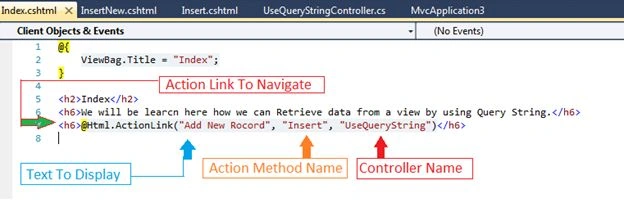
Run the project and test the output.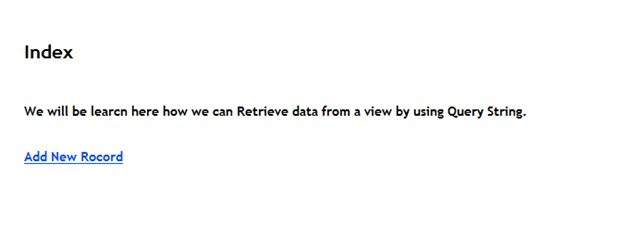
Add a new action method to the controller.
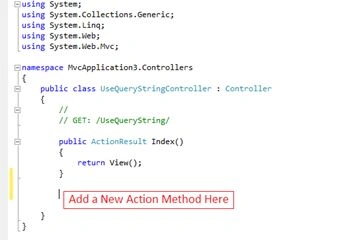
Add a new action method named “Insert()”.
- using System;
- using System.Collections.Generic;
- using System.Linq;
- using System.Web;
- using System.Web.Mvc;
- namespace MvcApplication3.Controllers
- {
- public class UseQueryStringController : Controller
- {
- //
- // GET: /UseQueryString/
- public ActionResult Index()
- {
- return View();
- }
- public ActionResult Insert()
- {
- return View();
- }
- }
- }
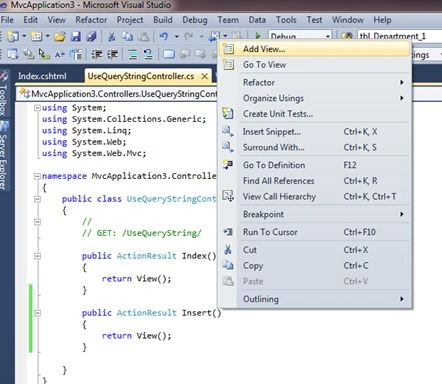
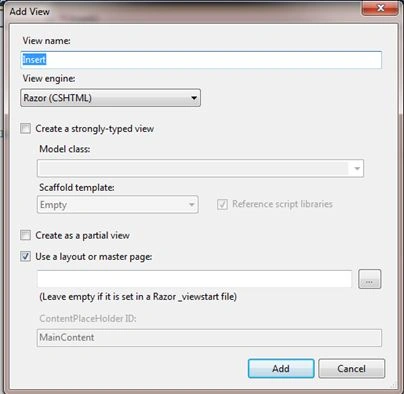
After adding the View:
- @{
- ViewBag.Title = "Insert";
- }
- <h2>Insert</h2>
- <h6>@Html.ActionLink("Go Back", "Index", "UseQueryString")</h6>
- <h6>Insert New Records Here:</h6>
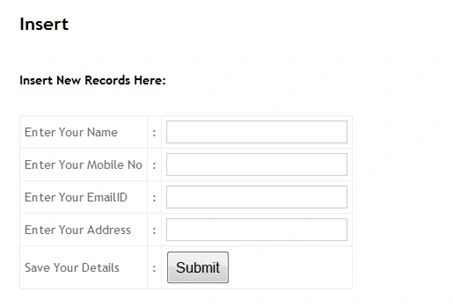
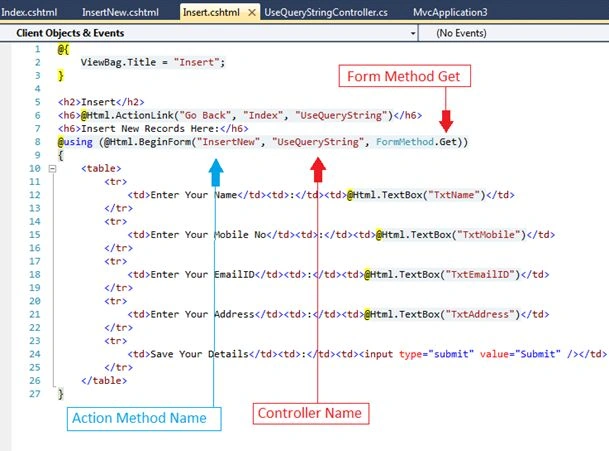
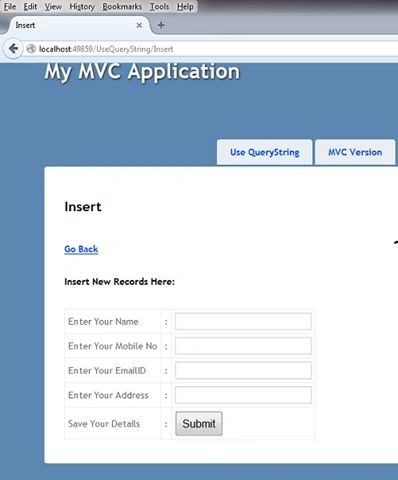
Note: To get a value with a Query String, we need to declare the form method as Get only.
Design the Form: “Insert.cshtml”
- @{
- ViewBag.Title = "Insert";
- }
- <h2>Insert</h2>
- <h6>@Html.ActionLink("Go Back", "Index", "UseQueryString")</h6>
- <h6>Insert New Records Here:</h6>
- @using (@Html.BeginForm("InsertNew", "UseQueryString", FormMethod.Get))
- {
- <table>
- <tr>
- <td>Enter Your Name</td><td>:</td><td>@Html.TextBox("TxtName")</td>
- </tr>
- <tr>
- <td>Enter Your Mobile No</td><td>:</td><td>@Html.TextBox("TxtMobile")</td>
- </tr>
- <tr>
- <td>Enter Your EmailID</td><td>:</td><td>@Html.TextBox("TxtEmailID")</td>
- </tr>
- <tr>
- <td>Enter Your Address</td><td>:</td><td>@Html.TextBox("TxtAddress")</td>
- </tr>
- <tr>
- <td>Save Your Details</td><td>:</td><td><input type="submit" value="Submit" /></td>
- </tr>
- </table>
- }
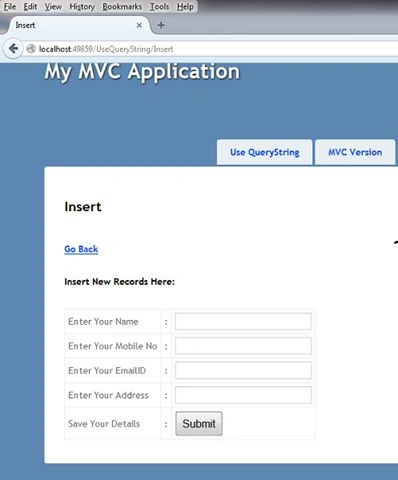
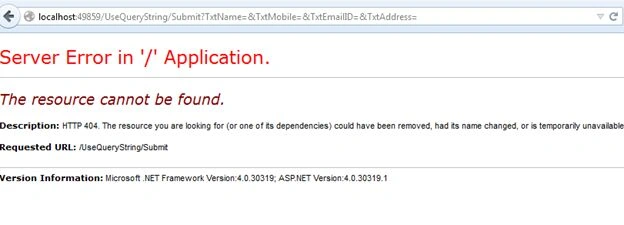
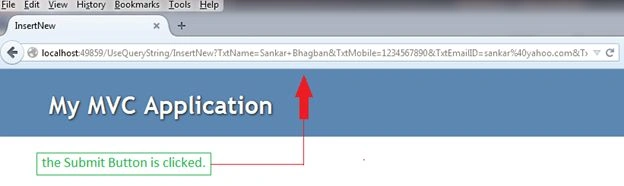
If you now click on the Submit button it will show you the error.
Now create the table if it is not created.
- create table tbl_QueryStringUse
- (
- ID int identity primary key,
- Name varchar(50),
- Mobile bigint,
- EmailID varchar(100),
- Address varchar(100)
- )
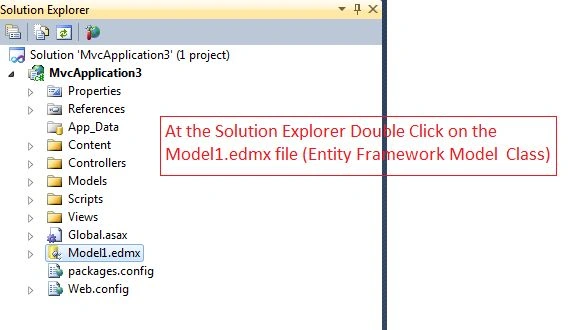
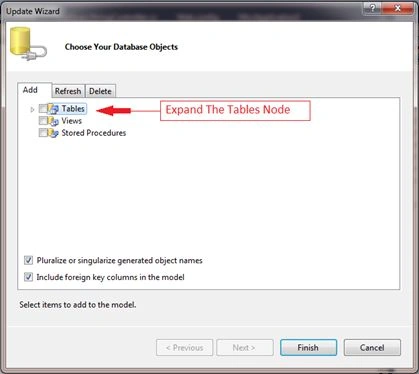
Double-click in the Model.edmx file.
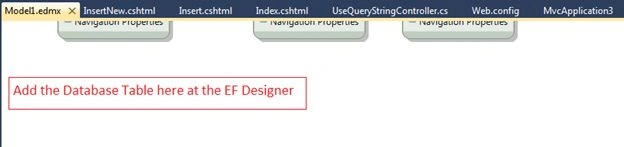
Add this table to the Model designer.
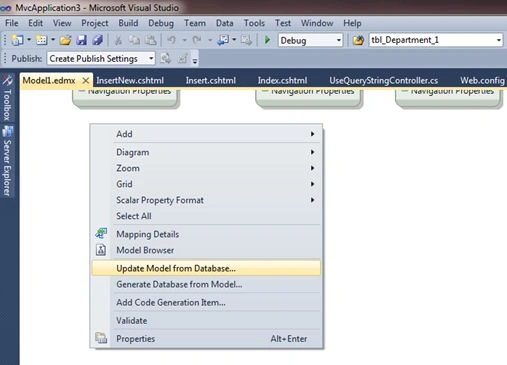
Update the Model from the database.
Update Wizard
Select the table name here.
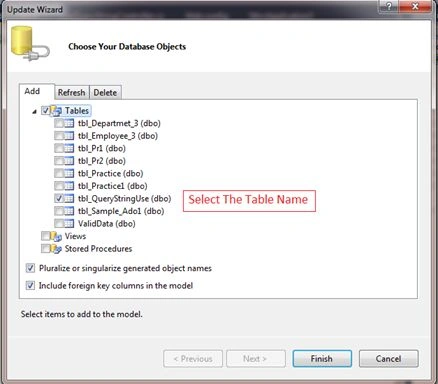
Watch it.
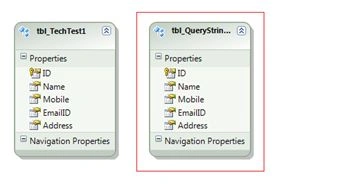
After adding, build the project.

At the Controller Action Method create the Table Object.
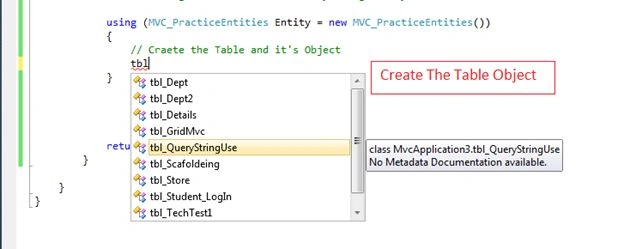
Write the code for inserting the data into the Controller.
- using System;
- using System.Collections.Generic;
- using System.Linq;
- using System.Web;
- using System.Web.Mvc;
- namespace MvcApplication3.Controllers
- {
- public class UseQueryStringController : Controller
- {
- //
- // GET: /UseQueryString/
- public ActionResult Index()
- {
- return View();
- }
- public ActionResult Insert()
- {
- return View();
- }
- public ActionResult InsertNew()
- {
- // here we need to retrieve the values from the HTML controlls (View Page)
- // Declare some variables to hold the data
- string _Name, _EmailID, _Address;
- long _MpbileNo;
- //
- //
- _Name = Request.QueryString["TxtName"];
- // Converting the datatype
- _MpbileNo = Convert.ToInt64(Request.QueryString["TxtMobile"]);
- //
- _EmailID = Request.QueryString["TxtEmailID"];
- _Address = Request.QueryString["TxtAddress"];
- //
- //Then saving data to the database by using Entity Framework
- using (MVC_PracticeEntities Entity = new MVC_PracticeEntities())
- {
- // Craete the Table and it's Object
- tbl_QueryStringUse TblObj = new tbl_QueryStringUse();
- //
- TblObj.Name = _Name;
- TblObj.Mobile = _MpbileNo;
- TblObj.EmailID = _EmailID;
- TblObj.Address = _Address;
- //
- //assign the data
- Entity.AddTotbl_QueryStringUse(TblObj);
- //
- //save changes
- int Row = Entity.SaveChanges();
- if (Row > 0)
- {
- ViewBag.Msg = " Data Of "+ _Name + " Has been Saved Successfully. ";
- }
- }
- return View();
- }
- }
- }
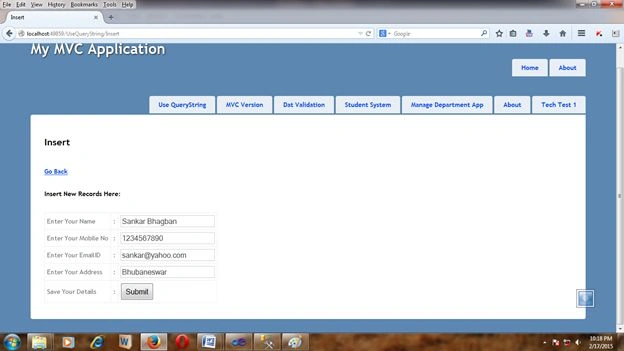
Add some data and save it.
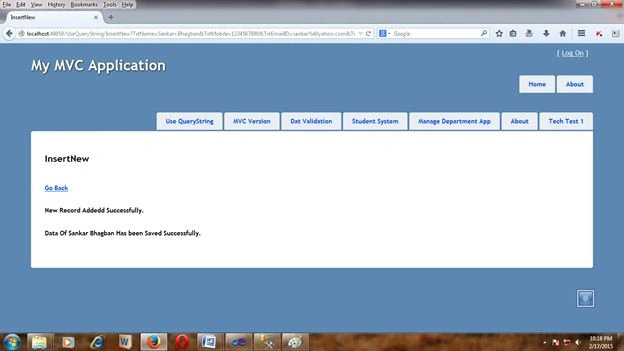
Output
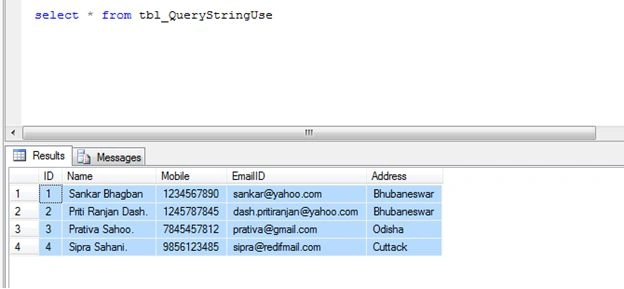
Add some more data and save it.
Go the SQL Server Management Studio and verify the results.
Just a minute.
I am providing all the code again.
Index.cshtml
- @{
- ViewBag.Title = "Index";
- }
- <h2>Index</h2>
- <h6>We will be learcn here how we can Retrieve data from a view by using Query String.</h6>
- <h6>@Html.ActionLink("Add New Rocord", "Insert", "UseQueryString")</h6>
- @{
- ViewBag.Title = "Insert";
- }
- <h2>Insert</h2>
- <h6>@Html.ActionLink("Go Back", "Index", "UseQueryString")</h6>
- <h6>Insert New Records Here:</h6>
- @using (@Html.BeginForm("InsertNew", "UseQueryString", FormMethod.Get))
- {
- <table>
- <tr>
- <td>Enter Your Name</td><td>:</td><td>@Html.TextBox("TxtName")</td>
- </tr>
- <tr>
- <td>Enter Your Mobile No</td><td>:</td><td>@Html.TextBox("TxtMobile")</td>
- </tr>
- <tr>
- <td>Enter Your EmailID</td><td>:</td><td>@Html.TextBox("TxtEmailID")</td>
- </tr>
- <tr>
- <td>Enter Your Address</td><td>:</td><td>@Html.TextBox("TxtAddress")</td>
- </tr>
- <tr>
- <td>Save Your Details</td><td>:</td><td><input type="submit" value="Submit" /></td>
- </tr>
- </table>
- }
- @{
- ViewBag.Title = "InsertNew";
- }
- <h2>InsertNew</h2>
- <h6>@Html.ActionLink("Go Back", "Insert", "UseQueryString")</h6>
- <h5>New Record Addedd Successfully.</h5>
- <h6>@ViewBag.Msg</h6>
- using System;
- using System.Collections.Generic;
- using System.Linq;
- using System.Web;
- using System.Web.Mvc;
- namespace MvcApplication3.Controllers
- {
- public class UseQueryStringController : Controller
- {
- //
- // GET: /UseQueryString/
- public ActionResult Index()
- {
- return View();
- }
- public ActionResult Insert()
- {
- return View();
- }
- public ActionResult InsertNew()
- {
- // here we need to retrieve the values from the HTML controlls (View Page)
- // Declare some variables to hold the data
- string _Name, _EmailID, _Address;
- long _MpbileNo;
- //
- //
- _Name = Request.QueryString["TxtName"];
- // Converting the datatype
- _MpbileNo = Convert.ToInt64(Request.QueryString["TxtMobile"]);
- //
- _EmailID = Request.QueryString["TxtEmailID"];
- _Address = Request.QueryString["TxtAddress"];
- //
- //Then saving data to the database by using Entity Framework
- using (MVC_PracticeEntities Entity = new MVC_PracticeEntities())
- {
- // Craete the Table and it's Object
- tbl_QueryStringUse TblObj = new tbl_QueryStringUse();
- //
- TblObj.Name = _Name;
- TblObj.Mobile = _MpbileNo;
- TblObj.EmailID = _EmailID;
- TblObj.Address = _Address;
- //
- //assign the data
- Entity.AddTotbl_QueryStringUse(TblObj);
- //
- //save changes
- int Row = Entity.SaveChanges();
- if (Row > 0)
- {
- ViewBag.Msg = " Data Of "+ _Name + " Has been Saved Successfully. ";
- }
- }
- return View();
- }
- }
- }
Pawan TiwariPosted Jan 20, 2016, 7:56 AM
Nice Contribution
Gowtham RajamanickamPosted Mar 14, 2015, 4:42 AM
nice one..
Atul RawatPosted Mar 10, 2015, 11:58 PM
nice article sir
Shaili DashoraPosted Mar 10, 2015, 3:10 PM
Nice one...
Saineshwar BageriPosted Mar 10, 2015, 9:02 AM
nice one sir
ROHAN PANDEYPosted Mar 10, 2015, 3:15 AM
Awesome
Tom MohanPosted Mar 10, 2015, 1:08 AM
Nice one
Srinivasarao KomirisettyPosted Mar 9, 2015, 11:16 PM
Nice Article..