

Introduction
This article explains image rotation and flipping using ASP.NET. Image rotation and flipping is also called mirror image. This article will tell you about the RotateFlipType Enumerator of the System.Drawing namespace. The rotation and flipping operation can be done using Enum values that are available inside the System.Drawing Namespace.
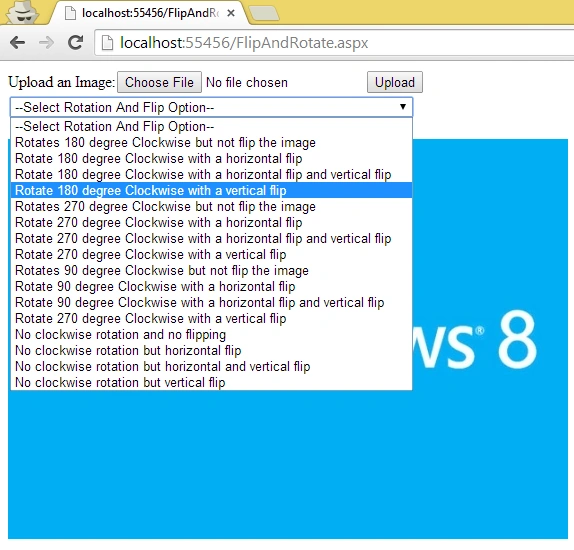
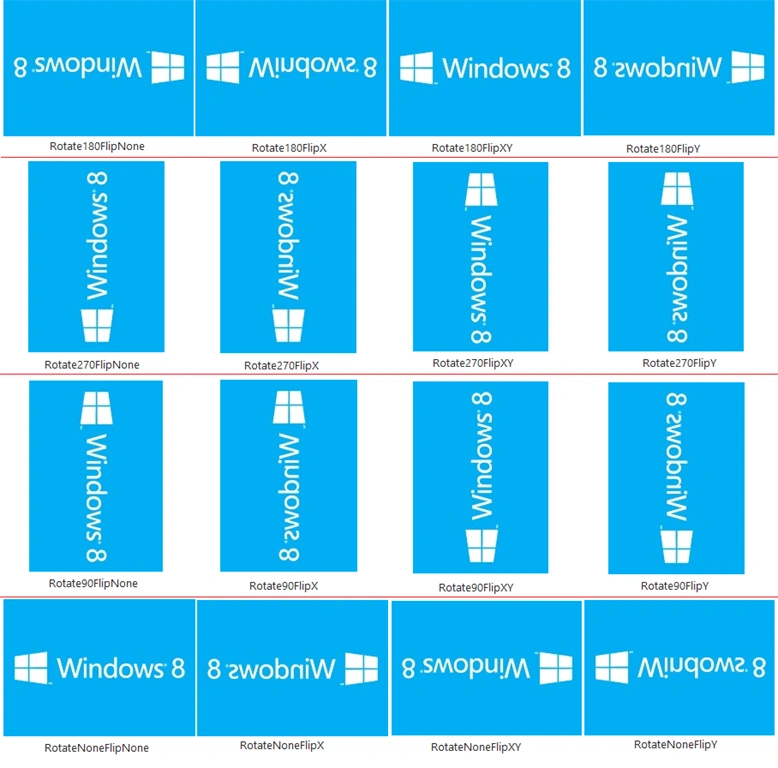
Various types of enumerators for flipping and rotating images are listed below in the following table:
| S. No. | Member Name | Description |
| 1 | Rotate180FlipNone | This rotates 180 degree Clockwise but not flip the image. |
| 2 | Rotate180FlipX | This rotates 180 degree Clockwise with a horizontal flip. |
| 3 | Rotate180FlipXY | This rotates 180 degree Clockwise with a horizontal flip and vertical flip. |
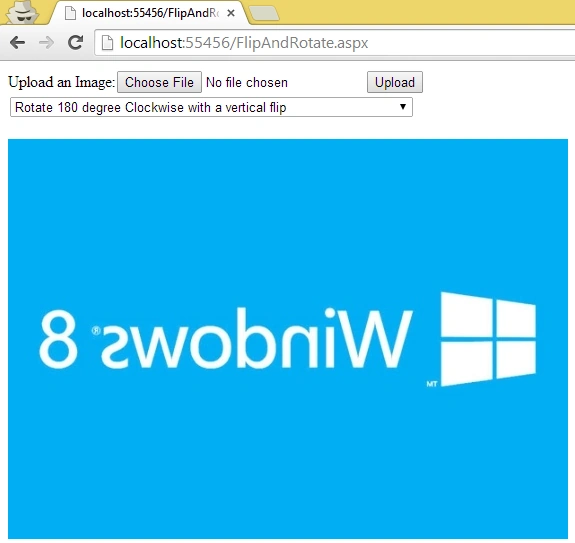
| 4 | Rotate180FlipY | This rotates 180 degree Clockwise with a vertical flip. |
| 5 | Rotate270FlipNone | This rotates 270 degree Clockwise but not flip the image. |
| 6 | Rotate270FlipX | This rotates 270 degree Clockwise with a horizontal flip. |
| 7 | Rotate270FlipXY | This rotates 270 degree Clockwise with a horizontal flip and vertical flip. |
| 8 | Rotate270FlipY | This rotates 270 degree Clockwise with a vertical flip. |
| 9 | Rotate90FlipNone | This rotates 90 degree Clockwise but not flip the image. |
| 10 | Rotate90FlipX | This rotates 90 degree Clockwise with a horizontal flip. |
| 11 | Rotate90FlipXY | This rotates 90 degree Clockwise with a horizontal flip and vertical flip. |
| 12 | Rotate90FlipY | This rotates 270 degree Clockwise with a vertical flip. |
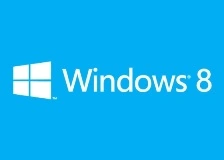
| 13 | RotateNoneFlipNone | No clockwise rotation and no flipping. |
| 14 | RotateNoneFlipX | No clockwise rotation but horizontal flip. |
| 15 | RotateNoneFlipXY | No clockwise rotation but horizontal and vertical flip. |
| 16 | RotateNoneFlipY | No clockwise rotation but vertical flip. |
Use the following procedure to create a simple application for flipping and rotating an image using ASP.NET.
(Note: steps 1 to 5 are similar to my previous article: Control Image Brightness Using ASP.NET.)
Step 1: First open Visual Studio.
Step 2: In the menu bar click on "File" > "New Web Site" or press "Shift + Alt + N".
Step 3: Now a dialog box will be shown; select "ASP.NET Empty Web Site" and provide the website name (like: "FlipAndRotate") and press "OK".
Step 4: Now open Solution Explorer and right-click on the project and click on "Add" > "Add New Item" or simply press "Ctrl + Shift + A".
Step 5: A dialog will be opened. Select "Web Form" and provide the name of the Web Form (like: "FlipAndRotate.aspx") and click on the "Add" button.
- <%@ Page Language="C#" AutoEventWireup="true" CodeFile="FlipAndRotate.aspx.cs" Inherits="FlipAndRotate" %>
- <!DOCTYPE html>
- <html xmlns="http://www.w3.org/1999/xhtml">
- <head runat="server">
- <title></title>
- </head>
- <body>
- <form id="form1" runat="server">
- <div>
- </div>
- </form>
- </body>
- </html>
- <%@ Page Language="C#" AutoEventWireup="true" CodeFile="FlipAndRotate.aspx.cs" Inherits="FlipAndRotate" %>
- <!DOCTYPE html>
- <html xmlns="http://www.w3.org/1999/xhtml">
- <head runat="server">
- <title></title>
- </head>
- <body>
- <form id="form1" runat="server">
- <div>
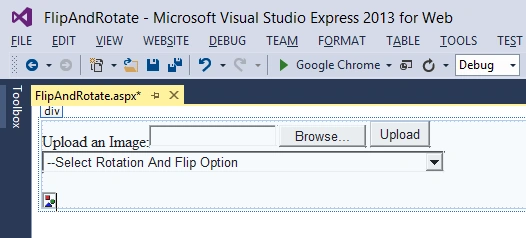
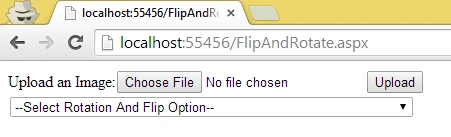
- Upload an Image:<asp:FileUpload ID="FileUpload1" runat="server" />
- <asp:Button ID="btnUpload" runat="server" Text="Upload"/>
- <br />
- <asp:DropDownList ID="ddlRotateAndFlip" runat="server" AutoPostBack="True">
- <asp:ListItem>--Select Rotation And Flip Option--</asp:ListItem>
- <asp:ListItem>Rotates 180 degree Clockwise but not flip the image</asp:ListItem>
- <asp:ListItem>Rotate 180 degree Clockwise with a horizontal flip</asp:ListItem>
- <asp:ListItem>Rotate 180 degree Clockwise with a horizontal flip and vertical flip</asp:ListItem>
- <asp:ListItem>Rotate 180 degree Clockwise with a vertical flip</asp:ListItem>
- <asp:ListItem>Rotates 270 degree Clockwise but not flip the image</asp:ListItem>
- <asp:ListItem>Rotate 270 degree Clockwise with a horizontal flip</asp:ListItem>
- <asp:ListItem>Rotate 270 degree Clockwise with a horizontal flip and vertical flip</asp:ListItem>
- <asp:ListItem>Rotate 270 degree Clockwise with a vertical flip</asp:ListItem>
- <asp:ListItem>Rotates 90 degree Clockwise but not flip the image</asp:ListItem>
- <asp:ListItem>Rotate 90 degree Clockwise with a horizontal flip</asp:ListItem>
- <asp:ListItem>Rotate 90 degree Clockwise with a horizontal flip and vertical flip</asp:ListItem>
- <asp:ListItem>Rotate 90 degree Clockwise with a vertical flip</asp:ListItem>
- <asp:ListItem>No clockwise rotation and no flipping</asp:ListItem>
- <asp:ListItem>No clockwise rotation but horizontal flip</asp:ListItem>
- <asp:ListItem>No clockwise rotation but horizontal and vertical flip</asp:ListItem>
- <asp:ListItem>No clockwise rotation but vertical flip</asp:ListItem>
- </asp:DropDownList>
- <br />
- <br />
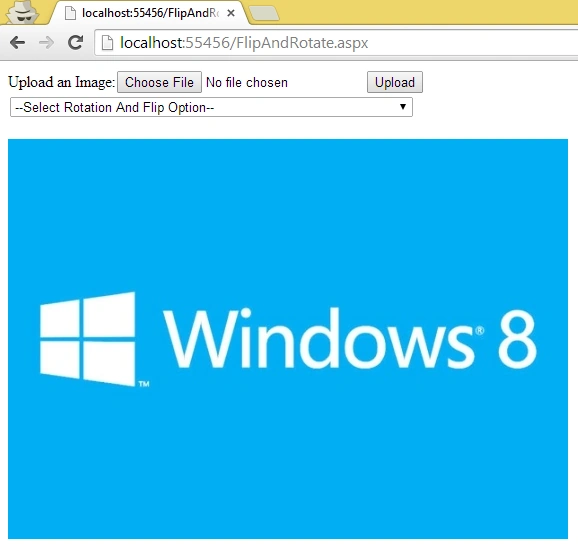
- <asp:Image ID="Img" runat="server" />
- </div>
- </form>
- </body>
- </html>
James CaravanPosted Aug 15, 2018, 5:35 PM
Very good article, works great.
Shaili DashoraPosted Apr 14, 2014, 1:39 PM
Good job sourabh..
Sam HobbsPosted Apr 14, 2014, 1:26 PM
I assume this will help many people and I assume the performance is fantastic. Many years ago I wrote a routine using assembler language to rotate a bitmap 90 degrees. It took me two days to think about how to do it. I think this article is enough for most people to know how to do it easily.