

Introduction
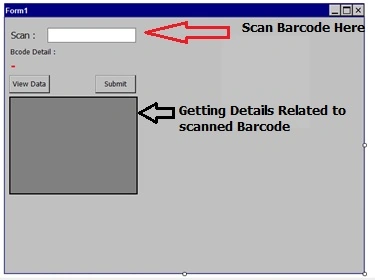
This article shows how to scan a barcode in a Windows CE Portable Terminal Scanner Device and verify the scanned data from a SQL Server Database using a web service on a Windows CE Portable Terminal Scanner Device.
Modules
- Webservice Application
-
Host Webservice on IIS
-
Windows CE Application.
Step 1
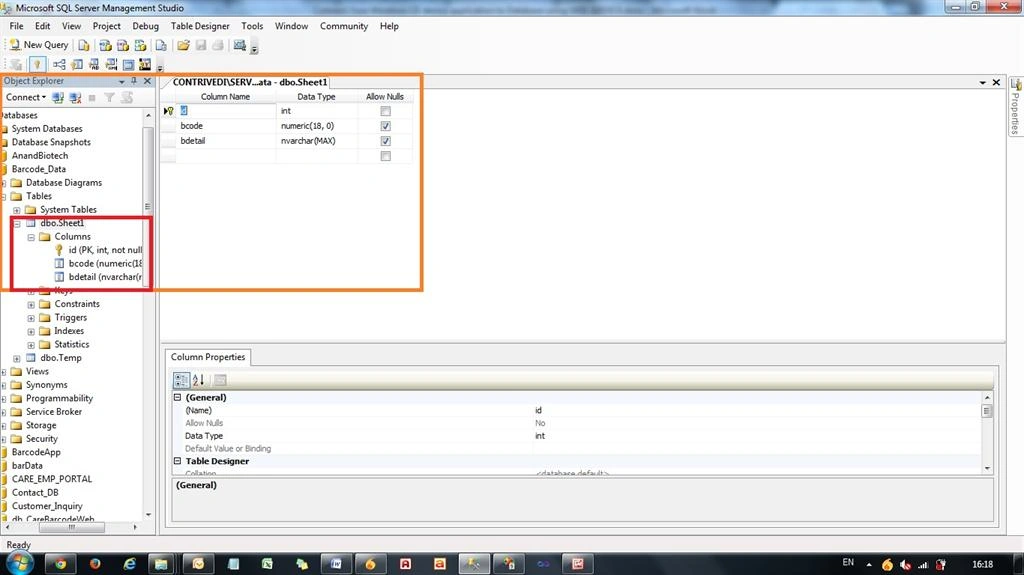
First of all create a database in SQL Server.
File name : Barcode_Data
Create a table like this.
Now insert data into this table like this.
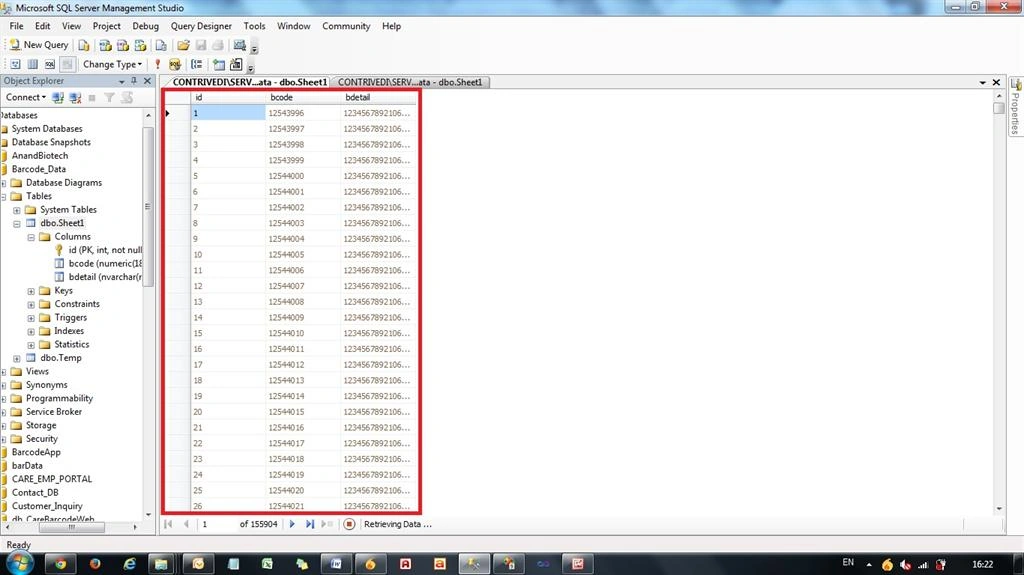
Ok.
Step 2
Now create an ASP.NET web service in Visual Studio.
Open Visual Studio the select File -> New -> Web Site then select ASP.NET Web Service.
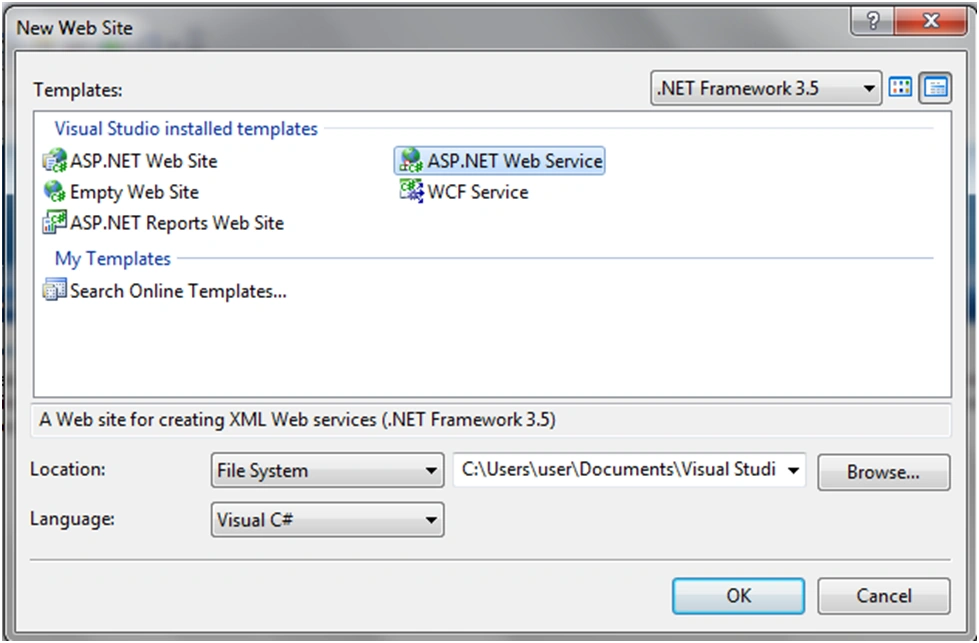
Press OK.
Step 3
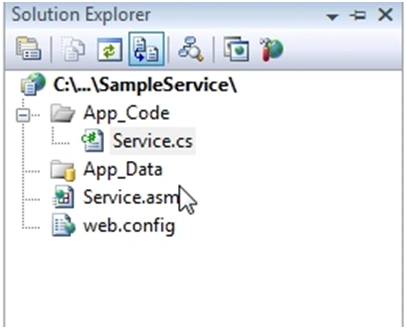
In Solution Explorer, open Service.cs.
Create a method depending on your requirements.
Open your Service.cs file in the web service website to write the code to get the user details from the database.
Step 4
Now write code in the Service.cs file.
Before writing the WebMethod in Service.cs first add the following namespaces:
- using System;
- using System.Linq;
- using System.Web;
- using System.Web.Services;
- using System.Web.Services.Protocols;
- using System.Xml.Linq;
- using System.Data.SqlClient;
- using System.Data;
- [WebService(Namespace = "http://tempuri.org/")]
- [WebServiceBinding(ConformsTo = WsiProfiles.BasicProfile1_1)]
- // To allow this Web Service to be called from script, using ASP.NET AJAX, uncomment the following line.
- // [System.Web.Script.Services.ScriptService]
- public class Service: System.Web.Services.WebService
- {
- SqlConnection con;
- SqlDataAdapter adp;
- DataSet ds;
- public Service()
- {
- //Uncomment the following line if using designed components
- //InitializeComponent();
- }
- [WebMethod]
- public string HelloWorld()
- {
- return "Hello World";
- }
- [WebMethod]
- public DataSet getmember()
- {
- con = new SqlConnection("Data Source=192.168.xx.xx\\SERVERR2;Initial Catalog=Barcode_Data;Connection Timeout=5000;Min Pool Size=100; Max Pool Size=2000;User ID=xxxx;Password=xxxxxxx");
- con.Open();
- adp = new SqlDataAdapter("select * from codedata", con);
- ds = new DataSet();
- adp.Fill(ds, "member");
- return ds;
- }
- [WebMethod]
- public int addition(int a, int b)
- {
- int c = a + b;
- return c;
- }
- [WebMethod]
- public DataTable getdatatable(string str)
- {
- con = new SqlConnection("Data Source=192.168.xx.xx\\SERVERR2;Initial Catalog=Barcode_Data;Connection Timeout=5000;Min Pool Size=100; Max Pool Size=2000;User ID=xxxx;Password=xxxxxx");
- DataTable dt = new DataTable();
- SqlCommand cmd = new SqlCommand();
- SqlDataAdapter da = new SqlDataAdapter();
- DataSet ds = new DataSet();
- cmd.Connection = con;
- cmd.CommandText = str;
- da.SelectCommand = cmd;
- da.Fill(ds, "Product_tbl");
- dt = ds.Tables["Product_tbl"];
- return dt;
- }
- }
Step 5
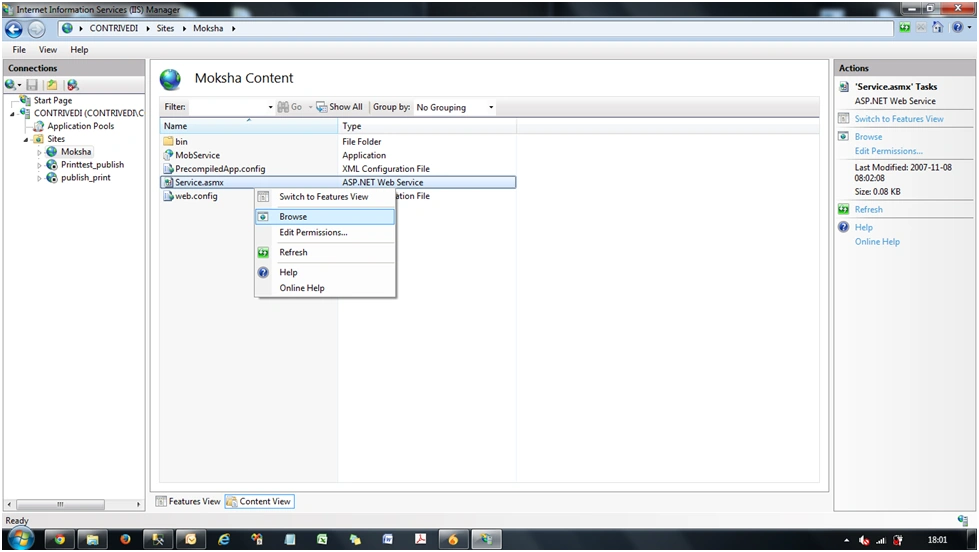
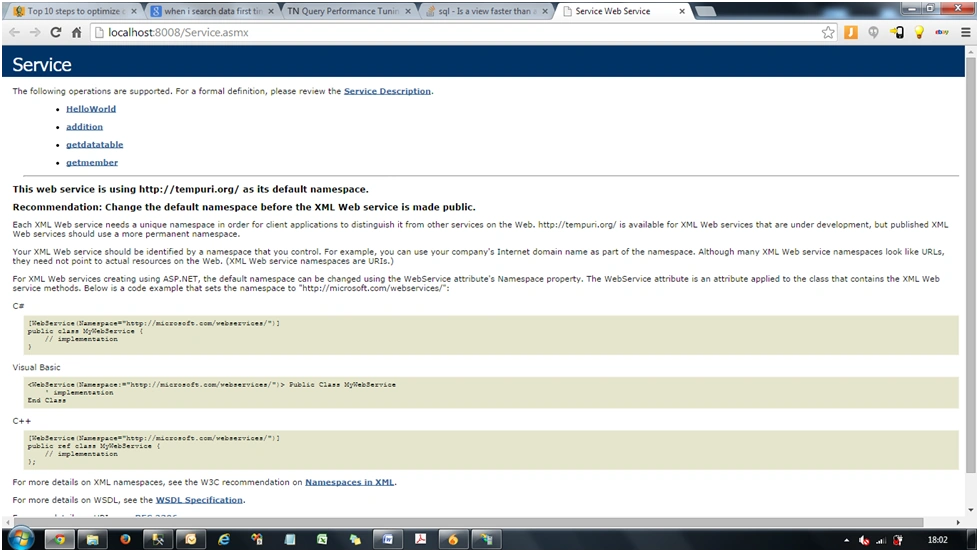
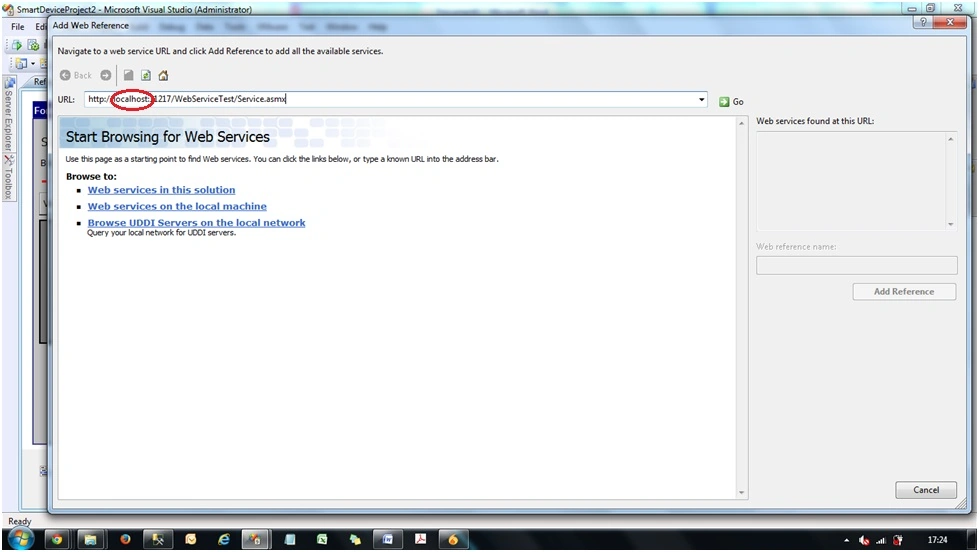
Now build this web service and publish this web service and then host it in IIS.
Karin HuyPosted Apr 26, 2020, 1:18 PM
Hi, Have ufile source or video tutorial?
bapuPosted Jul 30, 2019, 1:51 PM
Hi Nikunj, Very nice. What's the best way to check traffic or data between RF scanner and web service? So if I do some transaction on RF scanner which will then make a request to web service and then web service returns some response, so If I want to check those transactions, what would you suggest.
bapuPosted Jul 30, 2019, 1:49 PM
Hi Nikunj,
Hadshana KamalanathanPosted Jul 22, 2018, 1:36 AM
Nice one...
SyedPosted Oct 5, 2016, 10:21 AM
No overload for method 'getmember' takes '1' arguments showing in smartdevice method on execution, please help me
SyedPosted Oct 5, 2016, 9:05 AM
DataTable getdatatable(string str) this method throwing an error, which says incorrect syntax... at service.getdatatable(String str), please help me how to fix this.
SyedPosted Oct 4, 2016, 9:54 AM
I am not able to connect remote server, please help me
SyedPosted Oct 4, 2016, 8:37 AM
Now i am able to connect to the IIS, but once entering the barcode and click on submit button, i am getting error, namespace, in reference.cs file it showing to line having getdatatable,
SyedPosted Oct 4, 2016, 4:08 AM
Hi, i have build this project, after publishing website and configuring into IIS, i am not able to browse service.asmx web page..its throwing error. HTTP error.19, may i know how to resolve this error. I tried by changing virtual directory etc.. still i am getting error, should i have to use different port no.? please help me, i am new to VS.
SyedPosted Sep 26, 2016, 9:46 AM
Hi Nikunj, can you tell me which version of visual studio you used for this project.
SubashPosted Sep 7, 2016, 6:21 AM
Can you give more windows CE article?
SubashPosted Sep 7, 2016, 6:21 AM
Very useful one
Asfend YarPosted Feb 27, 2016, 3:50 AM
nice
Fisseha AwashPosted Feb 4, 2016, 9:22 AM
Hello Sir it is very interesting article I build the project based on your example and test the Emulators by ruing it windows embedded handheld 6.5 classic device the but it generate Could not establish connection to network when i go to the detail section it generate the following error message system.web.services.protocols.webclientprotocol.getwebresponse(webrequest request) error on windows embede device, any help, thank you again
Nikunj TrivediPosted Jul 21, 2015, 9:19 AM
Its simple , just focus cursor on Textbox4. when u scan any barcode from scanner then u get barcode data in your textbox4.
Venkat GovindPosted Jul 10, 2015, 3:17 AM
How can get scanned Barcode ID in textbox4.text
Venkat GovindPosted Jul 10, 2015, 2:56 AM
I want one discus with u about my one task .my client already using one barcode access control.its Siemens access control . here generate employee ID card with Barcode ,i want integrate with my newly developed application . here using 37 bit wiagand reader and controller is verinet E2/E4 (IP x.x.xxx.xx) how to integrate that controller with web application Please i kindly very request to you post some sample code.
Venkat GovindPosted Jul 10, 2015, 2:43 AM
i want details with web application i get ideia from your post, if have any code pls post thank u...
Venkat GovindPosted Jul 10, 2015, 2:42 AM
Hello Nikunj Your post very usefull for my project... its very amazing
Sibeesh VenuPosted May 7, 2015, 2:23 AM
Good one :)
Santhakumar MunuswamyPosted May 6, 2015, 9:48 PM
Welcome
Santhakumar MunuswamyPosted May 6, 2015, 9:48 PM
Good start