

Introduction
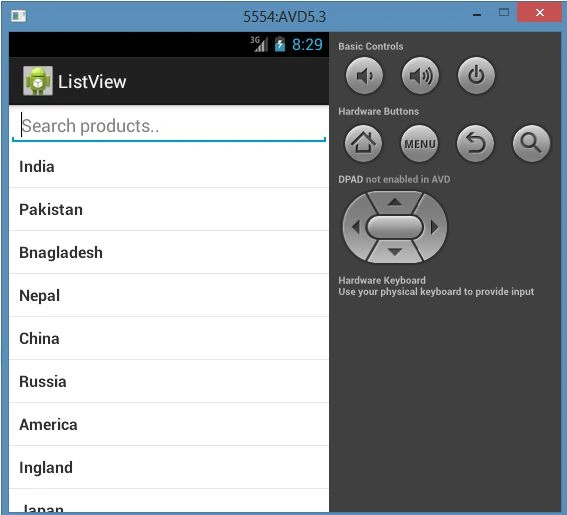
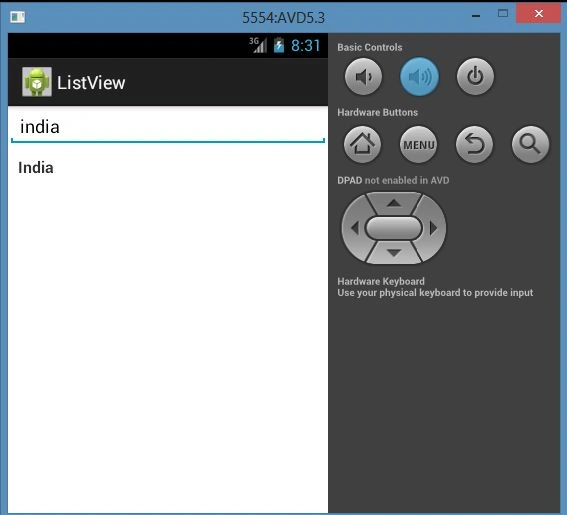
In this article, I explain how to build a simple list view and how a search bar works within a list view in Android. When we work on a type list and we want to search for data using a search bar in a list view, how the data is filtered and becomes a filtered result is explained.
So we can do all this using the following procedure.
Step 1
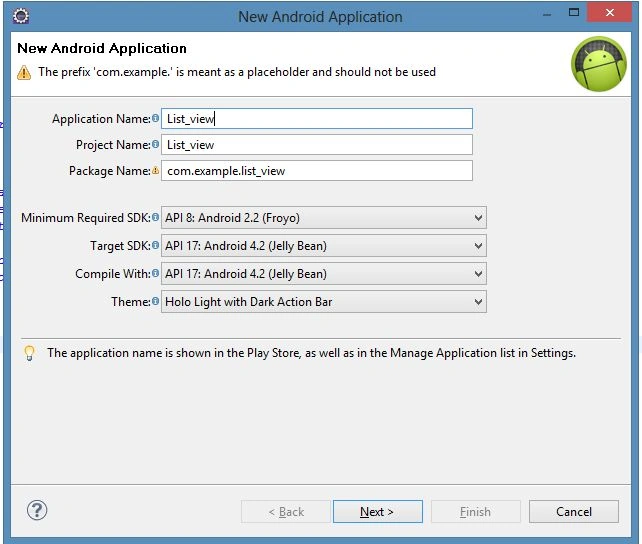
First of all, create a new project file as shown below using "File" -> "New" -> "Android Application Project".
Step 2
Now open the "activity_main.xml" and update it as Edit txt and List view as in the following code:
- <?xml version="1.0" encoding="utf-8"?>
- <LinearLayout xmlns:android="http://schemas.android.com/apk/res/android"
- android:layout_width="fill_parent"
- android:layout_height="fill_parent"
- android:orientation="vertical" >
- <!-- Editext for Search -->
- <EditText android:id="@+id/inputSearch"
- android:layout_width="fill_parent"
- android:layout_height="wrap_content"
- android:hint="Search products.."
- android:inputType="textVisiblePassword"/>
- <!-- List View -->
- <ListView
- android:id="@+id/list_view"
- android:layout_width="fill_parent"
- android:layout_height="wrap_content" />
- </LinearLayout>
Step 3
Create a "list_item.xml" file to insert value as an item in the list view of "activity_main.xml" as shown in the following code:
- <?xml version="1.0" encoding="utf-8"?>
- <LinearLayout xmlns:android="http://schemas.android.com/apk/res/android"
- android:layout_width="match_parent"
- android:layout_height="match_parent"
- android:orientation="vertical" >
- <!-- Single ListItem -->
- <!-- Product Name -->
- <TextView android:id="@+id/product_name"
- android:layout_width="fill_parent"
- android:layout_height="wrap_content"
- android:padding="10dip"
- android:textSize="16dip"
- android:textStyle="bold"/>
- </LinearLayout>
Step 4
Open "strings.xml" and update it with a resources tag in which you have your array of strings as shown in the following:
- <?xml version="1.0" encoding="utf-8"?>
- <resources>
- <string name="app_name">ListView</string>
- <string name="hello_world">Hello world!</string>
- <string name="menu_settings">Settings</string>
- <string name="delhi_btn">New Delhi</string>
- <string name="bnglr_btn">Bangalore</string>
- <string name="jpr_btn">Jaipur</string>
- <string name="noida_btn">Noida</string>
- <string name="glmrg_btn">Gulmarg</string>
- <string-array name="Countreis">
- <item >India</item>
- <item >Pakistan</item>
- <item >Bnagladesh</item>
- <item >Nepal</item>
- <item >China</item>
- <item >Russia</item>
- <item >America</item>
- <item >Ingland</item>
- <item >Japan</item>
- <item >Arab emirat</item>
- <item >Saudi Arabia</item>
- <item >Austrelia</item>
- <item> Kuwiat</item>
- <item >Israil</item>
- </string-array>
- </resources>

Ajish NairPosted Jul 28, 2015, 7:16 AM
Hello Sir, I want to develop an android app. Its a lyrics app when i click on list view it should show the lyrics. List view with buttons. There is a 500 songs lyrics. Can you help me out pls.
FPosted Mar 26, 2013, 2:26 AM
thanks