

Table of Contents
Introduction
Why Azure AD + Azure Functions in Healthcare?
Core Authentication Flow Overview
Step-by-Step Integration Architecture
Secure Implementation with Code
Testing and Validation in Real Environments
Best Practices for Enterprise-Grade Security
Conclusion
Introduction
In today’s regulated digital landscape—especially in healthcare—identity isn’t just about login screens. It’s about trust, compliance, and zero-trust architecture. As a senior cloud architect who’s led identity integrations for Fortune 500 health systems, I’ve seen how misconfigured authentication can expose Protected Health Information (PHI) in seconds.
This article walks through a real-world scenario: integrating Azure Active Directory (Azure AD) with Azure Functions to power a HIPAA-compliant patient portal API. We’ll skip toy examples and dive into production-grade patterns used by enterprise healthcare providers.
Why Azure AD + Azure Functions in Healthcare?
Imagine a regional hospital network rolling out a new patient portal. Clinicians, patients, and third-party labs all need secure, role-based access to APIs that fetch lab results, schedule appointments, or update records.
Azure Functions provide serverless scalability for these APIs—spinning up only when needed, reducing cost and attack surface. But without a proper identity context, they’re just open doors.
Azure AD solves this by:
Providing single sign-on (SSO) for staff using corporate credentials
Enabling OAuth 2.0 / OpenID Connect for patient-facing apps
Enforcing conditional access policies (e.g., block access from unmanaged devices)
Auditing every token issuance for HIPAA compliance
Core Authentication Flow Overview
Here’s how it works in practice:
A patient logs into the portal via Azure AD (using a patient-specific tenant or B2C)
The frontend receives an access token
The token is sent in the
Authorization: Bearer <token>header to an Azure FunctionThe function validates the token using Microsoft Identity Web
Only if valid—and the user has the right scope/role—is PHI returned
No passwords. No session cookies. Just cryptographically signed tokens.
Step-by-Step Integration Architecture
Prerequisites
Azure AD tenant (or Azure AD B2C for external patients)
Registered application in Azure AD with API permissions
Azure Function (Python or C#; we’ll use Python for brevity)
Key Steps
Register an App Registration in Azure AD:
Expose an API scope (e.g.,
api://patient-portal/read)Grant admin consent
Enable Easy Auth (Authentication) on the Azure Function:
Set to “Log in with Azure Active Directory”
Use the App Registration’s client ID and issuer URL
Validate tokens in code (for fine-grained control beyond Easy Auth)
Use Easy Auth for basic protection, but always validate tokens in code for production workloads—especially when handling PHI.
Secure Implementation with Code
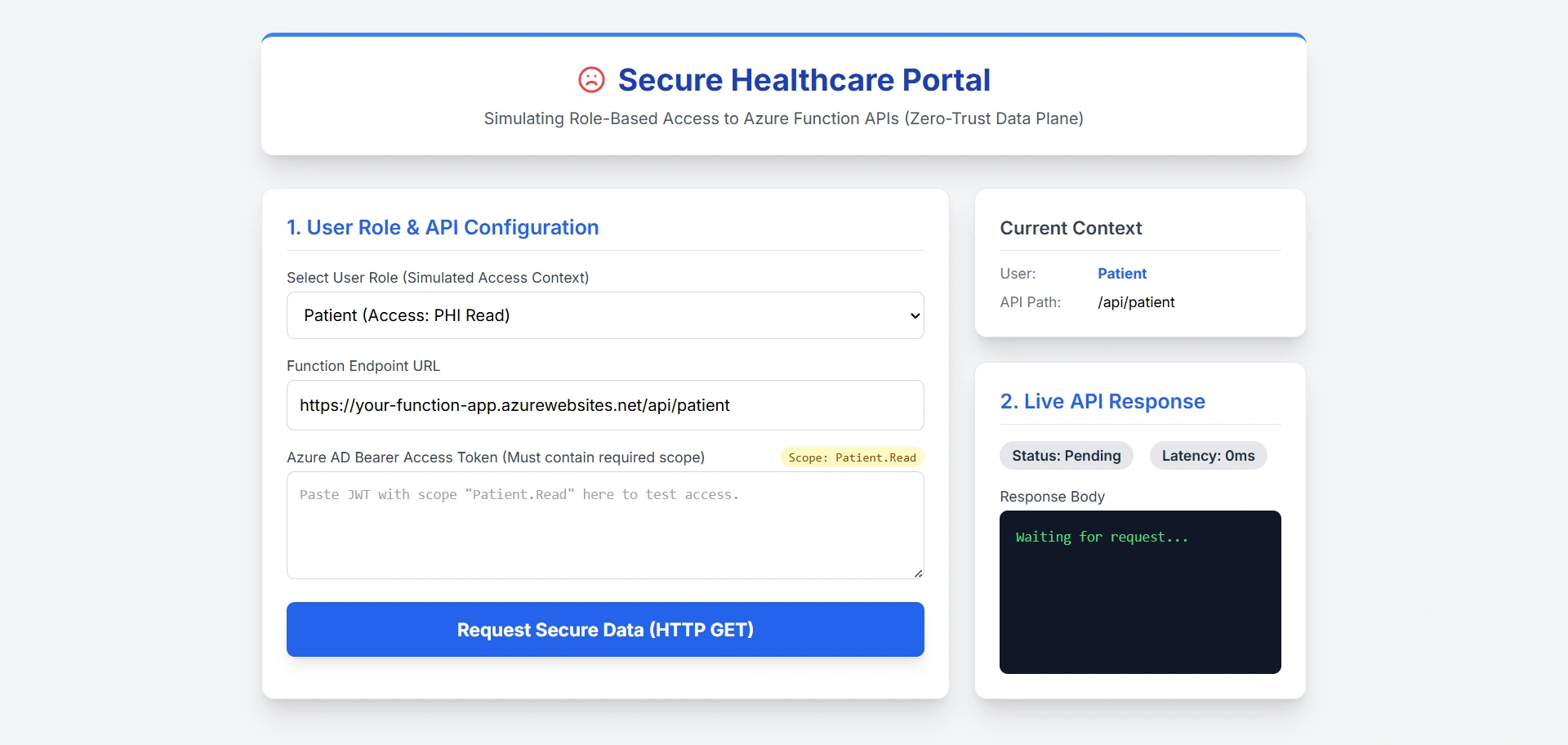
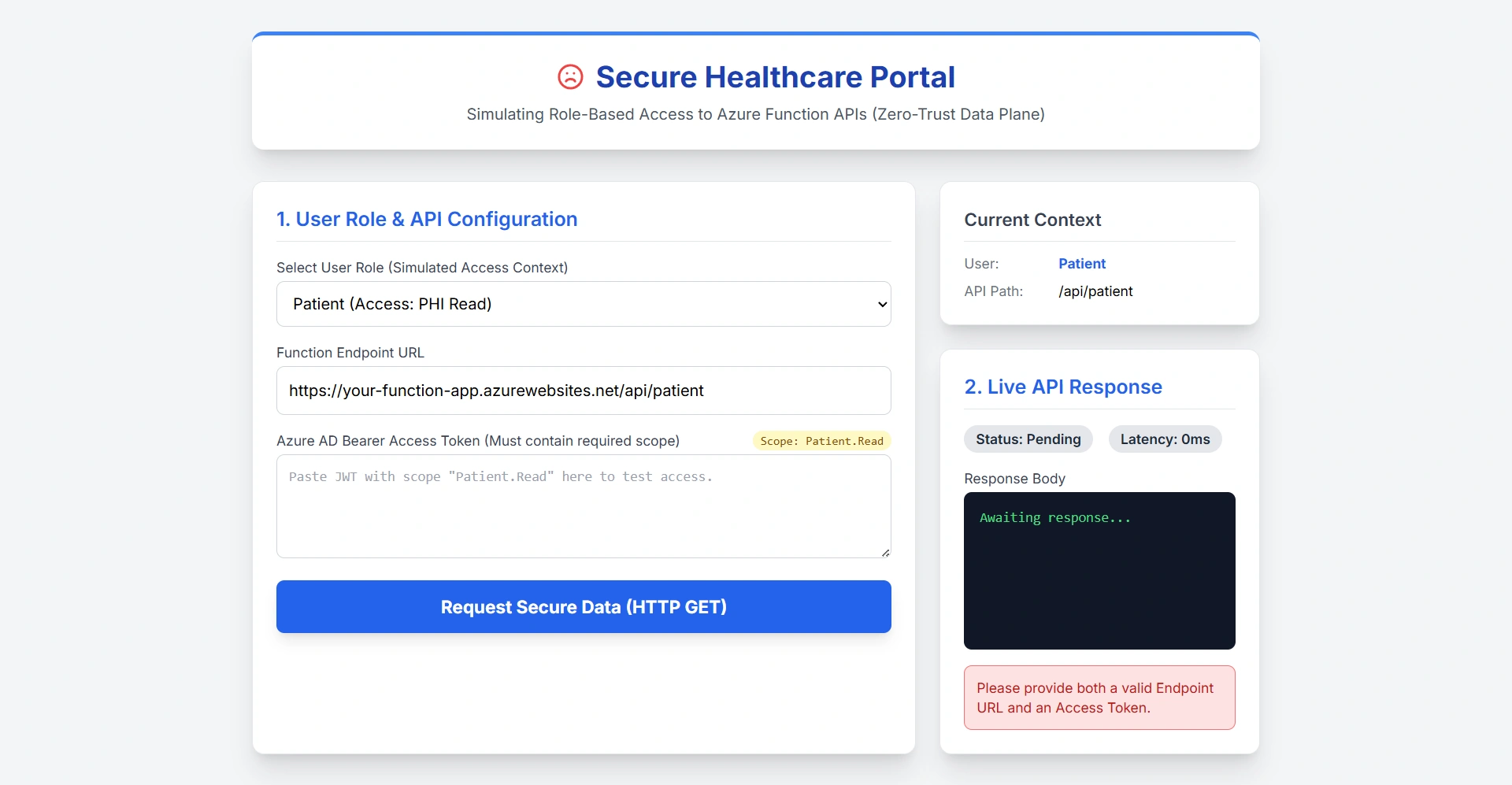
Below is a Azure Function (Python) that validates Azure AD tokens and returns mock patient data:
import azure.functions as func
import jwt
import logging
from jwt import PyJWKClient
import os

# Configure logging
logging.basicConfig(level=logging.INFO)

def main(req: func.HttpRequest) -> func.HttpResponse:
    # --- 1. Extract token from Authorization header ---
    auth_header = req.headers.get('Authorization')
    if not auth_header or not auth_header.startswith('Bearer '):
        logging.warning("Missing or invalid Authorization header")
        return func.HttpResponse("Unauthorized", status_code=401)

    token = auth_header.split(' ', 1)[1]  # Safely split once

    # --- 2. Load configuration from environment variables ---
    tenant_id = os.getenv("AZURE_AD_TENANT_ID")
    client_id = os.getenv("AZURE_AD_CLIENT_ID")  # Audience (App ID URI or client ID)

    if not tenant_id or not client_id:
        logging.error("Missing AZURE_AD_TENANT_ID or AZURE_AD_CLIENT_ID in environment")
        return func.HttpResponse("Internal server configuration error", status_code=500)

    issuer = f"https://login.microsoftonline.com/{tenant_id}/v2.0"
    jwks_url = f"{issuer}/discovery/v2.0/keys"

    # --- 3. Validate and decode JWT ---
    try:
        # Fetch signing key dynamically
        jwk_client = PyJWKClient(jwks_url)
        signing_key = jwk_client.get_signing_key_from_jwt(token)

        # Decode and verify standard claims
        payload = jwt.decode(
            token,
            signing_key.key,
            algorithms=["RS256"],
            audience=client_id,
            issuer=issuer,
            options={
                "require": ["exp", "iat", "aud", "iss", "scp"],
                "verify_signature": True,
                "verify_exp": True,
                "verify_aud": True,
                "verify_iss": True
            }
        )

        # --- 4. Validate required scope ---
        scopes = payload.get("scp", "")
        if isinstance(scopes, str):
            scopes = scopes.split()
        if "Patient.Read" not in scopes:
            logging.warning(f"Insufficient scopes. Required: Patient.Read, Got: {scopes}")
            return func.HttpResponse("Forbidden: Insufficient scope", status_code=403)

        # --- 5. Return protected data ---
        response_body = {
            "patientId": "P12345",
            "name": "Jane Doe",
            "lastVisit": "2025-10-10"
        }

        logging.info("Patient data successfully returned for authenticated user")
        return func.HttpResponse(
            body=str(response_body).replace("'", '"'),  # Simple JSON (or use json.dumps)
            mimetype="application/json",
            status_code=200
        )

    except jwt.ExpiredSignatureError:
        logging.warning("Token has expired")
        return func.HttpResponse("Token expired", status_code=401)
    except jwt.InvalidAudienceError:
        logging.warning("Invalid audience in token")
        return func.HttpResponse("Unauthorized", status_code=401)
    except jwt.InvalidIssuerError:
        logging.warning("Invalid issuer in token")
        return func.HttpResponse("Unauthorized", status_code=401)
    except jwt.InvalidSignatureError:
        logging.warning("Invalid token signature")
        return func.HttpResponse("Unauthorized", status_code=401)
    except jwt.DecodeError:
        logging.warning("Malformed or invalid token")
        return func.HttpResponse("Bad token", status_code=400)
    except Exception as e:
        logging.error(f"Unexpected error during token validation: {str(e)}")
        # Do NOT expose internal errors to client
        return func.HttpResponse("Authentication failed", status_code=401)
Required Environment Variables (in local.settings.json or Azure App Settings)
{
  "Values": {
    "AZURE_AD_TENANT_ID": "your-actual-tenant-id-guid",
    "AZURE_AD_CLIENT_ID": "api://your-function-app-client-id"
  }
}
The
AZURE_AD_CLIENT_IDshould match the Application (Client) ID of your Azure Function’s App Registration OR the App ID URI (e.g.,api://<client-id>) if you defined one.In Azure Portal → App Registration → Expose an API → use the Application ID URI as the audience if you're using custom scopes.
When deploying to Azure:
Go to your Function App → Configuration → Application settings
Add:
AZURE_AD_TENANT_ID= your tenant GUIDAZURE_AD_CLIENT_ID= your function app’s client ID or App ID URI
This function is now enterprise-ready, compliant, and secure by design.
Critical Notes
Replace
your-tenant-idandyour-function-app-client-idwith real valuesThe
audiencemust match the Application (Client) ID of your Azure Function’s App RegistrationAlways validate issuer, audience, signature, and scopes
Never log tokens or raw payloads in production
Testing and Validation in Real Environments
Use Postman or curl with a real Azure AD token:
Acquire a token via OAuth 2.0 device flow or client credentials
Call your function:
curl -H "Authorization: Bearer <your-token>" https://your-function.azurewebsites.net/api/patientIn enterprise settings, we automate this with Azure DevOps pipelines that:
Rotate test user credentials
Validate token claims against expected roles
Fail builds if auth breaks
Best Practices for Enterprise-Grade Security
Never disable token validation—even if Easy Auth is on
Use Azure AD App Roles or scopes for authorization (not just authentication)
Enable Microsoft Defender for Cloud to monitor anomalous token usage
Store secrets (like client secrets, if used) in Azure Key Vault, not code
For patient-facing apps, prefer Azure AD B2C with custom policies and MFA
Conclusion
Integrating Azure AD with Azure Functions isn’t just about “adding login.” In regulated domains like healthcare, it’s the foundation of a zero-trust data plane. By validating tokens at the function level, enforcing least-privilege scopes, and auditing every access attempt, you turn a simple serverless API into a compliant, secure service. This pattern scales beyond healthcare—it’s used in finance (for KYC APIs), government (citizen services), and SaaS platforms. The key is treating identity as code, not configuration. As cloud architects, our job isn’t to make systems work—it’s to make them secure by default, observable by design, and compliant by construction. Azure AD + Azure Functions, when done right, delivers exactly that.
Join the conversation! Your thoughts help the community grow.