

This is the next article in the series of database applications in JSP. In this article, I am going to describe how to select specific data from a database. First we construct a database and a DSN then generate a JSP application which selects specific data from a database. For constructing the database and DSN you may follow the first application of database ( working with database application in JSP). For developing this application we follow the following steps.
Step 1 : Create a New Project.
In this step we select New Project option from file menu.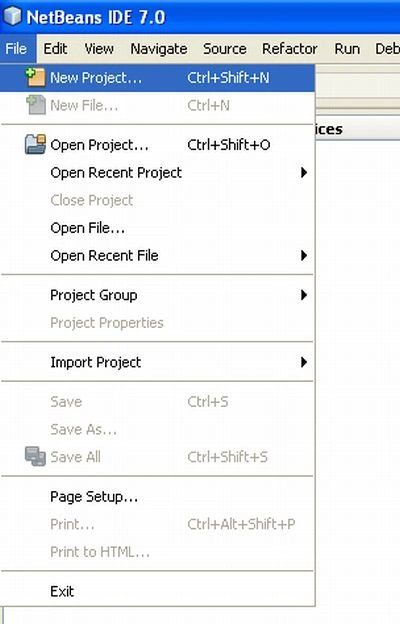
Step 2 : Choose Project.
In this step we select web application from java web option and then click on the next button.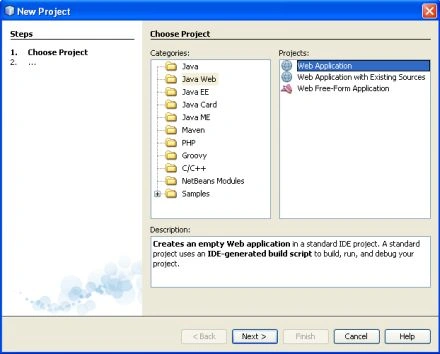
Step 3 : Name and Location.
In this step we given it a specific name and set a specific location and click on the next button.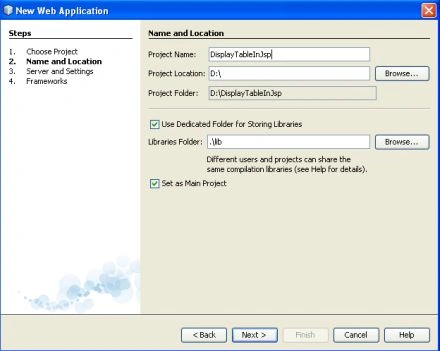
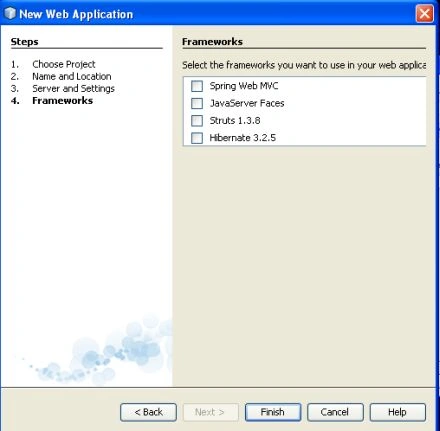
Step 4 : Server and Setting.
We select a specific server for this application and click on the next button.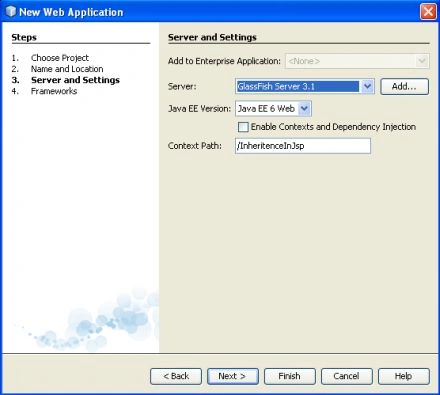

madhava reddyPosted Aug 1, 2019, 5:21 AM
Hi all i have small request please write a code for i have two teams one is team1,team2 team1 contains tid tid is primary key,tname.and team2 contains t2id,team2name,tid here tid is the foreign key ,now from jsp to this two tables pass the values then foreign key is not created so please help me