

Introduction
Today, in this article let's play around with one of the interesting and most useful concepts in Azure.
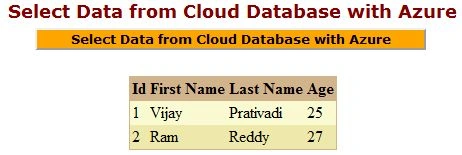
Question: What is select data from cloud database using Azure?
In simple terms "It enables selection of data from a cloud database and maintaining it with the help of Azure".
Step 1: Create a cloud database named "Company"
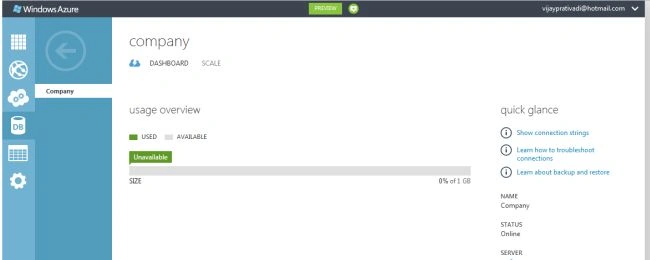
Step 2: With the help of manage URL navigate to a specific server page
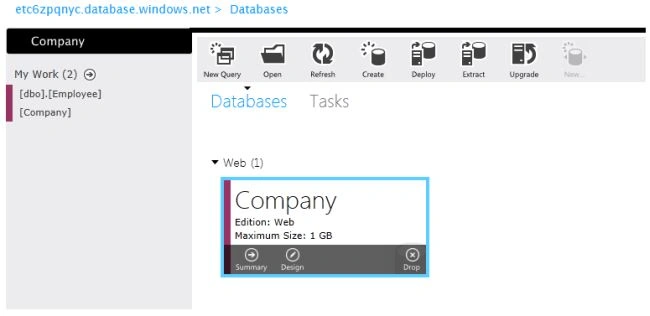
Manage URL: etc6zpqnyc.database.windows.net
Step 3: Company database showing up in the database server page
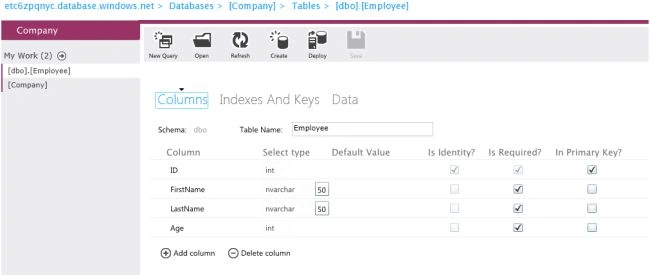
Step 4: Create an employee table. The design mode of the employee table looks like this:
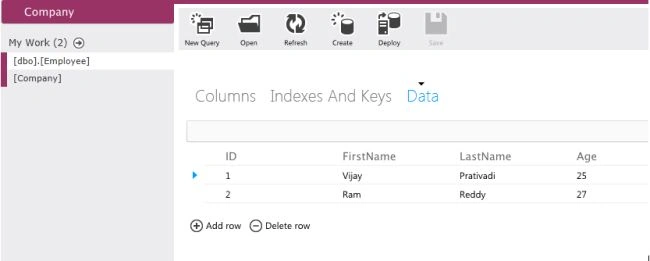
Step 5: Insert some data into the table:
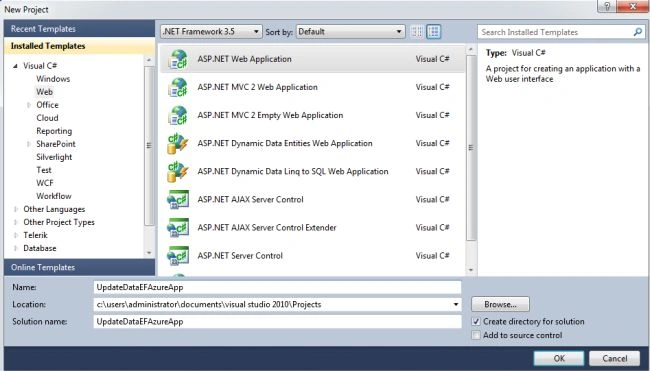
Step 6: Open Visual Studio 2010 and create an "ASP.NET Web Forms Application", as in:
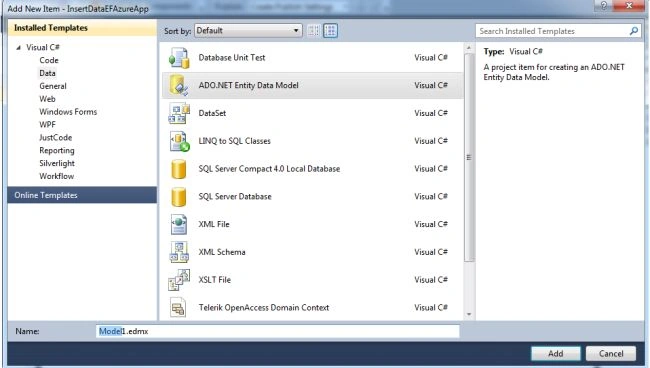
Step 7: Add an EDMF item to the project
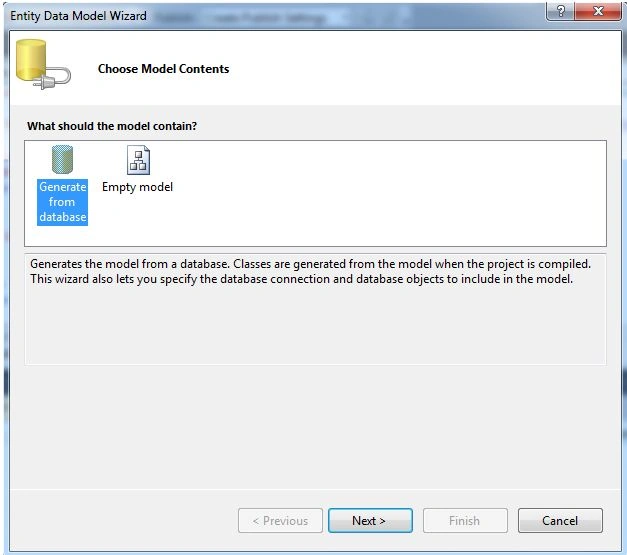
Step 8: Choose generate from database and click the "Next" button
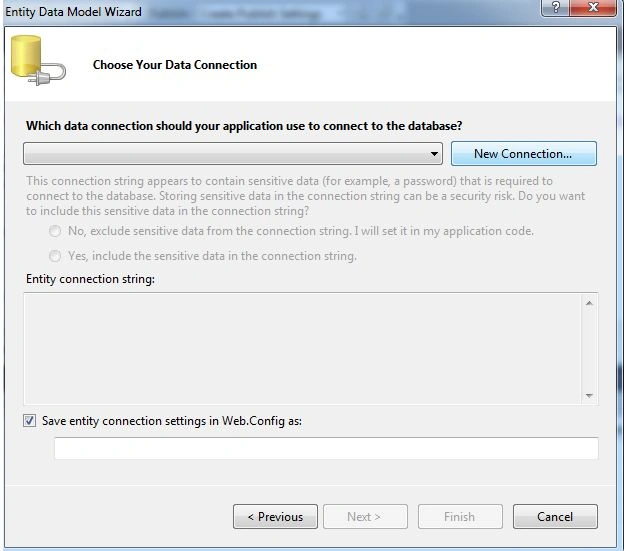
Step 9: Add new connection
Step 10: Give the necessary server details for the connection and click on ok
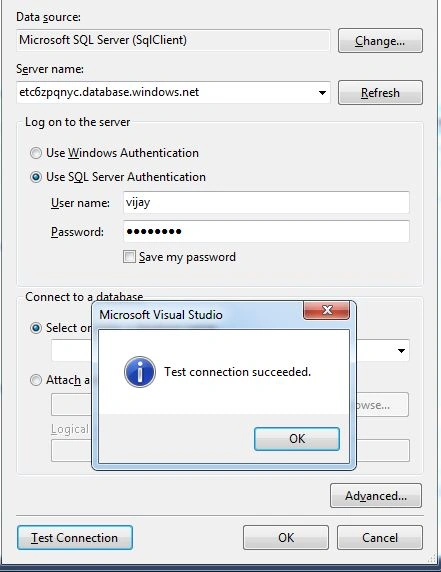
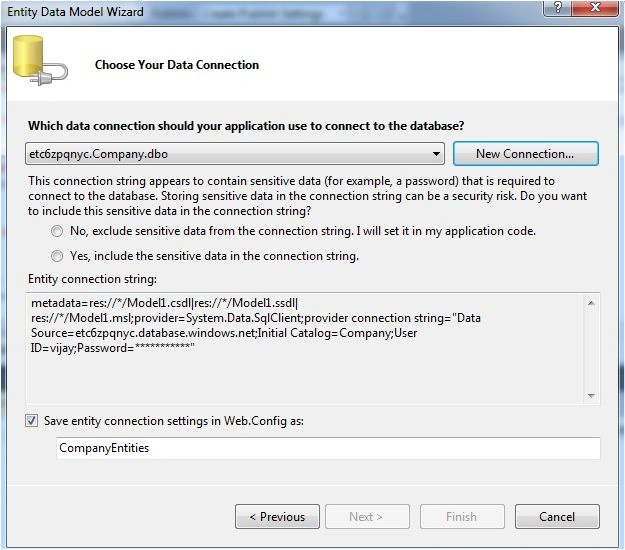
Step 11: The connection is established; click the "Next" button:
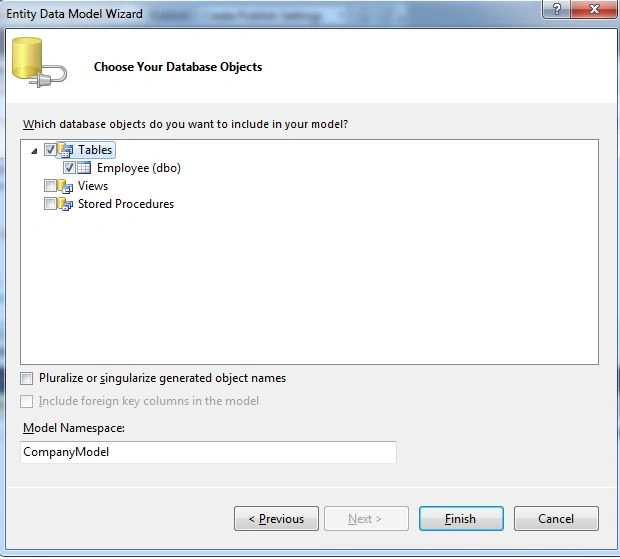
Step 12: Choose the required table and click the "Finish" button:
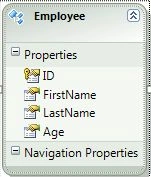
Step 13: An EDMF is created and the design of the data looks like this:
Step 14: The complete code of default.aspx looks like this:
<%@ Page Language="C#" AutoEventWireup="true" CodeBehind="Default.aspx.cs" Inherits="SelectDataEFAzureApp._Default" %>
<!DOCTYPE html PUBLIC "-//W3C//DTD XHTML 1.0 Transitional//EN" "http://www.w3.org/TR/xhtml1/DTD/xhtml1-transitional.dtd">
<html xmlns="http://www.w3.org/1999/xhtml">
<head id="Head1" runat="server">
<title></title>
</head>
<body>
<form id="form1" runat="server">
<center>
<div>
<table>
<tr>
<td colspan="2">
<asp:Label ID="Label1" runat="server" Text="Select Data from Cloud Database with Azure"
Font-Bold="true" Font-Size="Large" Font-Names="Verdana" ForeColor="Maroon"></asp:Label>
</td>
<br />
<br />
</tr>
<tr>
<td colspan="2" align="center">
<asp:Button ID="Button2" runat="server" Text="Select Data from Cloud Database with Azure"
Font-Names="Verdana" Width="391px" BackColor="Orange" Font-Bold="True" OnClick="Button2_Click" /><br />

Gowtham RajamanickamPosted Apr 20, 2015, 3:23 PM
good one...
Gowtham RajamanickamPosted Apr 20, 2015, 3:22 PM
good one...