

We know that testing is an essential part of any development process. Prior to every release of a software project/product, it is mandatory to test it end to end and make sure that everything is working as expected. So, Smoke and Regression tests are standards for every new version of a software project/product. Imagine how many resources' efforts are required each time we release a new software project/product. We can reduce resource count and time by automating the process instead of doing it manually, at the times when we plan for a new release of a project/product.
In this article, I am going to show you:
- What is Selenium?
- How Selenium helps you automate your software project/product testing.
- Selenium setup and configuration process.
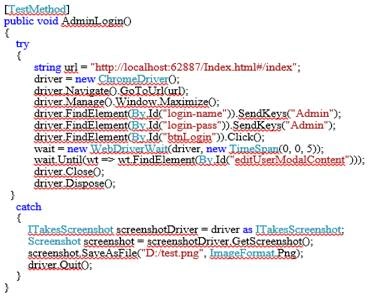
- Writing sample automation test cases.
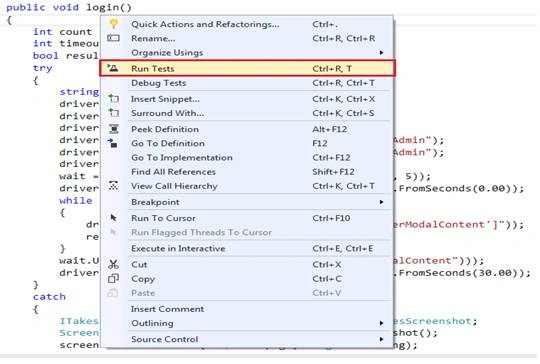
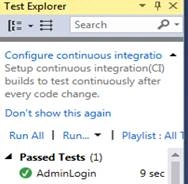
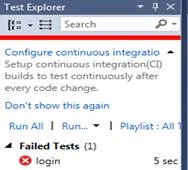
- Test the written test cases.
What is Selenium?
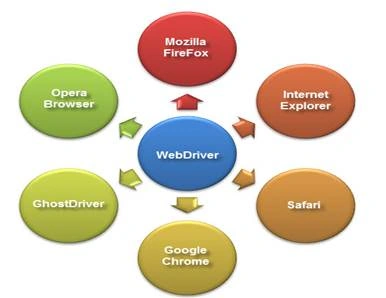
- .NET
- Java
- PHP
- Python
- Perl
- Ruby etc.
Now, let's understand the list of tools used in Selenium test cases and their usages.
Selenium IDE: Selenium IDE is a tool that facilitates testers to write and test their Selenium test cases.
Selenium RC: It is a tool that facilitates you to write Selenium automated test cases for web applications irrespective of any programming language and any HTTP websites for the JavaScript-enabled browsers.
Selenium WebDriver: It makes direct calls to the web browser and retrieves results.
Selenium Grid: It allows you to run your test cases across different browsers in different machines, simultaneously.
Advantages of Selenium Test:
- Open-source.
- Can be extended with various technologies that expose DOM.
- Can execute scripts across multiple browsers.
- It supports multiple OS platforms.
- It is compatible with mobile devices too.
- Test executes within the browsers, so focus is not needed while executing the script.
- Using Selenium Grids, you can execute tests in parallel.
- Web Driver is faster than Selenium RC because it has simpler architecture.
- Web Driver directly talks to the web browser whereas Selenium RC needs the help of the RC Server in order to do the same.
Disadvantages of Selenium Test:
- It supports only web-based apps.
- It does not provide any facility for Object Repository.
- It does not provide any facility for Recovery Scenario.
- QTP is still dominating Selenium.
- There is no report generation for test methods by default.
- Users need to depend on a programming language for parameterization.
- It can't readily support new browsers but Selenium RC supports.
How to Install Selenium Webdriver:
Before going to write automation of Selenium test cases, first we have to set up the infrastructure.
In the Visual Studio tool, create a sample test project and integrate Selenium WebDriver in C#.
Step 1: Open Visual Studio.
Step 2: Click on Create a new project, select a Test project from the right panel, and then select the Unit Test Project.
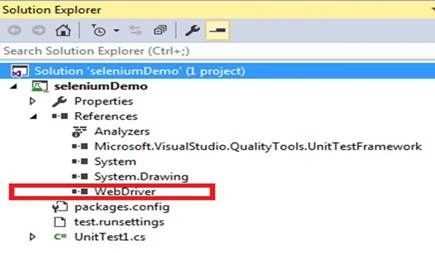
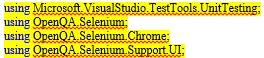
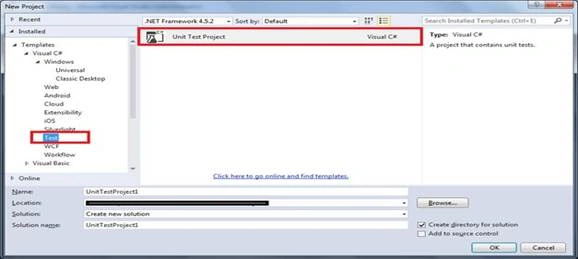 Step 3: Add Selenium references or drivers into the newly created Unit Test C# project.
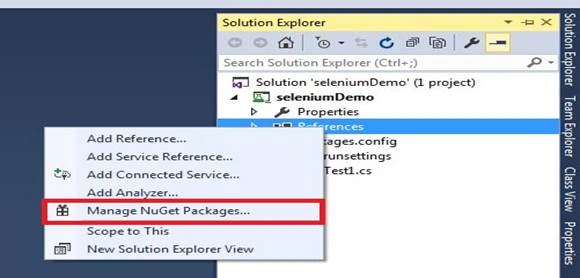
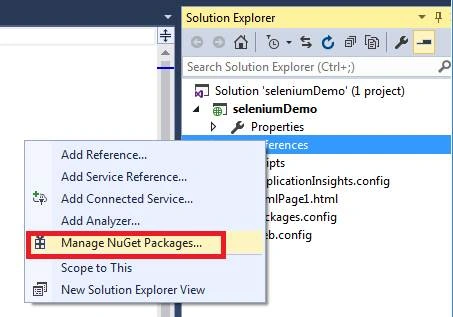
- First, open Solution Explorer.
- Then, expand the Project.
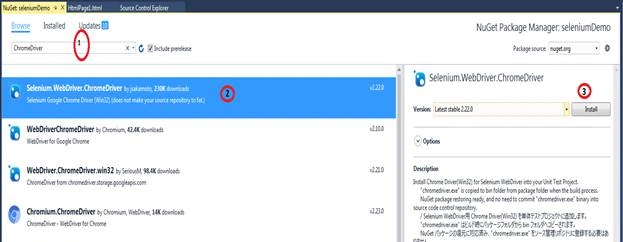
- Right-click on References and select the Manage NuGet Packages option.
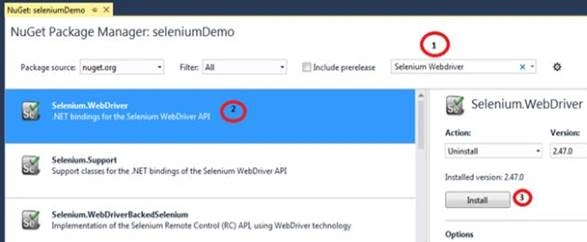
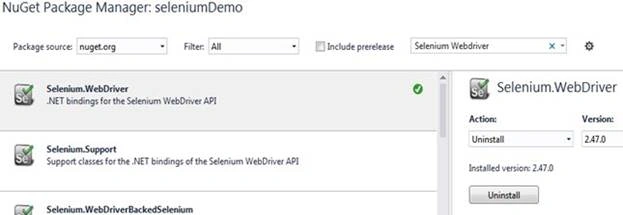
- Search for Selenium WebDriver.
- Select Selenium WebDriver.
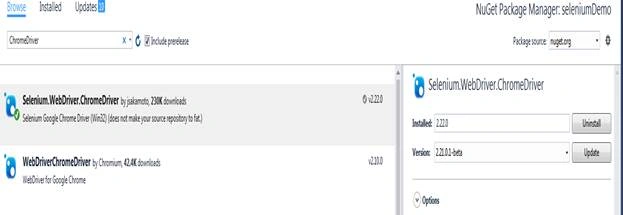
- Click on Install.
Joseph DonnellyPosted May 8, 2021, 1:12 AM
Hi Santosh, can you provide the Visual Studio solution on Github? Thanks So Much Santosh, Joe
Devendra PathakPosted Sep 4, 2018, 3:23 AM
You said that Selenium also works with mobile environment. i wish to know if a mobile application is possible which uses Selenium and chromedriver?
Amiet ShiravadekarPosted Aug 14, 2018, 3:57 AM
I really like the way you have written the article of automation testing.The SQL is also important to do the automation testing so that the following article is also good to learn SQL testing interview questions: http://www.complexsql.com/sql-interview-questions-for-testersYou may like this article..Keep writing such a beautiful articles... APPRECIATED!!!!!!
ARJUN GULATIPosted Oct 3, 2017, 8:37 AM
Please provide more example of test cases
Anu VPosted Aug 23, 2016, 12:37 AM
Nice..
kaveri teraPosted Aug 16, 2016, 1:27 AM
Nice very clear