

Selenium WebDriver
Selenium WebDriver API Commands and Operations
Find Element
- By ID
Example:
- <span id="spanName">name</span>
- IWebElement element = driver.FindElement(By.Id("spanName"));
- By Class Name
Example:
- <div class="mobile"><span>Nokia</span></div><div class="mobile"><span>IPhone</span></div><div class="mobile"><span>Samsung</span></div>
- IList<IWebElement> mobiles = driver.FindElements(By.ClassName("mobile"));
- By Tag Name
Example:
- <iframe src="..."></iframe>
- IWebElement frame = driver.FindElement(By.TagName("iframe"));
- By Name
Example:
- <input name="fname" type="text"/>
- IWebElement firstname = driver.FindElement(By.Name("fname"));
- By Link Text
Example:
- <a href="http://www.google.com/search?q=india">india</a>
- IWebElement country = driver.FindElement(By.LinkText("india"));
- By Partial Link Text
Example:
- <a href="http://www.google.com/search?q=india">search for india</a>
- IWebElement country = driver.FindElement(By.PartialLinkText("india"));
- By CSS
Example:
- <div id="emp"><span class="admin">sysAdmin</span><span class="user">guest</span></div>
- IWebElement user = driver.FindElement(By.CssSelector("#emp span.admin"));
- By XPATH
Example:
- <input type="text" name="fname" />
- <INPUT type="text" name="lname" />
- IList<IWebElement> inputs = driver.FindElements(By.XPath("//input"));
NUnit
NUnit is the third party tool developed for unit testing in Visual Studio
You can get more information on NUnit.
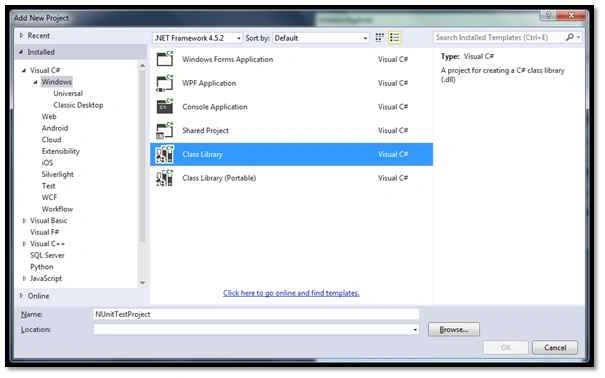
To integrate Nunit in visual studio first create new project in visual studio.
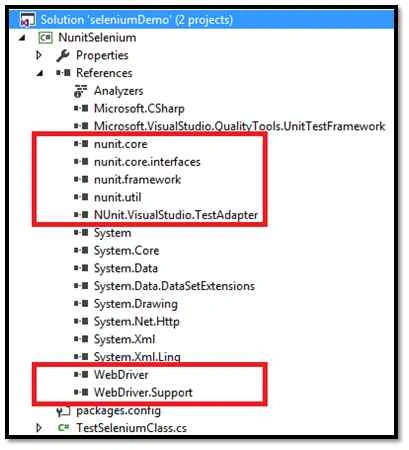
Also add references using Nuget packages related to NUNIT and WebDriver
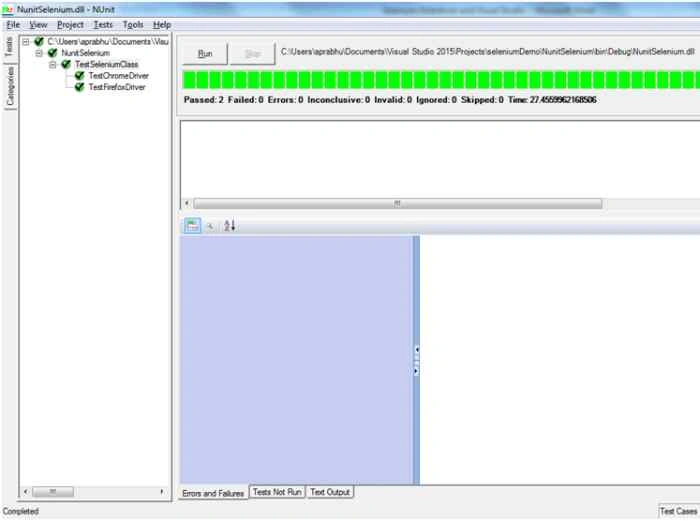
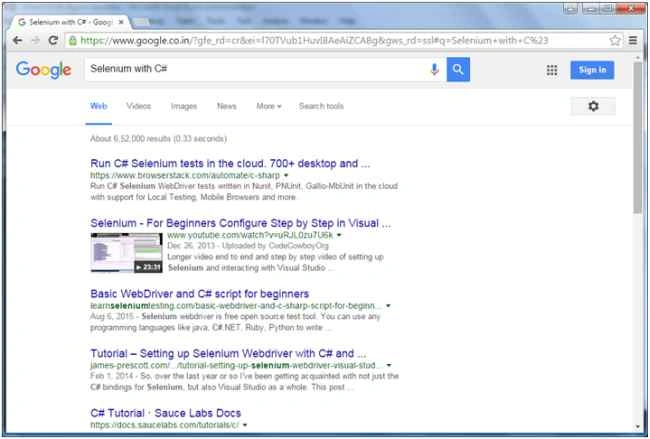
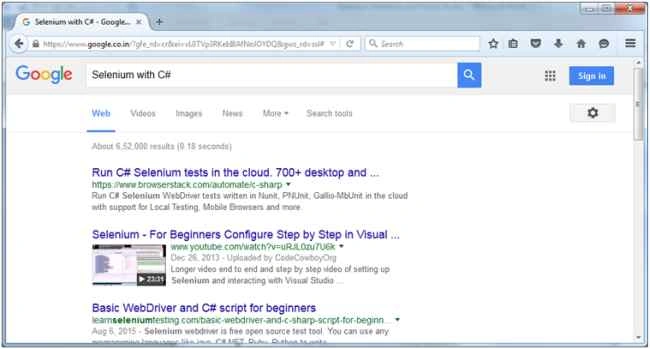
Please find the following code to write test cases using NUnit
- using NUnit.Framework;
- using OpenQA.Selenium;
- using OpenQA.Selenium.Chrome;
- using OpenQA.Selenium.Firefox;
- namespace NunitSelenium
- {
- [TestFixture]
- public class TestSeleniumClass
- {
- IWebDriver driverFF;
- IWebDriver driverGC;
- //declarations ..
- [SetUp]
- public void Init()
- {
- //All initializations
- driverFF = new FirefoxDriver();
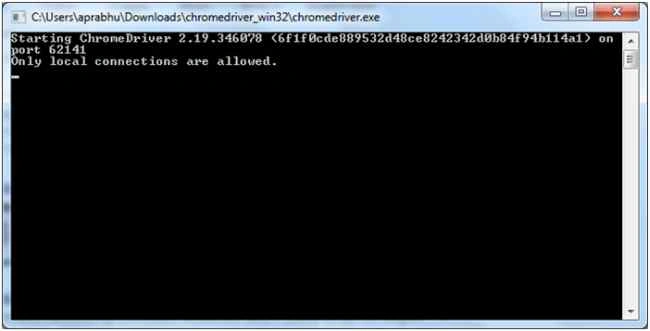
- driverGC = new ChromeDriver(@"C:\Downloads\chromedriver_win32");
- }
- [Test]
- public void TestFirefoxDriver()
- {
- driverFF.Navigate().GoToUrl("http://www.google.com");
- driverFF.FindElement(By.Id("lst-ib")).SendKeys("Selenium with C#");
- driverFF.FindElement(By.Id("lst-ib")).SendKeys(Keys.Enter);
- }
- [Test]
- public void TestChromeDriver()
- {
- driverGC.Navigate().GoToUrl("http://www.google.com");
- driverGC.FindElement(By.Id("lst-ib")).SendKeys("Selenium with C#");
- driverGC.FindElement(By.Id("lst-ib")).SendKeys(Keys.Enter);
- }
- }
- }
Harshad PansuriyaPosted Nov 2, 2015, 12:25 AM
Nice one
Priyaranjan K SPosted Oct 21, 2015, 1:18 PM
Nice Share
Santhakumar MunuswamyPosted Oct 18, 2015, 5:05 AM
Good one
Humayun Kabir MamunPosted Oct 12, 2015, 12:51 AM
Nice...
Sabyasachi MishraPosted Oct 12, 2015, 12:46 AM
Good one thanks for sharing.
Sibeesh VenuPosted Oct 9, 2015, 1:12 AM
Nice Share
Rajeesh MenothPosted Oct 8, 2015, 12:13 PM
Good One
Nilesh JadavPosted Oct 8, 2015, 9:08 AM
Great !!