

Introduction:
The System.Net.Mail namespace in ASP.NET 2.0 has replaced the System.Web.Mail namespace in ASP.NET 1.x. In ASP.NET 2.0, you should know that the method of sending emails has changed slightly. Follow Brad Kingsley as he sends his first email from an ASP.NET 2.0 application.
Changes to send message in ASP.NET 20 and its previous version
-
System.Net.Mail.SmtpClient is used instead of System.Web.Mail.SmtpMail.
-
System.Net.MailMessage Class is used instead of System.Web.Mail.MailMessage.
-
The System.Net.MailMessage class collects from address as MailAddress object.
-
The System.Net.MailMessage class collects To, CC, Bcc addresses as MailAddressCollection.
-
MailMessage Body Format is replaced by IsBodyHtml.
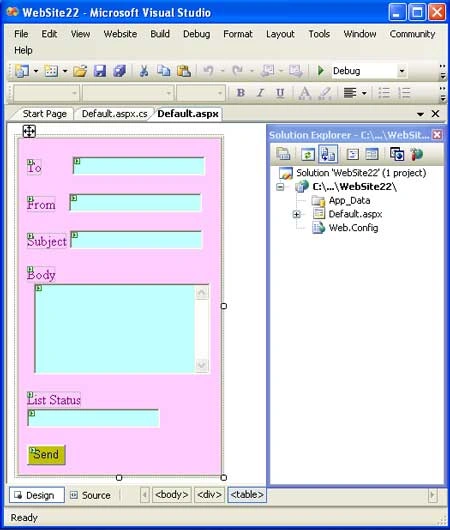
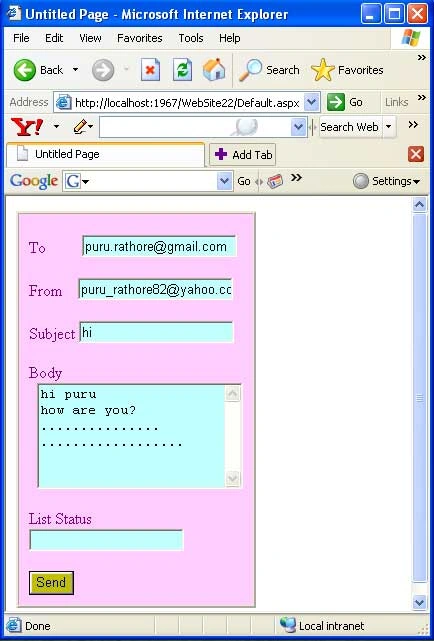
In the given example the form contains five textboxes:
-
First textbox is used for recipient's email address.
-
Second textbox is used for sender's email address.
-
Third textbox is used for subject of the email.
-
Fourth textbox is used for the body of the email.
-
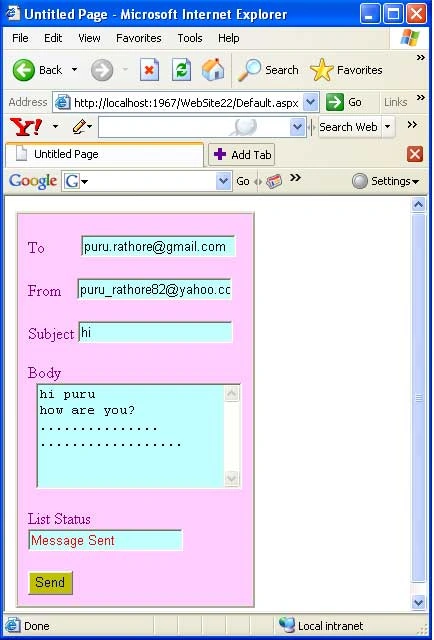
Fifth textbox is used for the list status (it provide the message that mail has sent or not).
One button is used for sending the email. So we write the code on the button's click event.
We add the System.Net.Mail namespace for sending the email.
For Example: Through this example you can understand how to send the email in ASP.NET 2.0.
These are the following steps to help you to send email in ASP.NET 2.0.
Step 1: Open your new website.
Step 2: Design the page.
Step 3: Now add the System.Net.Mail namespace.
Step 4: Write the cs code on the button's click event.
Default.aspx:
<%@ Page Language="C#" AutoEventWireup="true" CodeFile="Default.aspx.cs" Inherits="_Default" %>
<!DOCTYPE html PUBLIC "-//W3C//DTD XHTML 1.0 Transitional//EN" "http://www.w3.org/TR/xhtml1/DTD/xhtml1-transitional.dtd">
<html xmlns="http://www.w3.org/1999/xhtml" >
<head runat="server">
<title>Email sending</title>
</head>
<body>
<form id="form1" runat="server">
<div>
<table cellpadding="10" cellspacing="0" border="2" width="40%" height="100px">
<tr>
<td valign="top" style="padding-top:20px; background-color: #ffccff;">
<asp:Label ID="Label1" runat="server" Text="To " ForeColor="Purple"> </asp:Label>
<asp:TextBox ID="T1" runat="server" BackColor="#C0FFFF"></asp:TextBox>
<br /><br />
<asp:Label ID="Label2" runat="server" Text="From" ForeColor="Purple"> </asp:Label>
<asp:TextBox ID="T2" runat="server" BackColor="#C0FFFF"></asp:TextBox><br /><br />
<asp:Label ID="Label3" runat="server" Text="Subject" ForeColor="Purple"></asp:Label>
vishnu reddyPosted Mar 19, 2009, 2:27 AM
smtpclientl.Host = "localhost" can u explain me in briefly.......
miaka miakaPosted Mar 2, 2009, 1:58 AM
i just tested your program sir but nothing i receive in my email account.... please help me sir..... thank you