

Introduction
This article explains how to send Asynchronous Mail with multiple file attachments and multiple file uploads using SmtpClient.SendAsync.
My previous article explained sending asynchronous email in ASP.NET 4.5 I will now explain how to implement asynchronous mail with multiple file attachments and the ASP.NET File Upload Control using multiple file upload and uploadedFile.SaveAs Server.MapPath in ASP.NET 4.5.
So, let's proceed with the following procedure:
- Create an asynchronous ASP.NET web page
- Multiple file uploads and multiple file attachments
- Create and delete a directory folder
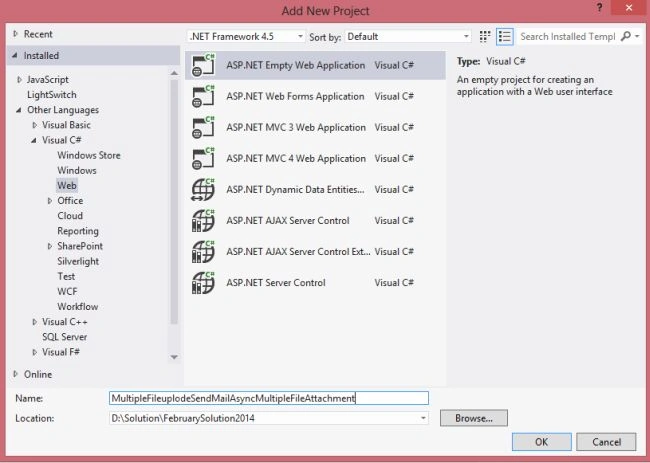
Create a new project using "File" -> "New" -> "Project..." then select web "ASP.NET Web Forms Application". Name it " MultipleFileuplodeSendMailAsyncMultipleFileAttachment".
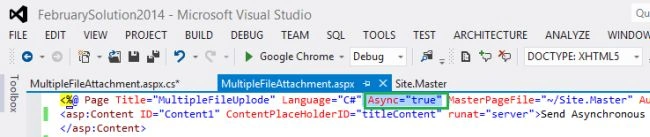
Next, create the code-behind as follows: the first step is to build an asynchronous page and setting the Async attribute in the Page directive to true, as shown here: Async="true".
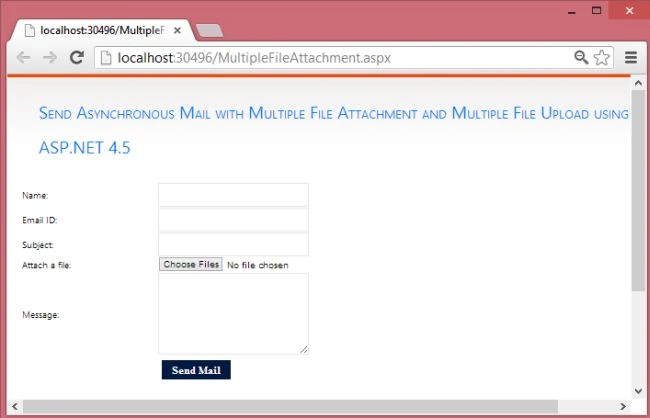
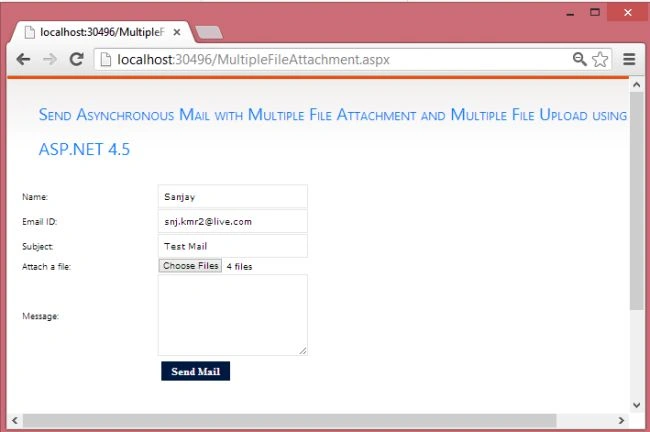
Now, in the code behind file MultipleFileAttachment.aspx use the following code.
MultipleFileAttachment.aspx
- <%@ Page Title="MultipleFileUplode" Language="C#" Async="true" MasterPageFile="~/Site.Master" AutoEventWireup="true" CodeBehind="MultipleFileAttachment.aspx.cs" Inherits="MultipleFileuplodeSendMailAsyncMultipleFileAttachment.MultipleFileAttachment" %>
- <asp:Content ID="Content1" ContentPlaceHolderID="titleContent" runat="server">Send Asynchronous Mail with Multiple File Attachment and Multiple File Upload using ASP.NET 4.5
- </asp:Content>
- <asp:Content ID="Content2" ContentPlaceHolderID="head" runat="server">
- <script type="text/javascript">
- function validationCheck() {
- var summary = "";
- summary += isvalidName();
- summary += isvalidEmail();
- summary += isvalidSubject();
- summary += isvalidMessage();
- if (summary != "") {
- alert(summary);
- return false;
- }
- else {
- return true;
- }
- }
- function isvalidName() {
- var id;
- var temp = document.getElementById("<%=txtName.ClientID %>");
- id = temp.value;
- if (id == "") {
- return ("Please enter Name" + "\n");
- }
- else {
- return "";
- }
- }
- function isvalidEmail() {
- var id;
- var temp = document.getElementById("<%=txtEmail.ClientID %>");
- id = temp.value;
- var re = /\w+([-+.']\w+)*@\w+([-.]\w+)*\.\w+([-.]\w+)*/;
- if (id == "") {
- return ("Please Enter Email" + "\n");
- }
- else if (re.test(id)) {
- return "";
- }
- else {
- return ("Email should be in the form [email protected]" + "\n");
- }
- }
- function isvalidSubject() {
- var id;
- var temp = document.getElementById("<%=txtSubject.ClientID %>");
- id = temp.value;
- if (id == "") {
- return ("Please enter Subject" + "\n");
- }
- else {
- return "";
- }
- }
- function isvalidMessage() {
- var id;
- var temp = document.getElementById("<%=txtMessage.ClientID %>");
- id = temp.value;
- if (id == "") {
- return ("Please enter Message" + "\n");
- }
- else {
- return "";
- }
- }
- </script>
- </asp:Content>
- <asp:Content ID="Content3" ContentPlaceHolderID="MainContent" runat="server">
- <table style="width: 100%;">
- <tr>
- <td>Name:</td>
- <td>
- <asp:TextBox ID="txtName" runat="server" CssClass="txt"></asp:TextBox></td>
- <td> </td>
- </tr>
- <tr>
- <td>Email ID:</td>
- <td>
- <asp:TextBox ID="txtEmail" runat="server" CssClass="txt"></asp:TextBox></td>
- <td> </td>
- </tr>
- <tr>
- <td>Subject:</td>
- <td>
- <asp:TextBox ID="txtSubject" runat="server" CssClass="txt"></asp:TextBox></td>
- <td> </td>
- </tr>
- <tr>
- <td>Attach a file:</td>
- <td>
- <asp:FileUpload ID="FileUpload1" runat="server" AllowMultiple="true" />
- </td>
- <td></td>
- </tr>
- <tr>
- <td>Message:</td>
- <td>
- <asp:TextBox ID="txtMessage" runat="server" Height="100px" Width="200px" CssClass="textarea" TextMode="MultiLine" ></asp:TextBox>
- </td>
- <td> </td>
- </tr>
- <tr>
- <td></td>
- <td>
- <asp:Button ID="btnSendMail" runat="server" Text="Send Mail" CssClass="button" OnClick="btnSendMail_Click" /></td>
- </tr>
- </table>
- </asp:Content>


Gsevenitsolutions IrinjalakudaPosted Jul 24, 2017, 3:45 AM
Hello , I have applied the method when i Click send mail button fields are clearing but mail is not sending can u help me