

For sending SMS messages from your Windows or web form application you will need a web API. There are some websites for API purchase. Some websites provide an API for free. Here I will show you how to use them and sending messages to a mobile network using the API.
Step 1
I have used a web API from www. clickatell.com. The process is pretty straight forward. First of all, you need to register in the website.
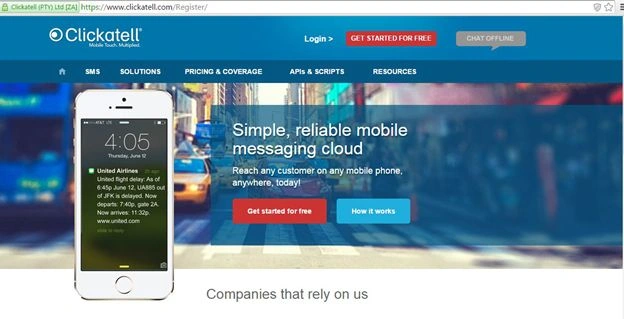
Click on, “GET STARTED FOR FREE”.

Click on, “Developers' Central”. And provide the basic information during the registration process. After completing the registration, a mail will be sent by them to your E-Mail address. Like this:
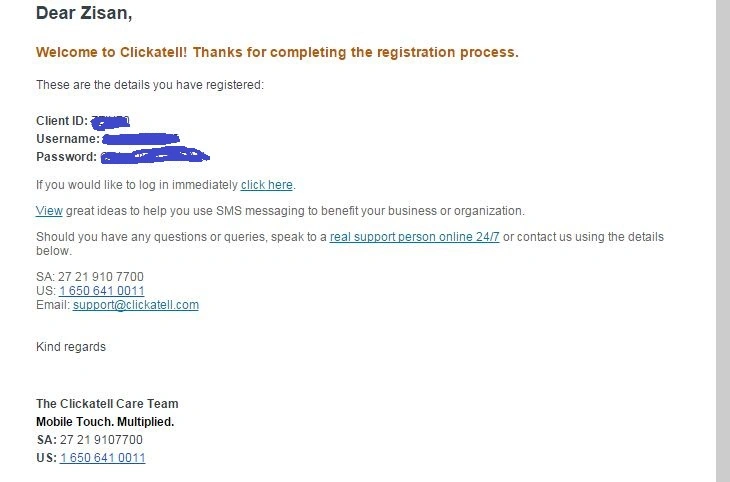
Here they will give you a Client ID for the API. Click on the “click here” link. They will automatically give you the string for sending the message using the API.

Copy the sample code and save it.
Step 2
Open your Visual Studio and create a Windows Forms application project and name it. Here is mine:
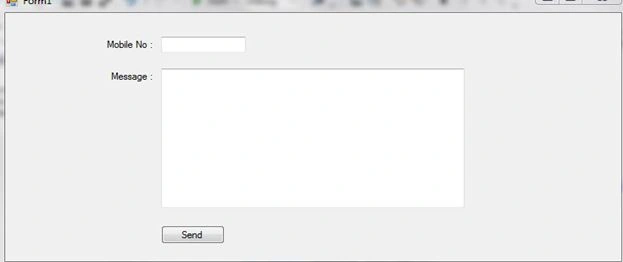
The code behind this scenario is pretty cool. You just need the code they have given you. For using the API, you need to make an object of the WebClient class. And using this object, all the web APIs can be used under specific conditions. For the WebClient class you need to import a library writing “Using System.Net” at the field level. Here is the button click code:
- try
- {
- WebClient client = new WebClient();
- string to, message;
- to = textBox1.Text;
- message = textBox2.Text;
- string baseURL = "http://api.clickatell.com/http/sendmsg?user=zisan94268&password=OYeNLVUHTNIHbD&api_id=3528011&to='" + to + "'&text='" + message + "'";
- client.OpenRead(baseURL);
- MessageBox.Show("Successfully sent message");
- }
- catch (Exception exp)
- {
- MessageBox.Show(exp.ToString());
- }
Remember, the baseURL string is the same as they have provided. You need to replace the User Name, Password and API ID.
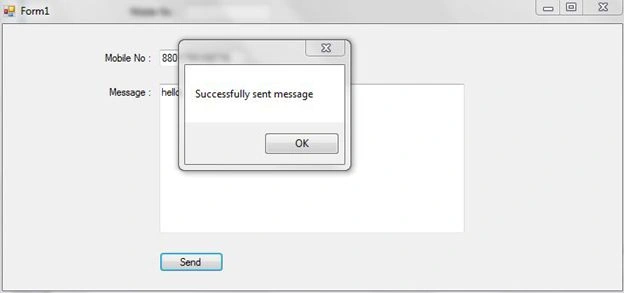
If everything is OK, then the message will be sent to the number you inserted.
Thank you for reading.
Have a nice day.
Rahul pawarPosted Jul 28, 2018, 3:39 AM
Msg sent only on that number I registered at clickatell
janaki murugavelPosted Apr 18, 2018, 1:51 AM
The message was sent successfully..but i am not not yet receicved the sms in my mobile..please help me..
amrit guptaPosted Apr 21, 2017, 3:01 PM
Thank you so much sir very very thank you
Arkadip NandanPosted Nov 20, 2016, 12:13 PM
The clickatell website is not showing the above options from mobile.please help
SubashPosted Sep 8, 2016, 3:23 AM
Nice sir
Giridhar MadhavanPosted Jun 21, 2016, 1:05 AM
How many messages can I send in a day using clickatell?
ABDUL KPosted Jun 8, 2016, 2:19 AM
message not send
dileep aallaPosted Apr 7, 2016, 3:25 AM
msg is not send..please help me
anna yangPosted Feb 5, 2016, 5:52 AM
if you are not purcharsed, then you could not receive the message correctly.
Durga VelusamyPosted Nov 24, 2015, 12:12 AM
client.OpenRead(baseURL); its working but not received massage
Amit MohantyPosted Nov 19, 2015, 2:45 AM
Thanx..Nice article
shiva reddyPosted Nov 4, 2015, 2:09 PM
message is not sending.please help me
Mohamed Gani MnPosted Oct 6, 2015, 2:00 AM
This website for free sms service. Can we use this Client URL for sms
Sreeraj K.DPosted Jul 31, 2015, 4:58 AM
but after " the lines breaks. how to overcome that problem?
Abhimanyu kumarPosted Jun 25, 2015, 1:25 PM
hi how can i send bulk sms plz help me....
Altaf AnsariPosted Apr 30, 2015, 1:49 AM
Nice article
Hëàrt BëàtPosted Apr 23, 2015, 2:33 PM
Good and nice article :)
Karthik Muthu KaruppanPosted Apr 23, 2015, 11:11 AM
Nice one
Afzaal Ahmad ZeeshanPosted Apr 23, 2015, 6:59 AM
Did you look at baseKey variable in your code? That variable still has the username and password explicitly shown. You can provide the values as, "username=<username>&password=<password>" and then re-publish. It is for your own safety, any potential user can use your credentials and use your resources.
Safayat ZisanPosted Apr 23, 2015, 6:24 AM
Thank you. Is it OK now?
Afzaal Ahmad ZeeshanPosted Apr 23, 2015, 5:22 AM
Hello Safayat, good article. But I would suggest that you remove the username and password from the code that you have shared. I wonder how did editor did not see this one before approving the post to come out as an article. He should have removed it himself. Anyway, you can remove it now; update it.
Safayat ZisanPosted Apr 23, 2015, 5:00 AM
Thanks
Khargesh RajputPosted Apr 23, 2015, 12:22 AM
nice and thanks for sharing but edit this as Anoop Kumar Sharma saying..
Santhakumar MunuswamyPosted Apr 23, 2015, 12:09 AM
Good work
Anoop Kumar SharmaPosted Apr 22, 2015, 11:11 PM
Nice Article but I suggest you to hide your login credentials/details shown in the image. :-)