

Introduction
This article explains the ServletRequest interface in Java. The Netbeans IDE is used to create various file formats using servlets. This article explains other terms, such as public method ServletRequest interface, ServletResponse Interface, and create the application.
ServletRequest interface
This interface is required to provide client request information to the server in the form of content type, attributes, parameter names, etcetera.
Some commonly used public methods of servletRequest interface are:
- public String getParameter(String pname);
obtains the value of request parameters.
- public Enumeration getParameterNmaes();
determines the name of all request paramters.
- public void setAttribute(String name, Object attribute);
obtains the values of an attribute from the request scope.
- public Object getAttribute(String name);
obtains the value of an attribute from the request scope.
- public Enumeration getAttributeName();
determines the names of attributes saved in the request scope.
- public boolean removeAttribute(String name);
removes an attribute from an attribute scope.
- public ServletInputStream getInputStream();
obtains an input stream to read request data.
- etcetera
Get the input stream method of the servlet request to read data as a sequence of byte in the case of a file upload.
ServletResponse interface
This interface is required to provide a response to the client, like content type, attributes, parameter names, etcetera.
Some commonly used public method of the ServletResponse interface are:
1. setContentType()
Specifies the contents type of the response. The contents type of the response is used by the browser to determine how the contents are to be rendored.
Syntax
public void setContentType(String MIME Type);
What is MIME
Standard MIME types are used to specify the type of contents. A MIME type has the two parts "Major-Part" and "Minor-Part".
The Major Part specifies the type and the Minor part specifies the format.
Example:
text/html image/gif audio/aac
text/xml image/jpeg audio/mp3
text/plain image/bmp etcetera
2. getWriter()
Returns a PrintWriter object to generate the response to the client.
Syntax
public PrintWriter getWriter();
3. getOutputStream();
Returns an output stream to generate the response to the client.
Syntax
public OutputStream getOutputStream();
Note:
Only one of these streams can be used in a Servlet to generate a response.
Let's use an example.
How to create various file formats using servlet in Java
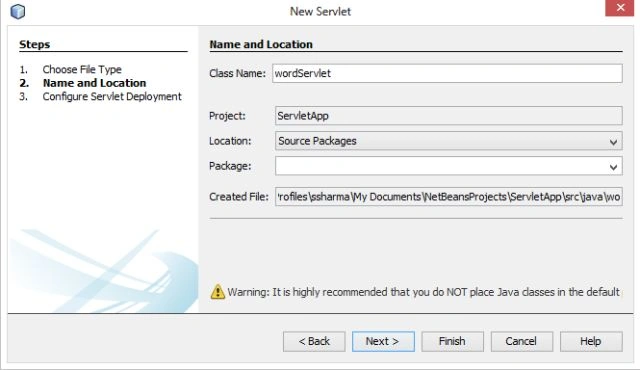
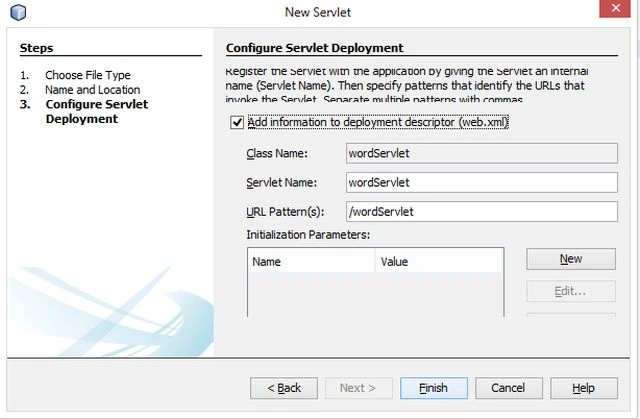
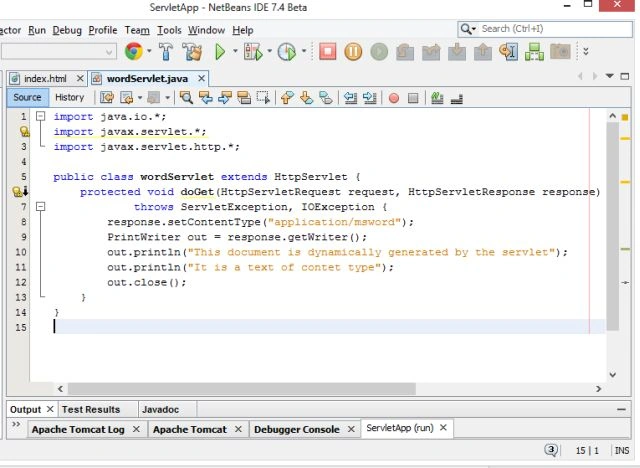
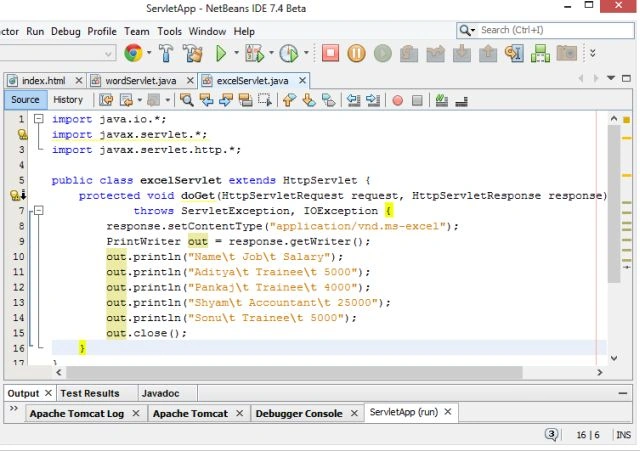
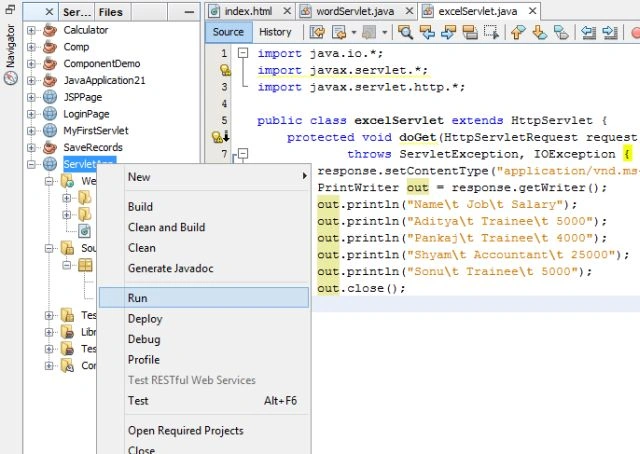
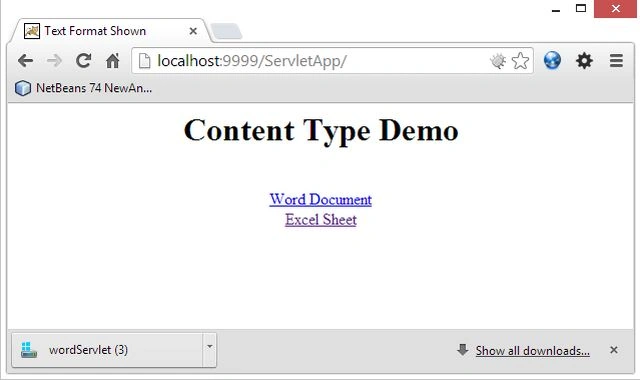
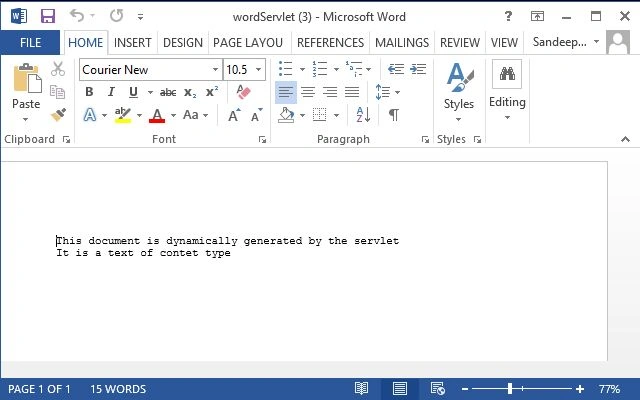
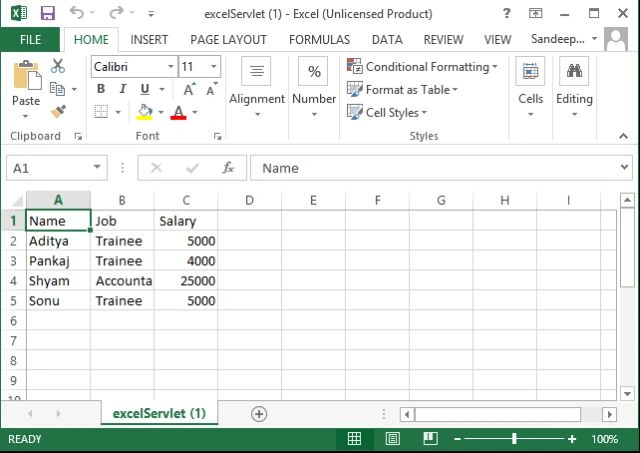
In this example we create two different types of files according to their format, in other words one is a Word file and the second one is an Excel file.
The following procedure provides this example.
Step 1
Open the Netbeans IDE.
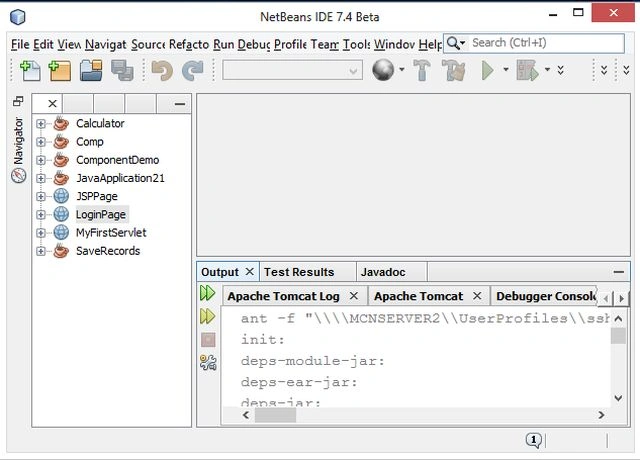
Step 2
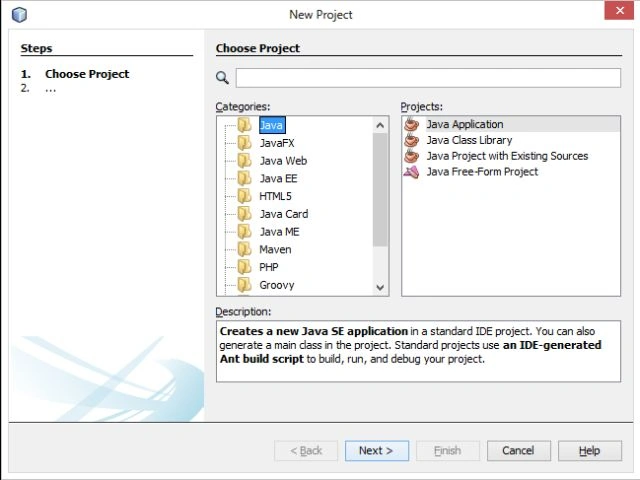
Now go to the File Menu and choose "New Project", a new window appears like this.
Step 3
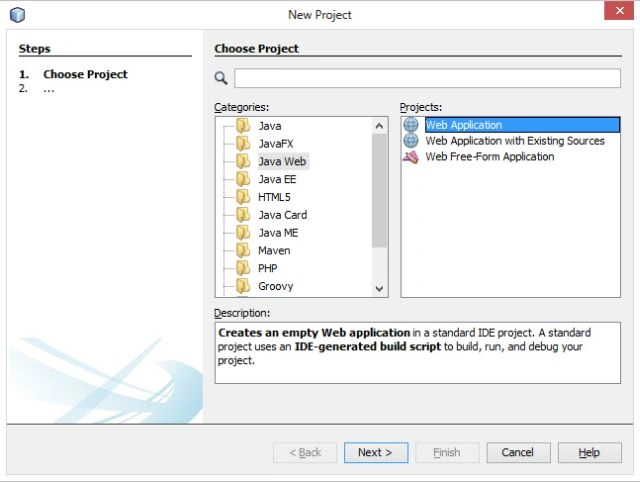
Choose "Java Web" -> "Web application" as shown below:
Step 4
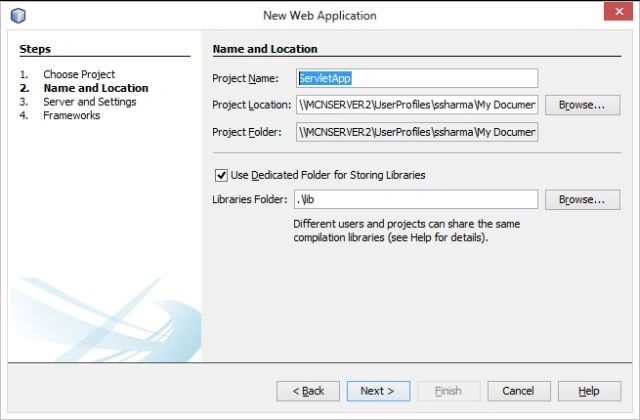
Click on "Next" and then type your project name. I specified "ServletApp" and click on "Next" as shown below:
Step 5
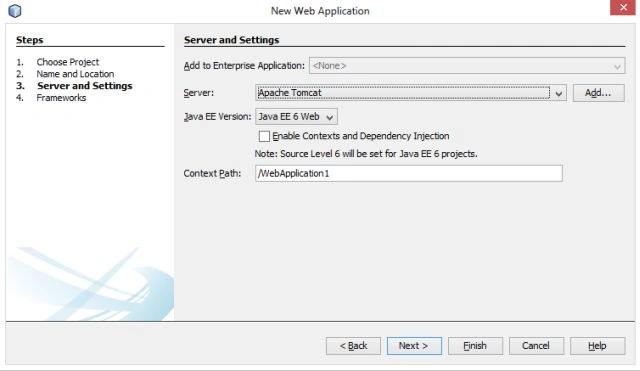
Select the "server" and choose the "Java version" and then click on "Finish" as shown below.
Step 6
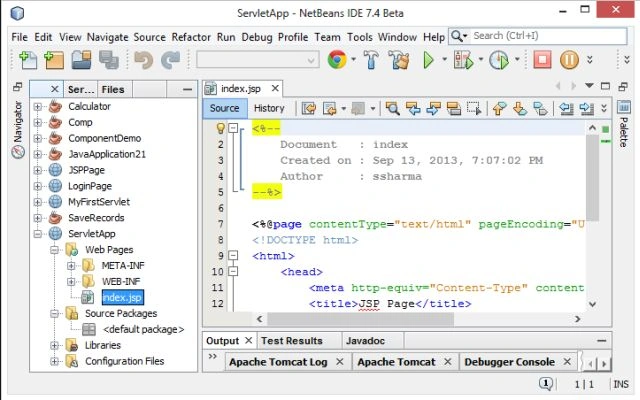
Click on "Finish"; your project is set up with a default JSP file "index.jsp" as shown below.
Step 7
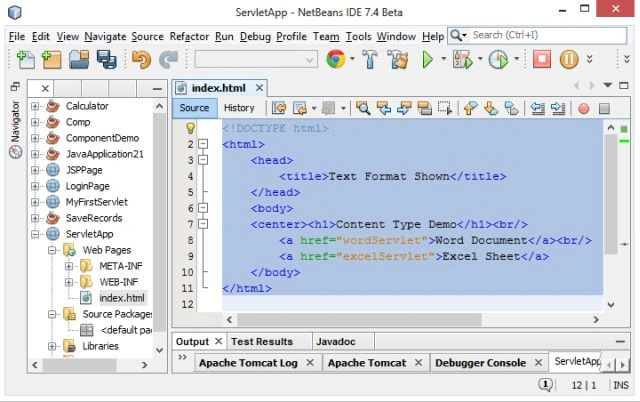
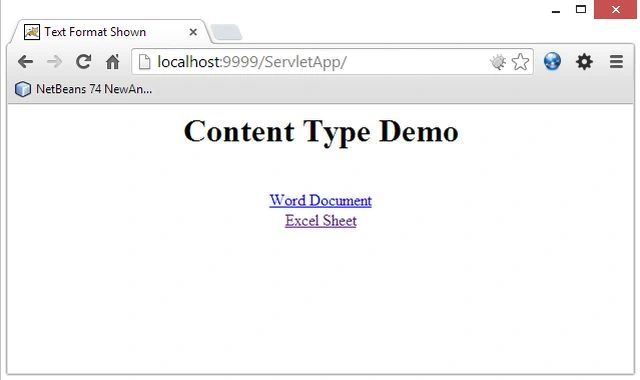
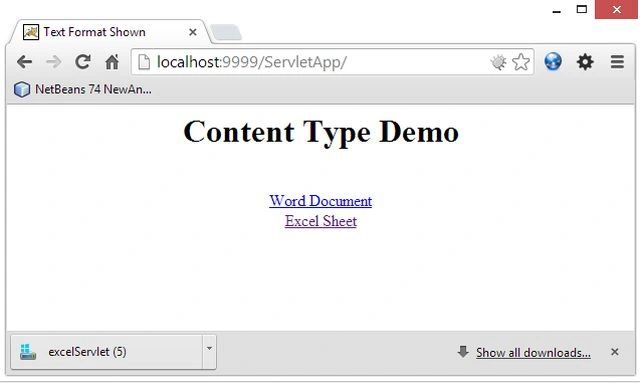
Now delete the JSP file and create a HTML file with the name "index.html" and write the following code for it.
<!DOCTYPE html>
<html>
<head>
<title>Text Format Shown</title>
</head>
<body>
<center><h1>Content Type Demo</h1><br/>
<a href="wordServlet">Word Document</a><br/>
<a href="excelServlet">Excel Sheet</a>
</body>
Join the conversation! Your thoughts help the community grow.