

Introduction
In this article, we are going to learn about NumLock that usually disturbs someone while using the keyboard.
NumLock
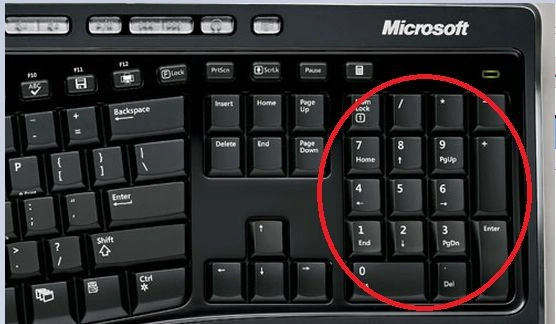
NumLock Mode
- On- If Numlock is ON then the numbers will be sent when you press those keys.
- Off- If Numlock is OFF, then it will function like Home, End, Del, etc.
Use the following procedure
Open the Run command by pressing the Win+R keys and type regedit.exe in the Open box.
 Step 2
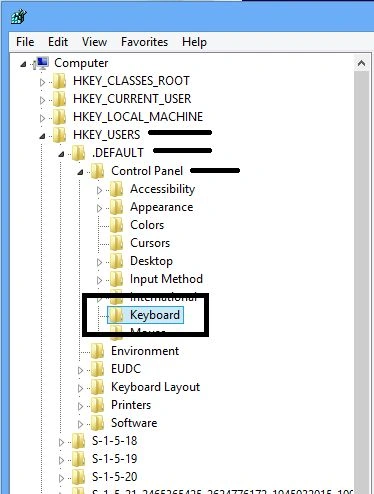
Navigate to the following path in the left pane of the window.
Step 2
Navigate to the following path in the left pane of the window.
 Step 3
Right-click on the "Keyboard" option and select New->DWORD(32-bit) Value from the sub-menu.
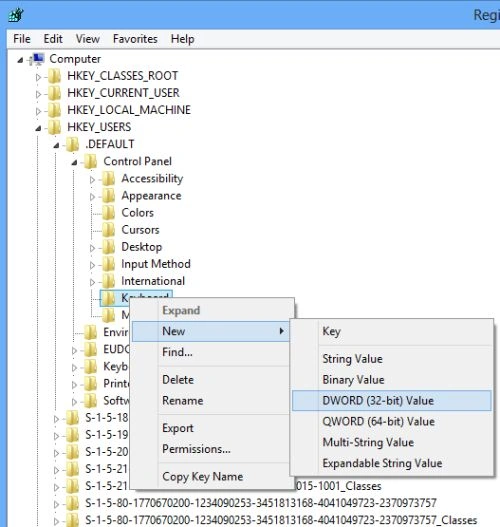
This will create a new key for the keyboard in the right panel like this.
Step 5
Now, right-click on the new key and select modify.
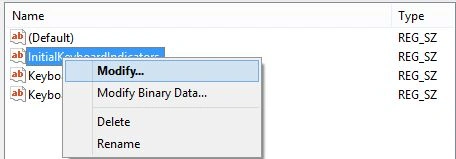
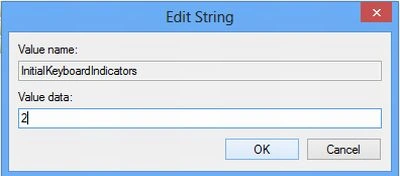
In the value data put 2 to permanently turn on NumLock every time when the computer starts. Click OK to save the changes.
 Step 7
You need to restart your computer to allow the changes.
Using this article now, you can set the NumLock on always when you start up your Windows 8 PC.
Join the conversation! Your thoughts help the community grow.