
To run a Java program you need to save the .java file in the bin directory otherwise you can't run the program without setting up the path to the bin. This is necessary because the Java Compiler, Java Application Launcher, etc. reside in the bin folder.
Step 1: Click on Start Menu ->> Right Click on My Computer ->> Select Properties
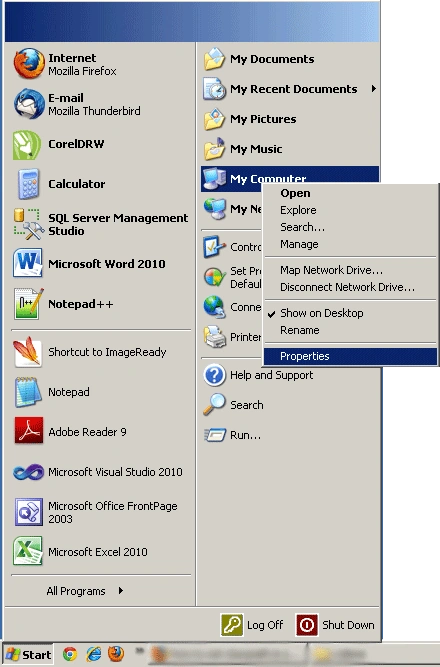
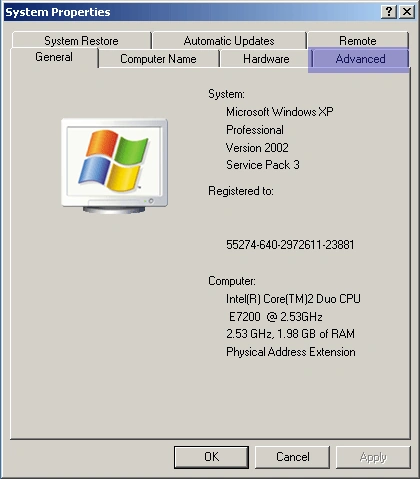
Now, you'll see the System Properties window as shown in following image.
Step 2: Select Advanced tab.
Step 3: Click on Environment Variables button.
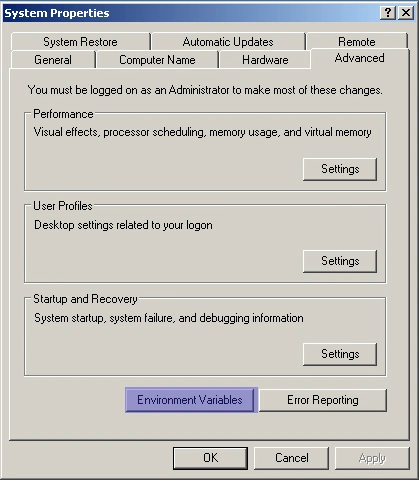
Now, another window is popped up as shown in the following image:
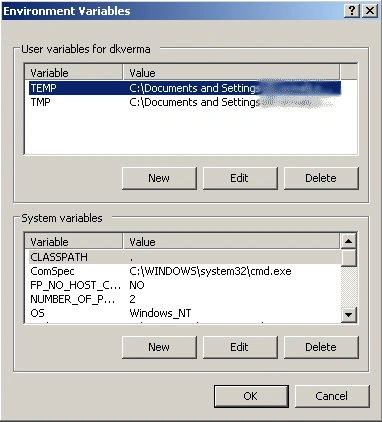
Step 4: Select variable Path and press Edit button.
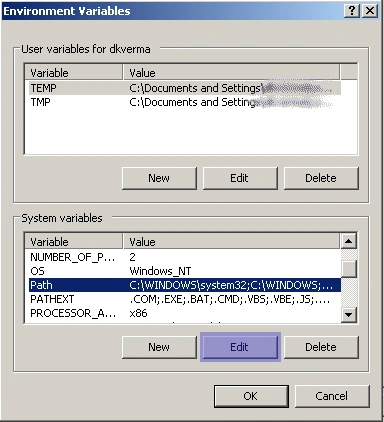
Edit System Variable window is shown, as follows:
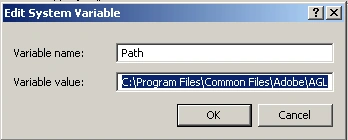
Step 5: Add a semicolon ( ; ) and then your path to bin folder (can be find it in the Installation Directory which is specified at the time of installation of JDK) at the end of variable value.
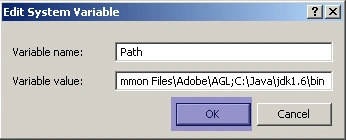
Press OK.
Snehal HarshePosted Apr 10, 2021, 11:23 AM
Thank you for sharing
MarcusPosted Jul 13, 2011, 2:49 AM
hi Sam, this article is targeting to the java beginners. However, I glad to see your comment. You should write articles on these approaches ....... :)
Sam HobbsPosted Jul 12, 2011, 1:03 PM
There are other ways that I would do it. One way would be to create a bat file or a small C# console program to call the compiler. Then put that in a directory that is already in the Path. Another way might be to create a VS Tool that executes the Java compiler. Another way would be to create a bat file that updates the Path for just the one console window.