

Introduction
The Salesforce Single sign-on feature can enable lots of features. For example, to spend less time to manage your login passwords, users can send out any reports and records link to others can easily access with a single click and manage all the sensitive information from one place.
Salesforce Single Sign-on SSO is configured with a Third-party identity provider that another name is called Inbound SSO. Now we are using the third-party identity provider “Axion Heroku web app”
By reading this article, you will learn about how to set up a single sign-on feature in Salesforce.
Prerequisites
- You need to sign up for a free Trailhead Account
-
Basic knowledge in Salesforce
Step 1
Launch Trailhead playground or Developer Edition.
Step 2
Click the gear icon and then click Setup.

Step 3
You must create a new user in your salesforce playground. Refer to my previous article to create a new user in Salesforce.
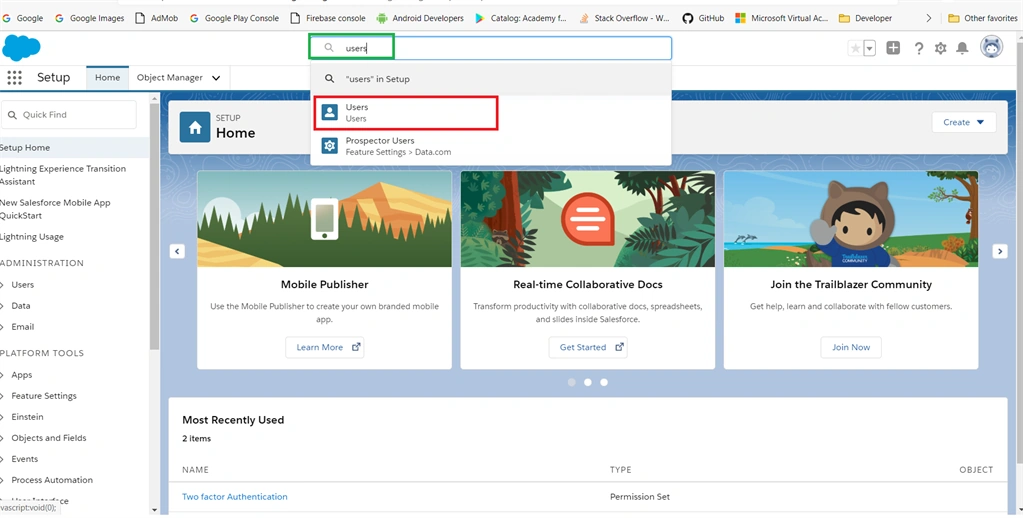
Search for “Users” in the search box and then click “Users” from search suggestions.
Step 4
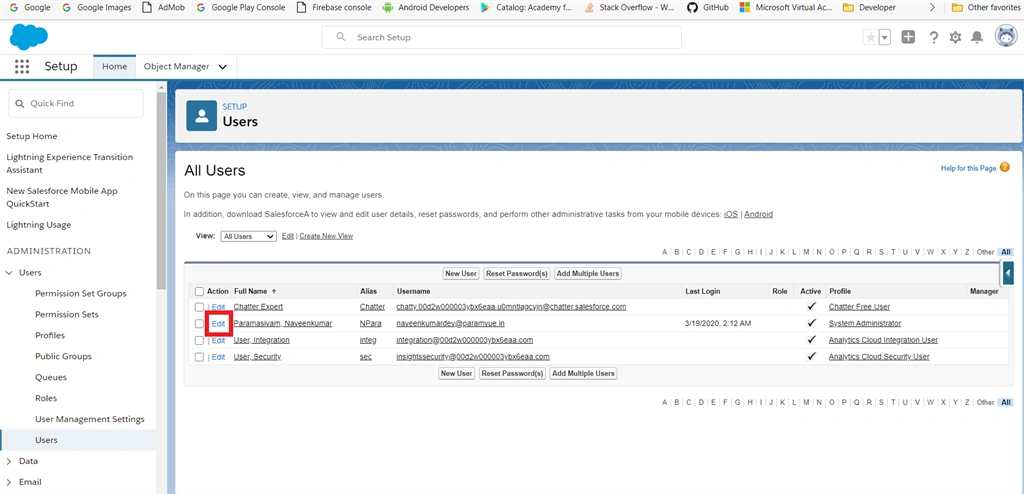
I am using a current login user. If you created a new user, follow these steps.
Click “Edit” near your user name.
Step 5
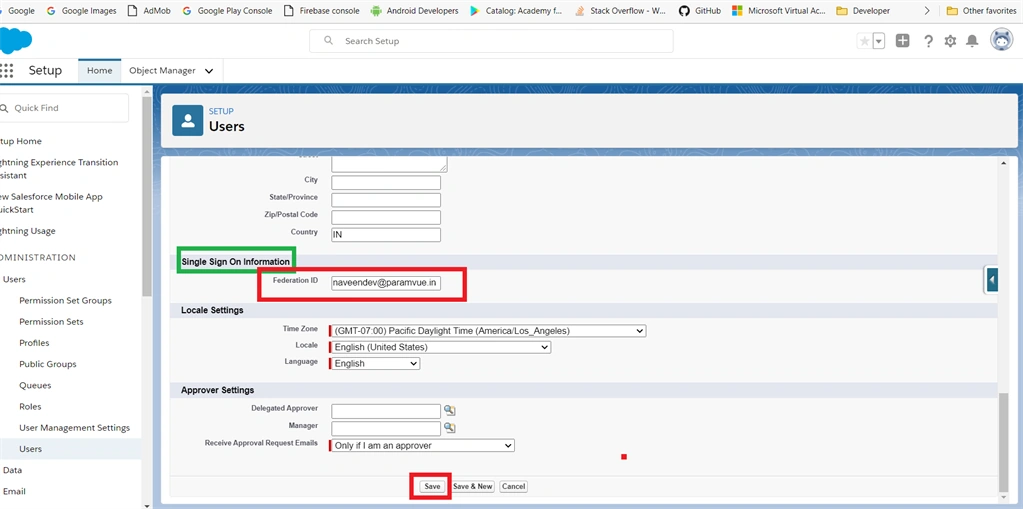
In the user details page, scroll down Enter your unique Federation id in that field under the single sign-on section and then click the save button.
Example: [email protected]
Step 6
Next, click the link to download the Identity provider certificate from Third-party providers.
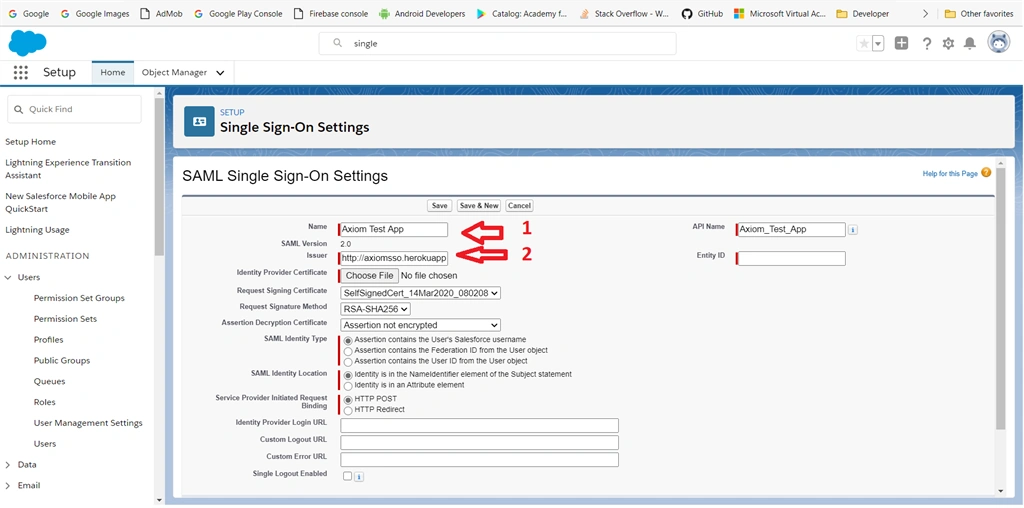
http://axiomsso.herokuapp.com. Copy and paste URLs in another browser.
Step 7
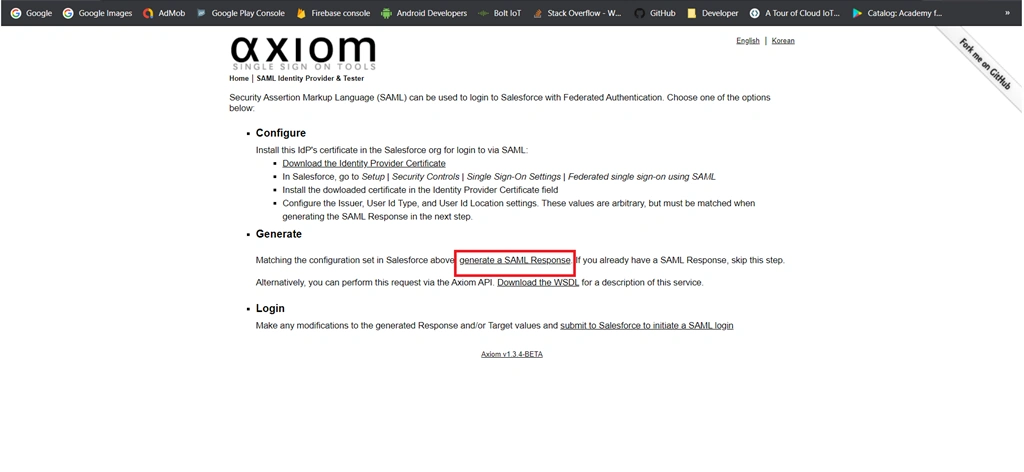
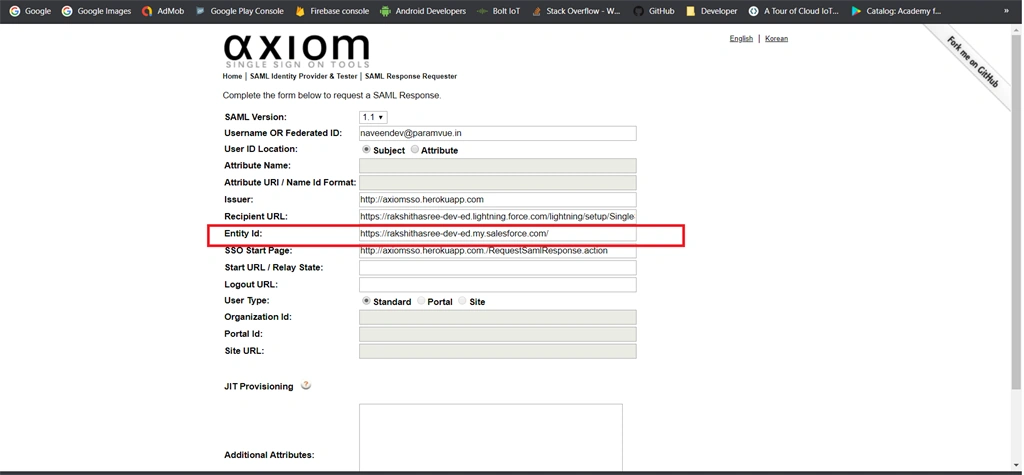
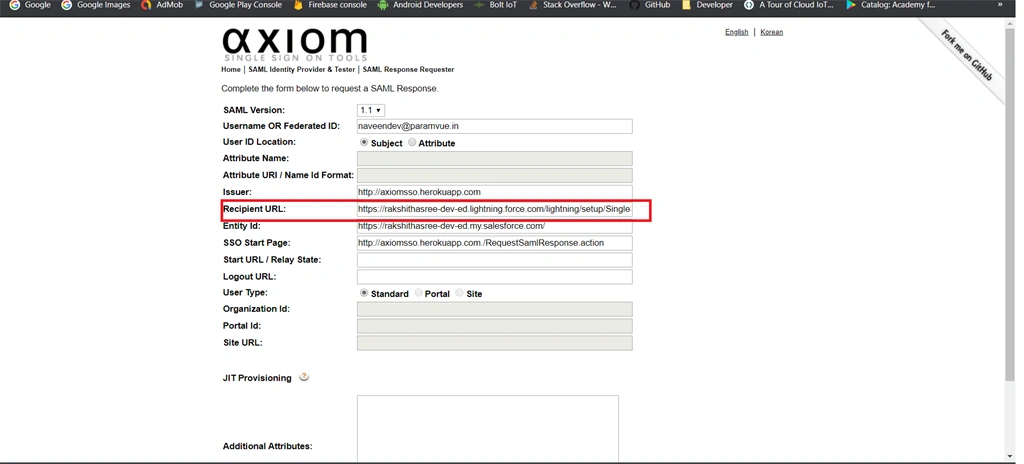
After accessing that page, click the “SAML Identity Provider and Tester”.

Step 8
Under the “Configure” section click the “Download the Identity Provider Certificate” link to download that certificate and store it on your computer.

Step 9
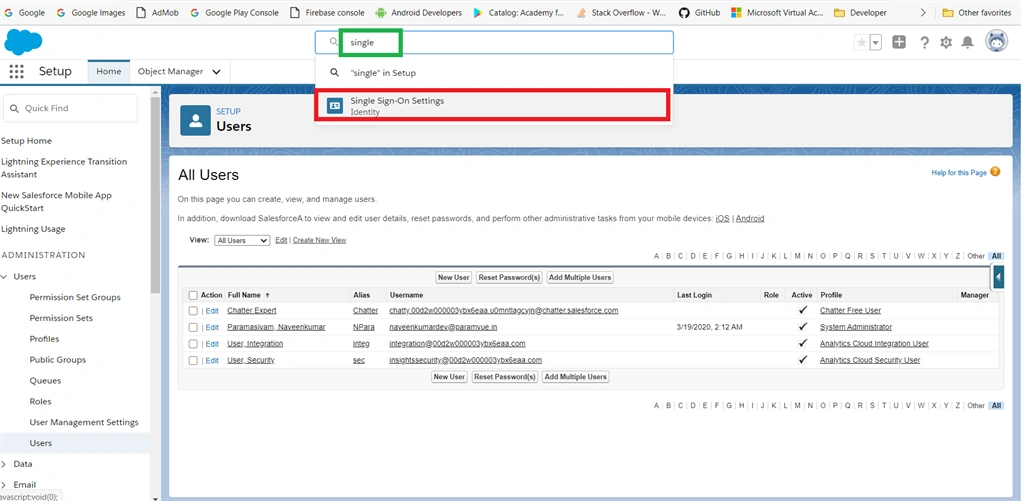
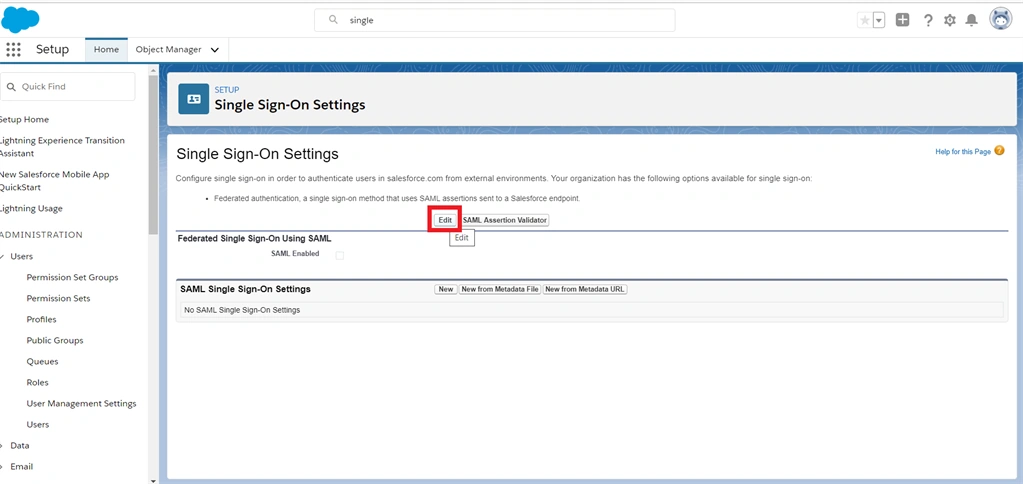
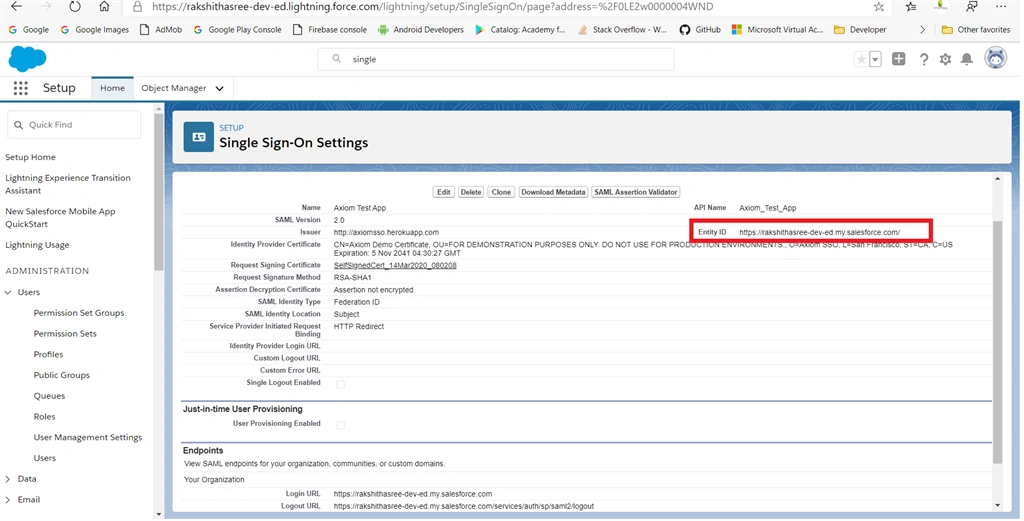
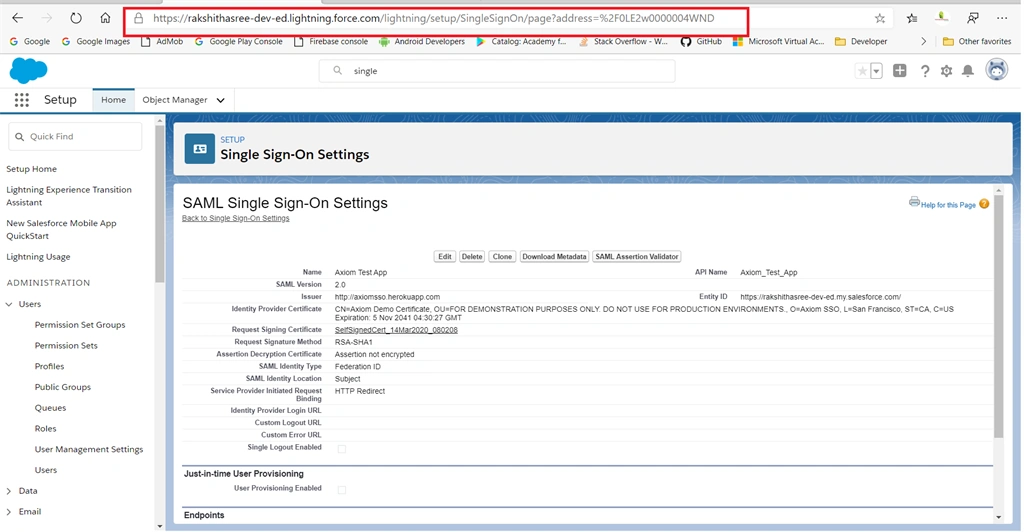
After downloading, come to the Salesforce playground page. Search “Single” in the quick find search box and then click “Single Sign-on settings” from suggestions.
Step 10
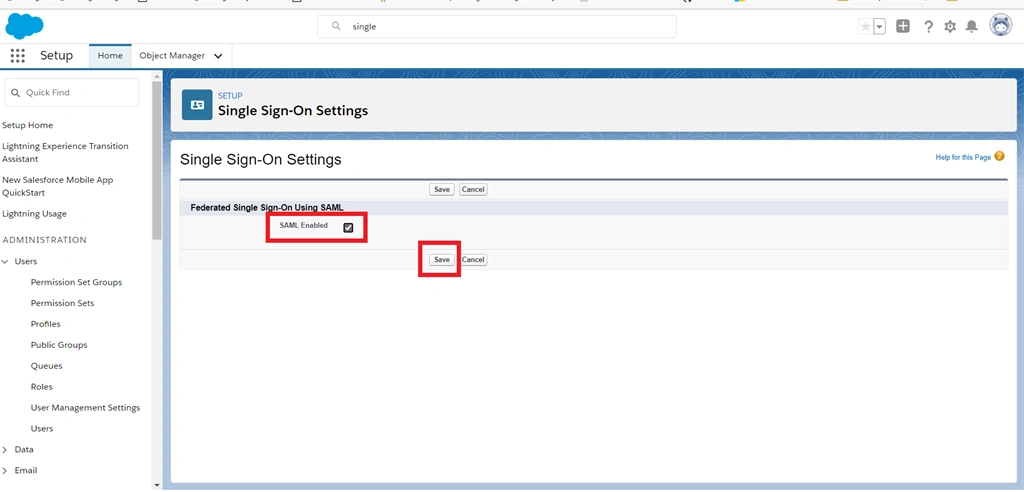
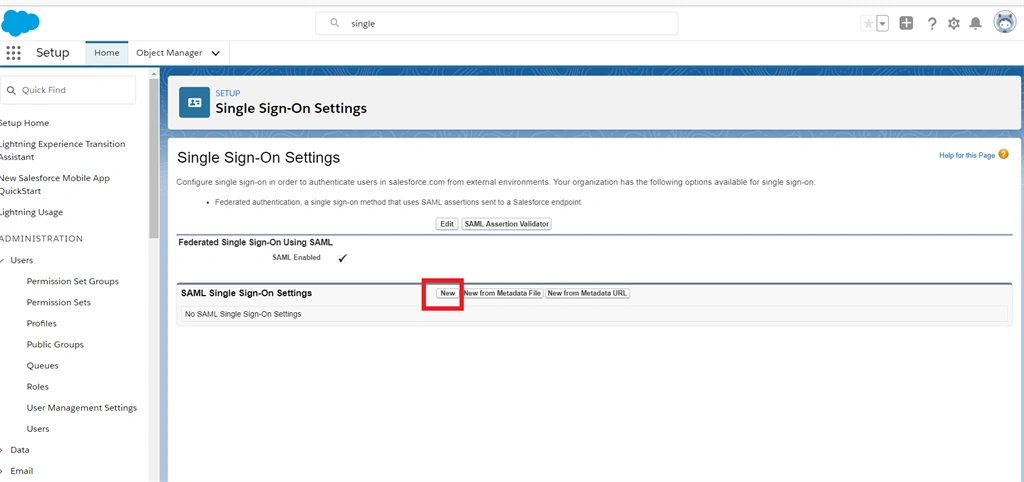
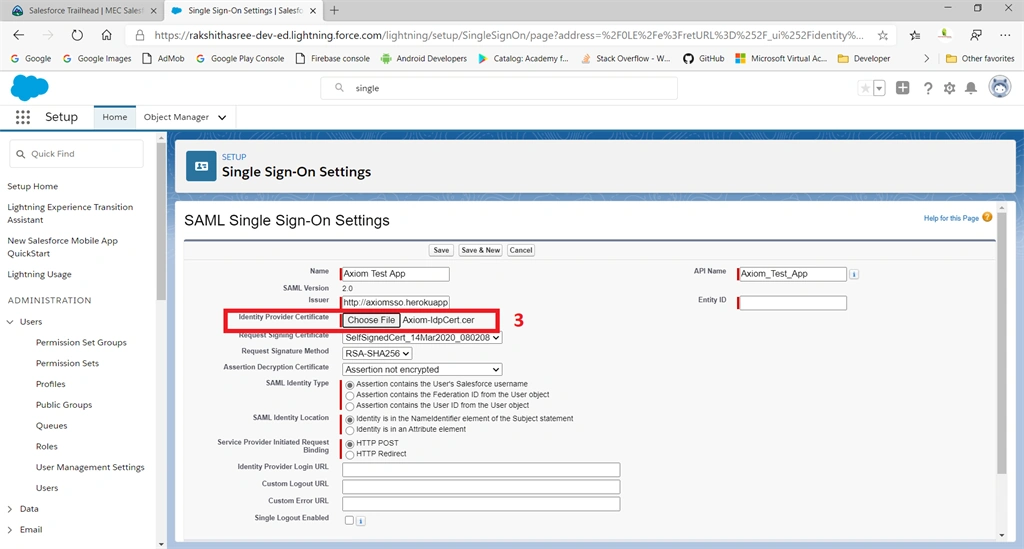
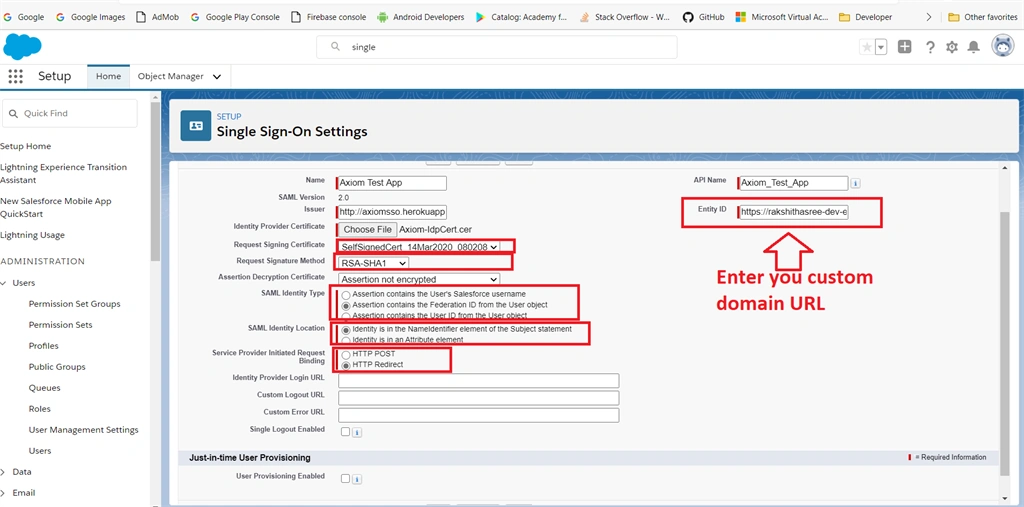
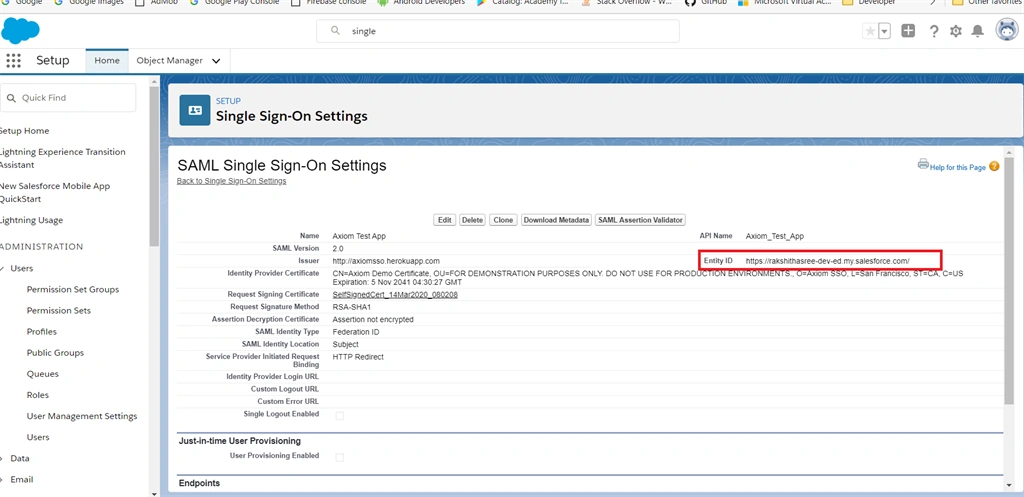
In a single sign-on page, click the “Edit” button to enable the SSO settings in Salesforce.



Join the conversation! Your thoughts help the community grow.