
Introduction
Silverlight run on client side (Win/Mac/MoonLight)
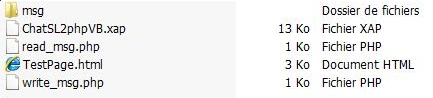
Just copy and paste on LAMP server.
Communication use HTTP protocol.
Interface view
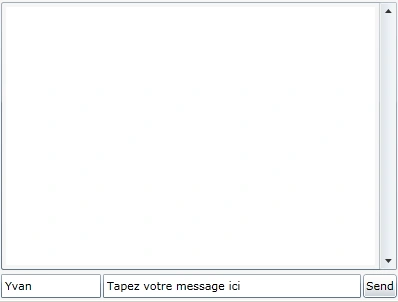
General description
Make two php script :write_msg.php
?php if (isset($_POST["user"]))
{
list($usec, $sec) = explode(" ", microtime());
$ts = $sec.substr($usec,2,4);
// On crée le fichier message dans le dossier msg
    $fichier = fopen('msg/'.$ts, 'w+');
fwrite($fichier, stripslashes($_POST['data']));
fclose($fichier);
echo "0";
$dossier = opendir('msg');
while ($fichier = readdir($dossier))
{
if (!preg_match("#^[.]{1,2}[a-z0-9 -.]*#i",$fichier))
{
// On en profite pour purger les msg plus vieux que 15 secondes
 if ($fichier < ($ts - 150000))
{
unlink('msg/'.$fichier);
}
}
}
closedir($dossier);
}
?>  read_msg.php
<?php
session_start();
// ouvrir le dosssier msg
$dossier = opendir('msg');
while ($fichier = readdir($dossier))
{
if (!preg_match("#^[.]{1,2}[a-z0-9 -.]*#i",$fichier))
{
$files_array[] = $fichier;
}
}
closedir($dossier);
sort($files_array);
foreach ($files_array as $key => $val)
{
if ($_SESSION['last_msg_ts'] < $val)
{
// Lit le message non lu
        readfile('msg/'.$val,'r');
// Indique le dernier message lu
        $_SESSION['last_msg_ts'] = $val;
exit;
}
}
?>
Post Message with WebClient
Private Sub SendMsg(ByVal Data As String)
ReadMsgTmr.Stop()
Try
Dim Client
As New
WebClient()
Client.Headers("Content-Type") =
"application/x-www-form-urlencoded"
AddHandler
Client.UploadStringCompleted, AddressOf
SendMsgCompleted
Client.UploadStringAsync(New Uri(String.Format("{0}/write_msg.php",
BASEPATH)), "Post",
"user=" & UsrTbx.Text &
"&data=" & Data)
Catch ex As Exception
End Try
End Sub
Private
Sub SendMsgCompleted(ByVal
sender As Object,
_
ByVal e
As UploadStringCompletedEventArgs)
Varesh TuliPosted Nov 9, 2012, 3:45 AM
Very nice article, thanks for sharing.