

In this article we will be seeing how to create Silverlight Rotate Transform using Visual studio 2010.
Transform classes in Silverlight are used to rotate, scale, skew and translate objects. In this we will be seeing the Rotate Transform and its properties.
Namespace: System.Windows.Media
Assembly: System.Windows
Rotate Transform:
It is defined by the following properties.
- Angle.
- CenterX.
- CenterY.
Angle is used to rotate the object by a specified angle about the point CenterX and CenterY.
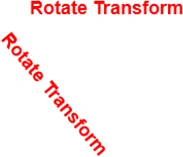
In the above example the textblock is rotated by an angle "50" about the point (0, 0).
CenterX=0; CenterY=0; Angle=50;
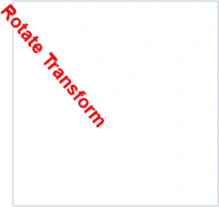
<StackPanel Height="200" Width="200">
<TextBlock Text="Rotate Transform" FontFamily="Arial" FontSize="18" FontWeight="Bold" Foreground="Red">
<TextBlock.RenderTransform>
<RotateTransform Angle="50" ></RotateTransform>
</TextBlock.RenderTransform>
</TextBlock>
</StackPanel>
CenterX property:
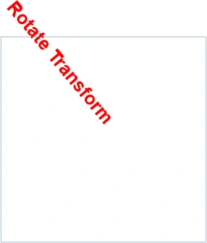
<StackPanel Height="200" Width="200">
<TextBlock Text="Rotate Transform" FontFamily="Arial" FontSize="18" FontWeight="Bold" Foreground="Red">
<TextBlock.RenderTransform>
<RotateTransform Angle="50" CenterX="50"></RotateTransform>
</TextBlock.RenderTransform>
</TextBlock>
</StackPanel>
CenterY property:

<StackPanel Height="200" Width="200">
Join the conversation! Your thoughts help the community grow.