

Overview
In today's ever-changing business environment, it is often necessary to grant temporary access to resources within the Azure platform. Whether it be for a brief project, contractor involvement, or troubleshooting purposes, Azure offers an effective solution called Temporary Access Pass (TAP) that streamlines this process. This article will delve into the concept of TAP and provide step-by-step instructions on how to enable and manage temporary access within Azure.
Understanding Temporary Access Pass (TAP)
Temporary Access Pass (TAP) is a valuable feature offered by Microsoft Azure that enables organizations to allocate time-limited access privileges for users who do not require permanent or long-term resource accessibility. By implementing TAP, businesses can simplify their access control procedures while ensuring security remains intact.
Possible Use Cases for TAP
- Collaborative Projects: TAP offers the flexibility to provide temporary access to external collaborators or contractors, allowing them to utilize specific Azure resources during project engagements.
- Troubleshooting Purposes: IT support personnel can request short-term access through TAP in order to identify and resolve technical issues without needing continuous authorization within the environment.
- Training and Onboarding Procedures: TAP streamlines the process of granting temporary access for training and onboarding purposes, ensuring that new team members only have restricted entry during their initial orientation phase.
Enabling Temporary Access Pass in Azure
To enable Temporary Access Pass (TAP) functionality in Azure, follow these simple steps:
1. Sign In to Your Azure Portal Account: Sign in to the Microsoft Entra admin center
Minimum privilege required: Authentication Policy Administrator.
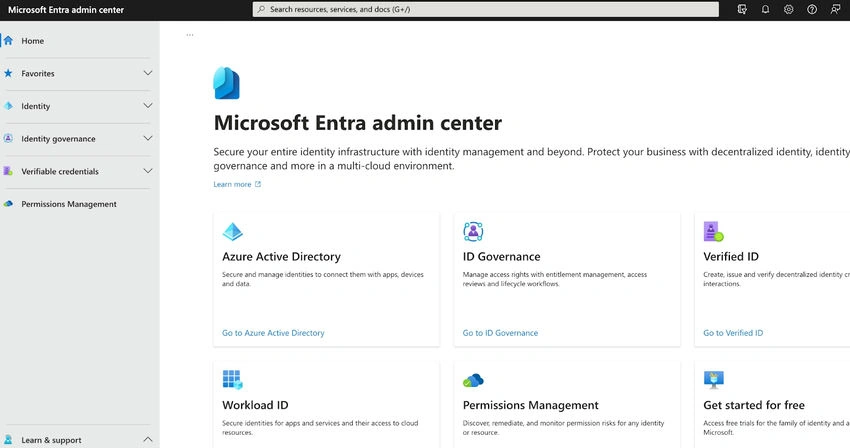
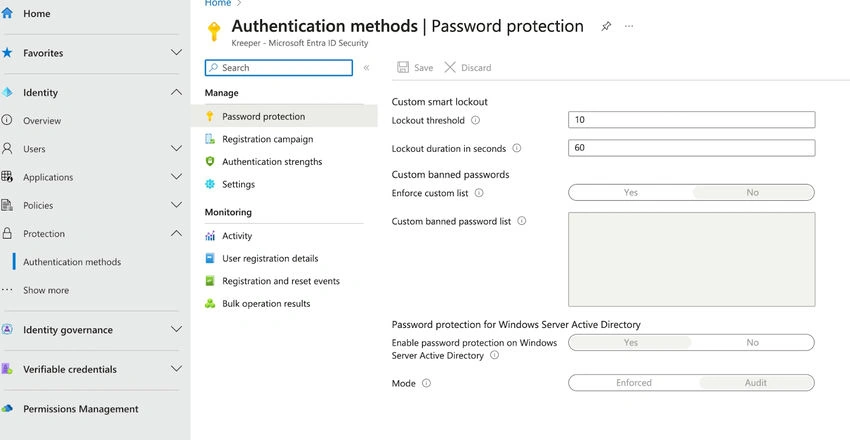
2. Browse to Protection > Authentication methods > Policies.
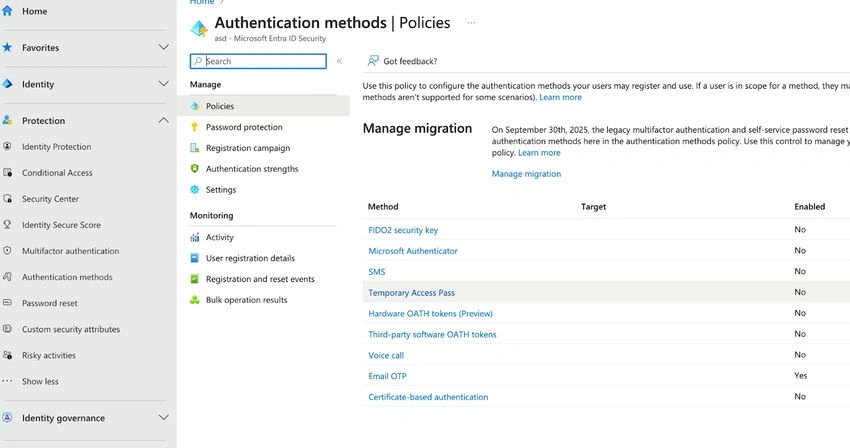
3. From the list of available authentication methods, select Temporary Access Pass.
4. Click Enable and then select users to include or exclude from the policy
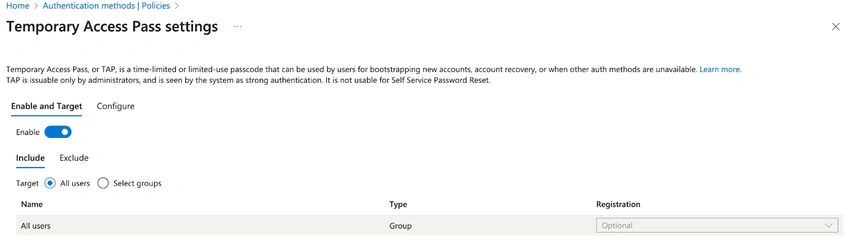
5. (Optional) Select Configure to modify the default Temporary Access Pass settings, such as setting maximum lifetime or length, and click Update.
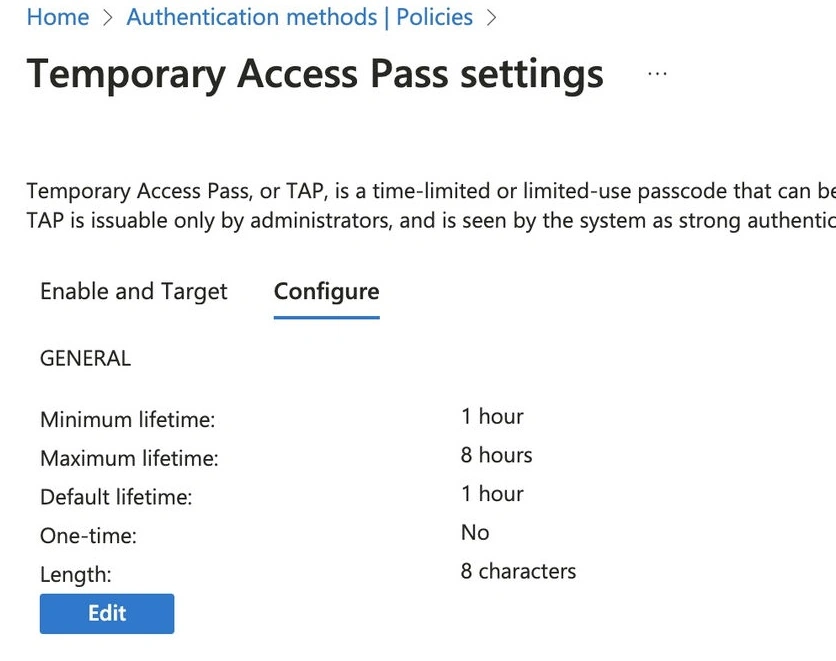
6. Select Save to apply the policy.
Effective Management of Temporary Access
Once TAP is enabled, it's important to manage and monitor temporary access efficiently:
Review and Revoke
- Regularly review the list of users who have been given temporary access.
- Promptly revoke their privileges when they are no longer needed
Monitoring Usage
- Utilize Azure Monitor and Azure Security Center to keep track of activities performed by external users with temporary access.
Audit Trails
- Azure offers audit logs that can assist in tracking and reviewing both grants and revocations of accesses.
Alerts and Notifications
- Configure alerts that will notify you whenever there is a granting or revoking action related to temporary accesses. This helps enhance security awareness.
Conclusion
A useful solution for businesses wishing to streamline access management while upholding security and regulatory standards is Azure's Temporary Access Pass (TAP). You can improve the administration of Azure resources, work more productively with other parties, and make sure that temporary access is both secure and transparent by knowing how to enable and manage TAP. TAP gives you the freedom to allow access only where and when it is required and in no other circumstances, whether for short-term projects or support scenarios.
Join the conversation! Your thoughts help the community grow.