

Welcome to the third Site template, Project Site in SharePoint 2013 and Office 365. This will be the parts of my article: Site Templates in SharePoint 2013 And Office 365. Here we will see what the components available are. We will see what the Project Site template provides us.
- Click on create a new site, the following form opens up.
- Title and Description
- Web Site Address: Here you can make it different from your default site name.
- Template Selection: Here you have an option to select the language and to choose a site from a template having many options.
Here in this article we will be seeing Project Site template so select it.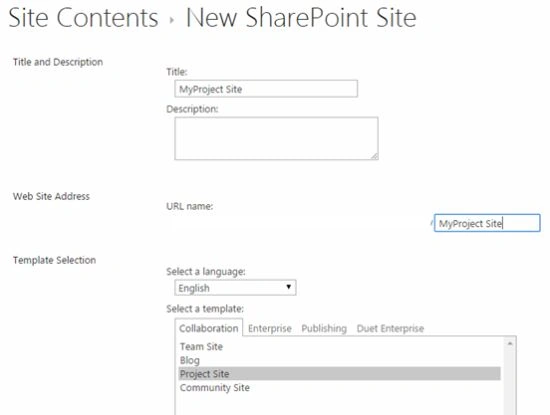
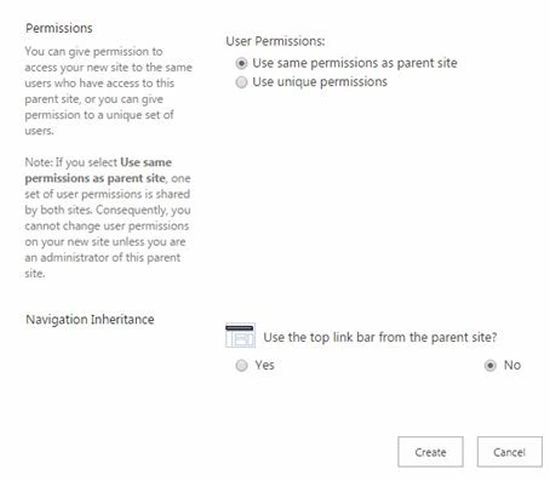
- Permissions: Here you can assign permission to the site directly, either by inheriting the permissions from the parent or assigning it unique permissions.
- Navigation Inheritance: Using this option you can inherit the same navigation as your parent site.
- Title and Description
- Click on OK, It will create the site.
Welcome to SharePoint 2013 Site using Project Site template.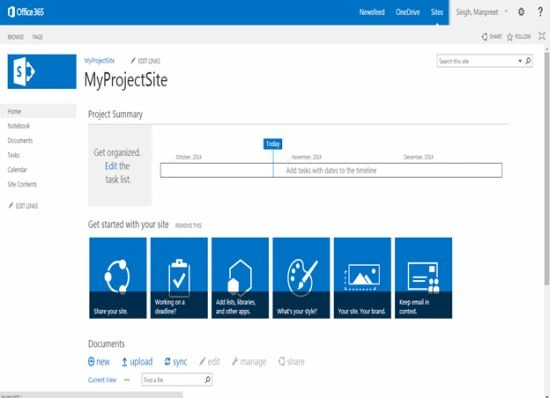
Here we can see outlook of the project site where we can see the left navigation, the Project Summary and the tile like structure for initiating actions.
Then we can see the left navigation of the Project Template as in the following:
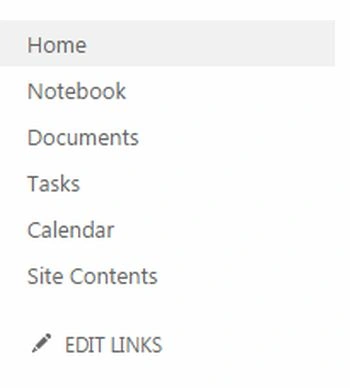
They are:
- Notebook
For notebook you can refer to the link ”Notebook in SharePoint 2013 And Office 365”.
- Documents: It is a shortcut link to the Document Library.
- Tasks: It is a shortcut link to Tasks list.
- Calendar: It is a shortcut link to the Calendar.
- Site Contents: It is a shortcut link to all site contents.
Project Summary
The Project Summary contains the web part related to the task list where you can organize your daily tasks. This can be seen on the home site of the Project Summary.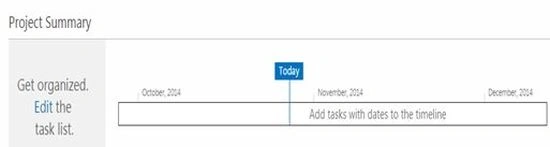
Here we can see outlook of the project site where we can see the left navigation, the Project Summary and the tile like structure for initiating actions like:
- Share your site: Where you can provide permissions to others.
- Working on a deadline: Configure the tasks.
- Add lists, libraries and other apps: Create new apps.
- What's your style: Customize your look and feel.
- Your Site, Your Brand: Customize your site.
- Keep Email in contact: Customize your emails using a mailbox.
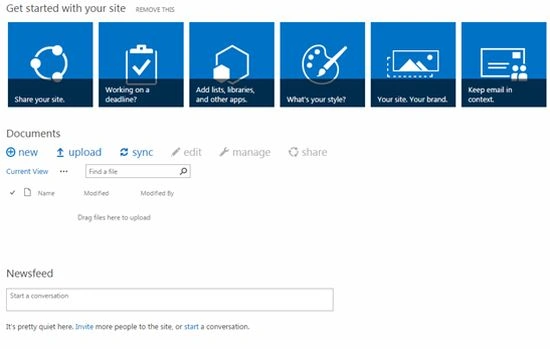
Then we have the News feed, where users can post new news, documents and images for other users to like and share their feeds.
Timeline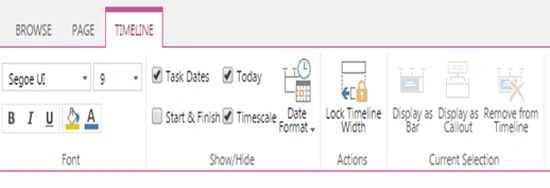
Then we have the timeline tab for the tasks where the ribbon has been divided into the following:
- Font:
- To adjust the size and characteristics of words.
- To adjust the size and characteristics of words.
- Show/Hide
- Task Dates
- Start & Finish
- Today
- Timescale
- Date Format
- Actions
- Lock Timeline Width
- Lock Timeline Width
- Current Selection
- Display as Bar
- Display as Callout
- Remove from TimeLine
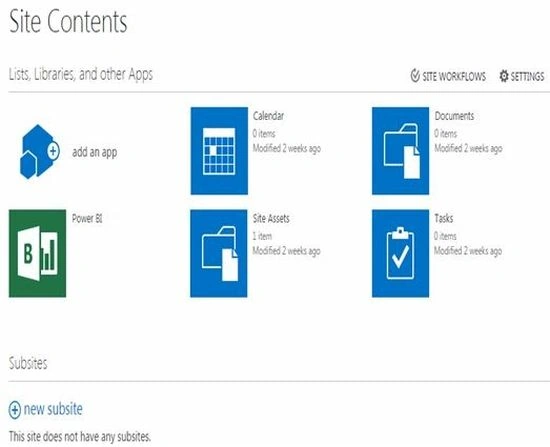
Here we can see the contents of the site that shows:
- Add an app
- Calendar
- Documents
- Power BI
- Site Assets
- Tasks
Site Settings
- Finally we can see the site settings, that you can see from the previous blogs on Site Settings in SharePoint 2013 at C# Corner.
Link: Site Settings in SharePoint 2013.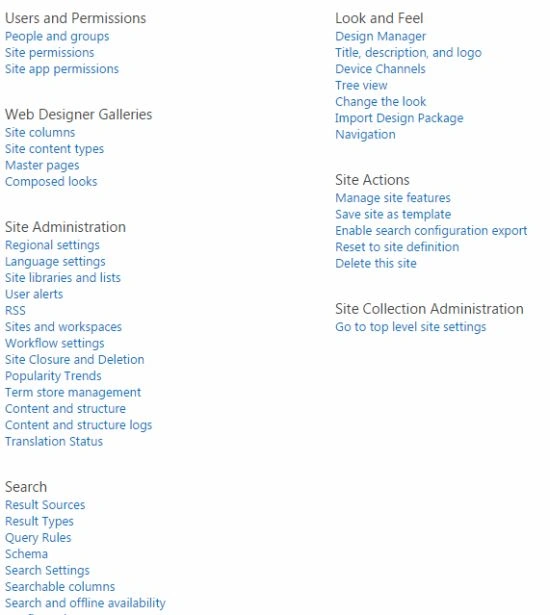
Keep learning,
Cheers.
Sr KarthigaPosted Apr 19, 2016, 10:18 PM
good one
Sr KarthigaPosted Apr 19, 2016, 10:18 PM
Nice explanation
Kumaresh RajalingamPosted Feb 20, 2016, 4:43 AM
Nice explanation