

Before reading this article, I highly recommend reading my previous parts:
- Site Templates Part 1: Team Site in SharePoint 2013 and Office 365
- Site Templates Part 2: Blogs in SharePoint 2013 or Office 365
- Site Templates Part 3: Project Site in SharePoint 2013 and Office 365
- Site Templates Part 4: Community Site in SharePoint 2013 and Office 365
Welcome to the fifth part of Site Templates, Document Center in SharePoint 2013/Office 365. This is the part of my article Site Templates in SharePoint 2013 And Office 365 about “Site Templates in SharePoint 2013/Office 365”. Here we will see what the available components are. We will see what Document Center template provides us.
Click on Create a new site, the following form opens.
- Title and Description:
- Web Site Address: Here you can make it different from your default site name.
- Template Selection: Here you have an option to select the language and to choose a site from a template having many options.
Here in this article we will be seeing the Document Center template under the Enterprise group so select it.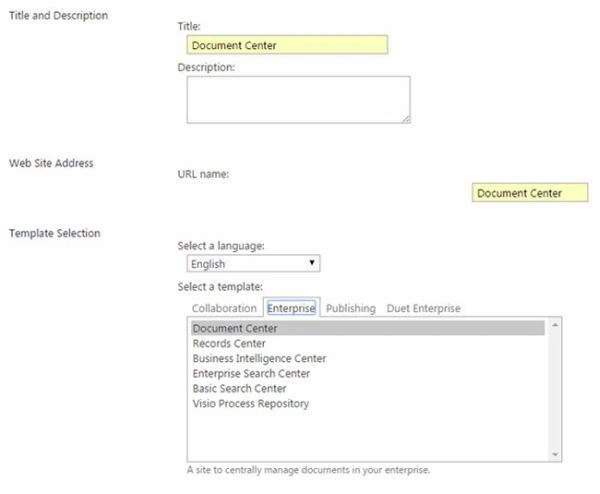
- Permissions: Here you can assign permission to the site directly, either by inheriting the permissions from the parent or assigning it unique permissions.
- Navigation Inheritance: Using this option you can inherit the same navigation as your parent site.
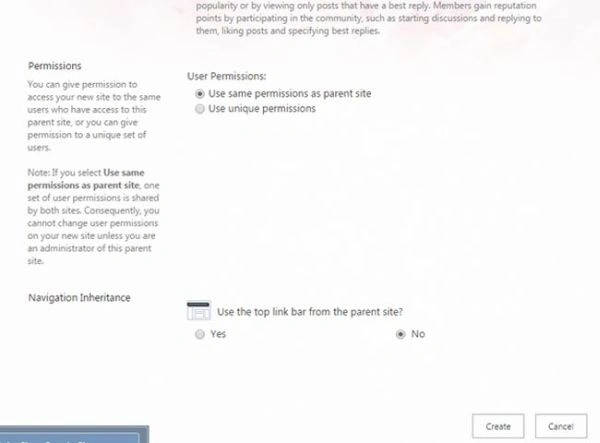
- Click on Create, It will create the site.
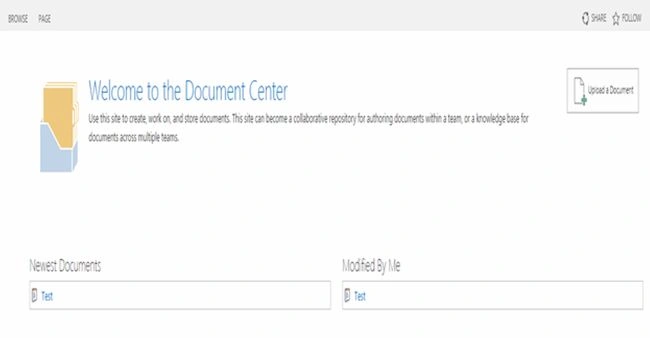
Welcome to the Document Center. As in the following screen we can see the Home Page of the My Document Center.
Let's see what it has for us.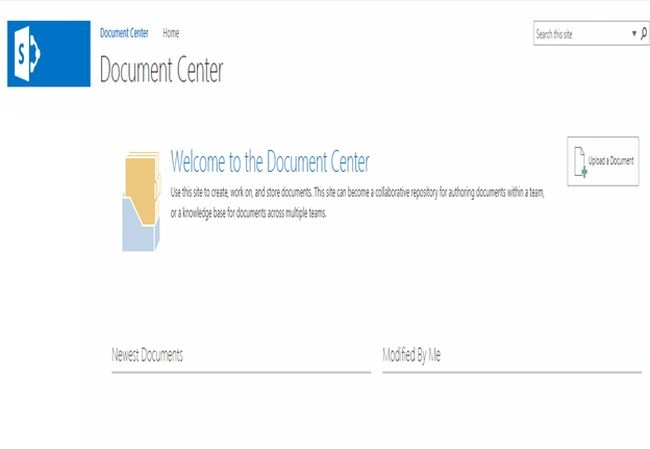
Document Center is a place to store all the documents in a single store. This can be used by an individual or by an entire team.
On the Home Page we can see there are the following two views:
- Newest Documents: displays the set of newest documents uploaded to the site.
- Modified By Me: displays all the recent documents created and modified by the logged in user.
On the right end we have Upload a Document.
- When you click on it, it will ask you to choose the file from your system as in the screenshot below.
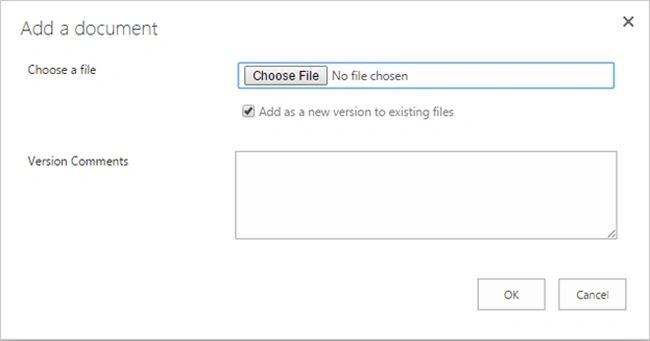
- Once you upload it, it will take you to the form below to “Check In” the file and add a title.
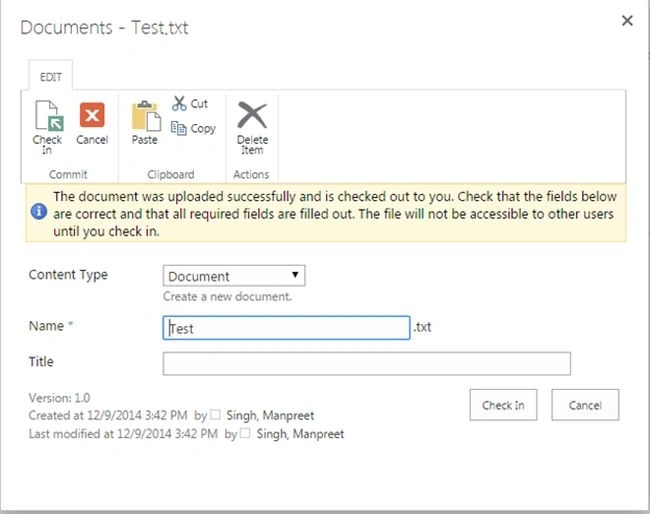
- Once you Check In, you will be able to save the file and it will display as below in the Home Page.
Site Contents
As in the screen below we have the following contents in the site:
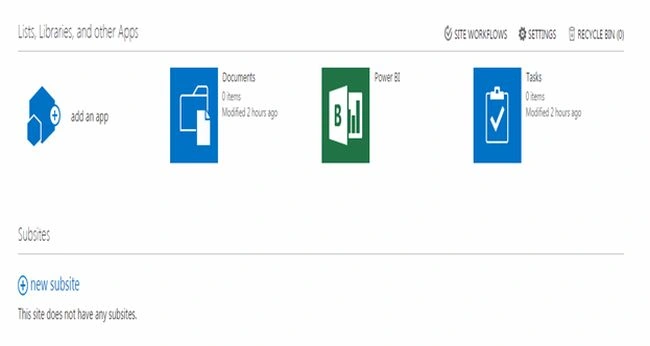
Here we have the following contents:
- Documents: It contains all your files.
- Power BI: Microsoft provides comprehensive BI tools that integrate across Office applications and other Microsoft technologies. These tools enable analysis, reporting, dashboards and visualizations.
- Tasks: It contains all the tasks.
Site Settings
- Finally we can see the site settings, that you can see from the previous articles on Site Settings in SharePoint 2013 at C# Corner.
Link: Site Settings in SharePoint 2013.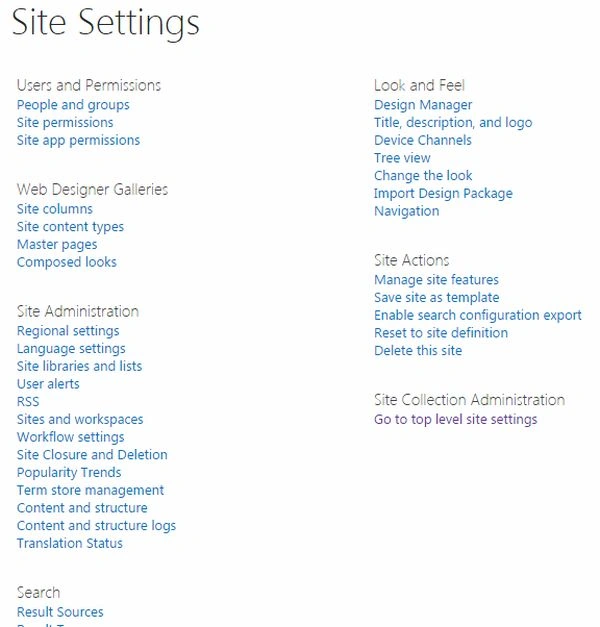
Keep Learning
Cheers!
Sr KarthigaPosted Apr 19, 2016, 10:15 PM
good one
Sr KarthigaPosted Apr 19, 2016, 10:15 PM
Nice explanation
Kumaresh RajalingamPosted Feb 20, 2016, 4:41 AM
Nice explanation