
Replication is one of the headstone features of SQL Server to keep data synchronized among various servers. There are basically three types of replication present in SQL Server. In this article I'll cover Snapshot Replication. As the name implies, “Snapshot” means it takes a snapshot of a publisher database whatever the occurrence, such as insert, update, delete and merge (part of DML) or Create, Alter, Drop, Truncate (part of DDL commands) that happen on a publisher database resides on server (for example S1) and needs to be reflected/replicated on the database residing on another server (for example S2). This change happens within a fraction of a second. In this article, I will demonstrate the step-by-step approach to configuring snapshot replication in SQL Server 2008 R2.
There are three Musketeers of replication and you will become familiar with them in this series of replication. These Musketeers are shown below:
1. Publisher
2. Subscriber
3. Distributor Database
Publisher
The Publisher can be denoted as the origin of the database on which the schema or records amendments take place. The Publisher is the point that manages data for replication and sends a command to the distributor for further processing, for example S1.
Subscriber
The Subscriber is a point where the subscriber database incurs the notification and a copy of the data from the distributor about the changes that has happened in the publisher database. The subscriber database generally lives on a different server, for example S2.
Distribution Database
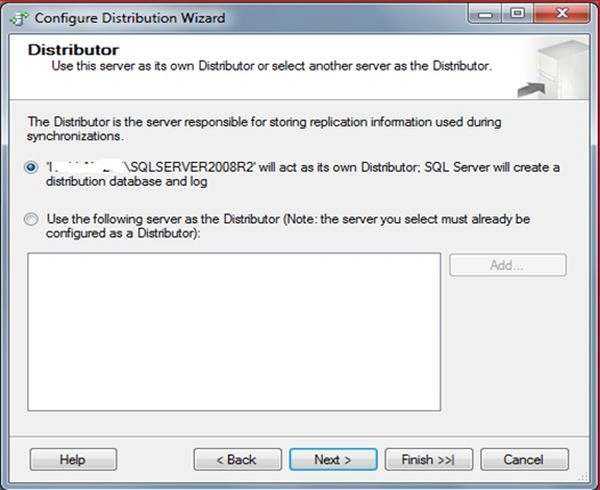
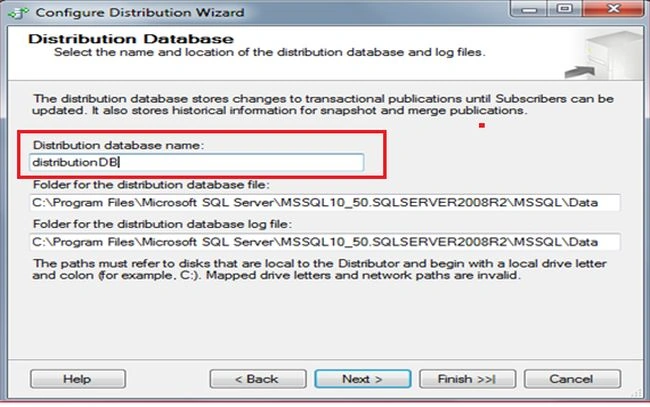
A database that contains all the replication commands. Whenever an occurrence, such as insert, update, delete and merge (part of DML) or Create, Alter, Drop, Truncate (part of DDL commands) is executed on the publisher, the corresponding commands generated by SQL Server are stored in the Distribution database.
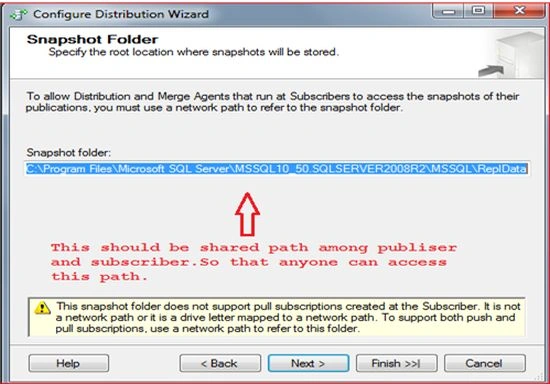
Note: It's best if we can maintain this database at a shared path in such a way that the distributor is responsible for sharing data among the subscribers. I have also observed that if you keep the distribution database on the shared path then it would be convenient for another server to access that path easily otherwise it may cause a security denied access error.
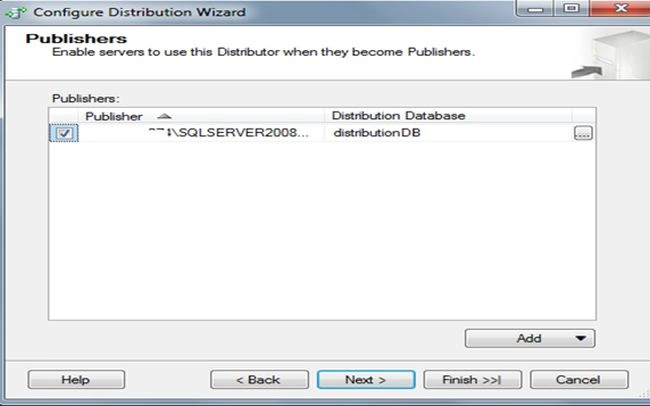
Note: the Distribution database can be placed on the same server as the publisher, however its best practice to keep it on a different server, for example S3.
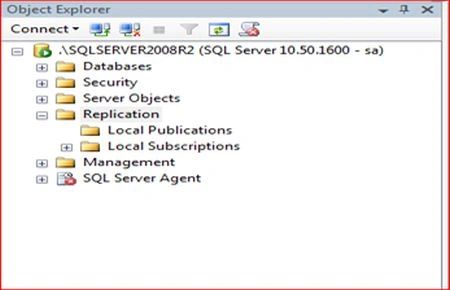
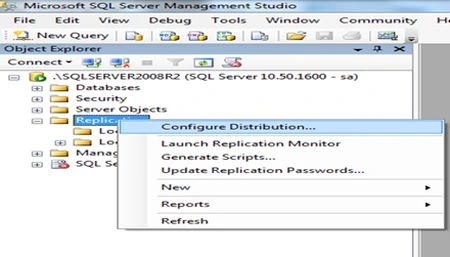
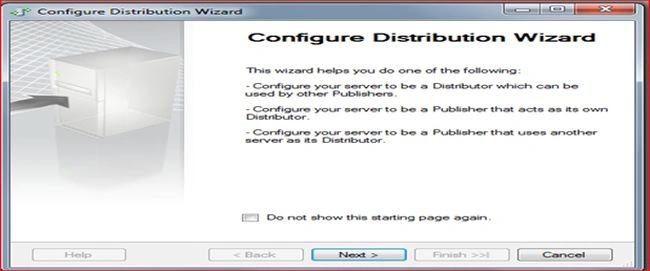
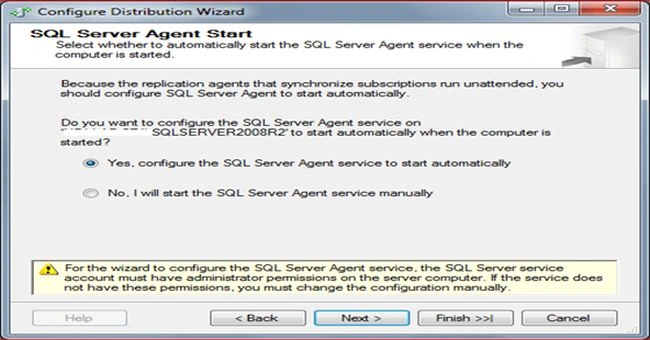
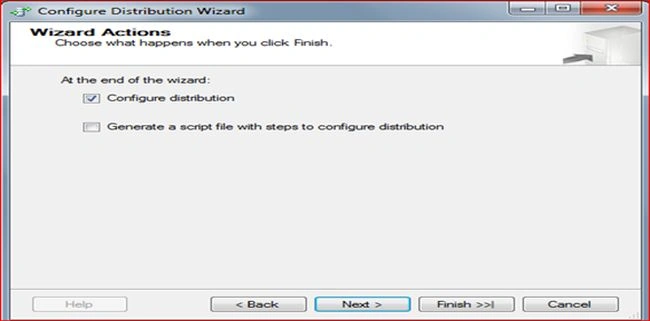
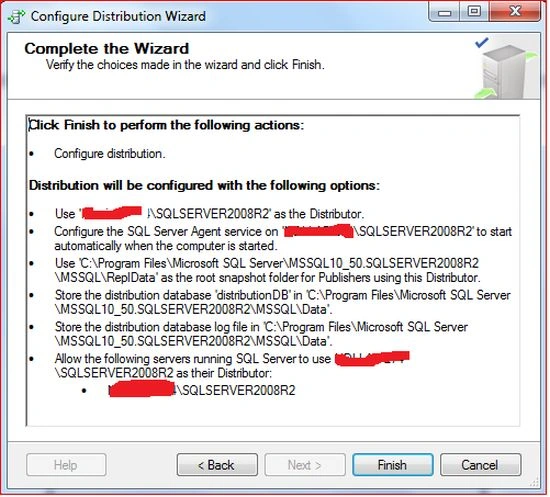
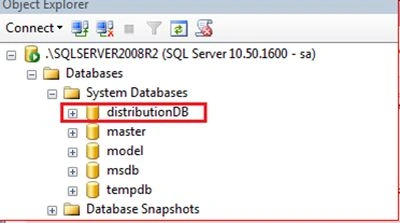
Let us now begin with the snapshot Replication and will cover setting up the Distribution database.
There are 3 steps involved for configuring the Transactional Replication:

Snapshot Replication in SQL Server 2008: Part 1
Join the conversation! Your thoughts help the community grow.
Sign in to leave a comment
It is the same account you read, post and publish with — and you will come straight back to this page.
janak magotraPosted Jul 4, 2015, 5:20 AM
Gud