

This is a series of articles related to Source Control or Version Control issues, from a stand-alone app, such as MS SourceSafe, to a Server app, such as MS TFS (Team Foundation Server), to web services such as GitHub, AWS, and MS Azure DevOps. We tried to categorize this series of articles as Source Control or Version Control, but this site does not have these categories, so we put the articles in the as DevOps category, as explained in the wiki:
DevOps is a set of practices that combines software development (Dev) and IT operations (Ops). It aims to shorten the systems development life cycle and provide continuous delivery with high software quality.[1] DevOps is complementary with Agile software development; several DevOps aspects came from the Agile methodology.
The structure of this article series will cover,
- Stand Alone App:
- MS Source Safe
- Server App
- MS TFS (Team Foundation Server)
- Online (Cloud) Centralized Service:
- MS Azure: DevOps
- Boards
- Repos
- Pipelines
- Test Plans
- Artifacts
- GitHub
- AWS GitHub Enterprise
- MS Azure: DevOps
- Distributed App:
- Git
Because these are huge topics, I will not go step by step, instead, each section will be relatively independent to become a reading unit.
- Source Control (1), MS Source Safe --- Stand Alone App
- Source Control (2), MS TFS --- Centralized Server App
- Source Control (2-1), TFS --- Comparison
- Source Control (2-2), TFS --- Merge
- Source Control (2-2), TFS --- Shelving
- Source Control (3), MS Azure DevOps (GitHub, Jira) --- Centralized Service
- Source Control (4), Git --- Distributed App
- Source Control (4-1), Git --- Configuration
- Source Control (4-2), Git --- Configured to Connect to DevOps and GitHub --- this article
- Source Control (4-3), Git --- Cherry Pick in Visual Studio
- Source Control (4-4), Git --- Recover Git Tree: Reflog/Reset
- Source Control (4-5), Git --- Recover Deleted Branch
- Source Control (4-6), Git --- Revert
- Source Control (4.7), Git --- Get Specific Version or Commit
- Source Control (4.8), Git --- Get Specific Version or Commit in practice
- Source Control (4-9), Git --- Merge: Fetch, Pull, Push and Sync
- Source Control (5), GitHub access (setup connection)
- Source Control (6), DevOps access (setup connection)
- Source Control (7), GitLab access (setup connection and Clone to Local)
- Source Control (8), Git, Azure Repos, and Visual Studio (Interaction)
- Source Control (9), Push into Git Hub and DevOps
- Source Control (10), Git Hub, DevOps Publish
Introduction
As we discussed in Source Control (4-1), Git --- Configuration, we usually do not need to configure Git when we install it either through Visual Studio or independently, except when we try to connect local Git to either DevOps or GitHub, we might get some issues due to configuration.
This is the structure of this article,
- Introduction
- Problem
- Possible Solutions
- Fix
- Summary
Problem
When trying to connect either DevOps or GitHub, in a certain situation, we got the error,
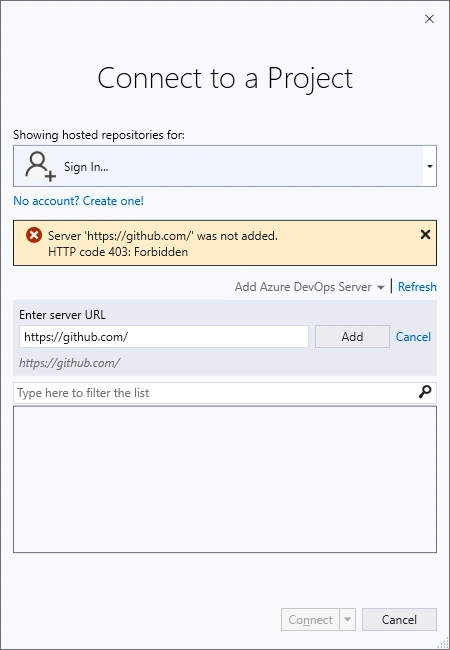
Or trying to Clone a repository to local,
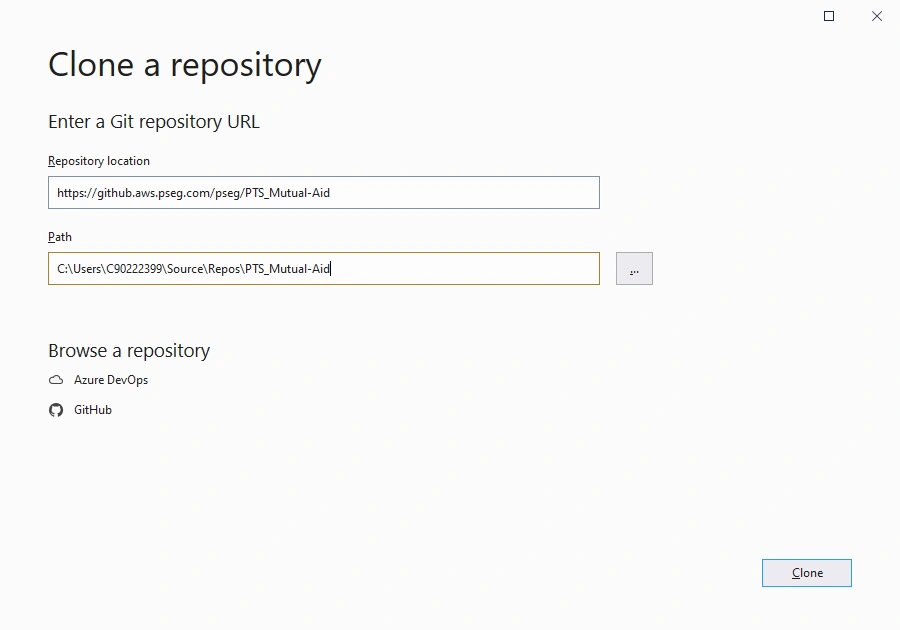
We got an error message,
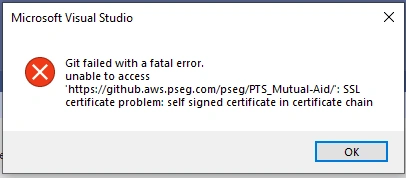
Or in the output window,

Possible Solutions
By searching online we found similar articles trying to solve the SSL issue, such as,
- SSL Certificate Problem: Unable to get Local Issuer Certificate – How to Fix? --- clickssl.net
- Git Bash: “Unable to get local issuer certificate” --- shellhacks.com
- How to Fix “Unable to get Local Issuer SSL Certificate” Error? --- ebuilderz.com
- SSL certificate problem: unable to get local issuer certificate --- stackoverflow.com/
but they are not true solutions for this issue, we can just work around the issue easily.
Fix
This is a simple configure issue, due to not configuring Git at the setup stage,
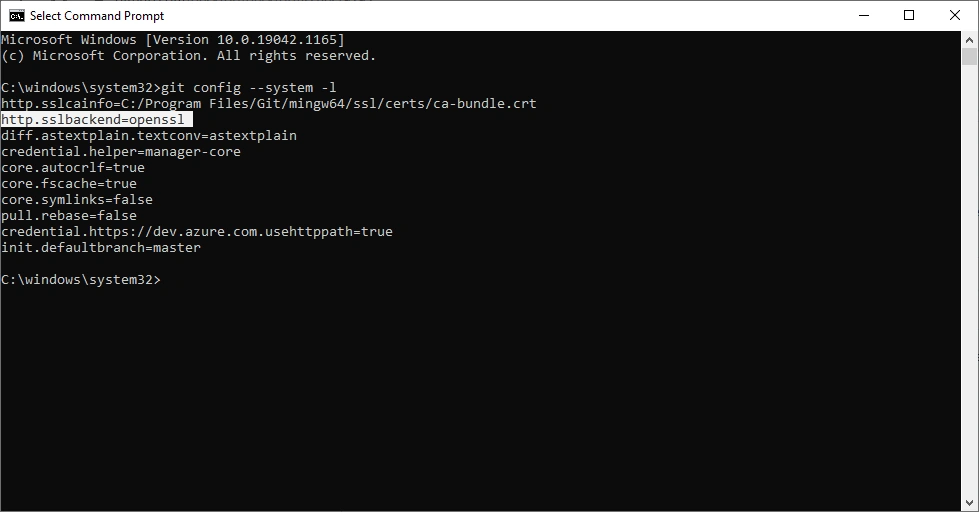
Can be fixed by command,
git config --system http.sslbackend schannel
You have to have admin right to do so, otherwise, you will get error like this,
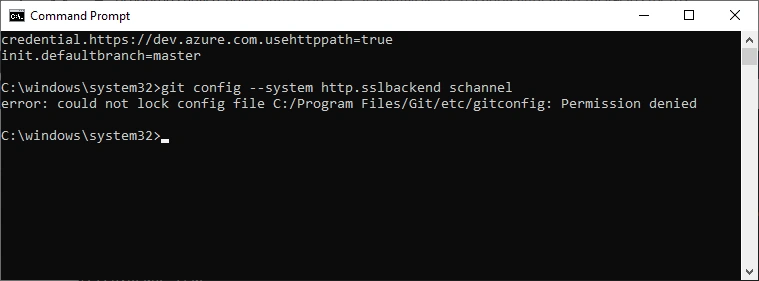
After this fix, everything will be working well.
Summary
This exception is found in some setup, it is a configuration issue, not a SSL problem
References
- Git --- Git
- Git - Wikipedia
- Git | Wiki.js
- SSL certificate problem: Unable to get local issuer certificate --- confluence.atlassian.com, the fix is inside this article
Join the conversation! Your thoughts help the community grow.