

This article describes how to specify a Computed Property on Table Entities in LightSwitch using Visual Studio 2012.
The following is the procedure for specifying a Computed Property on Table Entities.
Step 1
Open the Solution Explorer.

Step 2
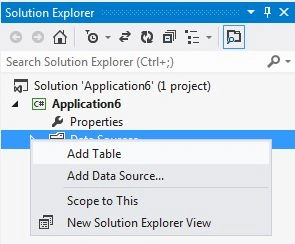
In the Solution Explorer, right-click on the data source and choose "Add Table".
Step 3
The Table appears.

Step 4
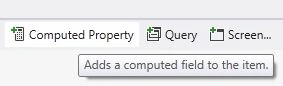
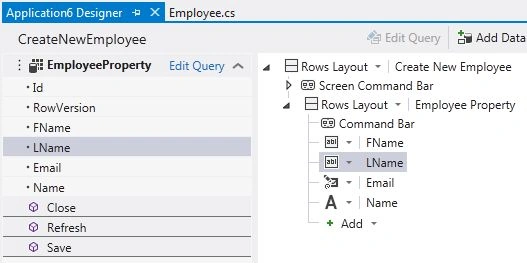
From the table, suppose we select the Name entity (property). We can add a computed property by clicking at the top of the Computed Property button.
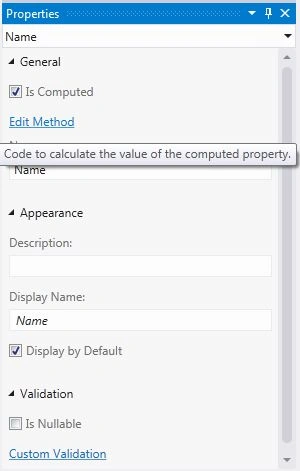
We can also add this property by marking the "Is Computed" Checkbox as checked.
This sets the "Is Computed" property in the properties window for you.
Step 5
In the Property window click on the "Edit Method" link.
using System;
using System.Collections.Generic;
using System.Linq;
using System.Text;

Join the conversation! Your thoughts help the community grow.