

This article introduces SQL Server Integration Services in Business Intelligence Development Studio (BIDS).
Introduction
Business Intelligence Development Studio is the environment that can be used to develop packages for data Extraction, Transfer and Load (ETL) in integration services. It can be used to create simple and complex packages.
Basically, integration services is a solution of one or more packages. It is a much richer feature of Business Intelligence Development Studio.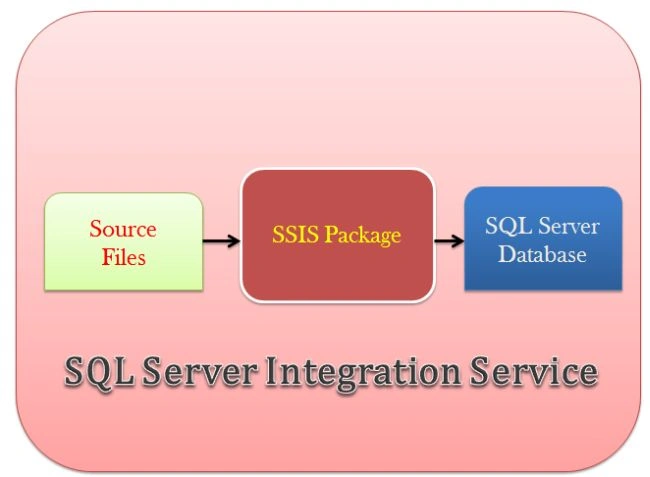
The integration services consist of several components including:
- Integration services Solution Explorer
- Integration services designer
- Integration services designer on tools menu
- Integration services project properties
- Integration services windows and features
Integration services Solution Explorer
Solution Explorer provides an organized view of your project and their files as well as ready access to the commands that patterns to them.
integration services Solution Explorer contains the following four types of folders:
- Data source folder
- Data source views folder
- SQL Server Integration Services (SSIS) package folder
- Miscellaneous folder
Data source folder
A data source folder defines a connection that can be shared among multiple packages in a project. You can create a connection manager in a package from an existing data source.
Data source views folder
A data source view folder defines a subset of the data in a data source and can contain named queries.
SSIS (SQL Server Integration Services) package folder
This folder represents a collection of connections, control flow elements, data flow elements and other objects. This folder contains these wizard types:
- Add a new or existing package to the wizard.
- Add SQL Server import and export wizard for creation of new package.
- Add SSIS package upgrade wizard.
Miscellaneous folder
If you want to add other types of files to your integration services project then these types of folders are available in this folder.
Integration services designer
It is graphical tools that contain various types of designer tools for creating packages as in the following:
- Control flow tab
- Data flow tab
- Event handler tab
- Package explorer tab
- Progress tab
- Connection managers area
Control flow tab
In this graphic tool you can arrange and configure the task. In this tab, the data flow task provides functionality in packages and containers that provide structure in packages and services in tasks. These types of tasks are available in the integration services tool box.
Data flow tab
In this designer tab, you combine into a data flow sources that extract data, transformations that modify and aggregate data, destinations that load data. There are given paths that connect the outputs and inputs to data flow components.
Event handler tab
In this tab, we can configure workflows to respond to package events.
Package explorer tab
This package provides an explorer view of the package.
Progress tab
The progress tab can be used to display information about package execution when the package runs in the Business Intelligence Development Studio.
Connection managers area
Integration services use this tab to create a connection to a data source.
Integration services designer on tools menu
Under the Business Intelligence Designers node in the Options dialog box available on the Tools menu. There are the following three types of tools:
- General page
- Control Flow Auto Connect and Data Flow Auto Connect pages
- Confirm delete page
General page
In this page, you can specify options for loading, displaying and upgrading packages.
Control Flow Auto Connect and Data Flow Auto Connect pages
These two types of pages specify the default behavior for connecting objects that are available on the design area.
Confirm delete page
In this page, you can specify a confirmation message, when packages components are deleted.
Integration services project properties
Integration services project properties define the property of integrations services.
Integration services windows and feature
There are the following features of integration services.
- Toolbox
- Variable window
- Log events window
Toolbox
The tool box has control flow tasks and data flow sources, transformations and destinations.
Variable Window
The variable window is near the toolbox but it may not be visible the first time you open an integration services project. SSIS menus displays the variable window. The variable window can be used to communicate objects in a package with each other.
Log event window
The variable window is near the toolbox but it may not be visible the first time you open an integration services project. SSIS menus display the variable window. This window can be used to keep the records of packages of runtime events.
Integration services package storage options
There are the following types of storage options.
- File system as .dtsx file
- SQL Server in system table
- Integration services package store
- Use simple file system
Summary
This article describes an introduction to integration services of Business Intelligence Development Studio and also describes features and various types of designer tools.
Shamim UddinPosted Sep 7, 2016, 10:04 PM
Nice
vivek anandPosted Feb 25, 2016, 8:13 AM
Thank you, Its easy to understand and useful for beginners..