The following is the procedure to create a new SSRS Report.
Step 1:
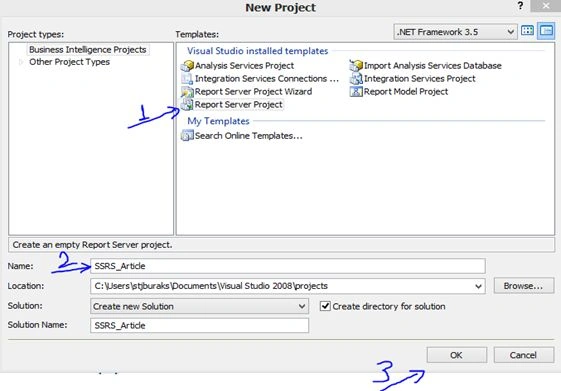
This is the first screen of the project and we click the "Next" button. Select Report Server Project, specify the project name and the finally click the "OK" button.
Step 2:
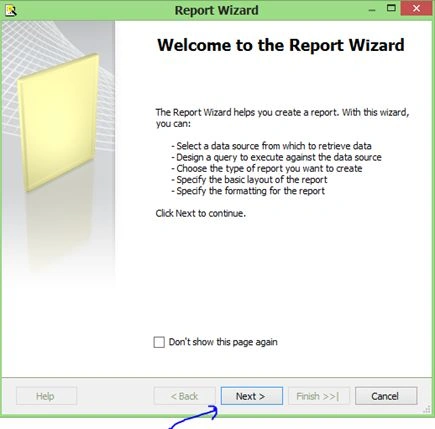
This screen is a Report Wizard. We need to click the "Next" button.
Step 3:
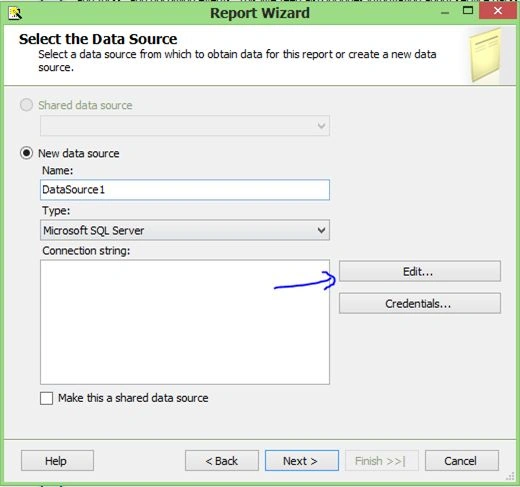
Change the Name and click the "Edit" button. The Connection properties screen will be displayed.
Step 4:
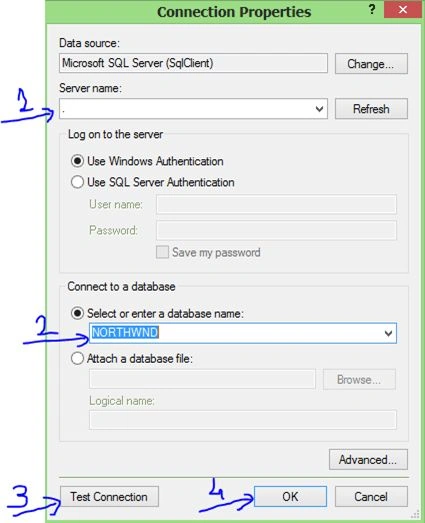
First of all choose your server name. Select your database from the Combo Box and then click the "Test Connection" button. (We will see a successful result.)
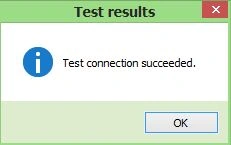
Finally click the "OK" button.
Step 5:
Click the Query "Builder Button".
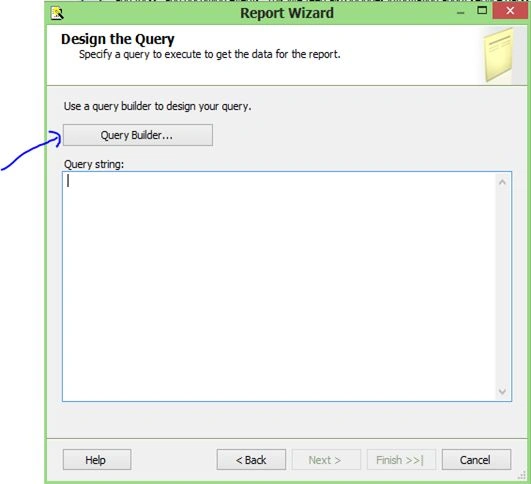
Step 6:
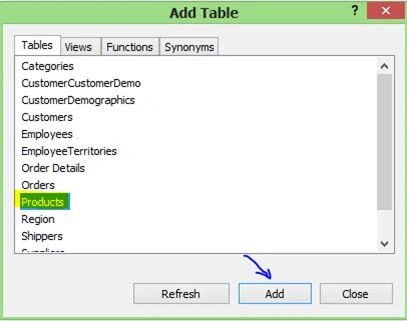
Select one or more tables from your database and click the "Add" button. The next page is the query builder page. You can write your own query and display the results.
Step 7:
We choose the Columns from the Products table and we can see that. The next page I'm going to execute my query.
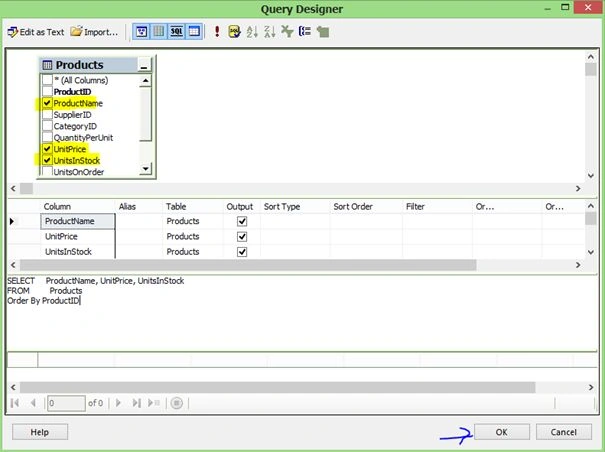
Step 8:
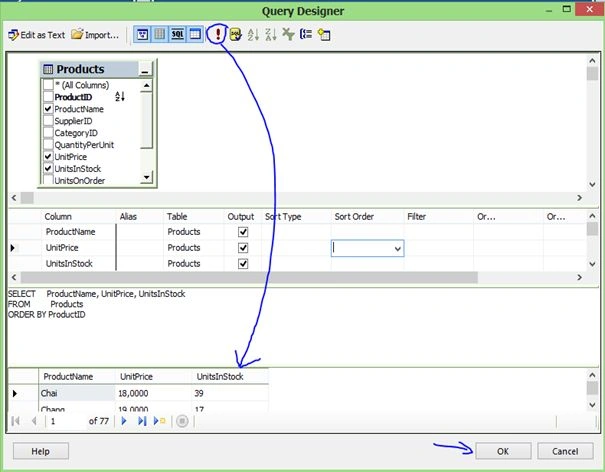
Step 9:
Then click the "Next" button.
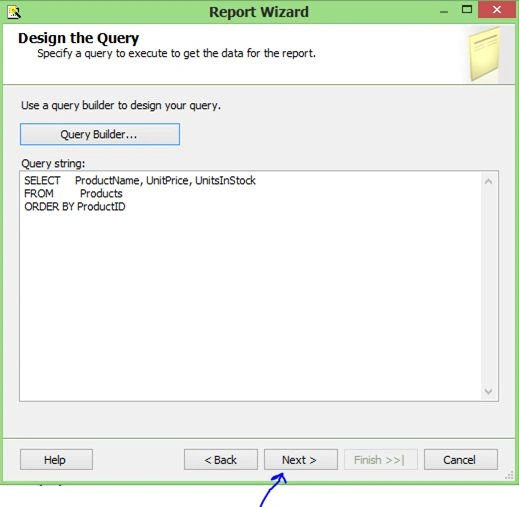
Step 10:
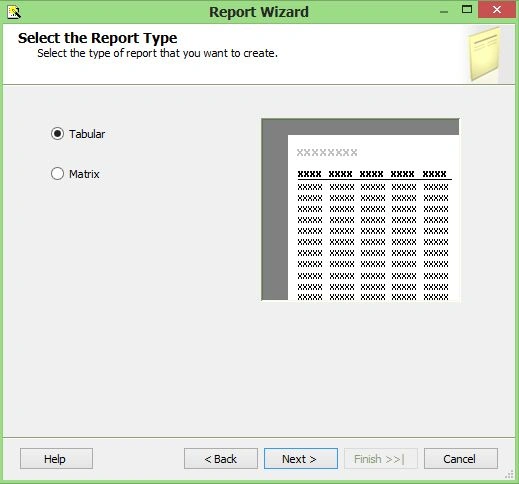
This screen will open the option to select how the result should display. I choose tabular type. Click on the "Next" button.
Step 11:
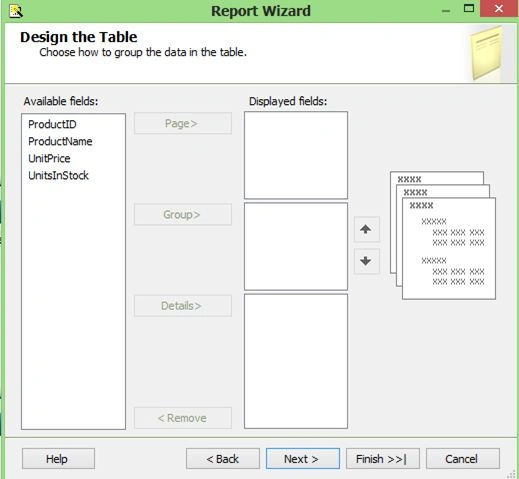
If you will see the option here to group the data and show it. It depends on your reports structure.
Step 12:
I can drag and drop data from Available fields to Details.
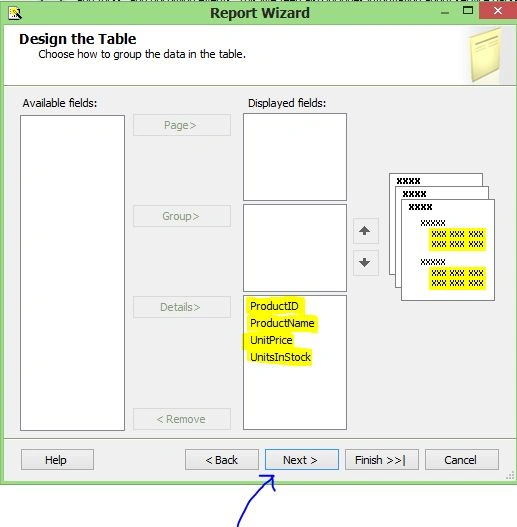
Then on click the "Next" button.
Step 13:
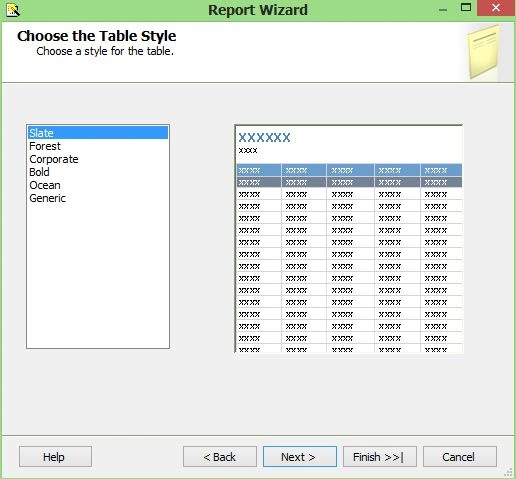
In this page we see 6 defaults templates. I choose the Slate template and all of the users see this it. Then click the "Next" button.
Step 14:
This is the last page. We will see all the configuration settings here such as Data source information, Report type and style, and your query ext…
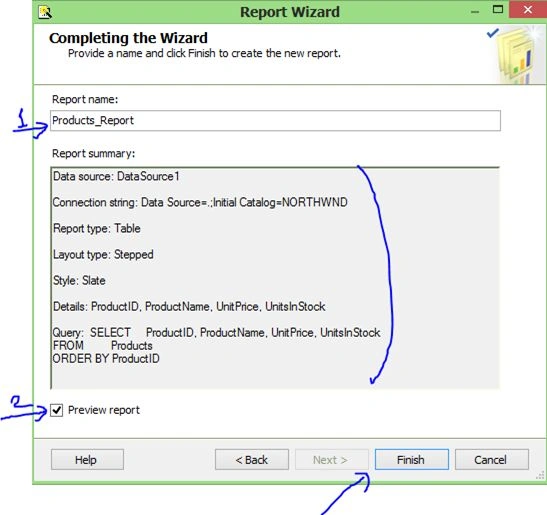
First of all write your Report name and click "Preview Report" (optional). Then click on the "Finish" button.
Step 15:
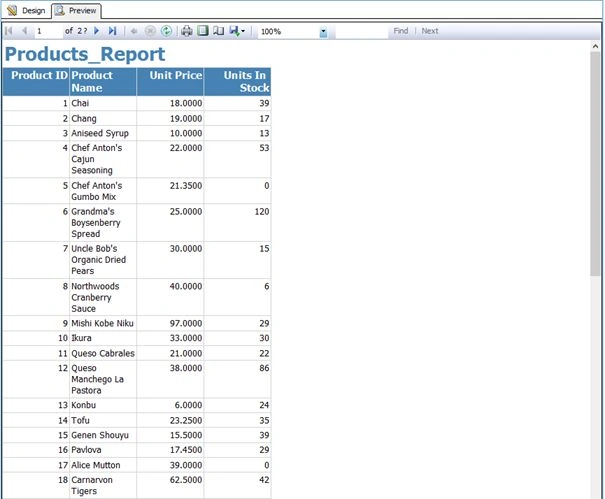
Here is the results.


sunil kumarPosted Jun 4, 2015, 1:12 PM
Hhhj
Burak SeyhanPosted Nov 28, 2013, 11:00 AM
http://www.c-sharpcorner.com/UploadFile/4923b7/adding-parameters-to-ssrs-report/
Burak SeyhanPosted Aug 31, 2013, 3:55 AM
Hello Pratik I will write about your problem. Follow me
Pratik PatniPosted Aug 30, 2013, 2:00 AM
Hey Burak is there any way where I can use dropdownlist in my ssrs report? is there any such functionality provided my Microsoft? I would highly appreciate your comments on this
Christian NwambaPosted Aug 26, 2013, 7:36 AM
Hi Burak, Follow this link and know if you can help me: http://www.c-sharpcorner.com/Forums/Post/57/visual-studio-2010.aspx
Christian NwambaPosted Aug 26, 2013, 7:30 AM
Please i cant find the template in my visual studio.
Burak SeyhanPosted Aug 6, 2013, 4:28 PM
Ok Sonam Thank you
Sonam SharmaPosted Aug 5, 2013, 5:57 AM
hi burak, its seems a joke has happend with me.i jus saw your above Url just after submitting an article on reportviewer of mine.ll share the url as soon it gets approved.
Burak SeyhanPosted Aug 2, 2013, 5:00 PM
Hi Sonam you should look at my other article. Here is the link http://www.c-sharpcorner.com/UploadFile/4923b7/how-to-use-report-viewer-in-visual-studio-2012/
Sonam SharmaPosted Aug 2, 2013, 8:29 AM
hi burak..thanks anyways but i have used that reportviewer control.it works great too
Burak SeyhanPosted Jul 29, 2013, 5:30 PM
http://www.c-sharpcorner.com/UploadFile/4923b7/how-to-use-report-viewer-in-visual-studio-2012/
Kirti SrivastavaPosted Jul 29, 2013, 5:14 AM
If i want to pass a user input then how can we use SSRS with stored procedures
Rushal AroraPosted Jul 24, 2013, 4:29 PM
can u pls tell how to call the above report in vs2008 through linkbutton (like simply giving querystring or report name page)w/o using reportviewer
Sourav KayalPosted Jul 24, 2013, 2:17 PM
good slides.
Burak SeyhanPosted Jul 24, 2013, 10:35 AM
Hi Sonam In VS2010 you have to use ReportViewer tools. I will explain in my next article
Sonam SharmaPosted Jul 24, 2013, 1:46 AM
i am using vs2010,i dont see any buisness intellegence new project there to select.
Hemant SrivastavaPosted Jul 22, 2013, 10:45 AM
Well explained… any beginner in SSRS can easily learn SSRS basics from this article even without opening Visual Studio !
Meet AgarwalPosted Jul 19, 2013, 8:22 PM
I like this article
Pradip PandeyPosted Jul 19, 2013, 7:57 PM
Nice article