

Contents
- Hour 1: What is SSRS and determine whether it is installed
- Hour 2: Report using wizard
- Hour 3: First SSRS report
- Hour 4: Report with parameter
- Hour 5: Custom template
- Hour 6: Drill down report
- Hour 7: Sub report
- Hour 8: Report with style
- Hour 9: Report with chart
- Hour 10: Report deployment
- Hour 11: RDL file to ASP.Net
SSRS Report Deployment
Step 1
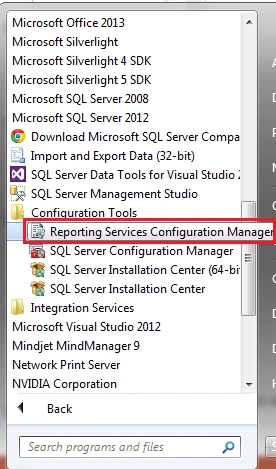
- Click on the "Start" button.
- Go to "All Programs".
- Expand "Microsoft SQL Server 2012".
- Expand "Configuration Tools".
- Look for "Reporting Services Configuration Manager".
Step 2
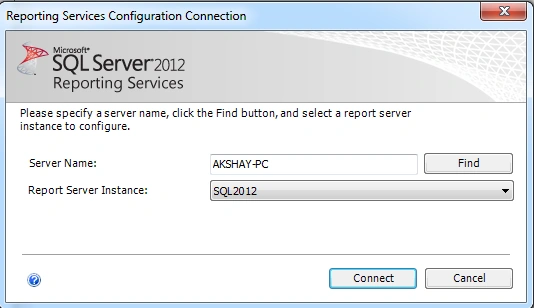
- Provide the server name and select Report Server Instance.
- Click on "Connect" and it will connect to the Reporting Services Configuration Manager.
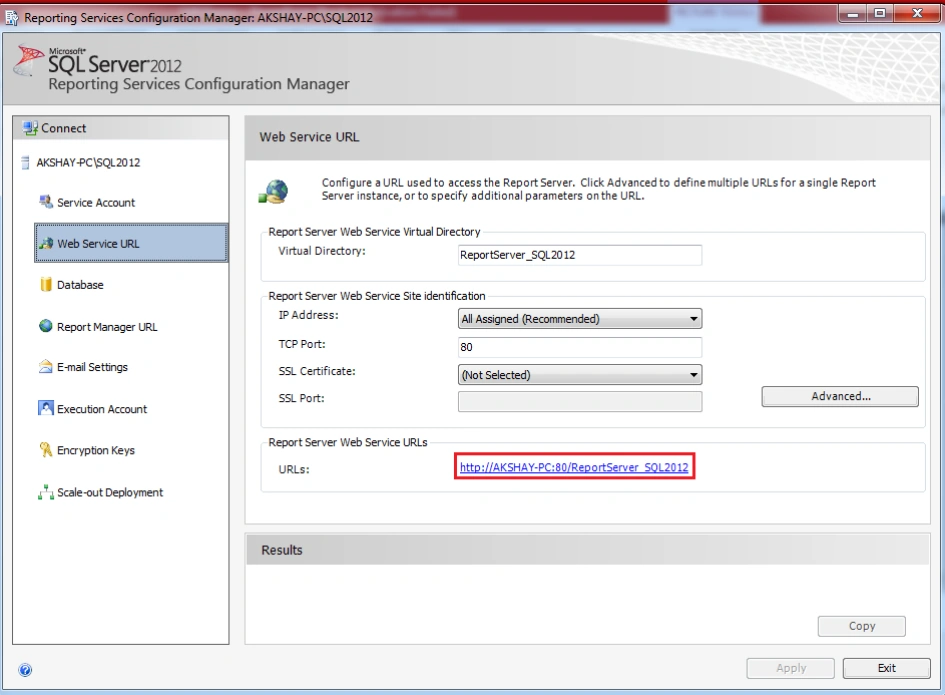
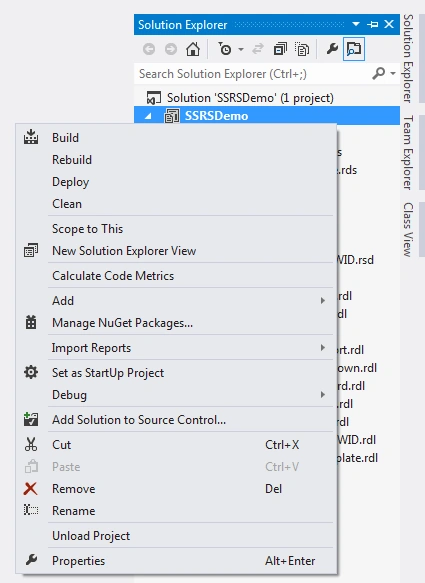
Step 3
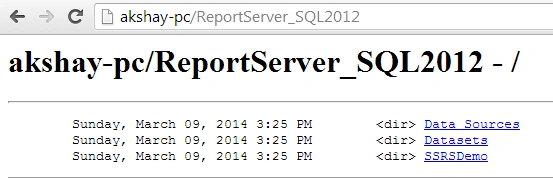
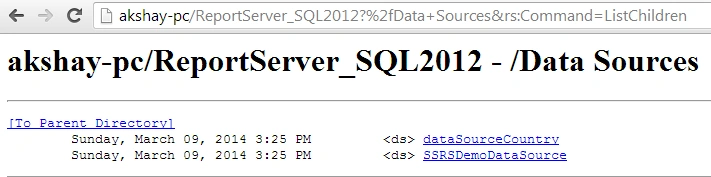
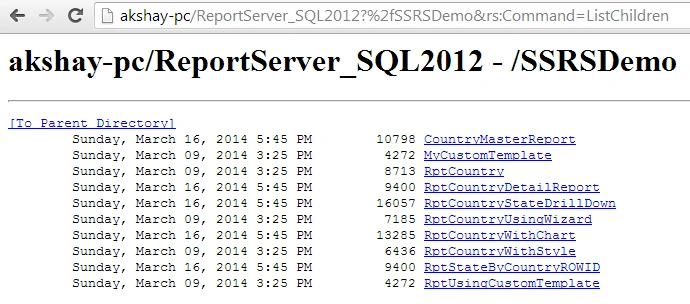
ani kPosted Dec 19, 2018, 12:35 AM
Very simple and straightforward article. How can we access SSRS reports from internet? From any other network means from anywhere?
Bhanu KorremulaPosted Oct 10, 2016, 1:08 AM
Are you able to deploy the ssrs reports through tfs?
Vithal WadjePosted Mar 26, 2015, 2:19 PM
great one,i hope i will see another ebook
Karthik Muthu KaruppanPosted Mar 26, 2015, 10:45 AM
useful
Tom MohanPosted Mar 25, 2015, 10:10 AM
Waiting for Hour 11 : Rdl file to ASP.NET :)