

Introduction
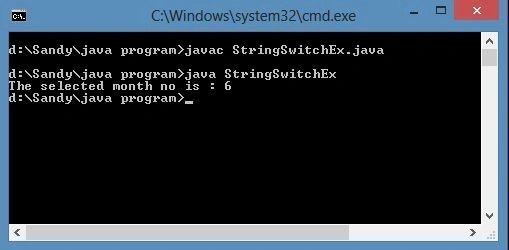
In this article we will discuss String in a switch statement; a new feature of Java 7. So for explaining this topic we take a short look at switch, string and some switch cases.
Strings In Java
A string is widely used in Java, they are a sequence of characters (sometimes called a character array). In Java, strings are objects.
Java provides the String class to create and manipulate strings.
How to Create a String?
The general way to create a string is:
- String welcome=" welcome to Java world";
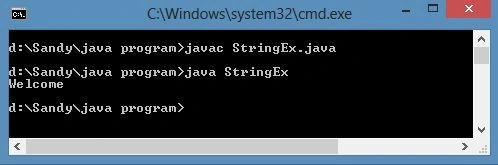
Let's see an example to display the simple string "Welcome".
- public class StringEx
- {
- public static void main(String args[])
- {
- char[] WelcomeArray = { 'W', 'e', 'l', 'c', 'o', 'm', 'e'};
- String WelcomeString = new String(WelcomeArray);
- System.out.println( WelcomeString );
- }
- }
Output
Switch case in Java
Switch statements reduce the workload, since without a switch we use if and else many times instead of the switch. Let's see a sample of if and else without a switch:
- if (x == 0) doSomework0();
- else if (x == 1) doSomework1();
- else if (x == 2) doSomework2();
- else if (x == 3) doSomework3();
- else if (x == 4) doSomework4();
- else doSomeworkElse();
Java has a shorthand for these types of multiple if statements, the switch-case statement. Here's how you'd write the above using a switch-case:
- switch (x)
- {
- case 0:
- doSomework0();
- break;
- case 1:
- doSomework1();
- break;
- case 2:
- doSomework2();
- break;
- case 3:
- doSomework3();
- break;
- case 4:
- doSomework4();
- break;
- default:
- doSomeworkElse();
- }
In this example x must be a variable. x is compared to each case value. In case 0 the x must be compared with x==0 if it is then subsequent code will execute, similarly x will work according to other cases. If no cases are matched then the default action is triggered.
Purpose of switch
The if statement only evaluates a boolean value (only two possible values True and False). The switch statement will execute on many expressions based on an integer (including char) or enum value.
Switch keywords
1. switch
The Switch statement is followed by an expression in parentheses, that is followed by the cases, all enclosed in braces. The Switch statement works using cases dependent on the value of expressions.
2. Case
The case contains a colon and an integer constant.
3. default
If no case value matches the switch expression value then execution falls to the default clause. This is the equivalent of the last "else" for a series of if statements.
4. break
The
break statement causes execution to exit to the statement after the end of the switch. If there is no break then execution flows thru into the next case. Flowing directly into the next case is nearly always an error.Example
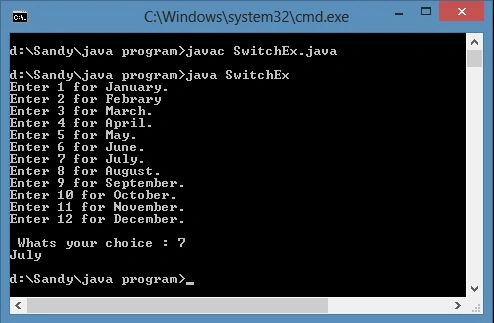
Let's see an example of how switch cases work!
Sam HobbsPosted Apr 16, 2013, 3:32 PM
Yes it is bad programming to flow "directly into the next case". I don't know about Java but it is possible to do that in C/C++. It is something that can be done intentionally (in C/C++ at least) but even though it works it is not good to do it since it makes the program less obvious for the developer to understand.