

String Object Method In TypeScript: Part 6
Before reading this article, please go through the following articles:
Introduction
The String object is used to manage a series of characters. A String object contains complete information about a string. In TypeScript, the String objects are created with "new String()".
In this article, I am describing the string object's "toLowerCase" method in the TypeScript.
toLoweCase() Method
In TypeScript, the toLowerCase() method returns a new string with all uppercase letters converted to lowercase. These methods have no parameters but don't forget to include the empty set of parentheses after the method name.
Syntax
- string.toLowerCase()
Function
- toLowerCase() {
- var str = prompt("Please Enter String In Upper Case");
- var lowerstr = str.toLowerCase();
- var span = document.createElement("span");
- span.style.color = "green";
- span.innerText = "toLowerCase Method \n String is-> " + str + "\n Converted In Lower Case string is-> " + lowerstr + "\n";
- document.body.appendChild(span);
- }
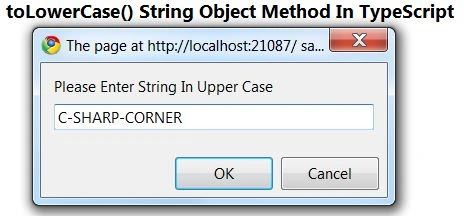
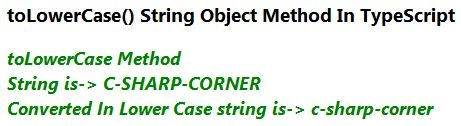
The following example shows how to use the toLowerCase method in TypeScript. In this example, we get the uppercase string from the user and this method returns a new string with all uppercase letters converted to lowercase.
Complete Program
toLowerCase.ts
- class toLowerCase {
- toLowerCase() {
- var str = prompt("Please Enter String In Upper Case");
- var lowerstr = str.toLowerCase();
- var span = document.createElement("span");
- span.style.color = "green";
- span.innerText = "toLowerCase Method \n String is-> " + str + "\n Converted In Lower Case string is-> " + lowerstr + "\n";
- document.body.appendChild(span);
- }
- }
- window.onload = () => {
- var obj = new toLowerCase();
- obj.toLowerCase();
- };
Join the conversation! Your thoughts help the community grow.