

Generating, editing, and manipulating PDF documents is a fundamental requirement across countless .NET applications built on the .NET framework . From invoices and reports to contracts and compliance documents, developers need reliable PDF libraries that can handle everything from basic creation to advanced operations like digital signatures, OCR, and accessibility compliance. With so many options available, spanning free, open-source, and commercial solutions, choosing the right .NET PDF library can feel overwhelming.
This comprehensive guide compares 12 of the most capable PDF libraries for .NET developers, examining their strengths, limitations, licensing models, and ideal use cases, including useful code examples . Whether you're building a simple document generator or an enterprise-grade document management system, this comparison will help you make an informed decision.
Why C# PDF Library Selection Matters
The PDF library you choose directly impacts your application's performance, maintainability, and long-term viability. Key considerations include HTML to PDF conversion capabilities, support for PDF standards like PDF/A and PDF/UA, digital signature functionality, cross-platform compatibility, and licensing costs. According to discussions across developer communities like C# Corner and Stack Overflow, the most common PDF-related tasks include basic PDF creation, HTML-to-PDF workflows (especially popular in ASP.NET applications), form filling, document splitting and merging, and digital signatures for compliance workflows.
Recent trends also show growing interest in AI-powered PDF processing, especially for existing documents combining text extraction with large language models for document summarization and question-answering capabilities over PDF content.
IronPDF
IronPDF stands as one of the most feature-complete commercial PDF libraries available for .NET developers to easily create PDF documents. Built on a genuine Chromium rendering engine (the same engine powering Google Chrome), IronPDF delivers pixel-perfect rendering for HTML-to-PDF conversion with full CSS and JavaScript support with advanced capabilities for those looking to edit PDF documents in just a few lines of code, all within your Visual Studio .NET projects.
Convert HTML to PDF:
IronPDF excels at converting HTML content, including complex layouts with modern CSS, responsive designs, and JavaScript-rendered elements, into professional PDF documents. The library supports conversion from multiple source formats including HTML strings, URLs, DOCX, RTF, XML, Markdown, and images, making it ideal for working with structured documents.
    using IronPdf;

var htmlContent = @"
<html>
<head>
    <style>
        h1 { color: #2563eb; font-family: Arial; }
        .invoice-table { width: 100%; border-collapse: collapse; }
        .invoice-table td { padding: 12px; border: 1px solid #e5e7eb; }
    </style>
</head>
<body>
    <h1>Invoice #INV-2025-001</h1>
    <table class='invoice-table'>
        <tr><td>Service</td><td>Web Development</td></tr>
        <tr><td>Amount</td><td>$5,000.00</td></tr>
    </table>
</body>
</html>";

var renderer = new ChromePdfRenderer();
var pdf = renderer.RenderHtmlAsPdf(htmlContent);
pdf.SaveAs("Invoice.pdf");
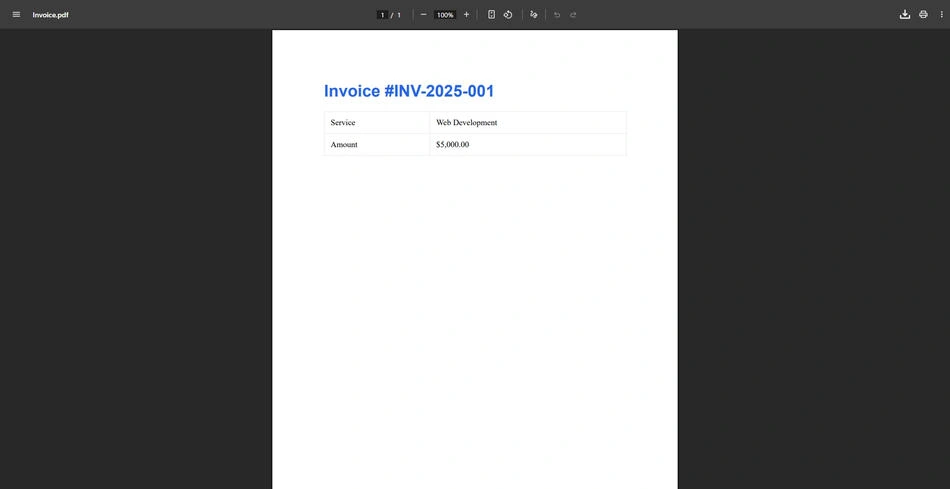
New PDF Document from HTML content
Compliance and Accessibility:
For organizations operating in regulated industries, IronPDF provides native support to convert PDF documents into PDF/A (archival format required for contracts, government filings, and long-term document storage) and PDF/UA (universal accessibility standard for screen readers and assistive technologies).
    var renderer = new ChromePdfRenderer();
var pdf = renderer.RenderHtmlAsPdf(htmlContent);
pdf.SaveAsPdfA("ArchivalDocument.pdf", PdfAVersions.PdfA3b);
Document Manipulation:
IronPDF provides comprehensive tools for merging, splitting, and manipulating PDF pages, perfect for removing unwanted pages:
    using IronPdf;

var merged = PdfDocument.Merge(new[]
{
    PdfDocument.FromFile("Part1.pdf"),
    PdfDocument.FromFile("Part2.pdf"),
    PdfDocument.FromFile("Part3.pdf")
});
merged.SaveAs("CombinedDocument.pdf");

// Split a large PDF
var source = PdfDocument.FromFile("LargeReport.pdf");
var firstSection = source.CopyPages(0, 9);
firstSection.SaveAs("Section1.pdf");
Security and Digital Signatures:
IronPDF offers enterprise-grade digital signature capabilities using PFX certificates, along with password protection, encryption, and document permissions management:
    using IronPdf;
var pdf = PdfDocument.FromFile("Contract.pdf");
var signature = new PdfSignature("certificate.pfx", "password");
signature.SignatureDate = DateTime.Now;
signature.SigningReason = "Contract Approval";
signature.SigningLocation = "Chicago, USA";
pdf.Sign(signature);
pdf.SaveAs("SignedContract.pdf");
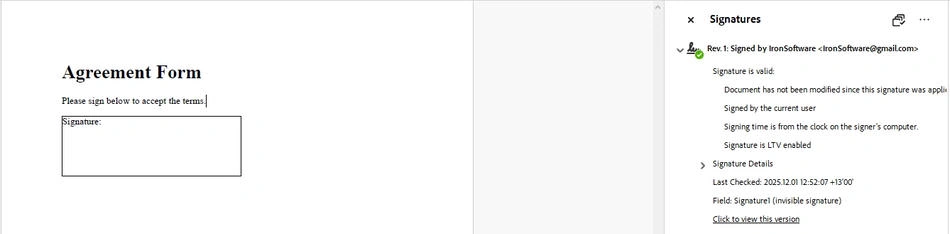
Example Output PDF
PDF Sanitization:
For security-conscious applications, IronPDF can sanitize PDFs to remove hidden metadata, embedded scripts, and potentially harmful elements, essential before sharing documents externally.
Licensing: Commercial license required for production use. Free trial available for evaluation. Includes dedicated technical support and regular updates.
2. iTextSharp / iText7
iTextSharp has historically dominated the .NET PDF ecosystem, with tutorials on C# Corner accumulating over 1 million views for basic PDF creation topics alone, including how to handle formatted text. The library evolved into iText7, offering modernized APIs and improved functionality.
Strengths:
iTextSharp/iText7 provides granular programmatic control over PDF structure, making it suitable for developers who need precise manipulation of document elements. The library excels at form filling (AcroForms), which remains a high-demand use case for business workflows processing invoices, certificates, and HR forms.
    using iText.Kernel.Pdf;
using iText.Layout;
using iText.Layout.Element;

using (var writer = new PdfWriter("document.pdf"))
using (var pdf = new PdfDocument(writer))
using (var document = new Document(pdf))
{
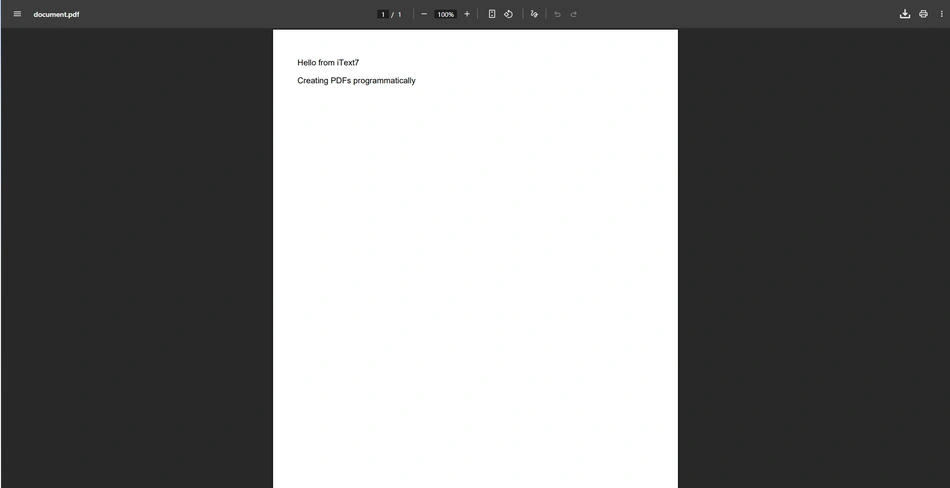
    document.Add(new Paragraph("Hello from iText7"));
    document.Add(new Paragraph("Creating PDFs programmatically"));
}
Output PDF
Popular Use Cases:
Based on community discussions, iTextSharp sees extensive use for splitting and merging PDF files (workflow automation), adding digital signatures with PFX certificates, extracting text and images from existing PDFs, and barcode scanning from PDF documents.
Limitations:
The library requires more verbose code compared to HTML-to-PDF solutions and has a steeper learning curve for complex layouts. HTML rendering capabilities are limited compared to Chromium-based alternatives.
Licensing: AGPL (open source with copyleft requirements) or commercial license. The dual licensing model means free use requires open-sourcing your application, while proprietary applications need a paid license.
3. QuestPDF
QuestPDF has emerged as a popular modern alternative for developers who prefer building documents entirely in C# code using a fluent API approach rather than HTML templates.
Code-First Document Design:
    using QuestPDF.Fluent;
using QuestPDF.Helpers;
using QuestPDF.Infrastructure;

var document = Document.Create(container =>
{
    container.Page(page =>
    {
        page.Size(PageSizes.A4);
        page.Margin(2, Unit.Centimetre);

        page.Header()
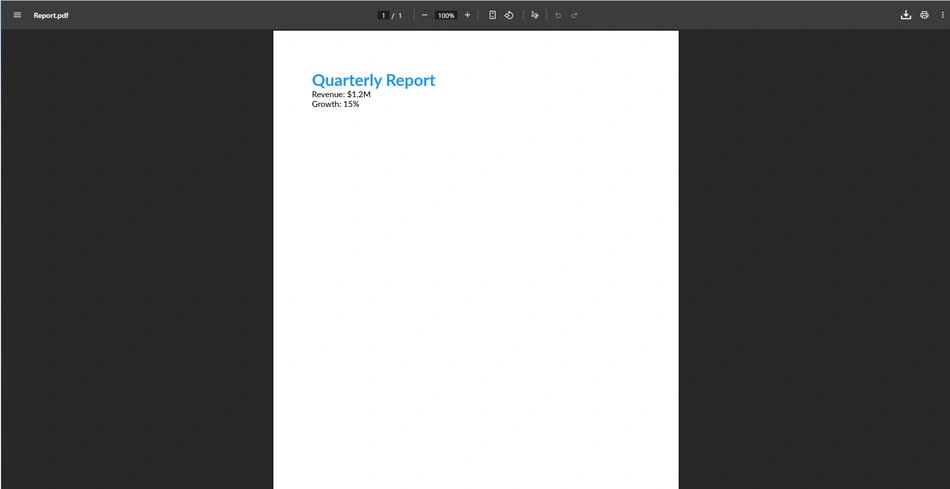
            .Text("Quarterly Report")
            .FontSize(24)
            .Bold()
            .FontColor(Colors.Blue.Medium);

        page.Content()
            .Column(column =>
            {
                column.Item().Text("Revenue: $1.2M");
                column.Item().Text("Growth: 15%");
            });

        page.Footer()
            .AlignCenter()
            .Text(x => { x.Span("Page "); x.CurrentPageNumber(); });
    });
});

document.GeneratePdf("Report.pdf");
QuestPDF Output
Strengths:
QuestPDF offers predictable, repeatable layouts with a declarative syntax that many C# developers find intuitive. The documentation includes numerous examples for common report patterns.
Limitations:
QuestPDF does not support HTML-to-PDF conversion, lacks built-in PDF/A or PDF/UA compliance, and doesn't include digital signature or security features. Complex documents that contain multiple pages require significantly more code compared to HTML-based approaches, and the library is limited to static layouts without JavaScript rendering capabilities.
Licensing: Free for personal/non-commercial use. Commercial use requires a paid license regardless of company size.
4. PDFsharp / MigraDoc
PDFsharp is a long-standing open-source option for basic PDF creation, while MigraDoc (built on PDFsharp) adds document-oriented features like automatic page breaks and paragraph formatting.
Basic PDF Creation:
    using PdfSharp.Pdf;
using PdfSharp.Drawing;

var document = new PdfDocument();
var page = document.AddPage();
var gfx = XGraphics.FromPdfPage(page);
var font = new XFont("Arial", 20);

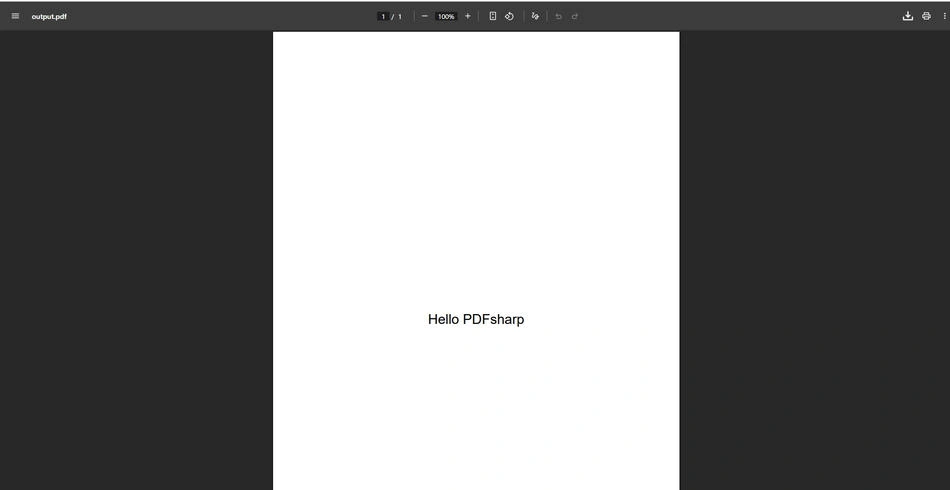
gfx.DrawString("Hello PDFsharp", font, XBrushes.Black,
    new XRect(0, 0, page.Width, page.Height), XStringFormats.Center);

document.Save("output.pdf");
PDFsharp Output
Strengths:
Completely free and open-source under MIT license. No commercial restrictions. Good choice for simple PDF generation requirements.
Limitations:
Limited formatting capabilities, no HTML rendering, no form support, and minimal documentation compared to commercial alternatives. Not suitable for complex document requirements or modern web-based workflows.
Licensing: MIT License (completely free for any use).
5. PuppeteerSharp
PuppeteerSharp is a .NET port of the Node.js Puppeteer library, providing browser automation capabilities including PDF generation through headless Chromium.
HTML to PDF via Browser Automation:
    using PuppeteerSharp;

var browserFetcher = new BrowserFetcher();
await browserFetcher.DownloadAsync();

await using var browser = await Puppeteer.LaunchAsync(new LaunchOptions { Headless = true });
await using var page = await browser.NewPageAsync();

await page.SetContentAsync(htmlContent);
await page.PdfAsync("output.pdf", new PdfOptions
{
    Format = PaperFormat.A4,
    PrintBackground = true,
    MarginOptions = new MarginOptions
    {
        Top = "20mm",
        Bottom = "20mm",
        Left = "15mm",
        Right = "15mm"
    }
});
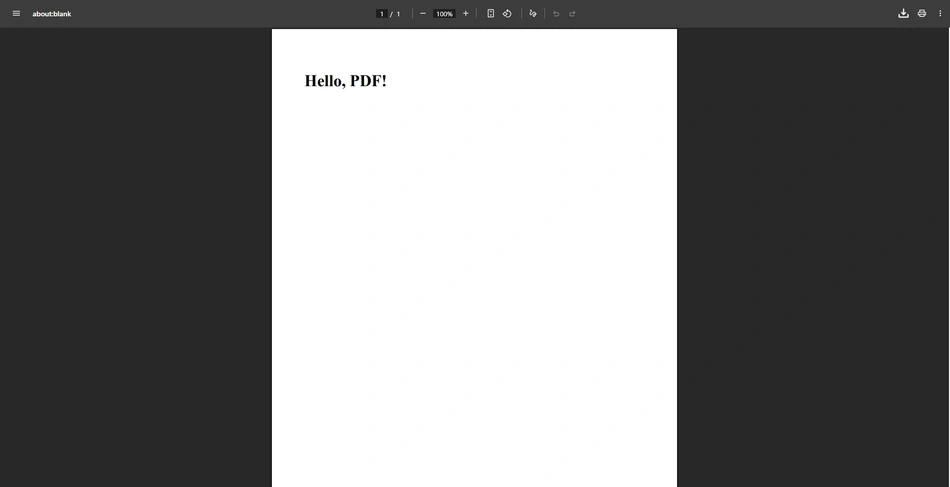
PuppeteerSharp Output
Strengths:
Excellent at rendering dynamic, JavaScript-heavy web pages to PDF. Completely free and open-source. Good choice for printing existing web applications to PDF.
Limitations:
PuppeteerSharp is a browser automation tool, not a dedicated PDF SDK. It lacks PDF editing capabilities (no merge, split, or manipulation), doesn't support compliance standards (PDF/A, PDF/UA), and has no digital signature or security features. Requires downloading and managing a Chromium binary.
Licensing: MIT License (free).
6. DinkToPdf
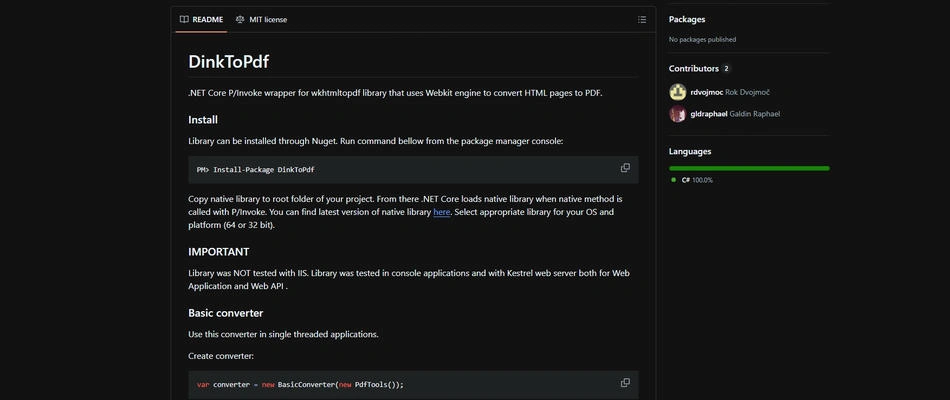
DinkToPdf wraps the wkhtmltopdf library, providing HTML-to-PDF conversion for .NET Core applications through a native library approach.
Strengths:
Produces consistent HTML rendering results and integrates well with ASP.NET Core dependency injection. Free to use.
Limitations:
Relies on the wkhtmltopdf binary, which uses an older WebKit engine that doesn't support modern CSS features. Cross-platform deployment can be challenging due to native dependencies. Limited active development.
Licensing: LGPL (wkhtmltopdf).
7. Aspose.PDF for .NET
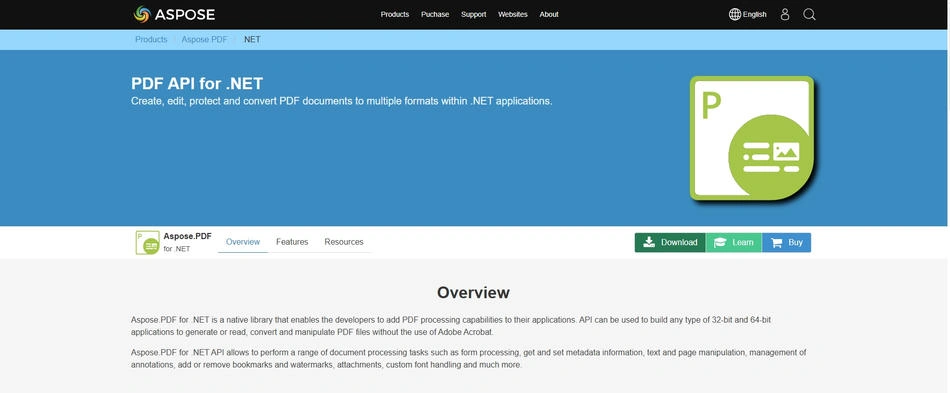
Aspose.PDF is a heavyweight commercial library offering comprehensive PDF manipulation capabilities through traditional programmatic APIs rather than HTML rendering.
Strengths:
Extensive feature set covering nearly every PDF operation imaginable. Strong enterprise support and documentation.
Limitations:
Takes a programmatic approach rather than using a web rendering engine, which can result in slower performance and higher resource usage for complex layouts. According to developer comparisons , alternatives like IronPDF can provide 2-4x performance improvements for HTML-to-PDF workflows. Premium pricing makes it less accessible for smaller teams and individual developers.
Licensing: Commercial license required. Higher price point compared to alternatives.
8. Syncfusion PDF Library
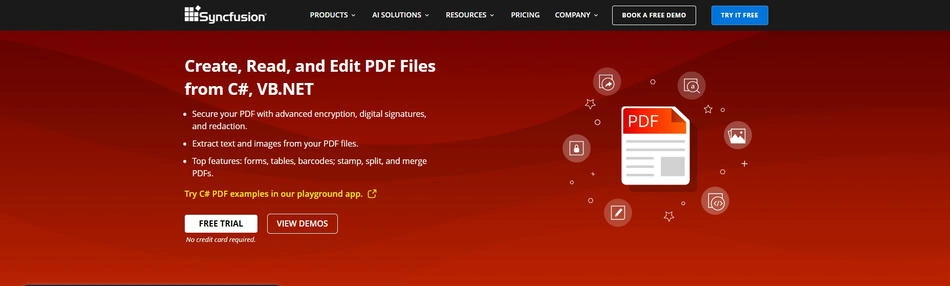
Part of the Syncfusion Essential Studio suite, this library provides PDF creation and manipulation capabilities integrated with other Syncfusion components.
Strengths:
Good integration with other Syncfusion UI components. Comprehensive feature set including forms, annotations, and digital signatures.
Limitations:
Requires Syncfusion Essential Studio subscription. May be overkill if you only need PDF functionality. Community license available for individuals and small businesses meeting specific criteria.
Licensing: Commercial (community license available with restrictions).
9. Docotic.Pdf
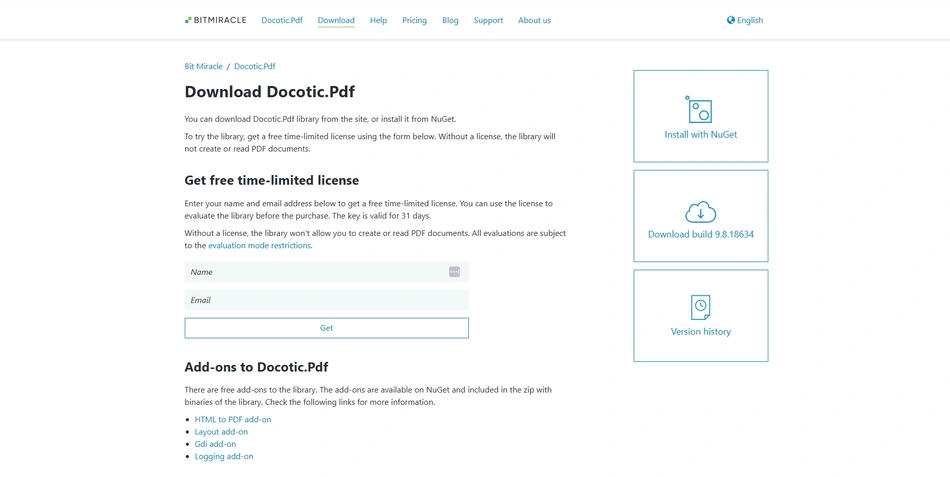
A commercial library focused on performance and memory efficiency for PDF processing operations.
Strengths:
Optimized for large PDF files and batch processing. Good extraction capabilities for text and images.
Limitations:
Smaller community compared to more established options. Commercial license required.
Licensing: Commercial license required.
10. Spire.PDF for .NET
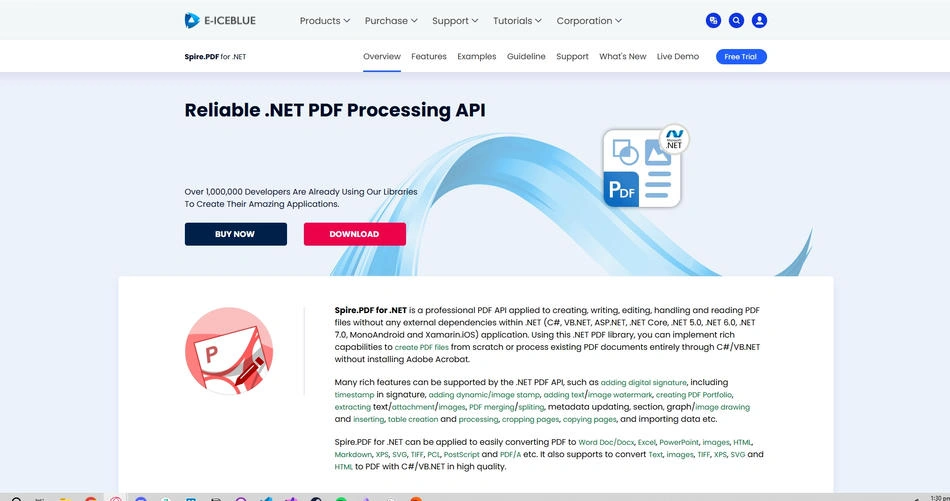
Spire.PDF offers PDF creation, editing, and conversion capabilities with both free and commercial editions.
Strengths:
Free edition available with limitations. Supports a wide range of operations including conversion, extraction, and manipulation.
Limitations:
Free edition includes watermarks and page limitations. Full functionality requires commercial license.
Licensing: Free edition (limited) and commercial editions.
11. SelectPdf
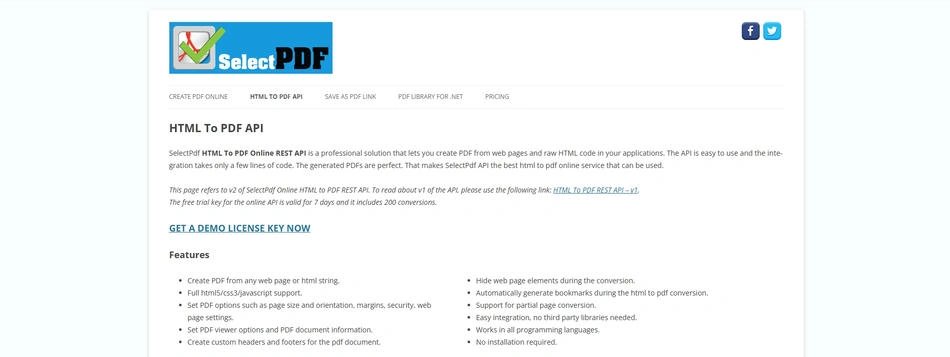
SelectPdf focuses on HTML-to-PDF conversion using a proprietary rendering engine.
Strengths:
Dedicated to HTML-to-PDF conversion with good CSS support. Community edition available for free.
Limitations:
Community edition has limitations on converted pages. Less comprehensive than full-featured PDF libraries for manipulation tasks.
Licensing: Free community edition (limited) and commercial editions.
12. GcPdf (GrapeCity Documents for PDF)
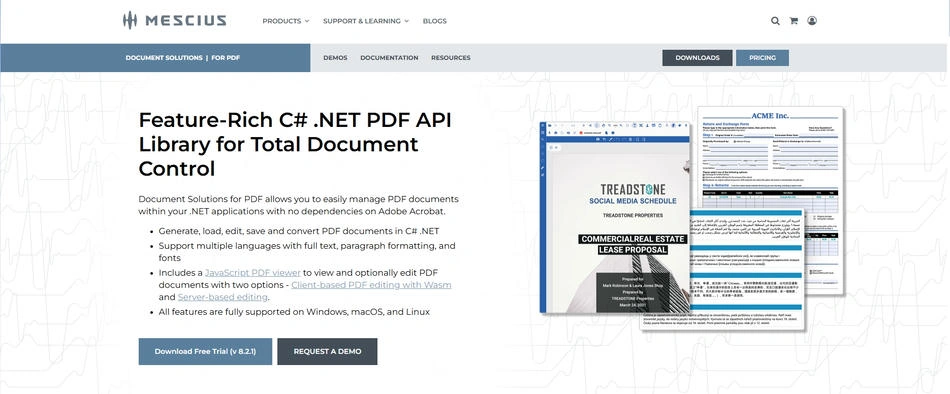
GcPdf provides a .NET Standard PDF library focused on high-performance document generation without external dependencies.
Strengths:
No external dependencies. Good performance for server-side PDF generation. Cross-platform support.
Limitations:
Commercial license required. Smaller community and fewer resources compared to more established alternatives.
Licensing: Commercial license required.
Feature Comparison Matrix
| Library | HTML to PDF | PDF/A Support | Digital Signatures | Merge/Split | Free Option | Cross-Platform |
|---|---|---|---|---|---|---|
| IronPDF | ✓ Chromium | ✓ | ✓ | ✓ | Trial | ✓ |
| iText7 | Limited | ✓ | ✓ | ✓ | AGPL | ✓ |
| QuestPDF | ✗ | ✗ | ✗ | Limited | Personal | ✓ |
| PDFsharp | ✗ | ✗ | ✗ | Limited | ✓ MIT | ✓ |
| PuppeteerSharp | ✓ Chromium | ✗ | ✗ | ✗ | ✓ MIT | ✓ |
| Aspose.PDF | Limited | ✓ | ✓ | ✓ | Trial | ✓ |
| Syncfusion | ✓ | ✓ | ✓ | ✓ | Community | ✓ |
Common Use Cases and Recommendations
Invoice and Report Generation: For HTML-to-PDF workflows common in ASP.NET applications, IronPDF's ChromePdfRenderer provides the most straightforward path from web content to professional PDFs, ensuring reliable PDF generation . QuestPDF offers an alternative for teams preferring code-first document design.
Form Processing and AcroForms: iTextSharp/iText7 has extensive documentation and community resources for filling PDF form fields, a capability that sees high demand in business workflows handling certificates, HR documents, and government forms.
Document Management Systems: Applications requiring comprehensive manipulation (merge, split, extract, watermark) benefit from full-featured commercial libraries. IronPDF's page manipulation API handles these operations with minimal code.
Compliance-Critical Applications: Industries requiring PDF/A archival or PDF/UA accessibility should choose libraries with native compliance support. IronPDF's PDF/A export and PDF/UA generation simplify meeting regulatory requirements.
Digital Signature Workflows: Enterprise applications increasingly require document signing capabilities. IronPDF's signature API supports PFX certificates with customizable signature appearances.
Emerging Trends: AI and PDF Processing
Developer communities show growing interest in combining PDF text extraction with AI capabilities. Emerging patterns include RAG (Retrieval-Augmented Generation) pipelines that answer questions over PDF content and AI-powered document summarization for lengthy reports. While still emerging with lower traffic than traditional PDF tasks, AI-PDF integration represents a rapidly growing area as organizations seek to unlock insights from document repositories.
Text extraction quality becomes critical for AI applications. Libraries with robust OCR (Optical Character Recognition) capabilities can process scanned documents, making them searchable and enabling AI analysis of previously inaccessible content.
Performance Considerations for Server-Side PDF Generation
When deploying PDF generation in production environments, particularly in ASP.NET Core APIs or cloud functions, performance and resource consumption become critical factors.
Memory Management: High-volume PDF generation can strain server resources. Chromium-based libraries like IronPDF optimize memory usage through their rendering pipeline, while programmatic libraries may require more careful management when processing large documents.
Concurrent Generation: Web applications often need to generate multiple PDFs simultaneously. Thread-safe libraries with efficient resource pooling handle concurrent requests more gracefully than those requiring process isolation.
Cold Start Optimization: Serverless deployments benefit from libraries with minimal initialization overhead. Some libraries require downloading browser binaries on first use, which can significantly impact cold start times.
Best Practices for PDF Generation in .NET Applications
Template Management: For applications generating similar documents repeatedly (invoices, reports, certificates), establish a templating strategy. HTML templates with placeholder substitution work well with Chromium-based libraries, while QuestPDF benefits from reusable component definitions.
Error Handling: PDF generation can fail for various reasons; malformed HTML, font availability issues, memory constraints, or corrupt source files. Implement comprehensive error handling and logging to diagnose production issues quickly.
    try
{
    var renderer = new ChromePdfRenderer();
    var pdf = renderer.RenderHtmlAsPdf(htmlContent);
    pdf.SaveAs("output.pdf");
}
catch (Exception ex)
{
    // Log error details for debugging
    logger.LogError(ex, "PDF generation failed for template {TemplateName}", templateName);
    throw;
}
Testing PDF Output: Automated testing for PDF generation is challenging but important. Consider approaches like generating PDFs in CI/CD pipelines, extracting text for content verification, and visual comparison tools for layout regression testing.
Migration Strategies
Organizations often need to migrate between PDF libraries as requirements evolve. Common migration paths include moving from iTextSharp to iText7 (API modernization within the same ecosystem), transitioning from open-source solutions to commercial alternatives when feature requirements grow, and consolidating multiple libraries into a single solution for maintainability.
When planning migrations, audit current usage patterns, identify feature gaps, and implement comprehensive testing before production deployment.
Conclusion
Selecting the right C# PDF library depends on your specific requirements, budget constraints, and long-term maintenance considerations. For developers seeking a balance of comprehensive features, ease of use, modern rendering capabilities, and professional support, IronPDF represents a strong all-around choice for C# PDF development. Its Chromium-based rendering engine delivers consistent, pixel-perfect results from HTML content, while native support for PDF/A, PDF/UA, digital signatures, and document manipulation covers the full spectrum of enterprise requirements.
That said, the ideal choice varies by context. Teams committed to open-source may prefer iTextSharp (under AGPL) or PDFsharp (MIT). Developers who prefer building documents entirely in C# code might find QuestPDF's fluent API more aligned with their workflow. Budget-conscious projects with simple requirements can start with free options and migrate to commercial solutions as needs grow.
The most important factor is matching library capabilities to your actual requirements, whether that's simple PDF creation, complex HTML rendering, compliance standards, or advanced security features. Evaluate trial versions, review documentation quality, and consider long-term support availability before committing to any solution for production applications.
The .NET ecosystem is constantly evolving, making it crucial to stay informed about the latest tools and trends beyond just PDF manipulation. To gain a broader perspective on the market and ensure your tech stack remains competitive, you can explore the latest industry news by exploring other C# libraries.
Join the conversation! Your thoughts help the community grow.