

"Theme is a presentation of colors, pictures etc, which is used in the background of any application".
When you run the LightSwitch application then your application opens in a by default blue theme. You can change your LightSwitch application theme. For this purpose you will download the extensions theme for LightSwitch application from the internet.
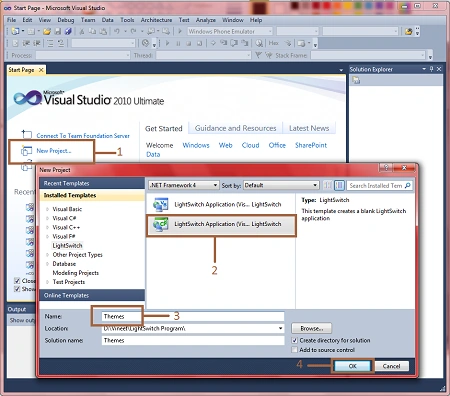
Step 1 : First of all open Visual Studio LightSwitch->New project->Select LightSwitch application->Write name ->Ok.
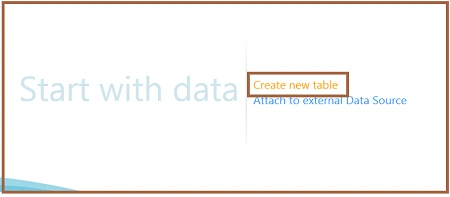
Step 2 : Click on create new table.
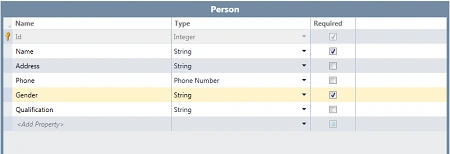
Step 3 : Create table like as person.
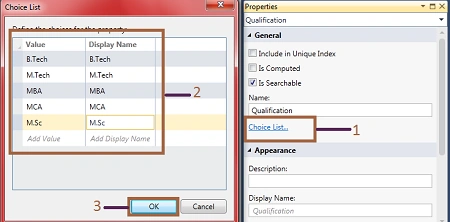
Step 4 : Go to gender properties->Click on choice list->Write value and display name->Ok.
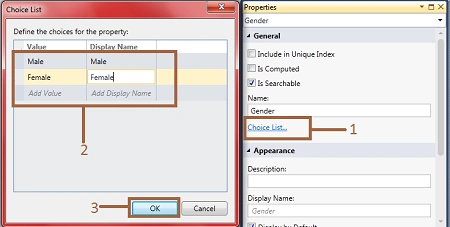
Step 5 : In the same manner go to qualification properties->Click on choice list->Write value and display name.->Ok.
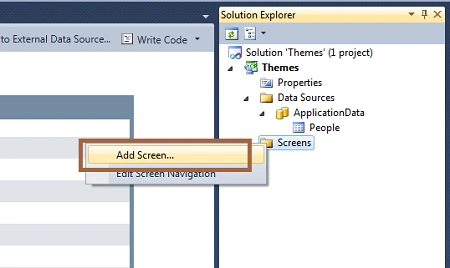
Step 6 : Now we will add a screen. Right click on screens->Add screen.
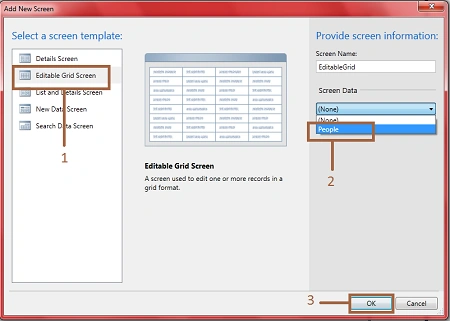
Step 7 : Select editable grid screen->Select screen data (people)->Ok.
Step 8 : Run the application (Press F5). You will see that your application will open with the default blue theme.
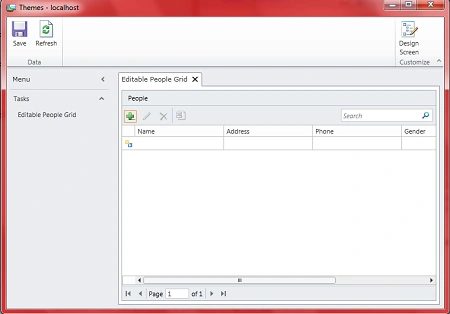
Step 9 : If you want to change the theme your application then you can do that.
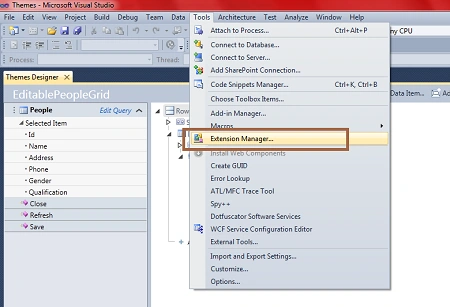
For this purpose go to menu bar->Tools->Extension manager.
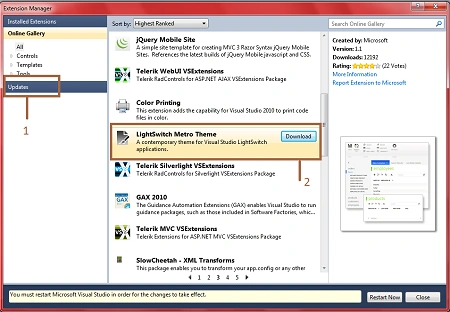
Step 10 : Click on update->Select LightSwitch metro theme->Download->Install.
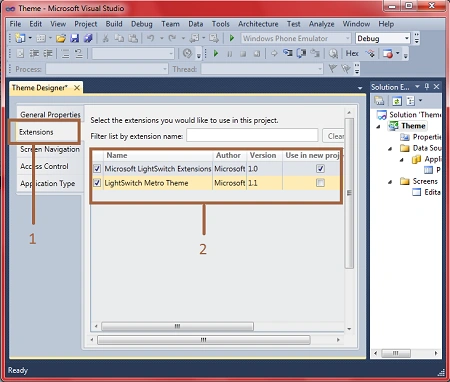
Step 11 : Now go to properties of application->Extension->Mark the check box of LightSwitch metro theme like as in the following image.
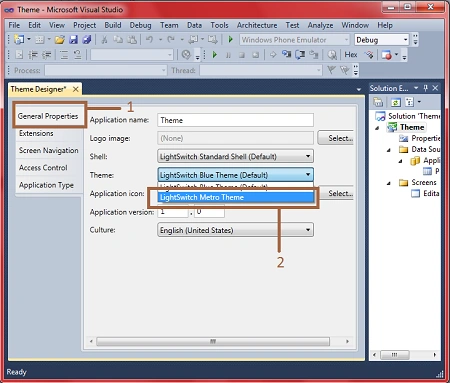
Step 12 : Go to general properties->Theme->Select LightSwitch metro theme.
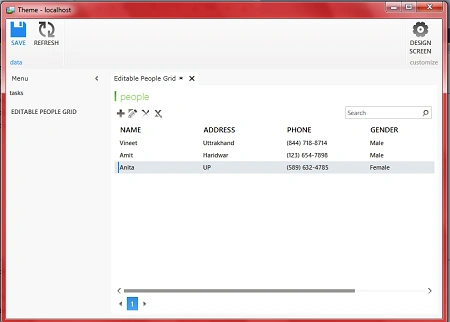
Step 13 : Run application (Press F5). Now you will see your application will open in a new theme like as in the following image.
Conclusion
So in this article you saw, how to change the theme of a LightSwitch application. In the same manner you can apply more themes to your LightSwitch application.
Some Helpful Resources
leo gomezPosted Aug 18, 2012, 9:39 AM
good, I found interesting this tool, and I wonder if it is possible to make a website with it. If so, I would be no way to indicate how or where you could guide me to test and see such.
Adarsh AcharyaPosted Jan 30, 2012, 2:14 AM
hi sir can u tell me the prerequisite for developing this application i have vs2010 but i dont have that light switch option ???
Sonakshi SinghPosted Jan 29, 2012, 11:06 PM
good job Vineet
Adarsh AcharyaPosted Jan 29, 2012, 6:51 AM
Cool Project