
Xamarin ToolbarItem
Xamarin Forms Toolbar is an abstraction of the extensions, which you can add to the Navigation bar on each platform. Toolbar Items are the individual items, which you add to the Navigation bar. The difficult part with this abstraction is the need for it to be separate or included in the Navigation bar.
Step 1
Go to Visual Studio.
Click File -> New -> Project.
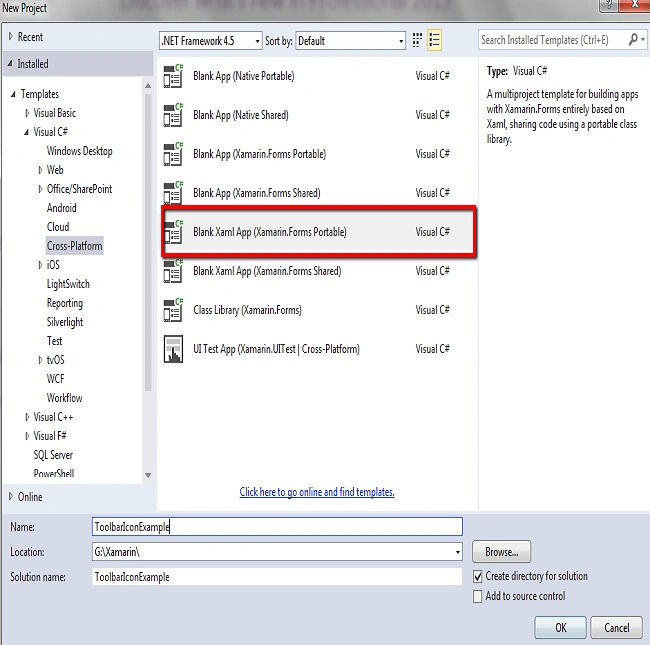
Click C# -> Cross Platform -> Cross Platform App(Xamarin.Forms.Portable).
Enter the Application Name and click OK.
Step 2
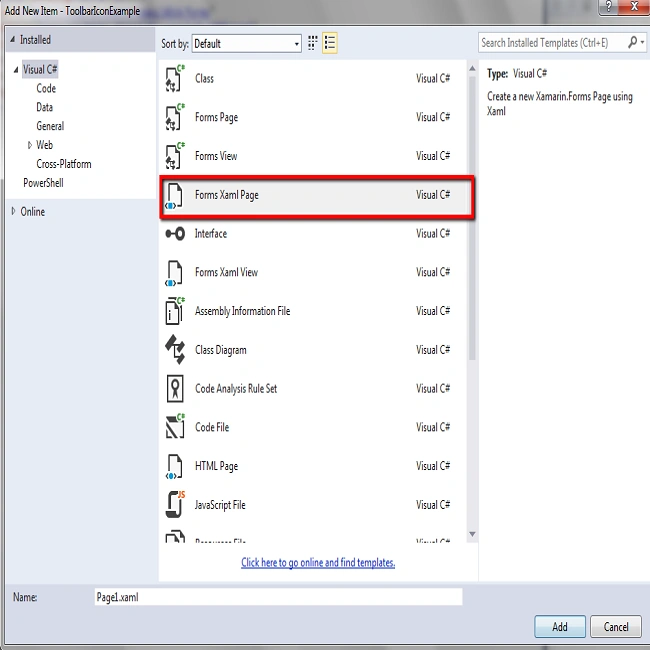
In this step, go to Solution Explorer -> Portable Class Library, click XAML and insert the code given below XAML page and save it.
Step 3
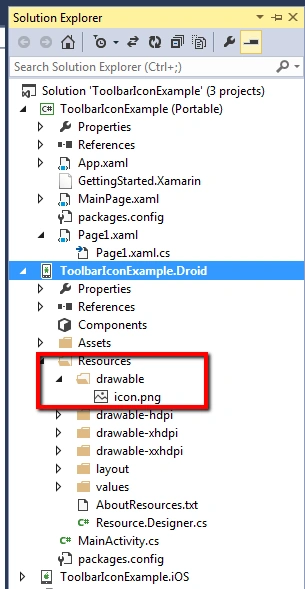
In this step, put an image in an Android and iOS folder (shown in the image).
For WinPhone, click Winphone Project and paste the image.
Step 4
Open App.Xaml.cs and set the page name.
- public App()
- {
- InitializeComponent();
- MainPage = new Page1();
- }
Open Page1.Xaml and add the code in this page.
- <?xml version="1.0" encoding="utf-8" ?>
- <ContentPage xmlns="http://xamarin.com/schemas/2014/forms"
- xmlns:x="http://schemas.microsoft.com/winfx/2009/xaml"
- x:Class="ToolbarIconExample.Page1">
- <ContentPage.Content>
- </ContentPage.Content>
- <ContentPage.ToolbarItems>
- <ToolbarItem Name="iconexample" Icon="icon.png" Priority="0" Order="Primary" Activated="Onclick" />
- </ContentPage.ToolbarItems>
- </ContentPage>

Sandip VariyaPosted Dec 31, 2019, 2:41 AM
Hello, Disha I'm followed your tutorial but i have faced one issue when i set on place { Icon="any.png" } but not showed. can we set any image in there ?
Sandip VariyaPosted Dec 31, 2019, 2:41 AM
Hello, Disha I'm followed your tutorial but i have faced one issue when i set on place { Icon="any.png" } but not showed. can we set any image in there ?