Introduction
This article describes how to translate your website using the Bing Translator Widget.
Description
The Translator web page widget allows you to bring real-time, in-place translation to your web site.
You just need to copy and paste some JavaScript code or API to your website.
Open the following link:
http://www.bing.com/widget/translator
Copy the code.
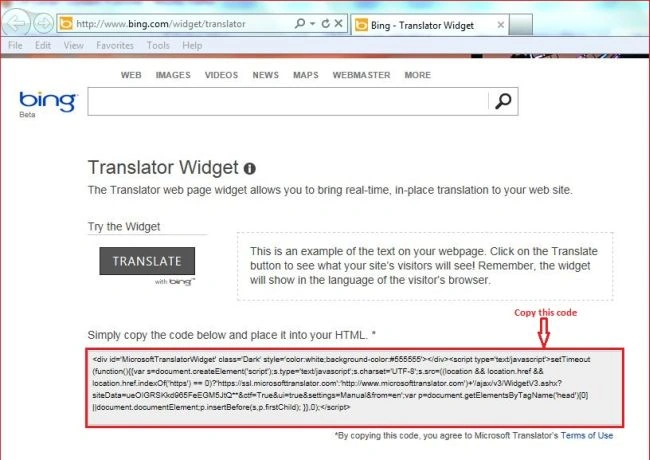
Or copy the following code that I copied from that link and paste it into your HTML.
- <div id='MicrosoftTranslatorWidget' class='Dark' style='color: white; background-color: #555555'>
- </div>
- <script type='text/javascript'>
- setTimeout(function () {
- {
- var s = document.createElement('script');
- s.type = 'text/javascript'; s.charset = 'UTF-8';
- s.src = ((location && location.href && location.href.indexOf('https') == 0) ? 'https://ssl.microsofttranslator.com' : 'http://www.microsofttranslator.com') + '/ajax/v3/WidgetV3.ashx?siteData=ueOIGRSKkd965FeEGM5JtQ**&ctf=True&ui=true&settings=Manual&from=en';
- var p = document.getElementsByTagName('head')[0] || document.documentElement; p.insertBefore(s,
- p.firstChild);
- }
- }, 0);
- </script>
Now create a website and a page and add some content to it.
Now design your screen as in the following screen.
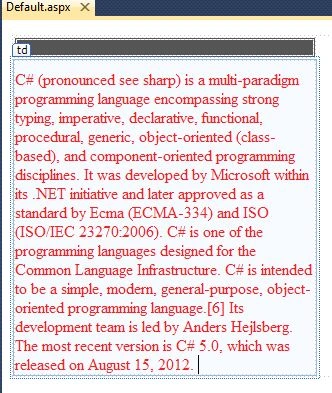
Or you can copy the following source code:
- <form id="form1" runat="server">
- <div>
- <table>
- <tr>
- <td>
- <div id='MicrosoftTranslatorWidget' class='Dark' style='color: white; background-color: #555555'>
- </div>
- <script type='text/javascript'>
- setTimeout(function () {
- {
- var s = document.createElement('script');
- s.type = 'text/javascript'; s.charset = 'UTF-8';
- s.src = ((location && location.href && location.href.indexOf('https') == 0) ? 'https://ssl.microsofttranslator.com' : 'http://www.microsofttranslator.com') + '/ajax/v3/WidgetV3.ashx?siteData=ueOIGRSKkd965FeEGM5JtQ**&ctf=True&ui=true&settings=Manual&from=en';
- var p = document.getElementsByTagName('head')[0] || document.documentElement; p.insertBefore(s,
- p.firstChild);
- }
- }, 0);
- </script>
- </td>
- </tr>
- <tr>
- <td style="width: 300px; color:Red; padding-top:10px;">
- C# (pronounced see sharp) is a multi-paradigm programming language encompassing
- strong typing, imperative, declarative, functional, procedural, generic, object-oriented
- (class-based), and component-oriented programming disciplines. It was developed
- by Microsoft within its .NET initiative and later approved as a standard by Ecma
- (ECMA-334) and ISO (ISO/IEC 23270:2006). C# is one of the programming languages
- designed for the Common Language Infrastructure. C# is intended to be a simple,
- modern, general-purpose, object-oriented programming language.[6] Its development
- team is led by Anders Hejlsberg. The most recent version is C# 5.0, which was released
- on August 15, 2012.
- </td>
- </tr>
- </table>
- </div>
- </form>
Now build your application.
And click on the "Translate" button.
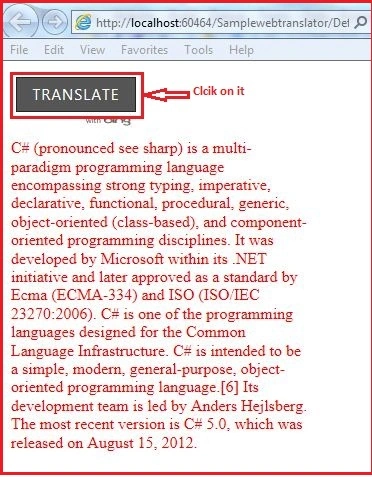
It will open a panel with all languages and select the language from the list to translate.
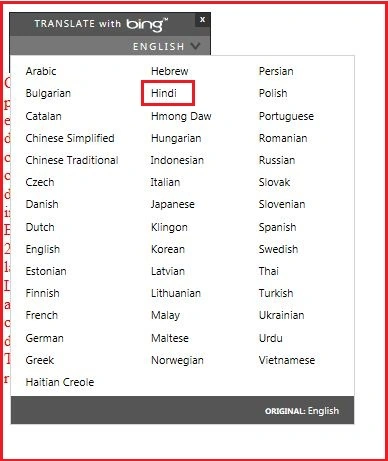
Here I selected Hindi. So my webpage content will be translated to Hindi.
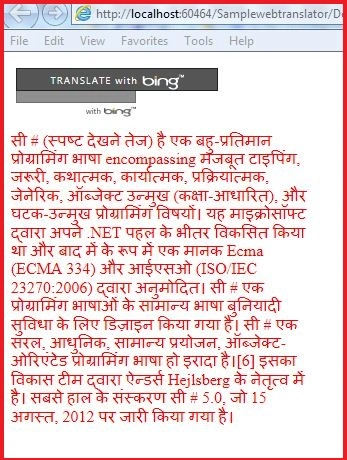
Thank you.


kannan vijayanPosted Apr 19, 2018, 10:12 AM
Is there option will automatically translate based off of the users default browser using translotor ?
Rajesh KannanPosted Jun 27, 2014, 1:54 AM
I want to convert to languages like Tamil Telugu, Malayalam,Kannada From English Please Help me as soon as possible
Preeti AgrawallaPosted Sep 5, 2013, 6:45 AM
i want to transfer my text that is written in a textbox and after clicking submit button, it will convert it to specific language
Preeti AgrawallaPosted Sep 5, 2013, 2:01 AM
Nice... :)
Former memberPosted Aug 29, 2013, 11:39 PM
Nice article yar
ketan italiyaPosted Aug 29, 2013, 9:15 AM
hey,bro.thanks.for post this