

Problem
Consider you are building an application where you need to enter details of multiple employees in the form, also need to populate their data like department, job title, employee code, etc automatically. You can easily get the employees profile data by using Office365Users connector. But you can’t get employee Id using this connector. So how can you get employee Id for the employees entered/selected in gallery on demand?
Solution
We can make a call to FLOW from gallery row input controls. Let’s build a FLOW first which will be triggered from control in gallery, in my case I need to get employee ID of selected employee. Refer below screenshot to understand what all actions are used to build a FLOW, you need to use Get User Profile action and select employeeId as field. Respond back with the output of that action using this expression
outputs('Get_user_profile_(V2)')?['body/employeeId']
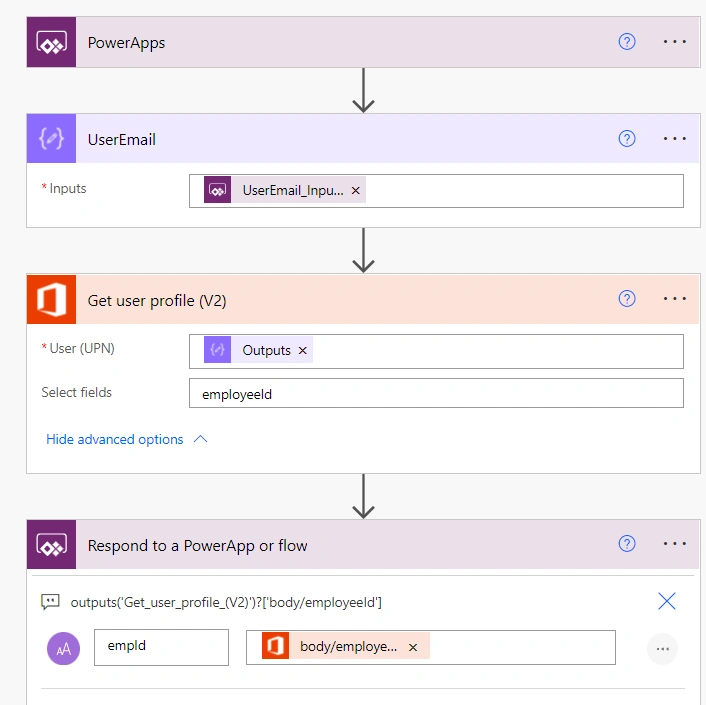
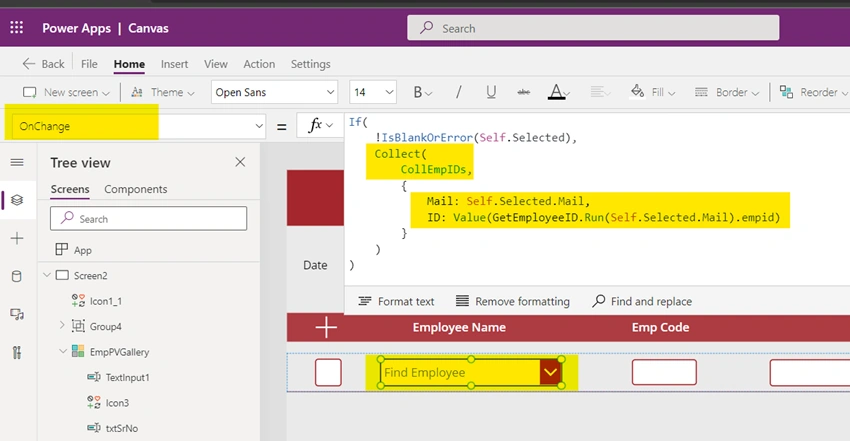
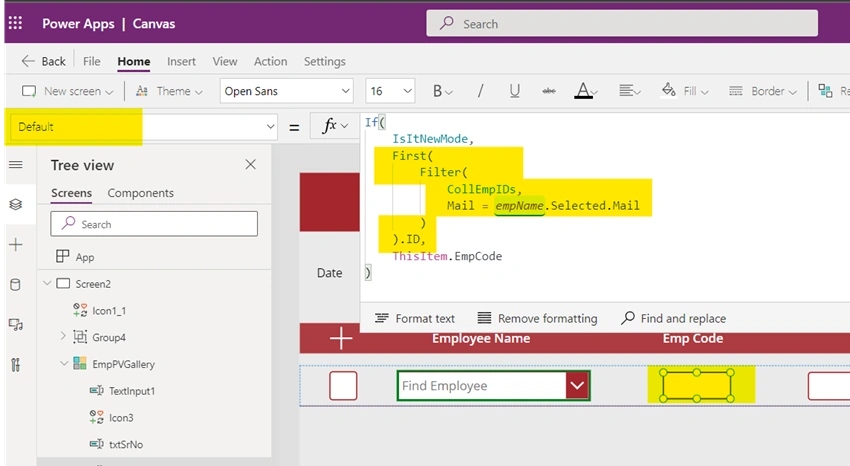
Now, identify when do you want to trigger the FLOW, make sure you have the input parameter value ready before making the call. In my case in gallery row, I have combo box control to select user, on selection of user I need to trigger the FLOW to get the employee ID. This response from the FLOW I need to bind to textbox control in same row.
Challenge and wrong approach
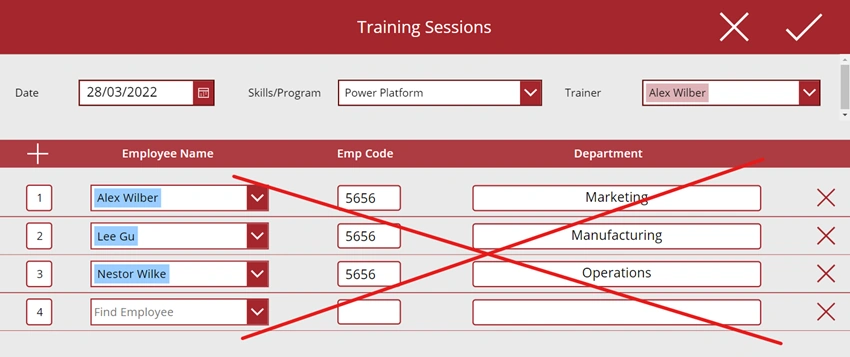
Now another challenge here would be storing and binding the response to the textbox control in that specific row. If you use local or global variable to save the response of the FLOW and bind that variable to default property of textbox control, then the values would be overwritten by latest response.
UpdateContext({varEmpployeeId: GetEmployeeId.Run(comboBox.Selected.Mail).empCode}) OR
Set(varEmpployeeId, GetEmployeeId.Run(comboBox.Selected.Mail).empCode)
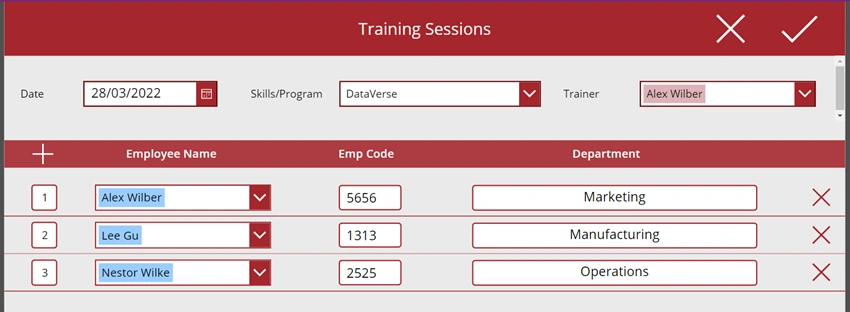
Check the below screen to see the effect of what happens if you use local variable to store the response of FLOW and bind to a control in gallery
Join the conversation! Your thoughts help the community grow.