

Introduction
Bootstrap is a free collection of tools for creating websites and web applications. It is a front-end framework having CSS based design templates for typography, forms, buttons, navigation and others, also JavaScript files. It was developed by Mark Otto and Jacob Thornton. Before Bootstrap we use various libraries in our website or web application that sometimes create a burden for maintenance. Bootstrap is compatible with all the latest browsers. And also with Internet Explorer 8.
In this article we will see:
- Buttons
- Layout
Buttons
Twitter Bootstrap 3 buttons have many varieties, we will see every button class with examples.
- <!DOCTYPE html>
- <html>
- <head>
- <title>Button</title>
- <link href="bootstrap/bootstrap/css/bootstrap.min.css" rel="stylesheet" />
- <link href="bootstrap/bootstrap/css/bootstrap-responsive.min.css" rel="stylesheet" />
- <script src="bootstrap/bootstrap/js/bootstrap.min.js"></script>
- </head>
- <body>
- <button class="btn">Default</button>
- <button class="btn btn-primary">Primary</button>
- <button type="button" class="btn btn-success">Success</button>
- <button type="button" class="btn btn-info">Info</button>
- <button type="button" class="btn btn-warning">Warning</button>
- <button type="button" class="btn btn-danger">Danger</button>
- <button type="button" class="btn btn-link">Link</button>
- </body>
- </html>
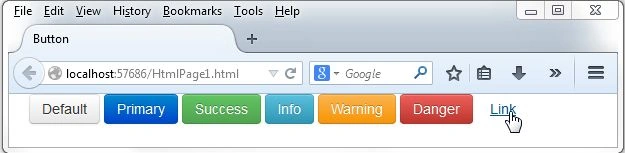
Different size of the box
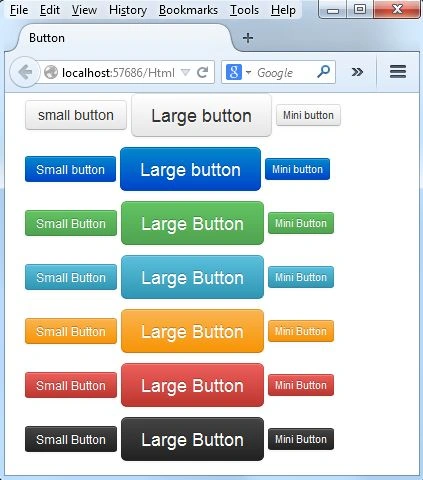
There are the following three flavors of the size for the button:
- btn-large
- btn-mini
- btn-small
- <p>
- <button type="button" class="btn btn-sm">small button</button>
- <button type="button" class="btn btn-large">Large button</button>
- <button type="button" class="btn btn-mini">Mini button</button>
- </p>
- <p>
- <button type="button" class="btn btn-primary btn-small">Small button</button>
- <button type="button" class="btn btn-primary btn-large">Large button</button>
- <button type="button" class="btn btn-primary btn-mini">Mini button</button>
- </p>
- <p>
- <button type="button" class="btn btn-success btn-small">Small Button</button>
- <button type="button" class="btn btn-success btn-large">Large Button</button>
- <button type="button" class="btn btn-success btn-mini">Mini Button</button>
- </p>
- <p>
- <button type="button" class="btn btn-info btn-small">Small Button</button>
- <button type="button" class="btn btn-info btn-large">Large Button</button>
- <button type="button" class="btn btn-info btn-mini">Mini Button</button>
- </p>
- <p>
- <button type="button" class="btn btn-warning btn-small">Small Button</button>
- <button type="button" class="btn btn-warning btn-large">Large Button</button>
- <button type="button" class="btn btn-warning btn-mini">Mini Button</button>
- </p>
- <p>
- <button type="button" class="btn btn-danger btn-small">Small Button</button>
- <button type="button" class="btn btn-danger btn-large">Large Button</button>
- <button type="button" class="btn btn-danger btn-mini">Mini Button</button>
- </p>
- <p>
- <button type="button" class="btn btn-inverse btn-small">Small Button</button>
- <button type="button" class="btn btn-inverse btn-large">Large Button</button>
- <button type="button" class="btn btn-inverse btn-mini">Mini Button</button>
- </p>
Manoj Kumar DuraisamyPosted Jan 2, 2017, 11:21 PM
Nice Article, Useful.....!!!!!
Joe WilsonPosted Dec 31, 2016, 1:35 PM
Well, Thank you very much.
Manav PandyaPosted Dec 28, 2016, 8:15 AM
Decscriptive article , nice job sir