

Introduction
Xamarin is a platform to develop cross-platform and multi-platform apps (for example, Windows phone, Android, iOS). In Xamarin platform, the code sharing concept is used. In Xamarin Studio, Visual Studio is also available.
Xamarin is a platform to develop cross-platform and multi-platform apps (for example, Windows phone, Android, iOS). In Xamarin platform, the code sharing concept is used. In Xamarin Studio, Visual Studio is also available.
Prerequisites
- Xamarin Studio.
- Xcode.
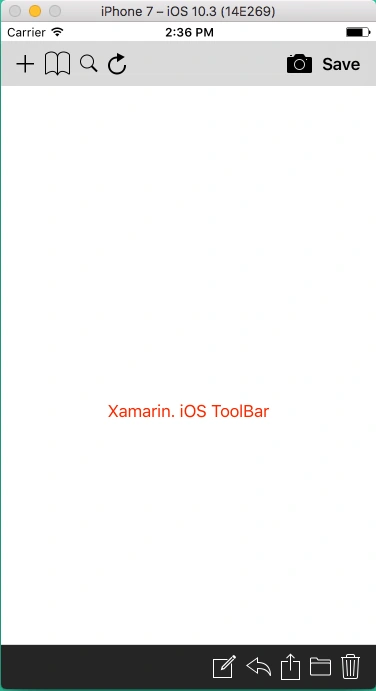
The steps given below are required to be followed in order to create a Toolbar View using UIToolbar in Xamarin iOS.
Step 1
Go To Xamarin Studio.
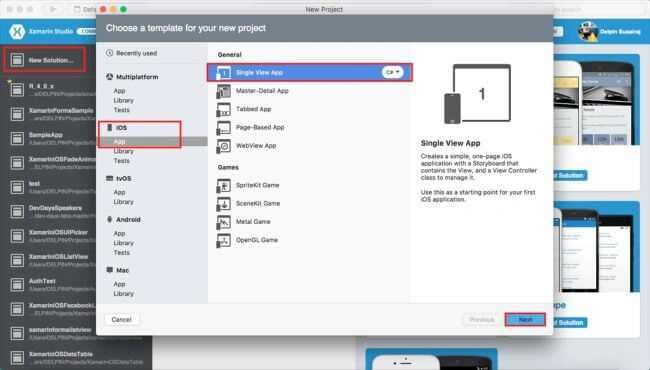
Click New Solution—> select iOS—>select App--> Choose single View App. Afterwards, click Next.
Step 2
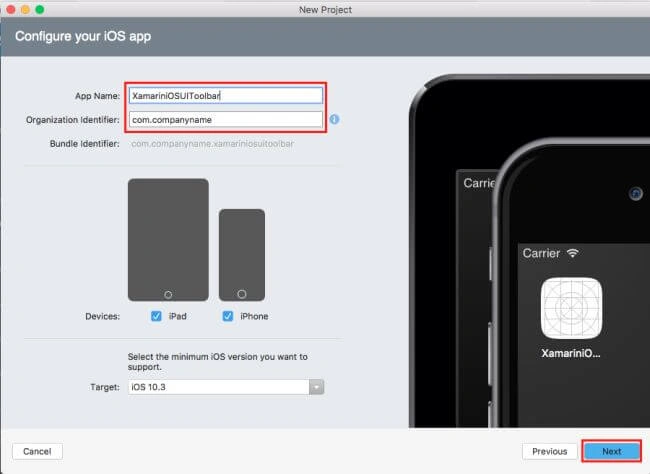
In this step, configure your app. Give the app name (Ex: sample), Organization Identifier. Afterwards, click Next.
Step 3
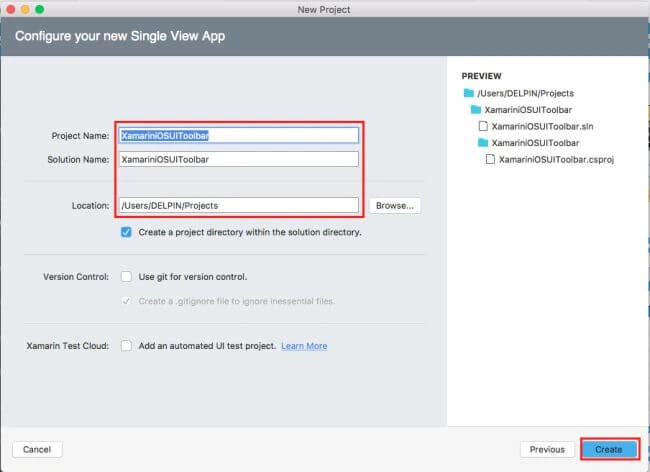
In this step, give your project name (Ex: Sample) and solution name (Ex: Sample). Give the path of your project. Afterwards, click Create.
Step 4
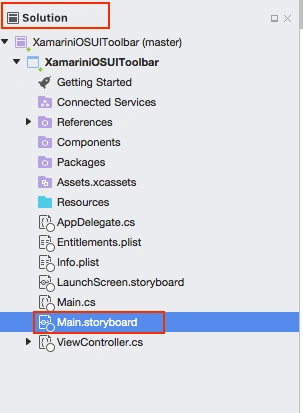
Subsequently, go to the solution. In the solution, get all the files and sources in your project. Now, select Main.storyboard and double-click to open Main.storyboard page.
After opening the Main.storyboard, you can design this page, as per your desire.
Step 5
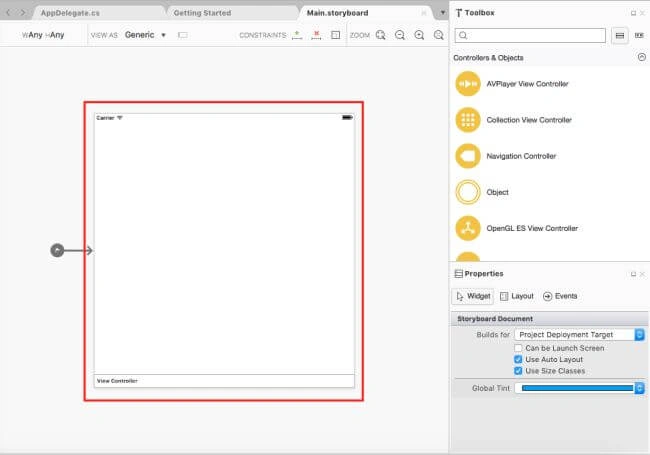
In this step, design your app.using storyboard, Toolbox, and Properties.
Step 6 Bottom Toolbar
Step 1
Go To Xamarin Studio.
Click New Solution—> select iOS—>select App--> Choose single View App. Afterwards, click Next.
Step 2
In this step, configure your app. Give the app name (Ex: sample), Organization Identifier. Afterwards, click Next.
Step 3
In this step, give your project name (Ex: Sample) and solution name (Ex: Sample). Give the path of your project. Afterwards, click Create.
Step 4
Subsequently, go to the solution. In the solution, get all the files and sources in your project. Now, select Main.storyboard and double-click to open Main.storyboard page.
After opening the Main.storyboard, you can design this page, as per your desire.
Step 5
In this step, design your app.using storyboard, Toolbox, and Properties.
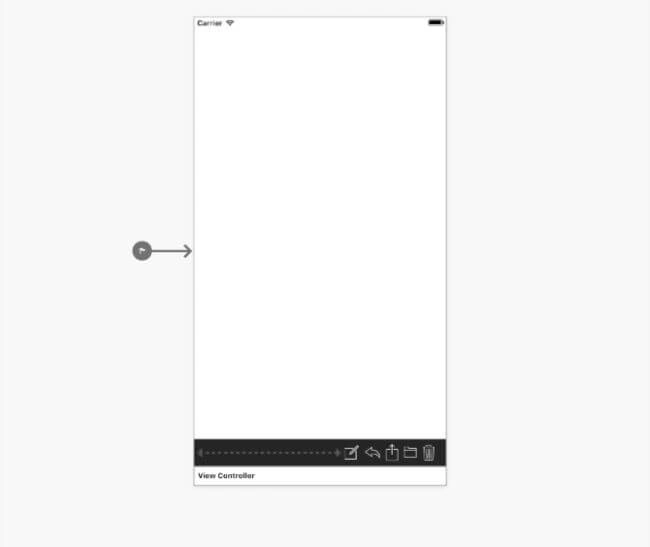
Step 6 Bottom Toolbar
- Toolbar
- Bar Button Item
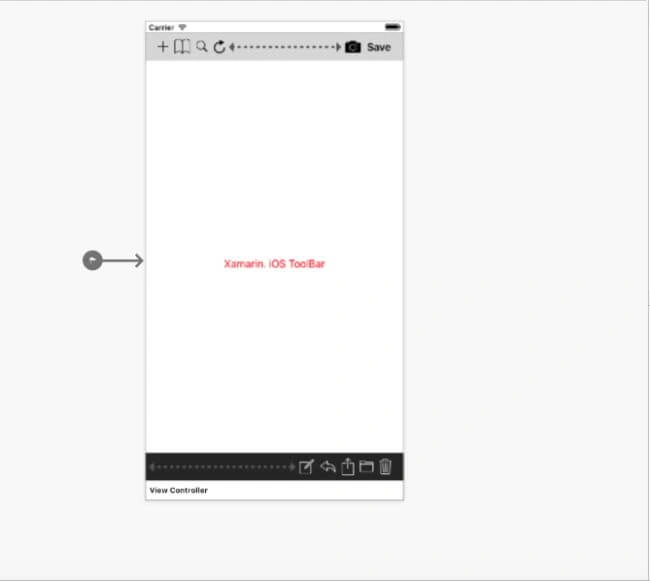
Step 7 Top Toolbar
- Toolbar
- Bar Button Item
Step 8
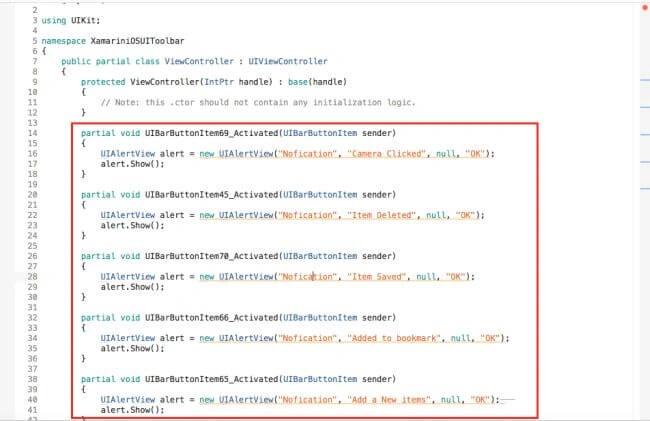
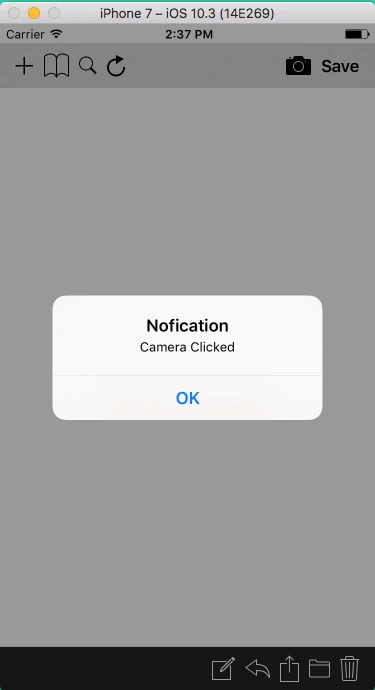
In this step, go to the ViewController.cs page. Write the code given below.
ViewController.cs

Arvind ChourasiyaPosted Sep 7, 2017, 2:14 AM
Best article for them who learning iOS like me :)