

Introduction
SharePoint, Microsoft's powerful collaboration platform, offers a versatile array of features to enhance team collaboration and content management. In this article, we will focus on SharePoint Classic Pages—a foundational element for designing and organizing content within SharePoint sites. From the step-by-step creation process to exploring the benefits and drawbacks, this guide aims to provide a comprehensive understanding of SharePoint Classic Pages.
Login Steps
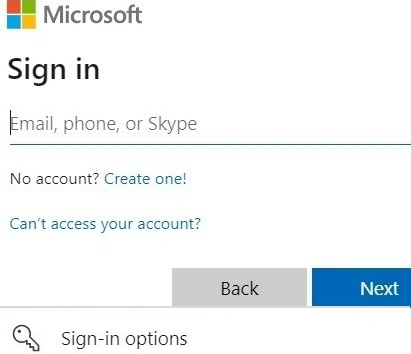
- Before beginning the page creation process, ensure you are logged into your SharePoint site with valid credentials.
- Use your Microsoft 365 account to sign in or follow your organization's authentication process.
Creating a SharePoint Classic Page Step-by-Step
Step 1. Access the SharePoint Site
Begin by navigating to your SharePoint site. Ensure you have the necessary permissions to create and modify pages.
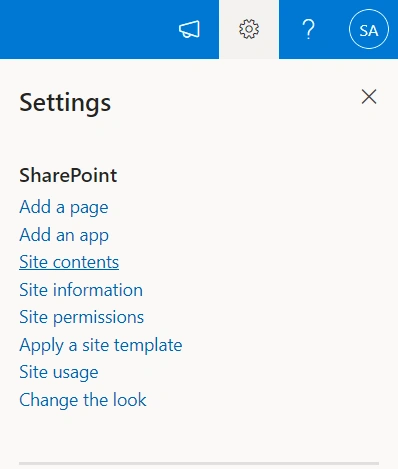
Step 2. Select Site Contents
Click on "Site Contents" to access the contents of your SharePoint site.
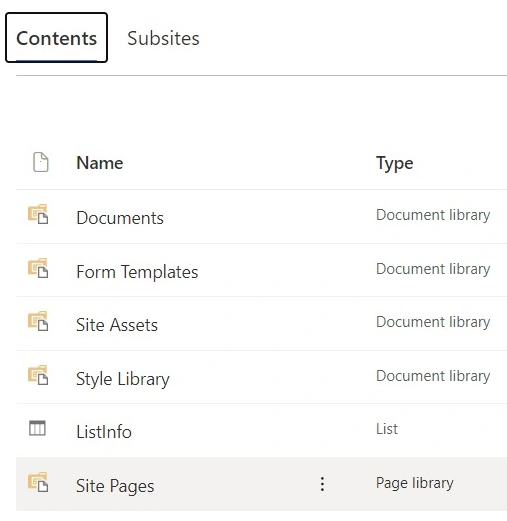
Step 3. Navigate to "Site Pages"
Locate and click on the "Site Pages" library. This is where your classic pages will be stored.
Step 4. Create a New Page
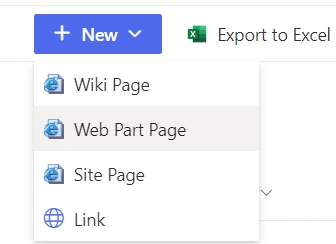
Click on "New" and select "Web Part Page" to initiate the page creation process.
Step 5. Configure Page Settings
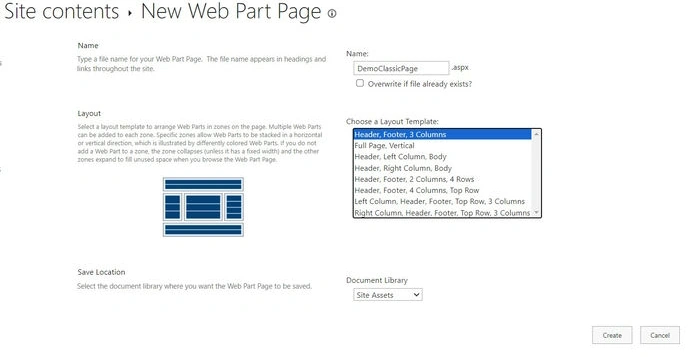
- Enter a meaningful title for your page.
- Choose a layout that suits your content organization needs.
- Customize additional settings such as the header, footer, and background color.
Step 6. Edit the Page Content
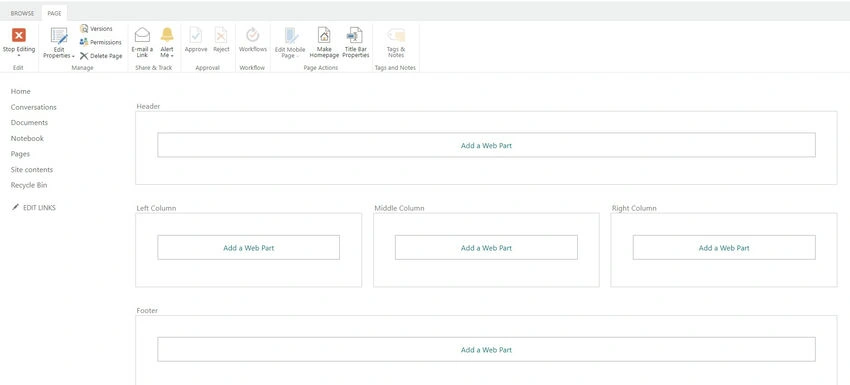
- Once the page is created, click on "Edit" to modify the content.
- Add web parts, text, images, and other elements to design the page layout.
Step 7. Save and Publish
Save your changes and publish the page to make it visible to other users.
Benefits of SharePoint Classic Pages
- Ease of Use: SharePoint Classic Pages offer a straightforward and familiar interface for users accustomed to traditional web page design.
- Customization: Users have the flexibility to customize layouts, add web parts, and design pages tailored to specific needs.
- Document Integration: Classic Pages seamlessly integrate with SharePoint document libraries, allowing for easy embedding of documents and media.
Disadvantages of SharePoint Classic Pages
- Limited Modern Features: Classic Pages lack the modern and responsive features available in SharePoint Modern Pages.
- End of Support: Microsoft is gradually transitioning away from Classic Pages, focusing more on Modern Pages. This may result in reduced support and updates for Classic Page features.
Conclusion
SharePoint Classic Pages serve as a foundational element for designing content-rich pages within SharePoint sites. While offering ease of use and customization, it's crucial to consider the evolving landscape of SharePoint and the emphasis on Modern Pages. As you navigate through the creation process and explore the benefits and disadvantages, keep in mind your organization's long-term strategy to make informed decisions on your SharePoint page design preferences.
Join the conversation! Your thoughts help the community grow.