

Understanding Delete Activity in Microsoft Fabric Data Pipelines (A Practical Guide)
When working with modern data platforms, one thing becomes clear very quickly—data isn’t just about ingestion and transformation. Sometimes, you need to remove data. Whether it’s cleaning up outdated files, managing storage, or enforcing governance policies, deletion is just as important as loading.
In Microsoft Fabric Data Pipelines, the Delete Activity plays a crucial role in helping you manage and maintain your data environment efficiently. In this article, I’ll walk you through what it is, why it matters, and how you can use it effectively in real-world scenarios.
What is Delete Activity?
Delete Activity in Microsoft Fabric Data Pipelines is a built-in component that allows you to remove files or folders from your data storage systems.
Think of it as your cleanup tool—used after data has served its purpose.
Instead of manually going into storage accounts or writing custom scripts, you can automate deletion as part of your pipeline workflow.
Why Delete Activity Matters
Many data engineers focus heavily on ingestion and transformation, but ignoring deletion can lead to:
Unnecessary storage costs
Data duplication
Performance issues
Compliance risks (especially with sensitive data)
Delete Activity helps you maintain a clean and optimized data environment by ensuring that only relevant data is retained.
Common Use Cases
Here are some practical scenarios where Delete Activity becomes extremely useful:
1. Cleaning Up Staging Data
After moving data from a staging (landing) layer to a curated layer, the raw files may no longer be needed.
Instead of letting them accumulate, you can automatically delete them after a successful pipeline run.
2. Managing Temporary Files
During transformations, temporary or intermediate files are often created. These files can clutter your storage if not removed.
Delete Activity ensures your environment stays tidy.
3. Enforcing Data Retention Policies
Organizations often have rules like:
Keep data for 30 days
Delete logs older than 90 days
With Delete Activity, you can automate such policies without manual intervention.
4. Preventing Duplicate Processing
Sometimes pipelines reprocess the same files due to retries or failures.
Deleting already processed files helps avoid duplication issues.
Key Features of Delete Activity
Delete Activity in Fabric is quite flexible and allows you to:
Delete specific files or entire folders
Use wildcard paths for dynamic deletion
Integrate with pipeline conditions (e.g., delete only on success)
Work across supported storage systems
This flexibility makes it suitable for both simple and complex workflows.
How Step-by-Step Hands-on Demo Pipeline with Delete Activity
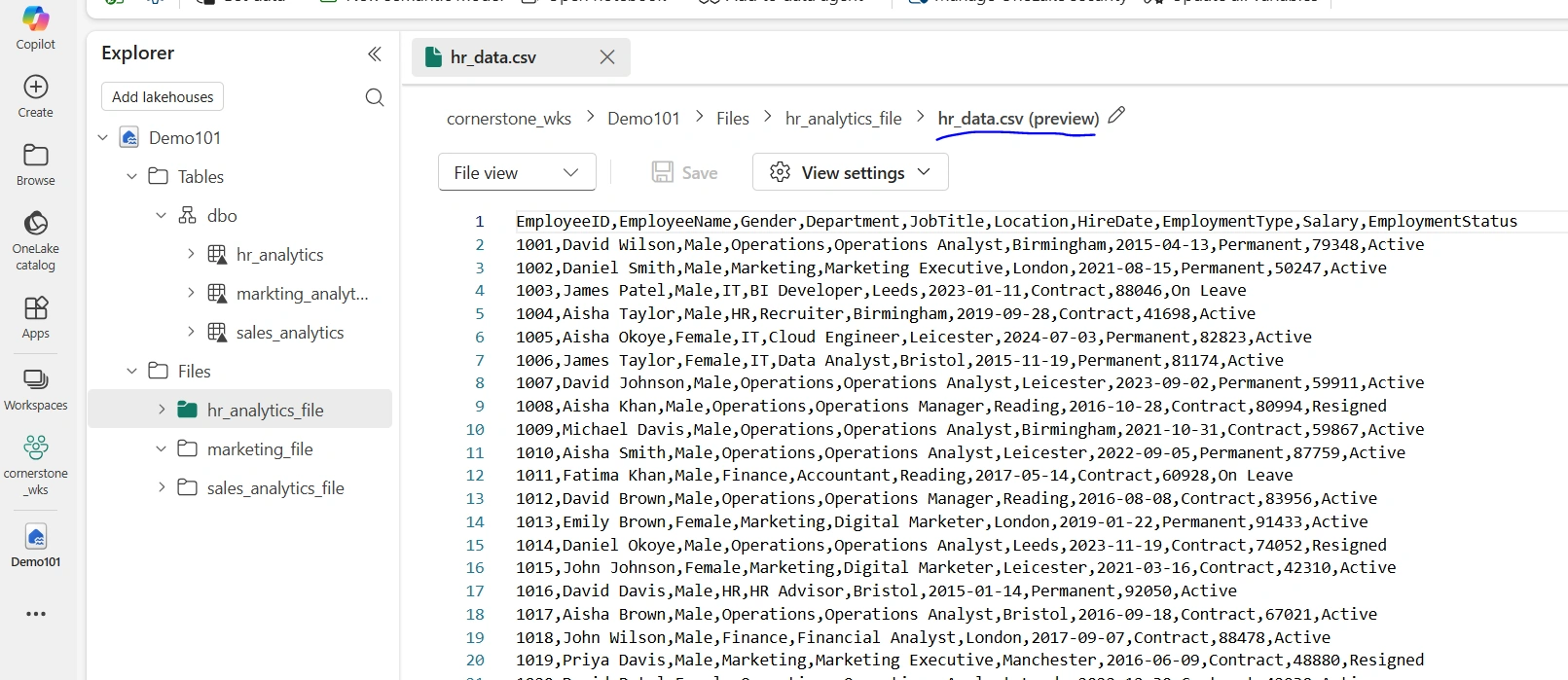
In my Fabric Lakehouse, I have hr_data.csv file in the hr_analytics_file subfolder that I want to delete using the delete activity of the data pipeline
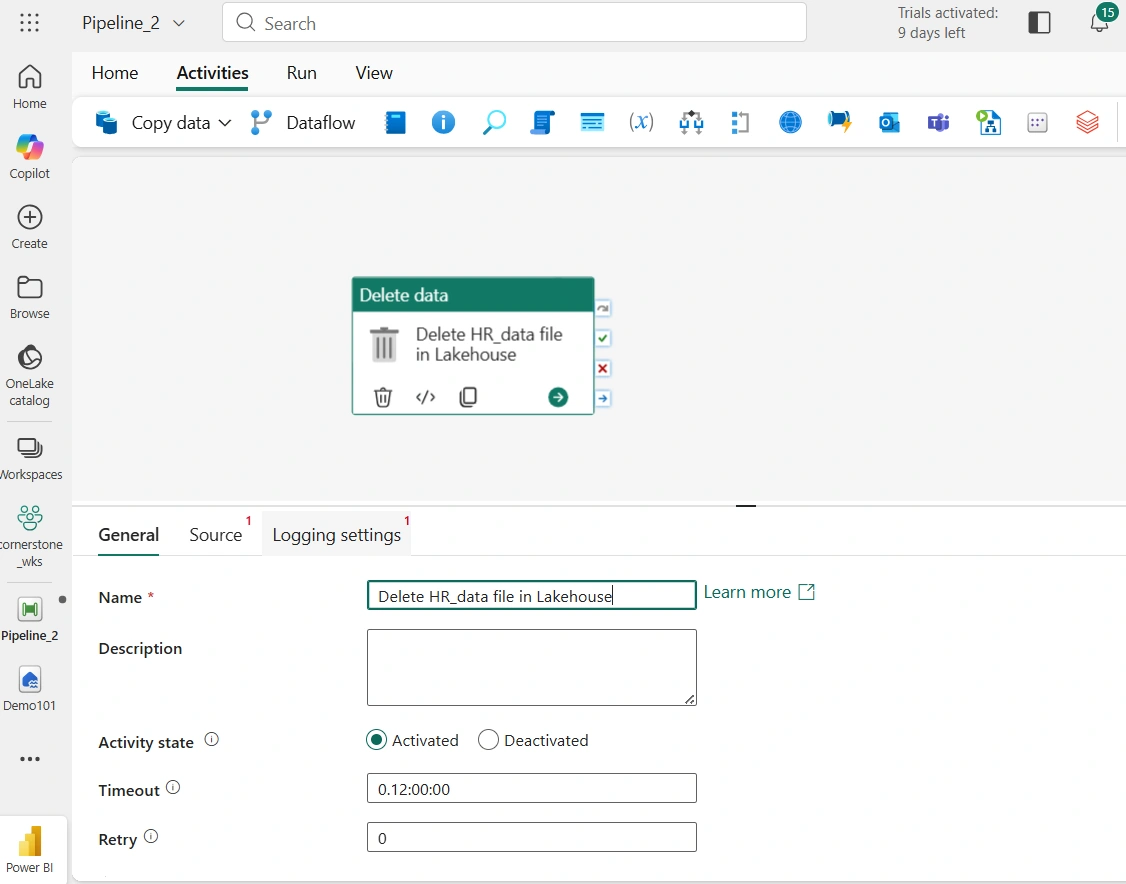
Next, I provisioned Fabric data pipeline and drag the Delete data activity to the pipeline canvas. Under the General tab, I provided a name for the activity
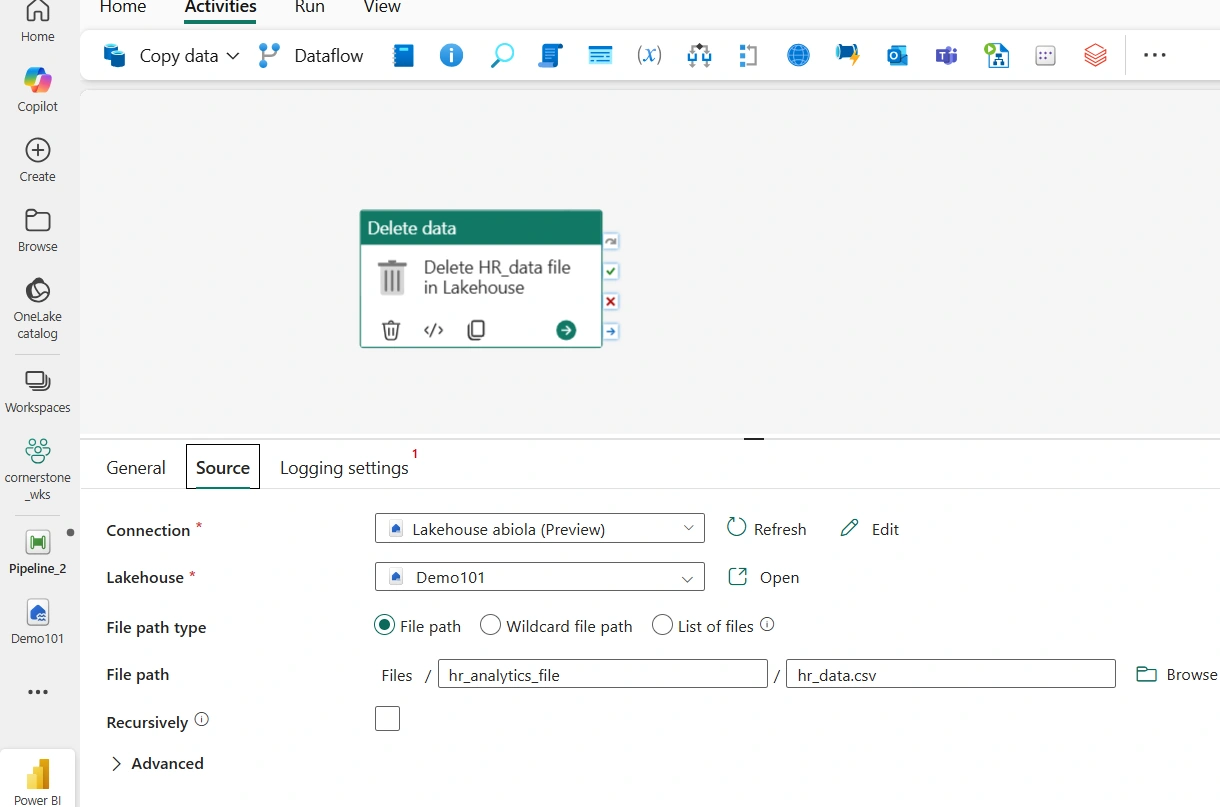
Next, In the Source tab, I selected the Lakehouse Connection and the specific Lakehouse where my file is resident which is Demo101. For the file path, I browsed through the location of the file and selected the hr_data.csv as seen below
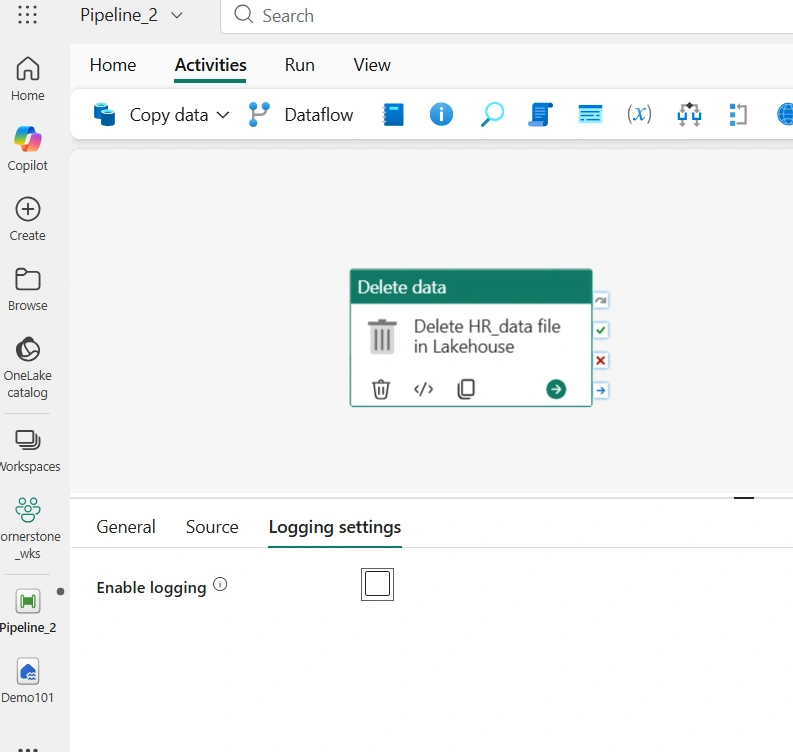
Next, In the Logging settings tab, for this article, I unchecked Enable logging as seen below
Next, I run the pipeline and as seen below, it was successfully completed without any error
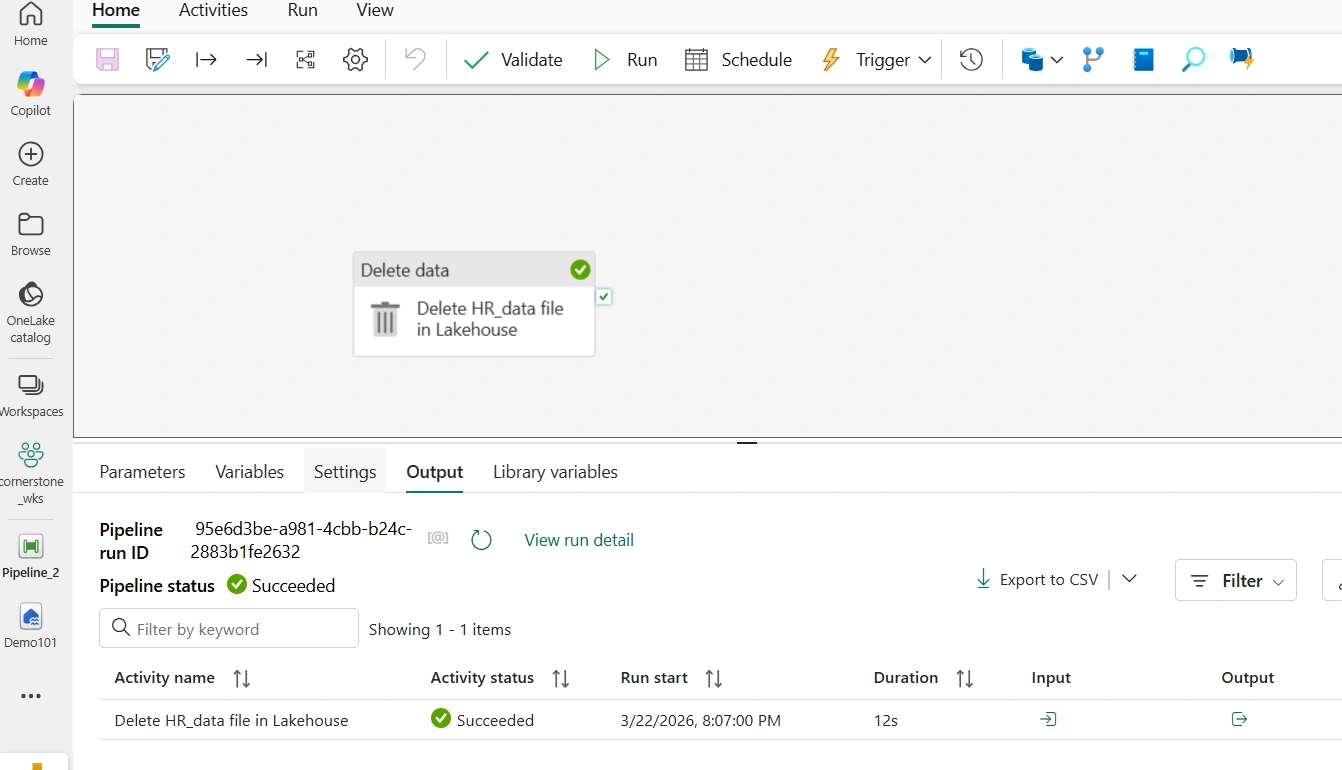
Finally, after inspecting the hr_analytics_file subfolder, the hr_data.csv is deleted!

Best Practices
To use Delete Activity effectively, keep these best practices in mind:
1. Always Validate Before Deleting
Make sure upstream activities (like Copy or Dataflow) have completed successfully before triggering deletion.
A common pattern is:
Copy Activity → Success → Delete Activity
2. Use Conditional Execution
Avoid accidental data loss by using conditions such as:
“Run only if previous activity succeeded”
3. Avoid Hardcoding Paths
Use parameters and dynamic content instead of fixed paths. This makes your pipelines reusable and scalable.
4. Implement Logging
Track what gets deleted. This is especially important for auditing and troubleshooting.
5. Be Careful with Wildcards
Wildcards are powerful—but dangerous if misused. Always test with non-critical data before deploying to production.
Real-World Example
Imagine you’re building a sales data pipeline:
Raw CSV files land in a storage container
Pipeline ingests them into a curated table
Data is transformed and stored in a warehouse
Raw files are no longer needed
At this point, Delete Activity can automatically remove those raw files, ensuring:
Storage stays optimized
No duplicate ingestion occurs
Pipeline remains efficient
Final Thoughts
Delete Activity might seem like a small feature in Microsoft Fabric Data Pipelines, but it plays a big role in maintaining a clean, efficient, and compliant data ecosystem.
As data engineers, it’s not just about moving and transforming data—it’s about managing its entire lifecycle. And deletion is a key part of that lifecycle.
If you start incorporating Delete Activity thoughtfully into your pipelines, you’ll notice improvements not just in storage management, but also in pipeline reliability and overall system performance.
Join the conversation! Your thoughts help the community grow.