

Introduction
In this article, we’ll explore what solution layers are in the Power Platform and how they work. We’ll look at how to add and remove custom (unmanaged) layers from a managed solution. It’s important to remove any unmanaged layers before deploying a new version of a managed solution.
Solution Layers
In Power Platform there are mainly 2 types of Solution Layers:
Unmanaged Layer: This is where all custom changes and imported unmanaged solutions are stored. There’s only one unmanaged layer, and it always sits on top of all managed layers.
Managed Layer: Managed layers are created from the managed solutions you import. Think of them like stacked layers: every time you install a new managed solution, it gets added on top of the older ones. The newest managed solution always sits at the top of the stack.
Let's understand how unmanaged layers get created with a simple example:
When you edit something that comes from a managed solution, Power Platform does not change the managed layer.
Instead, it creates a new unmanaged layer on top of it.
This unmanaged layer works like your own custom version on top of the original.
For example:
You deploy a managed solution that includes a Power Automate flow.
In production, the flow has an issue.
You open the flow, fix it, and save it.
As soon as you save, Power Platform adds a new unmanaged layer containing your changes.
Remove the Unmanaged layer from a managed solution
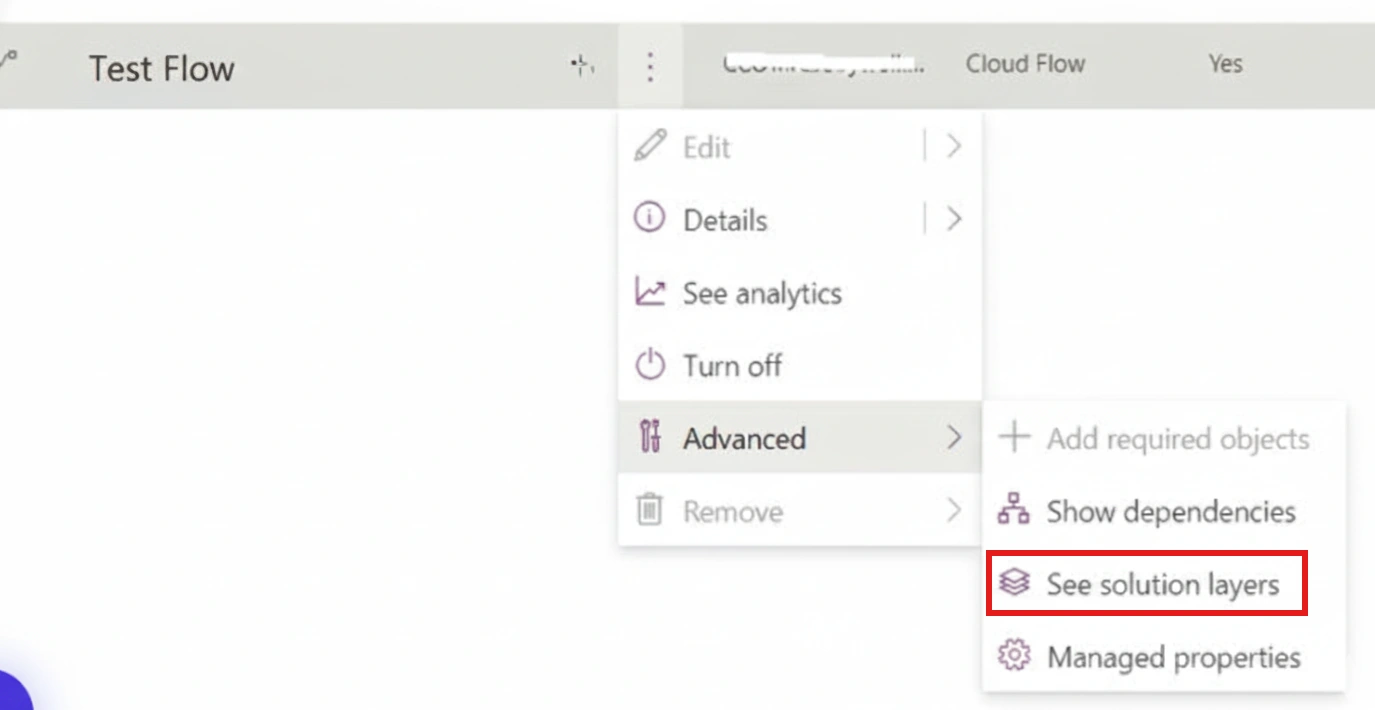
If you have added an unmanaged layer to a managed solution, you should remove it before deploying the latest version. To do this, select the flow and go to Advanced then go to See solution layers . This will open the Solution Layers page.
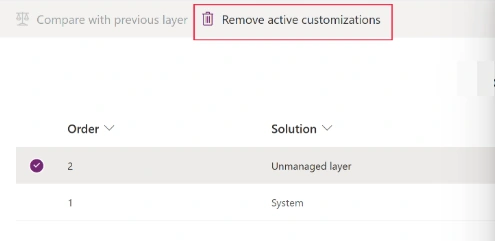
On the Solution Layers page, select the Unmanaged layer and click Remove active customizations .
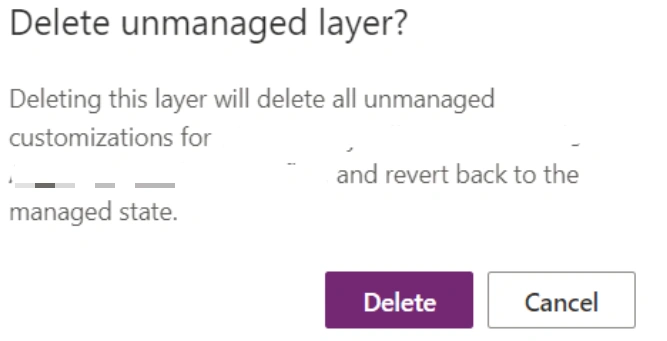
You will get a message saying that deleting the unmanaged layer that will remove all your custom changes and restore the flow back to how it was in the managed solution. Click Delete to remove the unmanaged layer. Once the unmanaged layer is gone, you can safely deploy the new version of your managed solution to production.
Conclusion
In this article, I explained what Power Platform solution layers are and how you can add or remove unmanaged changes from managed solutions.
Join the conversation! Your thoughts help the community grow.