

Introduction
This article is written to get an understanding of Regular Expressions and why we use them when we already have string operations. We look at how much time does it take to learn it, what type of elements it contains, and how many languages the Regular Expression is available in. We also see where we can run our expression to test or visualize it. Some important Regular Expressions are included as references.
What is a Regular Expression?
A Regular Expression, or Regex, is a pattern we search for in a text. This regex helps with matching, locating, and managing text.
What is the Use of Regex?
A Regex can save you a massive amount of time if you need to parse large amounts of data in the text.
Why Do We Need Regex When We Have String Operations?
Actually, it depends on many factors that how we use it and on what type of data because regular expressions might have some performance issues compared to string operations. On the contrary, it completely depends on how clever are you at creating and performing a regex pattern on your data. Moreover, regex is mostly not used for performance level, but rather to handle complex logic with very little code.
How Long Does it Take to Learn Regex?
I would say you can get to know it in about 30 minutes. Furthermore, it is an ever-learning process in defining regular languages. What I mean is that even though you might learn the syntaxes needed for regex, which we will look at in a further explanation, you’ll keep on learning it forever because creating a unique Regular Expression for a pattern to match is what we do in every code we come across.
What is a Regular Language?
A regular or rational language is just a formal language expressed with the help of regular expression. It is also defined as a language recognized by finite automation. Formal languages are nothing but words in which letters are taken from an alphabet, based on a specific set of rules.
Can We Only Use Regex in C#?
Regex supports many languages including C#, Java, Pearl, Javascript, MySQL, and Oracle. Whereas MSSQL has pure SQLOperators /functions such as LIKE and PATHINDEX which are sufficient, EVAL SQL.NET comprises of SQL Regex - ISMatch, Match, Matches, Replace, Split will help you easily cover all unsupported formats.
What is the Regex Made of?
Regex is full of elements, such as Basic syntax, Position, Character, Special Characters, Escape Sequences, Groups, and Range, Quantifiers, Assertions, String Replacement, Pattern Modifiers, etc.
Regular Expression Elements
|
Basic Syntax
|
Position
|
|
/…/ Start and End Regex delimiters
|
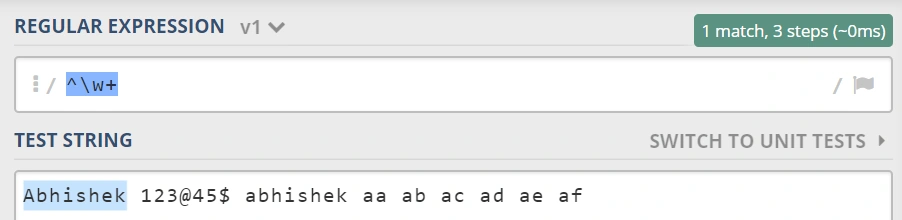
^ Start of a string/line/multiline |
|
() Grouping
|
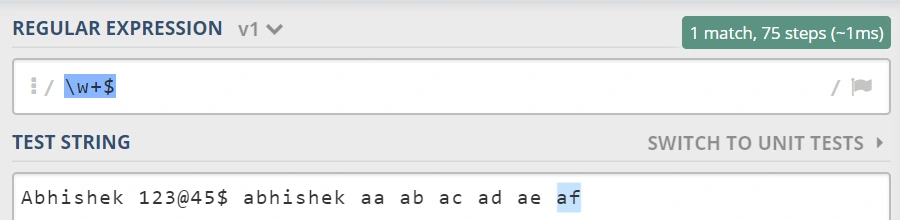
$ End of String/line/multiline
|
|
| Alternation
|
\A Start of String
|
|
Groups and Range:
|
\Z End of String
|
|
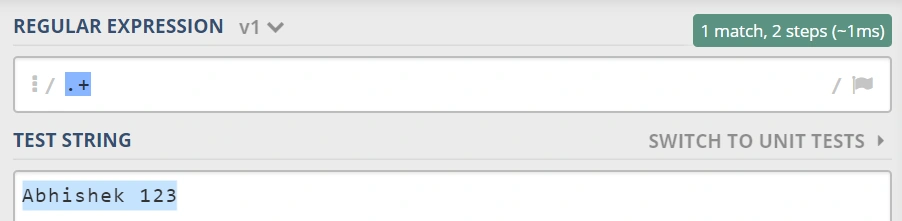
. Any Character except \n
|
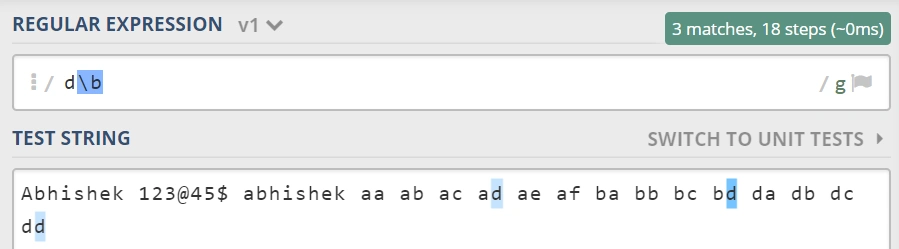
\b Word Boundary
|
|
(…) Capturing Group
|
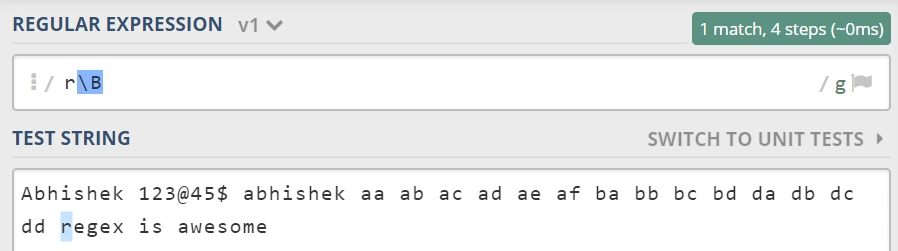
\B Word Non-Boundary
|
|
(a|b) a or b
|
\< Start of Word
|
|
(?:) Non-Capturing Group
|
\> End of Word
|
|
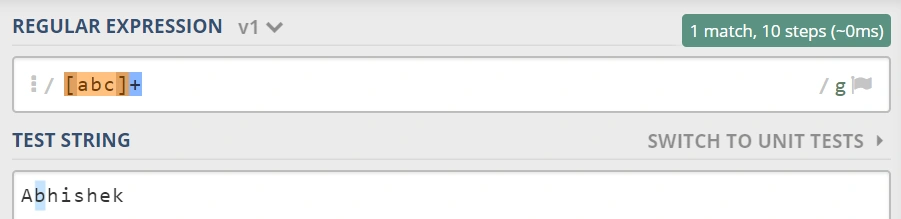
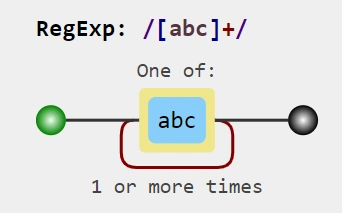
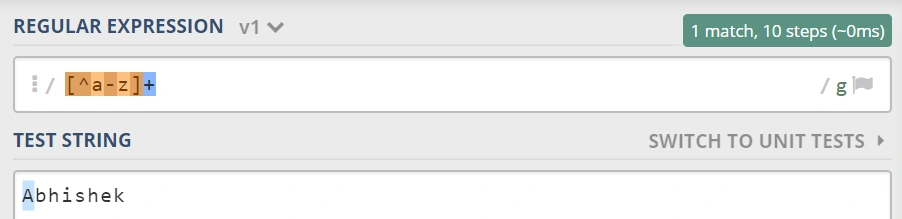
[abc] a,b or c
|
Character:
|
|
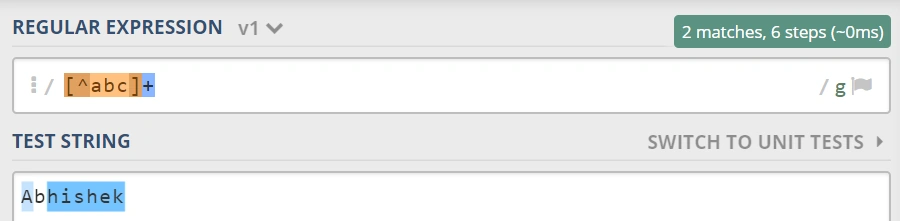
[^abc] Not a,b or c
|
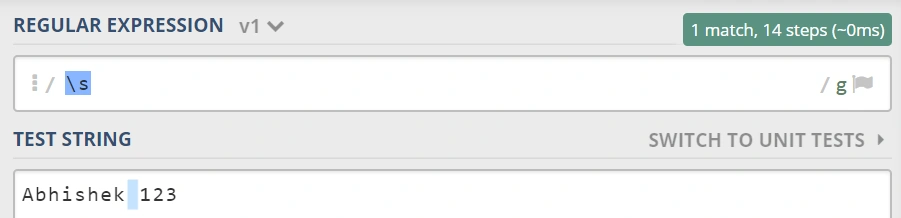
\s White Space
|
|
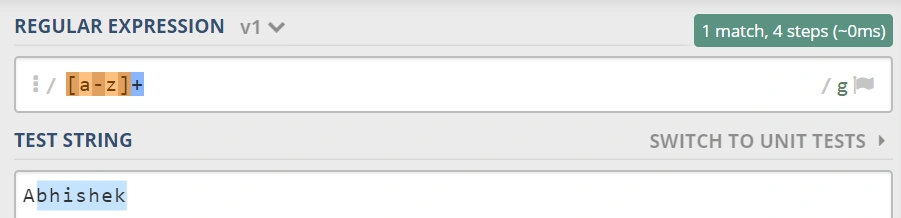
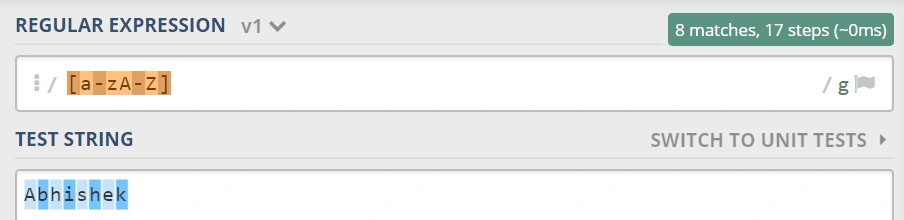
[a-z] Lower Case Letters from a to z
|
\S Non-White Space
|
|
[A-Z] Upper Case letters from A to Z
|
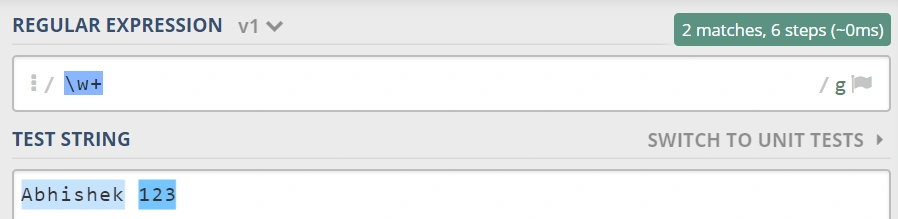
\w Word Character
|
|
[0-9] Digits from 0 to 9
|
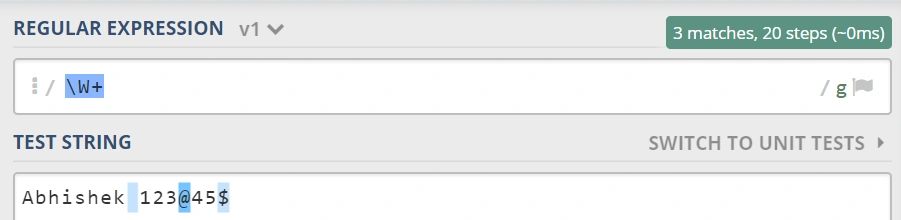
\W Non-Word Character
|
|
Quantifiers:
|
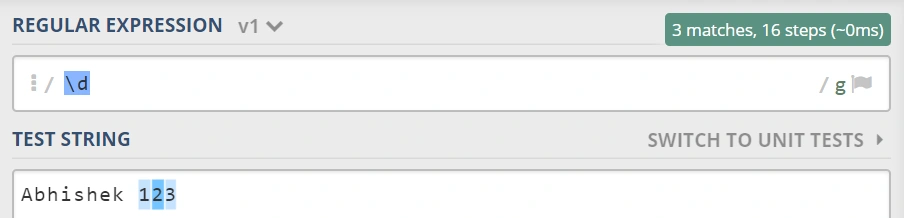
\d Digit
|
|
* Zero or More
|
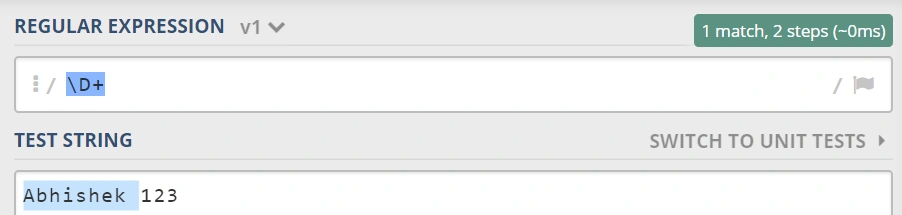
\D NonDigit
|
|
+ One or More
|
\x HexaDecimal Digit
|
|
? Zero or One
|
\0 Octal Digit
|
|
{2} Exactly Two
|
[\b] Backspace Character
|
|
{2,} Two or more
|
Special Characters:
|
|
{2,6} Between 2 and 6 like (2,3,4,5 or 6)
|
\f form feed
|
|
String Replacement:
|
\n Newline
|
|
$+ Last Matched Group
|
\r Carriage Return
|
|
$& Entire Matched Group
|
\t Tab
|
|
`$`` Before Matched Group |
\v Vertical Tab
|
|
$’ After Matched Group
|
\xaa Hex Character aa
|
|
$1 First Group
|
\0nn Octal Character nn matches when (0<=n<=7)
|
|
$n nth Group
|
Escape Sequences:
|
|
Assertions:
|
\Q Begin Literal Sequence
|
|
?= Lookahead Assertion
|
\E End Literal Sequence
|
|
?<= Lookbehind Assertion
|
\ Escape following Characters like {}^$.|*+?
|
|
?! Negative Lookahead
|
Pattern Modifiers: Flags
|
|
?<! or ?!= Negative Lookbehind
|
g Global Match
|
|
?> Only Once Subscription
|
s Single line Mode matches all including line breaks
|
|
?() Condition If Then
|
m Multiline Mode (^ and $ match start and end of a line)
|
|
?()| Condition If Then Else
|
E Evaluate Replacement
|
|
?# Comment
|
i case insensitive, ignore case
|
|
U Un-greedy Mode
|
|
|
x Allow Components and White Space
|
|
|
POSIX: (Portable Operating System for Unix)
|
POSIX: (Portable Operating System for Unix)
|
|
[:aplha:] All Letters
|
[:blank:] Space and Tab
|
|
[:upper:] Upper Case Letters
|
[:space:] Blank Characters
|
|
[:lower] Lower Case Letters
|
[:cntrl:] Control Characters
|
|
[:alnum:] Digits and Letters
|
[:graph:] Printed Characters
|
|
[:digit:] Digits
|
[:print] Printed Characters and Spaces
|
|
[:xdigit:] Hexa Decimal Digits
|
|
|
[:punt] Punctuation
|
|
|
[:word] Digits Letters Underscore
|
Join the conversation! Your thoughts help the community grow.