

Introduction
Today we'll learn to update the data in the database using ASP.NET Web Pages 2. So far we've done Inserting & Validating Record and now we will edit the information that is saved in the database.
In that context we'll select a specific record and update the record from the database using WebMatrix. We'll also use the hidden field to store the information in here. So let's proceed with the following.
Working with Editing Record
In this section we'll provide a link to edit the record in the Cricketers page. Use the following procedure to do that.
Step 1: Open the Cricketers.cshtml page
Step 2: modify the GetHtml() method with the highlighted code below:
@CricGrid.GetHtml(
     tableStyle: "CricGrid",
     headerStyle: "head",
     alternatingRowStyle: "alt",
     columns: CricGrid.Columns(
           CricGrid.Column("Name"),
           CricGrid.Column("Team"),
           CricGrid.Column("Grade"),
           CricGrid.Column(format: @<a href="~/[email protected]">Update</a>)
      )
)
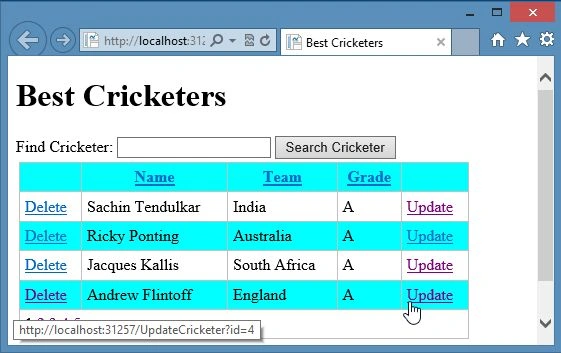
In the code above there is a new column added in the WebGrid in which a link is added named Update. When the button is clicked by the user the corresponding record ID is passed as you can see in the following URL:
http://localhost:31257/EditCricketer?id=9
Step 3: Run the page and you'll see the Update link in the grid as shown below:

Creating Edit Page
We've done the process of linking the Edit page from the Cricketers Page. Now we've to create the Edit page using following procedure.
Step 1: Create a new UpdateCricketer page and replace the code with the code below:
<body>
   <h1>Edit Cricketer</h1>
   @Html.ValidationSummary()
   <form method="post">
        <fieldset>
             <legend>Cricketer Information</legend>
             <table>
                  <tr>
                      <td style="width: 100px"><label for="name">Name:</label></td>
                      <td><input type="text" name="name" value="@name" /></td>
                  </tr>
                  <tr>
                      <td><label for="team">Team:</label></td>
                      <td><input type="text" name="team" value="@team" /></td>
                  </tr>
                  <tr>
                      <td><label for="grade">Grade:</label></td>
                      <td><input type="text" name="grade" value="@grade" /></td>
                  </tr>
                  <tr>
                      <td colspan="2"><input type="submit" name="BtnSubmit" value="Save Changes" /></td>
                  </tr>
             </table>
             <input type="hidden" name="CricID" value="@Cricid" />
        </fieldset>
   </form>
</body>
Now run the page.
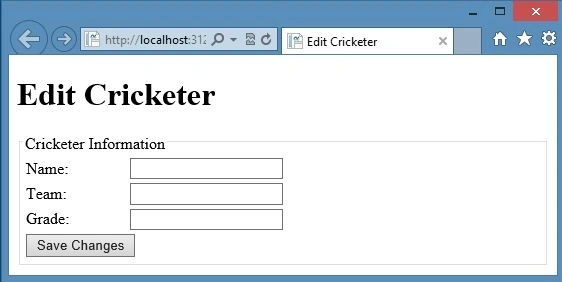
Step 2: Now we add the code in the code block to read the single movie.
@{
    var name ="";
    var team ="";
    var grade ="";
    var Cricid ="";
    if(!IsPost){
        if(!Request.QueryString["ID"].IsEmpty()){
            Cricid = Request.QueryString["ID"];
            var Cric_Db = Database.Open("Cricketer Site");
            var CommandText = "SELECT * FROM Cricketers WHERE ID = @0";
            var Cric_SelectedRow = Cric_Db.QuerySingle(CommandText, Cricid);
            name= Cric_SelectedRow.Name;
            team= Cric_SelectedRow.Team;
            grade= Cric_SelectedRow.Grade;
        }
        else{
            Validation.AddFormError("Invalid Selection!!");
        }
    }
}
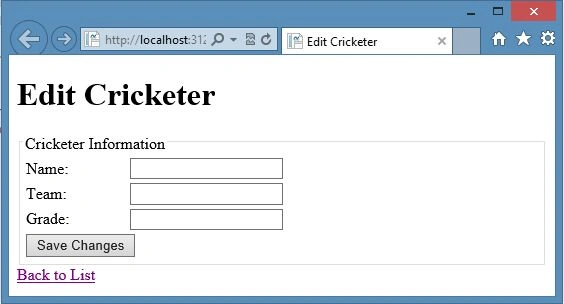
Now you can run your Cricketers page then click on the Update link, the Update page will open however nothing will happen when you click on "Save Changes" because the Update query is missing.

Join the conversation! Your thoughts help the community grow.