

Introduction
In this article, I explain the time and date classes in Android, how to use the Date and Time Classes in Android and how to work with these classes. You can easily understand it using the following instructions.
Step 1
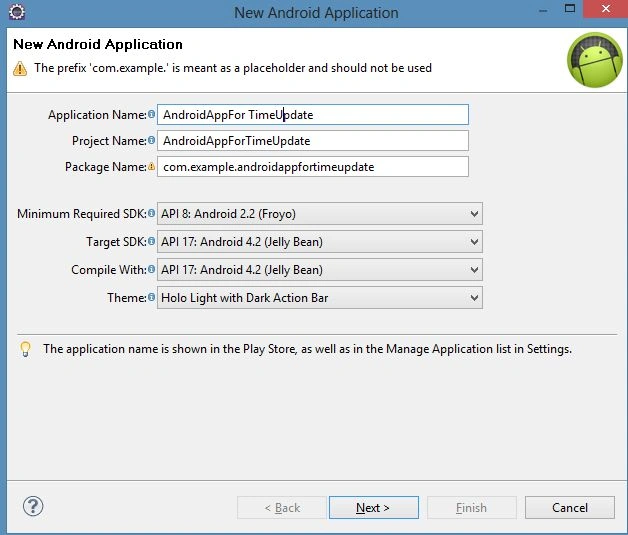
As usual, create a new project file as in the following.
Step 2
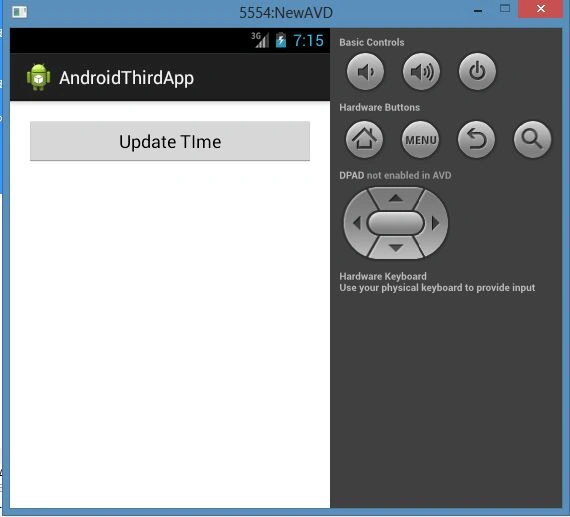
Open the "activity_main.xml" file and update it with the following code:
- <RelativeLayout xmlns:android="http://schemas.android.com/apk/res/android"
- xmlns:tools="http://schemas.android.com/tools"
- android:layout_width="match_parent"
- android:layout_height="match_parent"
- android:paddingBottom="@dimen/activity_vertical_margin"
- android:paddingLeft="@dimen/activity_horizontal_margin"
- android:paddingRight="@dimen/activity_horizontal_margin"
- android:paddingTop="@dimen/activity_vertical_margin"
- tools:context=".MainActivity" >
- <Button
- android:id="@+id/button1"
- android:layout_width="wrap_content"
- android:layout_height="wrap_content"
- android:layout_alignParentLeft="true"
- android:layout_alignParentRight="true"
- android:text="@string/update_btn" />
- </RelativeLayout>
Step 3
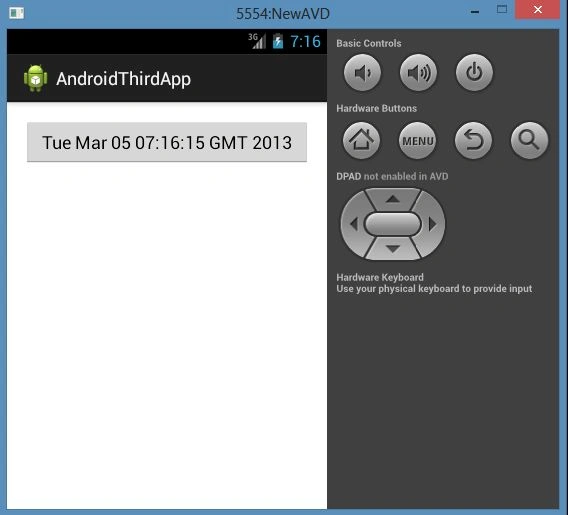
Open the "MainActivity.java" file and update it with the following code:
- package com.example.androidthirdapp;
- import java.util.Date;
- import android.app.Activity;
- import android.os.Bundle;
- import android.view.Menu;
- import android.view.View;
- import android.widget.Button;
- public class MainActivity extends Activity {
- Button btn;
- @Override
- protected void onCreate(Bundle savedInstanceState) {
- super.onCreate(savedInstanceState);
- setContentView(R.layout.activity_main);
- btn = (Button) findViewById(R.id.button1);
- //Onclick listener
- btn.setOnClickListener(new View.OnClickListener() {
- //Onclick method
- public void onClick(View v) {
- //Call updateTime() when button is clicked
- updateTime();
- }
- });
- }
- //Method definition starts here with no return type
- public void updateTime() {
- //Setting button text with current time
- //java.util.Date() method is used to get the current time
- btn.setText(new Date().toString());
- }
- @Override
- public boolean onCreateOptionsMenu(Menu menu) {
- // Inflate the menu; this adds items to the action bar if it is present.
- getMenuInflater().inflate(R.menu.main, menu);
- return true;
- }
- }
Join the conversation! Your thoughts help the community grow.