
Introduction
AJAX (Asynchronous
JavaScript and XML) is a new web development technique use for the interactive
website. AJAX helps us develop web applications and retrieve a small amount of
data from a web server. AJAX consists of different types of technology.
- JavaScript
- XML
- Asynchronous Call to the server
Master Page : Master pages allow you to create a consistent look and behavior for all the pages (or group of pages) in the web application. A master page provides a template for other pages, with shared layout and functionality. The master page defines placeholders for the content, which can be overridden by content pages. The output result is a combination of the master page and the content page. When users request the content page, ASP.NET merges the pages to produce output that combines the layout of the master page with the content of the content page.
Master Page Property :
- Content Placeholder tag <asp:Content Placeholder>
- Content tag <asp:content>
- Go to File->New->WebSite
- Select ASP.NET Empty WebSite
Add MasterPage :
Step 2 : Go to Solution Explorer and right-click.
- Select Add->New Item
- Select Master Page
- Masterpage.master page open
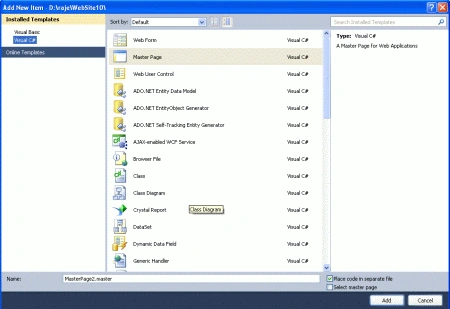
Step 3 : Go to Masterpage [Design Option] and drag Scriptmanager control from Toolbox.
- ScriptManager Control design outside the ContentPlaceHolder.
ScriptManagerControl :
<asp:ContentPlaceHolder
id="head"
runat="server">
</asp:ContentPlaceHolder>
</head>
<body>
<form
id="form1"
runat="server">
<div
style="background-color:
#00FFFF">
<asp:ScriptManager
ID="ScriptManager1"
runat="server">
</asp:ScriptManager>
<asp:ContentPlaceHolder
id="ContentPlaceHolder1"
runat="server">
Create Content page for the master page :
Step 4 : Go to Solution Explorer and right-click.
- Select Add->New Item
- Select WebForm
- Select MasterPage check box and click ok
- Default.aspx page open
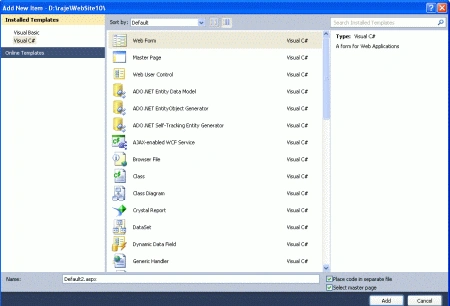
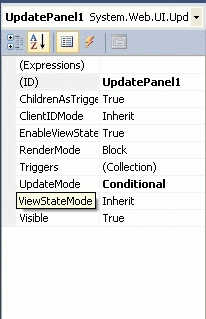
Add UpdatePanel inside the Content option.
Step 5 : Go to the Toolbox
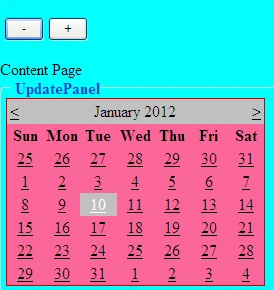
and drag a UpdatePanel, Calendar Control inside the content option.
Control :
<asp:Content
ID="Content1" ContentPlaceHolderID="head"
Runat="Server">
</asp:Content>
<asp:Content
ID="Content2" ContentPlaceHolderID="ContentPlaceHolder1"
Runat="Server">
Content Page<br
/>
<asp:UpdatePanel
id="UpdatePanel1"
runat="server"
UpdateMode="Conditional">
<contenttemplate>
<fieldset>
<legend><strong>UpdatePanel<br
/> </strong></legend>
<asp:Calendar
id="Calendar1"
runat="server"
onselectionchanged="Calendar1_SelectionChanged" BackColor="#FF6699"
BorderColor="#CC0000"></asp:Calendar>
</fieldset>
</contenttemplate>
</asp:UpdatePanel>
</asp:Content>
Step 6 :
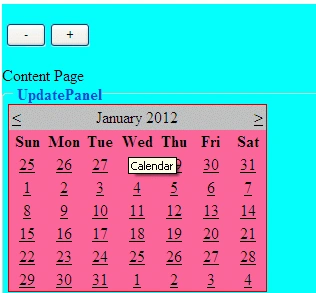
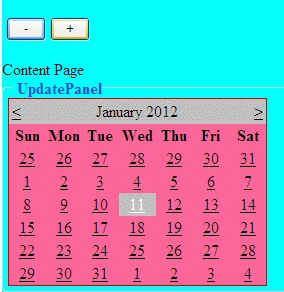
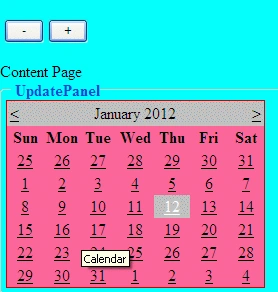
Now run the application by Pressing F5.
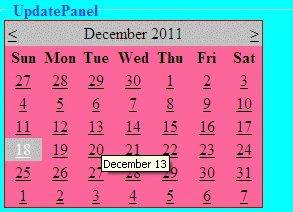
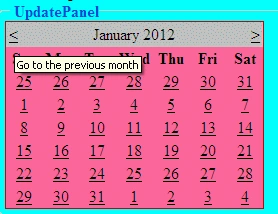
samrat mattePosted Jul 19, 2017, 7:05 AM
Getting error : The type name 'Site1' does not exist in the type 'System.Web.UI.WebControls.Panel'. "Site1" is my master page name.