

Introduction
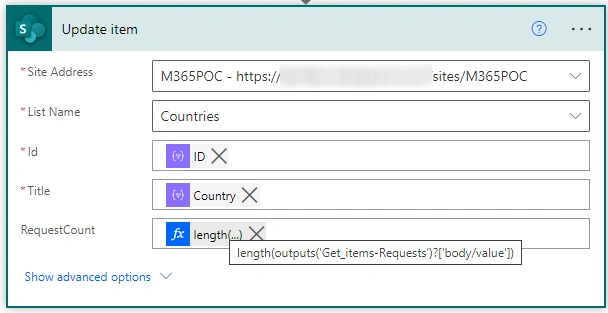
In this article, we will go through how to update the list column based on requests on other lists. Here I have 2 lists, one is requests and the other is countries.
In the requests list ‘Country’ is a look up column.
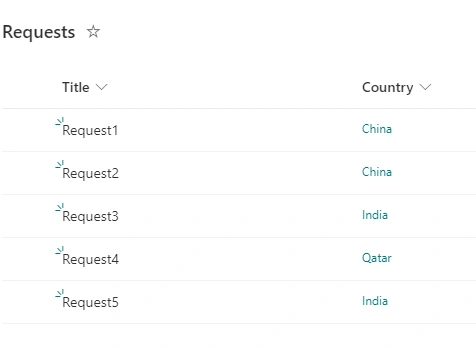
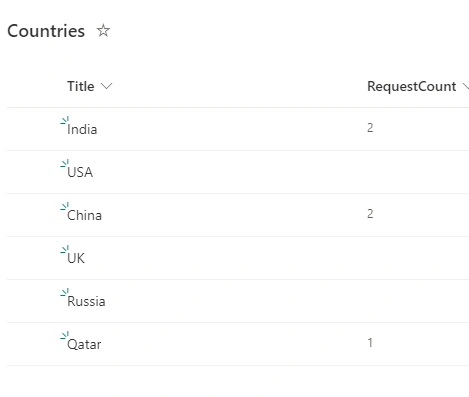
Here the property ‘RequestCount’ contains the count of requests based on ‘Requests’ list.
Flow Design
Now we will go through the steps of designing the flow.
Step 1
Login to Power Automate portal (https://make.powerautomate.com) with your organization account.
Step 2
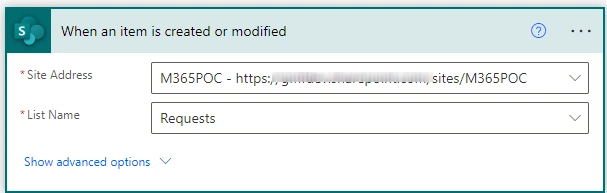
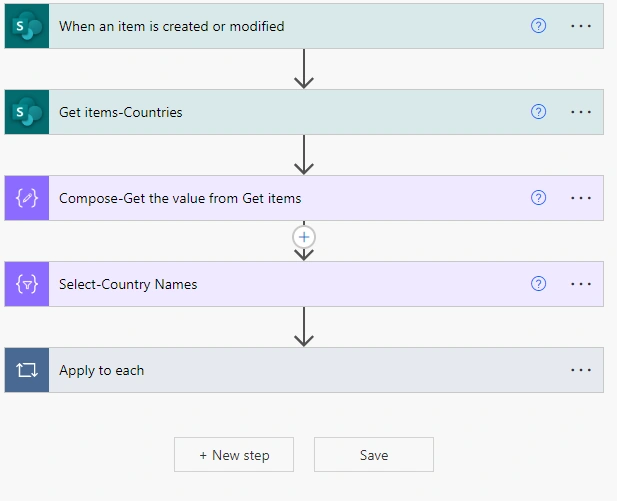
Select the trigger point as SharePoint and select 'On item created or modified'.
Step 3
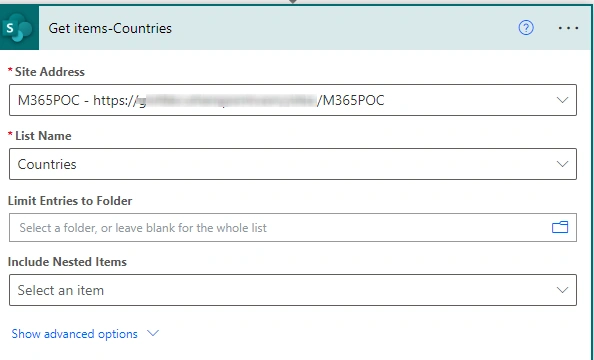
Get items from the countries list.
Step 4
From the countries list we need ID and the Country names. These are needed to update the list item properties. Here create the JSON object using the ‘Select’ data operation.
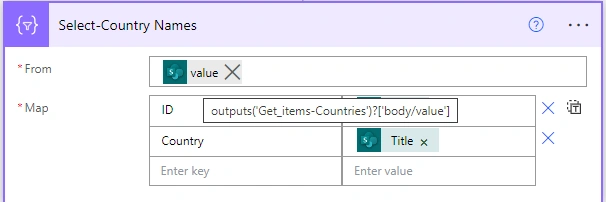
- From: property is dynamic property ‘value’ from the ‘Get items – Countries’ action.
- Map:
- Here since we need JSON object enter the first key as ID, and values as item()?[‘ID’]
- Enter the other key as ‘Country’ and the value is item()?[‘Title’]
Step 5
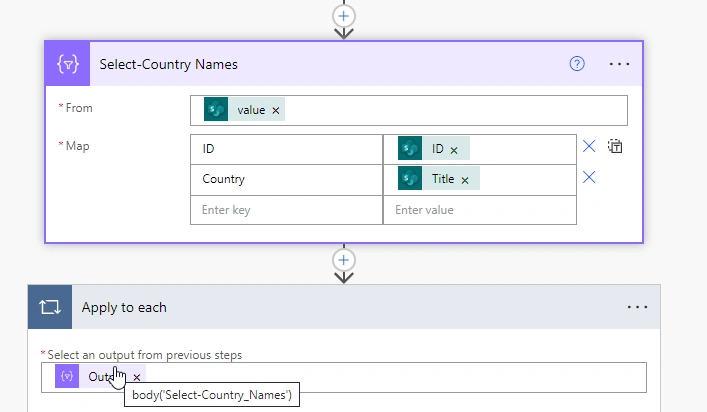
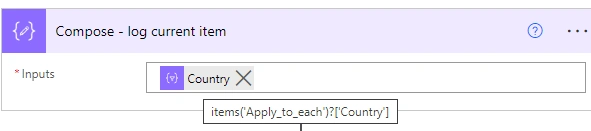
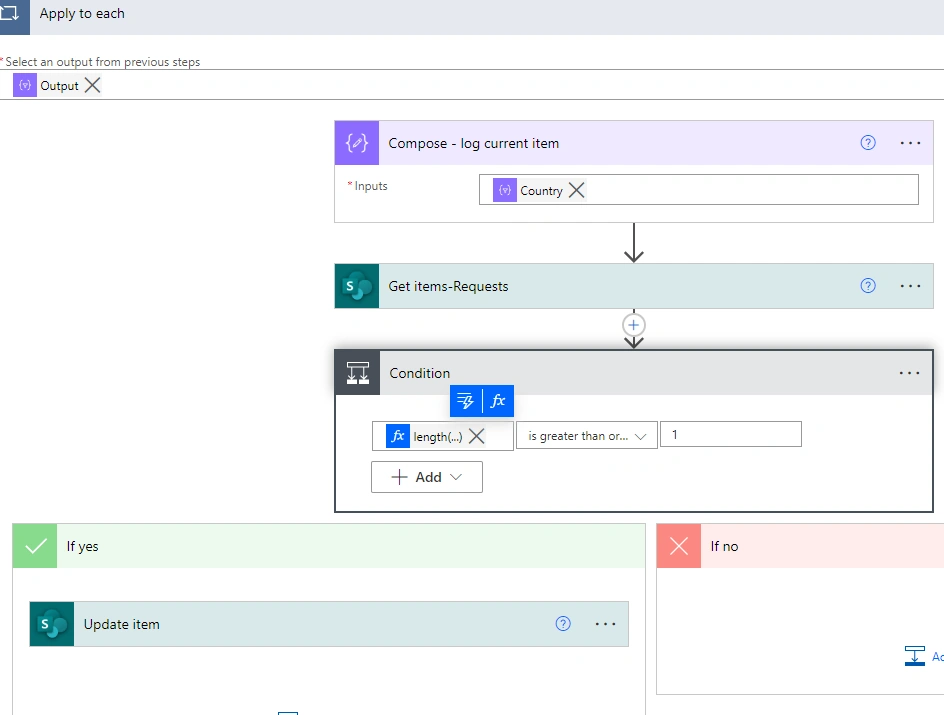
Create ‘Apply to Each’ and select outputs from previous steps which is Country Names. and inside add ‘compose’ action and log the current item. At first we will get the country value from the current JSON object.
Step 6
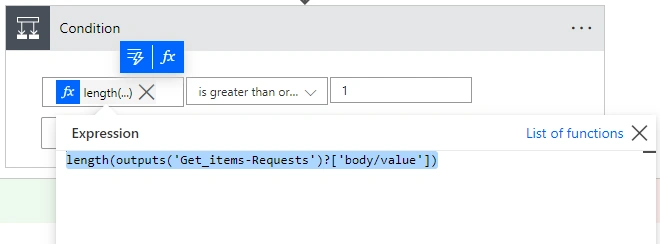
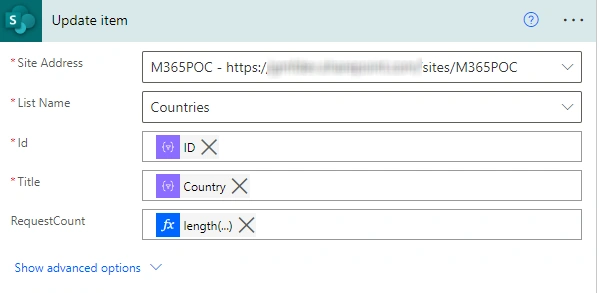
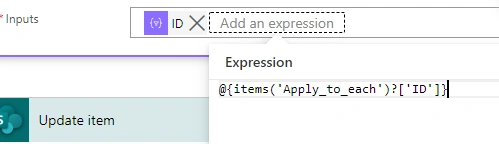
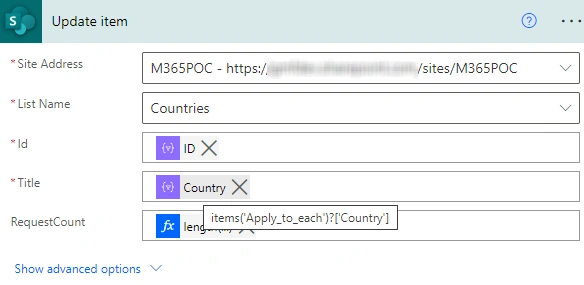
Join the conversation! Your thoughts help the community grow.