

Introduction: In this Article we will learn how to upload files to and download files from a database. First we save user resume details and upload resume in the database. Then we display saved information in a GridView and download the selected resume.
Step 1: First create the database in SQL; give the name of the database as TestDatabase and the table name as ResumeDetails. Define the name of columns in the table, like this: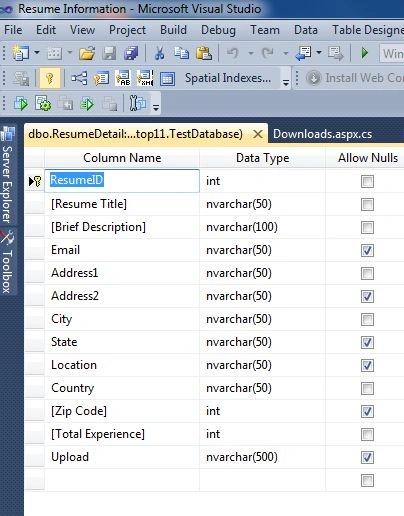
Step 2: Create a new web page Default.aspx in Visual Studio, then add Textboxes, Labels, DropDownList and FileUpload from Tools, like this: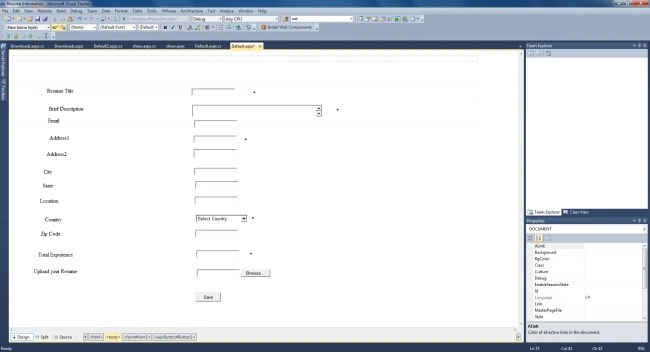
Use the FileUpload tool to upload a file and DropDownList to select country.
Step 3: Enter the code into the Default.aspx.cs file to input values, then click the Save button to save the values in the database table. Also put in the condition that the file to upload should be text, pdf or docx.
using System;
using System.Collections.Generic;
using System.Linq;
using System.Web;
using System.Web.UI;
using System.Web.UI.WebControls;
using System.Data;
using System.Data.SqlClient;
public partial class _Default : System.Web.UI.Page
{
SqlCommand cmm;
SqlConnection con;
SqlDataAdapter da;
string s;
protected void Page_Load(object sender, EventArgs e)
{
cmm = new SqlCommand("Insert into ResumeDetail values(@a,@b,@c,@d,@e,@f,@g,@h,@k,@i,@j,@l)");
con = new SqlConnection("Data Source=.;Initial Catalog=TestDatabase;uid=sa;Pwd=wintellect");
cmm.Connection = con;
da = new SqlDataAdapter(cmm);
if (FileUpload1.HasFile)
{
string fileExt = System.IO.Path.GetExtension(FileUpload1.FileName);
if (fileExt == ".pdf" || fileExt == ".txt" || fileExt == ".docx")
{
s = MapPath("img");
s = s + "/" + FileUpload1.FileName;
FileUpload1.SaveAs(s);
}
else
{
Response.Write("Invalid Upload file format");
}
}
cmm.Parameters.AddWithValue("@a", TextBox2.Text);
cmm.Parameters.AddWithValue("@b", TextBox3.Text);
cmm.Parameters.AddWithValue("@c", TextBox4.Text);
cmm.Parameters.AddWithValue("@d", TextBox5.Text);
cmm.Parameters.AddWithValue("@e", TextBox6.Text);
cmm.Parameters.AddWithValue("@f", TextBox7.Text);
cmm.Parameters.AddWithValue("@g", TextBox8.Text);
cmm.Parameters.AddWithValue("@h", TextBox9.Text);
cmm.Parameters.AddWithValue("@i", TextBox10.Text);
cmm.Parameters.AddWithValue("@j", TextBox11.Text);
cmm.Parameters.AddWithValue("@k", DropDownList1.SelectedValue);
cmm.Parameters.AddWithValue("@l", s);
}
protected void Button1_Click(object sender, EventArgs e)
{
con.Open();
cmm.ExecuteNonQuery();
con.Close();
}
Step 4: After clicking the save button our database Table look like this: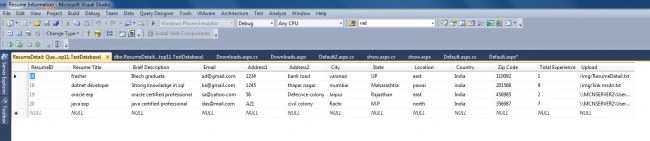
Step 5: Now create a new webpage, Downloads.aspx, to show the saved data by using GridView. Select Data Sources from the GridView smart tag to select the ResumeDetail database table.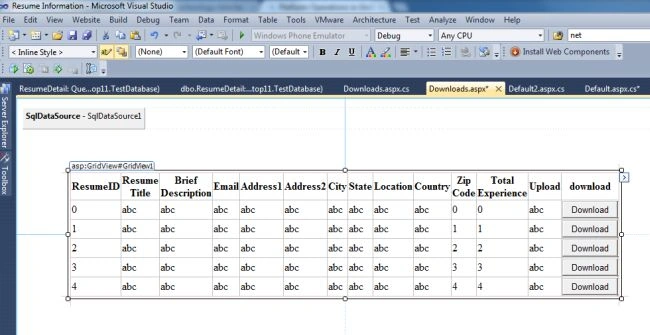
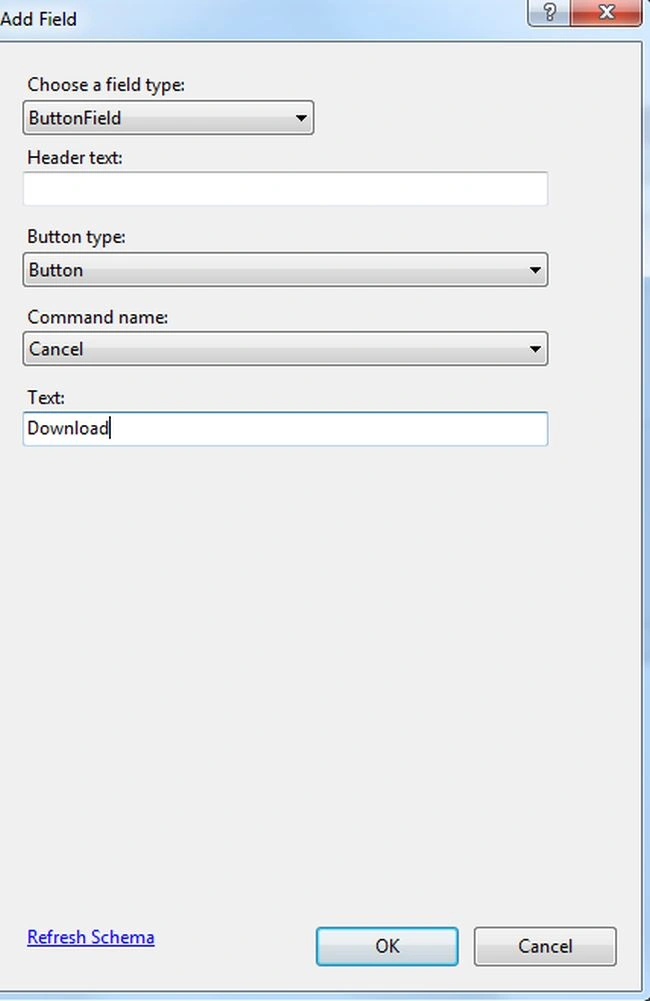
Step 6: Again click on the GridView Tasks (Smart Tag) to add a new column, then choose the field type as ButtonField and Type as Download.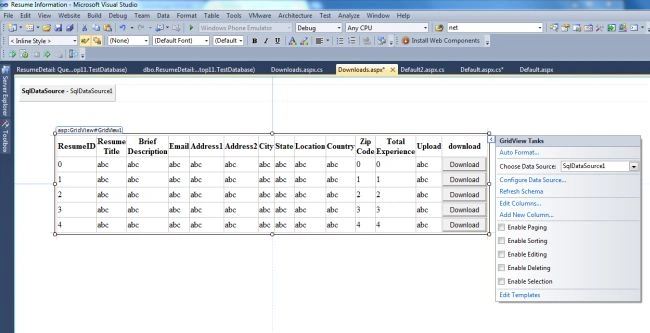
Step 7: Click on GridView Tasks to Edit column and assign the CommandName as download in the ButtonField properties. 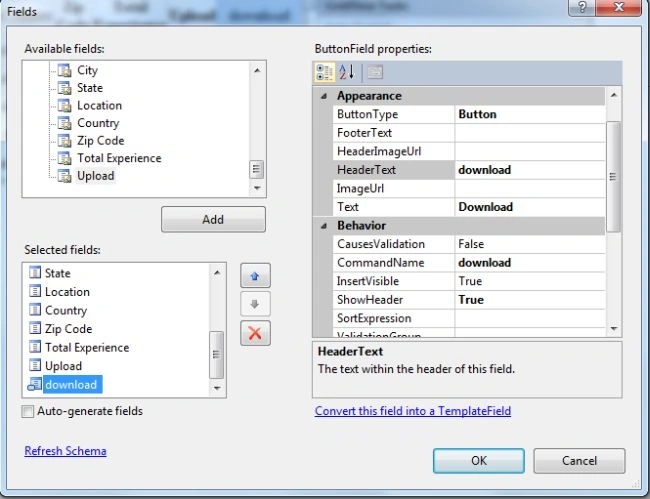
Step 8: Enter code into the Download.aspx.cs file, like this:
using System;
using System.Collections.Generic;
using System.Linq;
using System.Web;
using System.Web.UI;
using System.Web.UI.WebControls;
using System.Data.SqlClient;
using System.Data;
using System.Net;
public partial class Downloads : System.Web.UI.Page
{
protected void GridView1_RowCommand(object sender, GridViewCommandEventArgs e)
{
if (e.CommandName == "download")
{
int index = Convert.ToInt32(e.CommandArgument);
string url = GridView1.Rows[index].Cells[13].Text;
System.IO.FileInfo file = new System.IO.FileInfo(url);
if (file.Exists)
{
Response.Clear();
Response.AppendHeader("Content-Disposition:", "attachment; filename=" + file.Name);
Response.AppendHeader("Content-Length", file.Length.ToString());
Response.ContentType = "application/octet-stream";
Response.TransmitFile(file.FullName);
Response.End();
}
else
{
Response.Write("NO FILE PRESENT");
}
}
}
}
Step 9: Now run the application by pressing F5 and the output is as: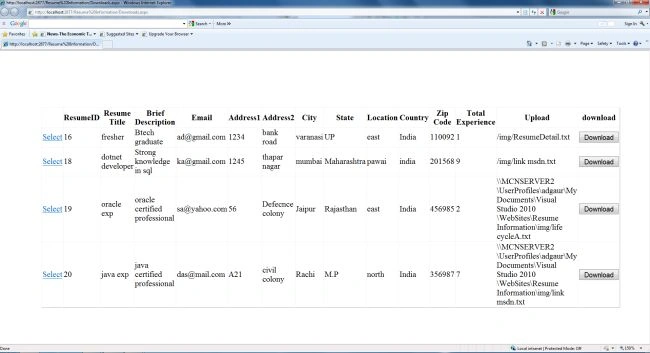
Click on any file you want to download.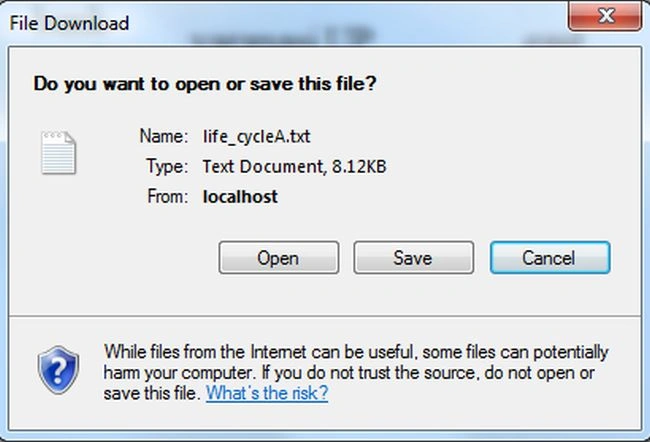
Chiranjeevi AripakaPosted May 14, 2015, 1:51 AM
please send the download link to this mail [email protected]
Dharmveer SinghPosted Jan 21, 2015, 6:42 AM
thanks sir...
balaji badrinathPosted Jun 4, 2014, 9:42 AM
Must declare the scalar variable @Uplaod
rajesh thakurPosted Dec 19, 2012, 1:08 AM
Satisfying...
sivaram reddyPosted Oct 18, 2012, 7:07 AM
Could not find a part of the path 'C:\Users\pravista\Documents\Visual Studio 2010\WebSite\TechSkills\Text\table class.docx'. I am getting this error when i try to do.... can i have the solution for this??
Former memberPosted Sep 25, 2012, 3:37 AM
thanks for sharing this code vary useful http://soft-engineering.blogspot.in/
Anubhav sahuPosted Sep 7, 2012, 2:44 PM
nice work thanks for sharing..
Abdullah AyhanPosted Jun 18, 2012, 1:46 AM
Hi , First of all , Thank you for this unique code on the internet, i got some problems; 1. file filter not working properly . I can even get jpeg files. 2.I can't download the file when i click on it, there is nothing shows up. Can you help me with these? Thanks
salman ansariPosted May 25, 2012, 8:46 AM
Your Work is nice.but i think you need to put same Expertise in real application environment so that that is more useful to other developer...Good work