

Introduction
This article explains how to use a JavaScript function in a Windows application C#. A previous article explained how to call a JavaScript function in C# code. The following are the points:
- How to use a JavaScript function in a Windows application
- How to call a JavaScript function in C# code.
I have explained these points using an example. My example uses a web browser control of a Windows Forms application.
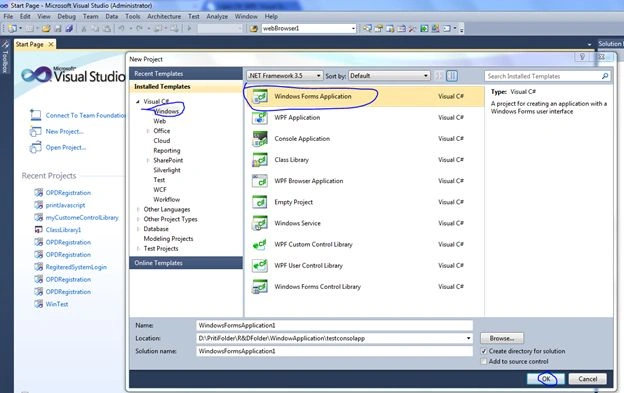
Step 1- Initially create a new window based project. Execute Visual Studio then:
"File" -> "New" -> "Project..." then select "Windows" -> "Windows Forms Application".
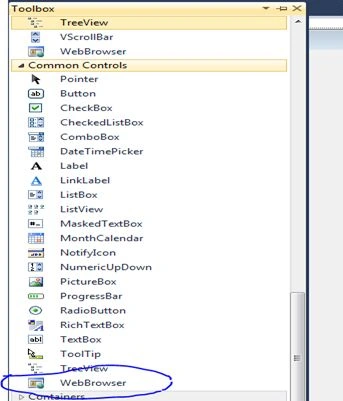
 Step 2- Then drag and drop a web browser control to the Windows Forms form and also drag and drop a Print Dialog Control onto the form.
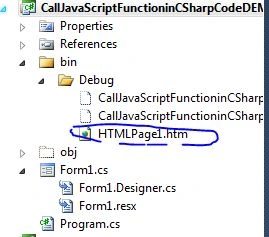
 Step 3- Then go to "Application" => "Add New Item" => "Add HTML page" to add a page to the debug folder of the application.
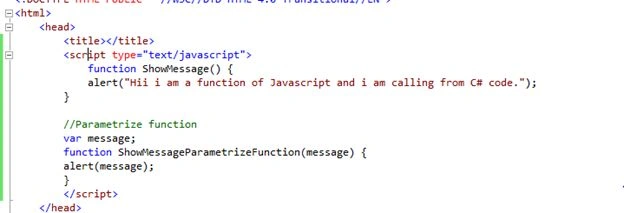
 Step 4- Create a JavaScript function on the HTML page. Here I need to write two functions, one function without a parameter and another one with a parameter.
 Step 5- Write this code in Form Constructor.
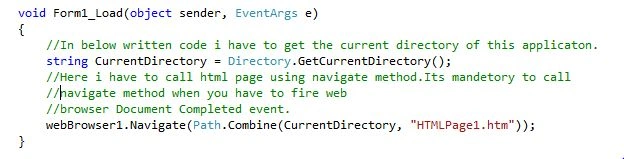
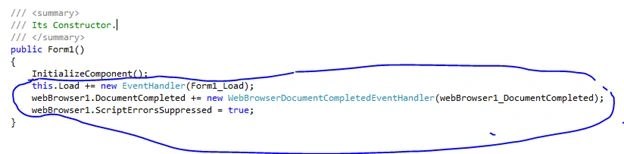 Step 6- Write this code for the Form Load event:
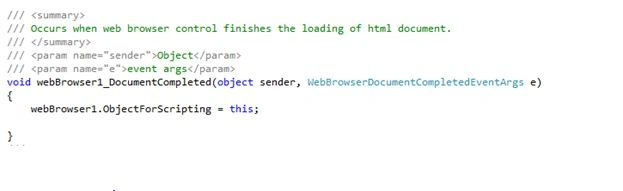
 Step 7- Write this code in the web browser control's DocumentCompleted method.
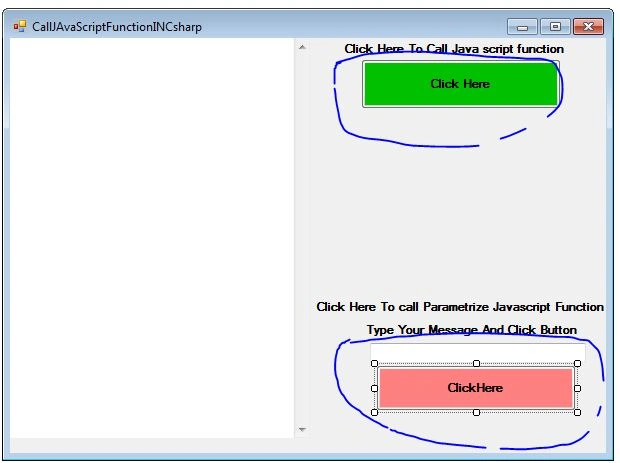
Step 8- Drag two Buttons and one TextBox control to your form. My form design now looks like this:
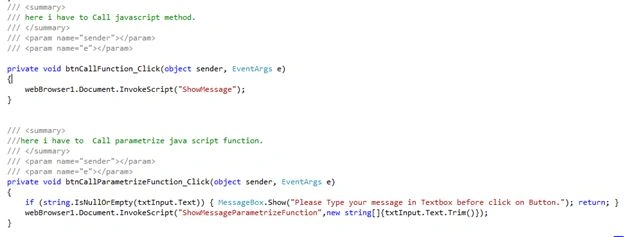
 Step 9:- After designing write this code for the button Click event.
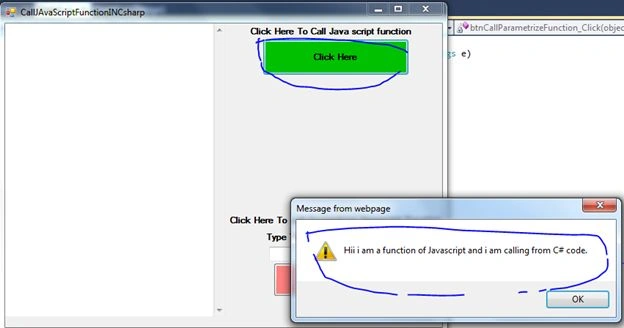
 Output
When this button is clicked you will get the following message:
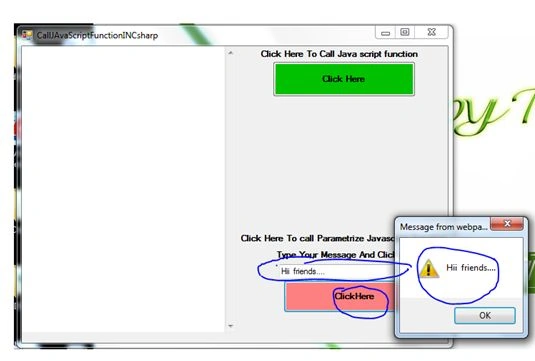
 The second button's output is:
abubakar shfPosted Jan 28, 2022, 12:16 PM
NullReferenceException was unhanded. at" webBrowser1.Document.InvokeScript("notifyMe"); " How I can fix this error. Please let me know.
abubakar shfPosted Jan 28, 2022, 12:16 PM
Hi, I am getting this error.NullReferenceException was unhanded. at" webBrowser1.Document.InvokeScript("notifyMe"); "
nijime youkPosted Feb 17, 2021, 11:34 AM
Image missing in 7's: https://web.archive.org/web/20210217113021/https://www.c-sharpcorner.com/UploadFile/7d3362/use-javascript-function-in-window-application-C-Sharp1/Images/browser%20control%20%20Document.jpg
Shawn DomingoPosted Jan 26, 2021, 4:52 AM
Hello Priti, Step 7's Source Code Image is missing , can you help?
amir farhangPosted Mar 6, 2020, 1:04 AM
It works well but how to get a variable of js ?
amir farhangPosted Mar 5, 2020, 2:18 PM
Seems goooood :)
Nour H.Posted Apr 6, 2019, 3:58 AM
I am tring to add jQuery to my Webbrowser in c# , can you tell me how?
James RyckmanPosted Aug 17, 2018, 2:29 PM
I followed these instructions but once I publish the application it does not bring up the HTML and Javascript in the application, just shows me a blank windows application form. But it works when i use the debugging function
dinav ahirePosted Jun 20, 2015, 2:44 AM
error says: NullReferenceException was unhanded. at" webBrowser1.Document.InvokeScript("notifyMe"); "
satish GPosted Dec 30, 2014, 7:52 AM
Good one...thoughtfull :)